
1. Vodič za postavljanje
This section provides instructions for the initial setup of your NIMO N152 laptop.
1.1 Raspakiranje i početni pregled
Pažljivo izvadite sve komponente iz pakiranja. Provjerite jesu li sve stavke navedene u odjeljku "Što se nalazi u kutiji" prisutne i neoštećene.

Image: NIMO N152 Laptop and its packaging. The laptop is silver with a black keyboard, displaying the Windows 11 desktop. The box behind it highlights key features.
1.2 Spajanje adaptera za napajanje
Connect the 65W Type-C PD Fast Charger to the laptop's Type-C port and then to a power outlet. The laptop is equipped with a 53.58Wh battery and supports fast charging.

Image: A white 65W Type-C PD charger with two USB-C cables. The image illustrates its compatibility with laptops, tablets, and smartphones, emphasizing "One Charger for All."
1.3 Početno pokretanje i postavljanje sustava Windows 11
Press the power button located on the top right of the keyboard. Follow the on-screen instructions to complete the Windows 11 Home setup, including language, region, network connection, and user account creation.
Video: A comprehensive introduction to the NIMO 15.6-inch laptop, showcasing its physical design, ports, and initial boot-up sequence with Windows 11. The video highlights the sleek design, multiple ports, and the anti-glare display.
2. Upute za rad
This section covers the basic operation of your NIMO N152 laptop.
2.1 Using the Backlit Keyboard and Fingerprint Reader
The backlit keyboard allows for comfortable typing in low-light conditions. The integrated fingerprint reader provides secure and convenient login. Simply place your registered finger on the sensor for instant access.

Image: A close-up of the NIMO N152 laptop's backlit keyboard and fingerprint reader. The text highlights comfortable typing in low light and convenient fingerprint unlocking.
2.2 Prikaz i vizualno iskustvo
The 15.6-inch FHD 1080P IPS anti-glare display offers clear visuals and reduces eye strain. Adjust brightness and display settings through Windows settings for optimal viewing.
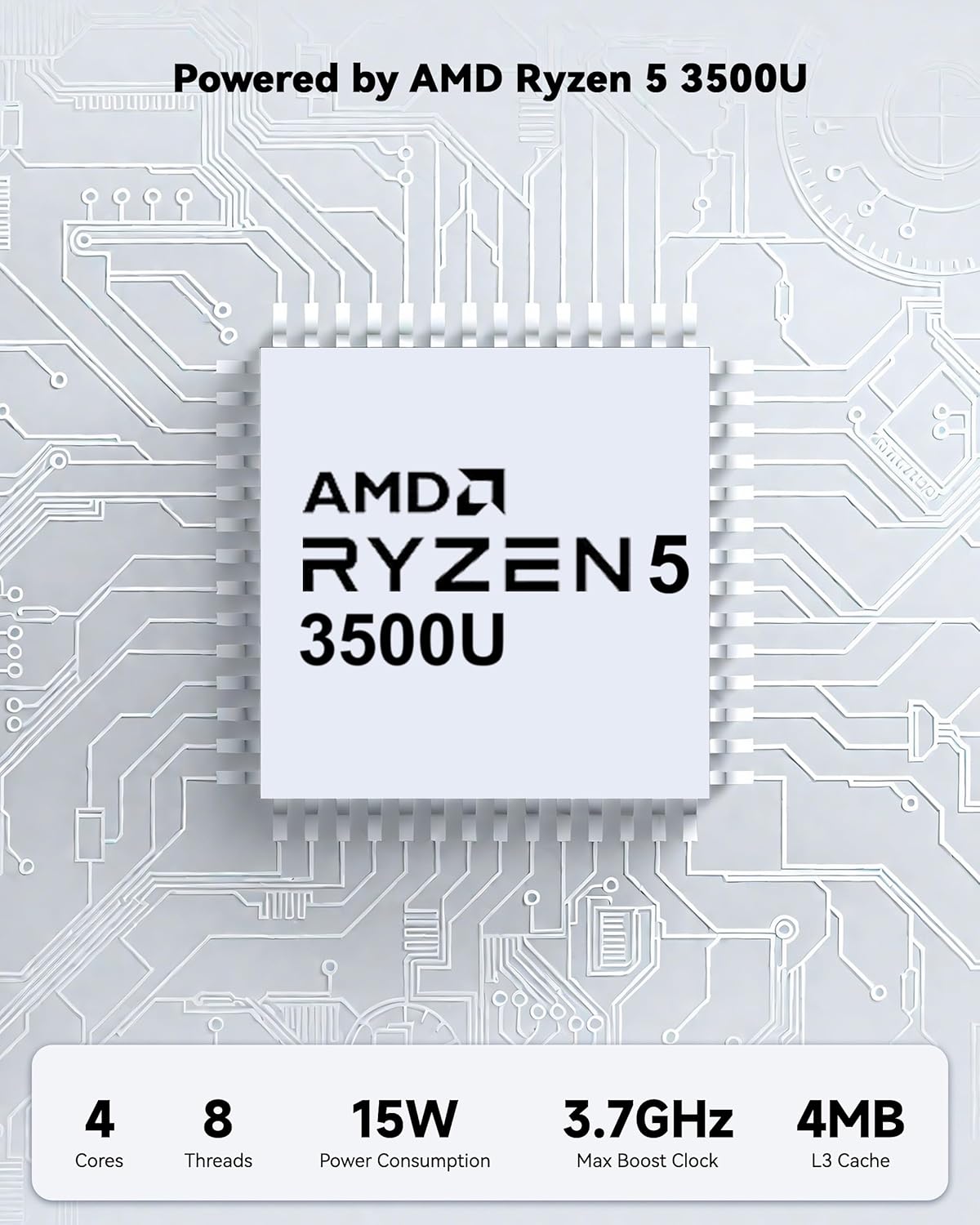
Image: The NIMO N152 laptop displaying a vibrant desktop background, emphasizing its 15.6-inch FHD IPS display with anti-glare properties.
2.3 Povezivost i portovi
The laptop features a variety of ports for versatile connectivity, including Full-function Type-C, HDMI, USB 3.2, USB 2.0, Micro SD Reader, Audio Jack, and Kensington Lock. Connect external monitors, storage devices, and peripherals as needed.

Slika: Krupni plan view of the NIMO N152 laptop's side ports, including USB 3.2 Gen1, HDMI 1.4, Type-C, USB 2.0, Micro SD Reader, Audio Jack, and Kensington Lock.
3. Održavanje i nadogradnje
Proper maintenance ensures the longevity and optimal performance of your laptop. The NIMO N152 also supports upgradable components.
3.1 Njega baterija
The laptop is equipped with a 53.58Wh battery. To maximize battery lifespan, avoid frequent full discharges and keep the laptop in a cool, dry environment. Use the provided 65W Type-C charger for optimal charging.

Slika: Interni view of the NIMO N152 laptop highlighting its 54WH battery and "Smart Battery Optimization" features like extended battery lifespan, smart power control, safe & fast charging, and battery health protection.
3.2 RAM and SSD Upgradability
The NIMO N152 features upgradable RAM and SSD slots, allowing you to expand storage and memory as your needs evolve. Consult a professional for hardware upgrades to avoid damage.

Image: A visual representation of the NIMO laptop's upgradable hard drive and memory, showing various applications and data, emphasizing "Unleashing Infinite Potential."
4. Rješavanje uobičajenih problema
This section addresses common problems you might encounter with your NIMO N152 laptop.
4.1 Problemi s napajanjem i punjenjem
- Laptop se ne uključuje: Ensure the charger is securely connected and the power outlet is functional. Try holding the power button for 10-15 seconds to perform a hard reset.
- Baterija se ne puni: Verify the Type-C charger and cable are not damaged. Try a different power outlet.
4.2 Problemi s prikazom
- Zaslon je prazan: Connect an external monitor to check if the display output is working. Adjust screen brightness using function keys.
- Treperenje zaslona: Update your graphics drivers. Reduce screen refresh rate if applicable.
4.3 Performanse i povezivost
- Spore performanse: Close unnecessary applications. Check for Windows updates. Ensure sufficient free storage space.
- Wi-Fi or Bluetooth issues: Restart the laptop. Check device manager for driver issues. Ensure Wi-Fi 6 and Bluetooth 5.2 drivers are up to date.
5. Tehničke specifikacije
| Značajka | Detalj |
|---|---|
| Naziv modela | NIMO N152 |
| Veličina zaslona | 15.6 inča |
| Razlučivost zaslona | 1920 x 1080 pixels (FHD IPS Anti-Glare) |
| Procesor | AMD Ryzen 5 3500U (up to 3.7GHz, 4 Cores) |
| OVAN | 16 GB DDR4 (Upgradable) |
| Tvrdi disk | 1024 GB SSD (Upgradable) |
| Grafički koprocesor | AMD Integrated graphics |
| Operativni sustav | Windows 11 Home |
| Bežična vrsta | 802.11a/b/g/n/ac (Wi-Fi 6) |
| Bluetooth | Bluetooth 5.2 |
| luke | Full-function Type-C, HDMI, 3x USB 3.0, 1x USB 2.0, Micro SD Reader, Audio Jack, Kensington Lock |
| Baterija | 53.58Wh (Up to 9 hours average battery life) |
| Punjač | 65W Type-C PD Fast Charger |
| Webkamera | Prednja kamera od 2 MP |
| Posebne značajke | Backlit Keyboard, Fingerprint Reader, HD Audio, Numeric Keypad, 180° Viewing |
| Težina artikla | 3.75 funti |
| Dimenzije proizvoda | 14.07 x 8.98 x 0.76 inča |
6. Što je u kutiji
- 1 x NIMO N152 Laptop
- 1 x Type-C 65W PD Fast Charger
- 1 x korisnički priručnik
- Windows 11 Home (Pre-installed)
7. Jamstvo i podrška
Your NIMO N152 laptop comes with comprehensive support to ensure your peace of mind.
7.1 Pokrivenost jamstvom
Proizvod uključuje a 2-godišnje jamstvo from the manufacturer, covering defects in materials and workmanship under normal use. This warranty surpasses standard market offers.

Image: A close-up of hands working on a laptop motherboard with tools, illustrating the 2-Year Support for NIMO products.
7.2 Politika povrata
A 90-dnevna politika povrata is offered, allowing you to return the product for any reason within 90 days of purchase. Please refer to the return instructions provided with your purchase.

Image: A delivery person handing a package to a customer, representing the 90-Day Return policy for NIMO products.
7.3 Pomoć korisnicima
For any product-related questions or support, please contact our professional after-sales team. We are committed to providing high-quality customer service.
- Email: csr@bestptv.com
- Besplatno: 1(855)-216-7257 (9-5 EST M-F)

Image: Two customer service representatives wearing headsets, labeled "Professional Customer Assistance," indicating support via phone and live chat.