
1. Uvod
1.1 Proizvod višeview
The Rockspace AX1800 WiFi 6 Extender is designed to expand your existing wireless network coverage, eliminate dead zones, and improve overall network performance. It supports the latest WiFi 6 (802.11ax) standard, offering enhanced speeds and capacity for multiple devices.
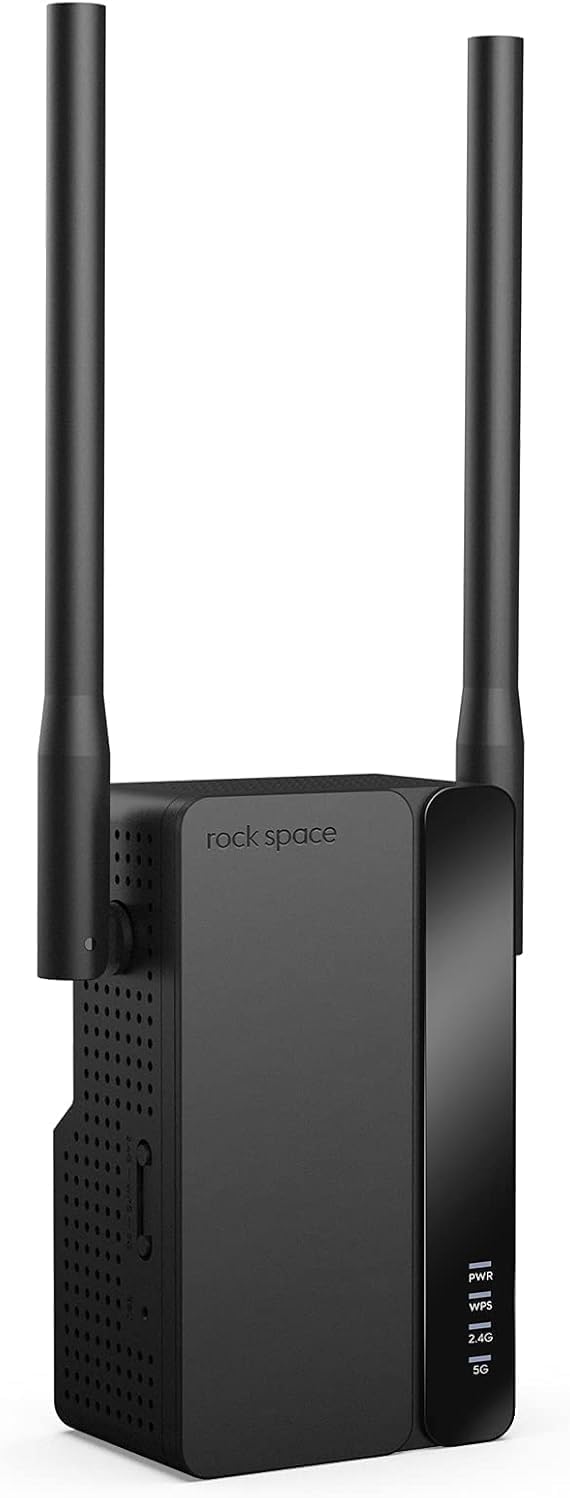
Slika 1.1: Prednja strana view of the Rockspace AX1800 WiFi 6 Extender with its two external antennas.
1.2 Ključne značajke
- Supports up to 1.8Gbps wireless speeds (1201Mbps on 5GHz, 574Mbps on 2.4GHz) for high-bandwidth activities.
- MU-MIMO technology enables simultaneous connection for over 50 devices, optimizing network efficiency.
- Dual 5dBi antennas and a dual-core processor provide reliable WiFi coverage across an area of up to 3000 sq. ft.
- Compatible with all WiFi-enabled devices, routers, and access points.
- Features a Gigabit Ethernet port for wired connections or to operate in Access Point (AP) mode.
- Setup is facilitated by dual WPS buttons (2.4GHz & 5GHz) and includes WPA3 encryption for network security.
- Smart signal indicators assist in optimal placement.
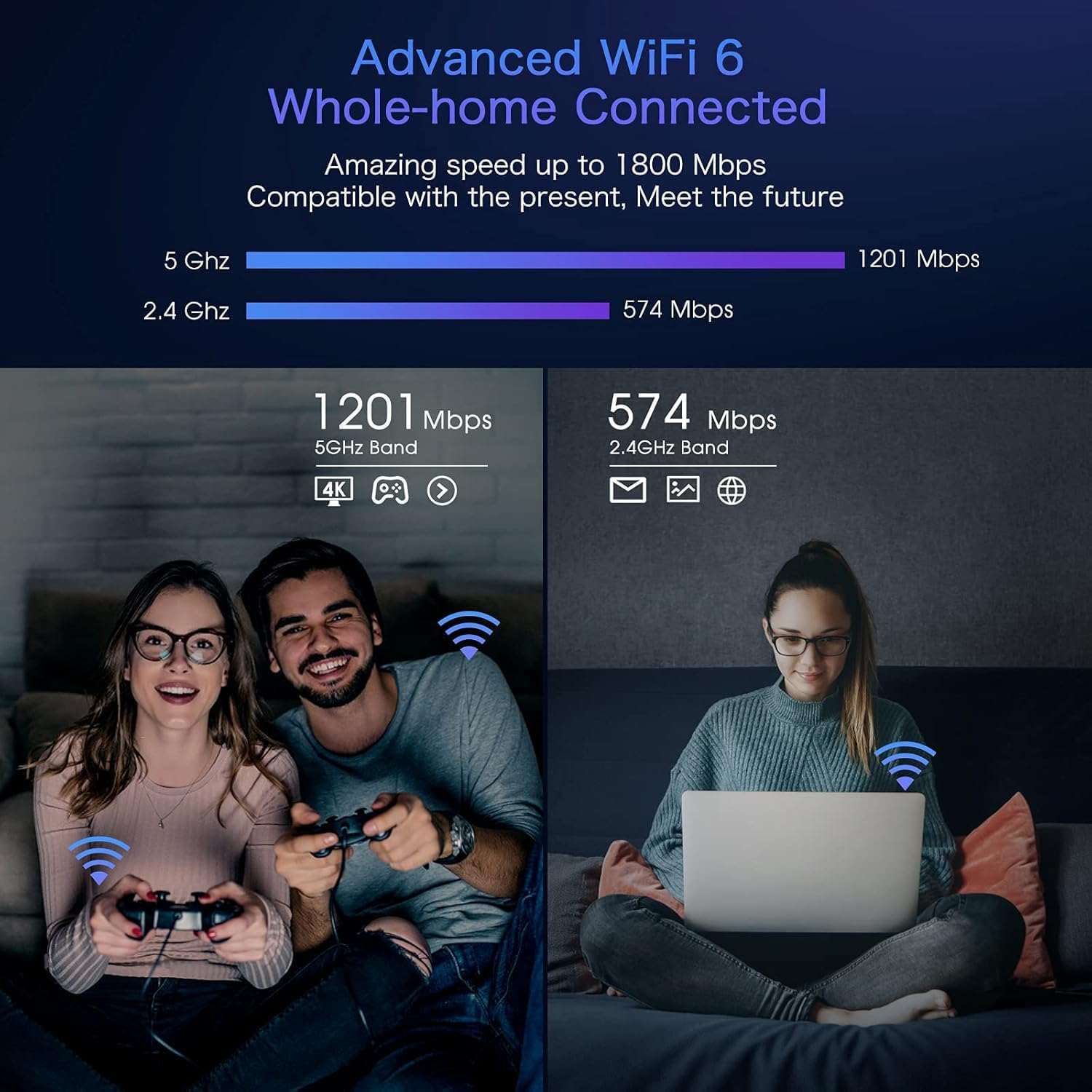
Image 1.2: Diagram illustrating the dual-band WiFi 6 speeds, showing 1201 Mbps on 5 GHz and 574 Mbps on 2.4 GHz, with examples of usage like 4K streaming and web pregledavanje.

Image 1.3: Comparison of network utilization with and without MU-MIMO technology, demonstrating improved efficiency with multiple devices connected simultaneously.
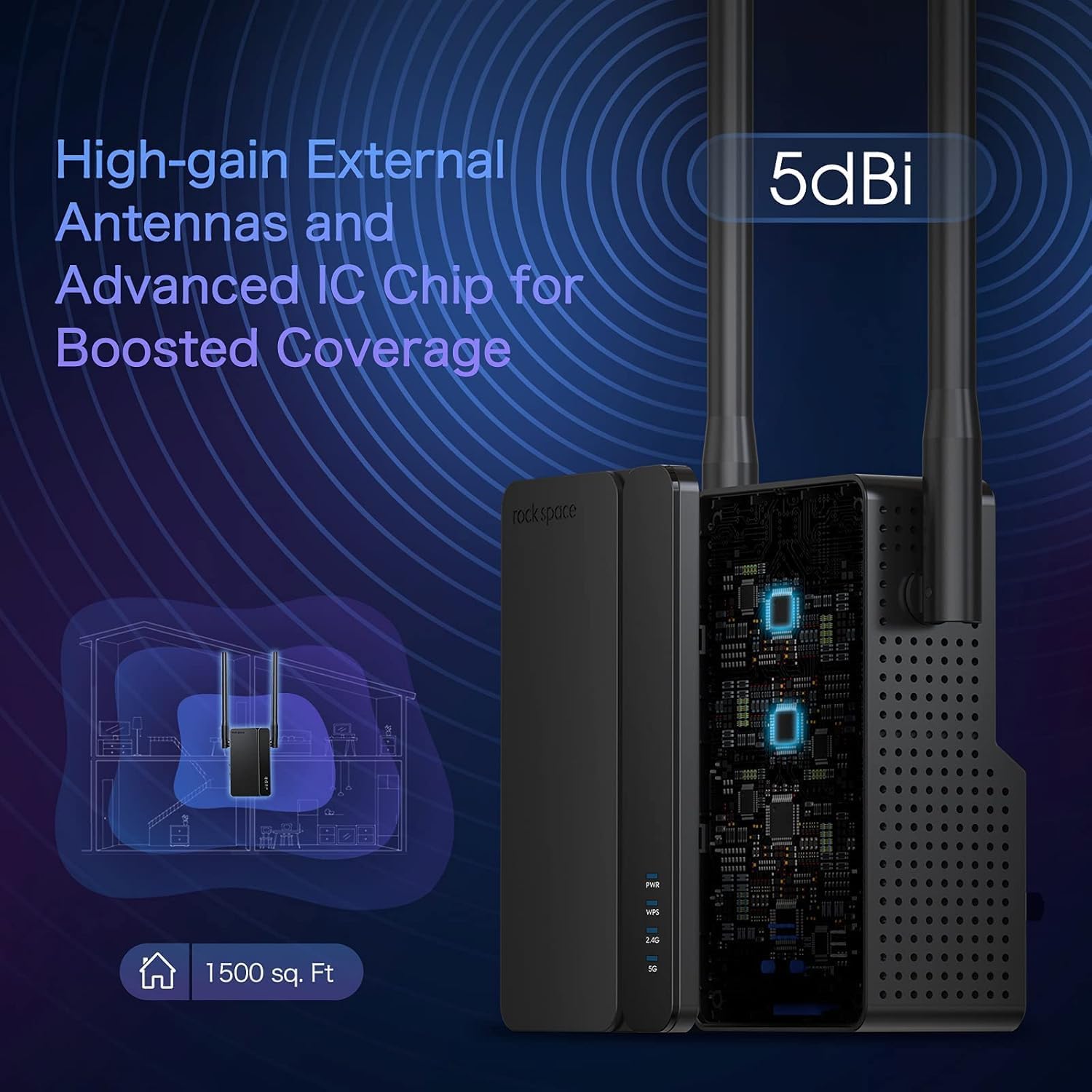
Image 1.4: Illustration of the extender's high-gain external 5dBi antennas and advanced IC chip, indicating boosted coverage up to 1500 sq. ft. (Note: Product description states 3000 sq. ft. for this model).
2. Sadržaj paketa
Provjerite jesu li svi artikli prisutni u vašem paketu:
- Rockspace WiFi Extender Signal Booster (AX1800)
- Vodič za brzu instalaciju
3. Vodič za postavljanje
3.1 Prije nego počnete
- Ensure your main router is powered on and functioning correctly.
- Place the extender in the same room as your router during initial setup for optimal signal strength.
- Have your router's WiFi network name (SSID) and password ready.
3.2 Uključivanje pojačala
- Plug the Rockspace AX1800 WiFi 6 Extender into an electrical outlet.
- Wait for the Power (PWR) LED indicator to turn solid blue, indicating it is ready.
3.3 Metode povezivanja
The extender offers multiple setup options:
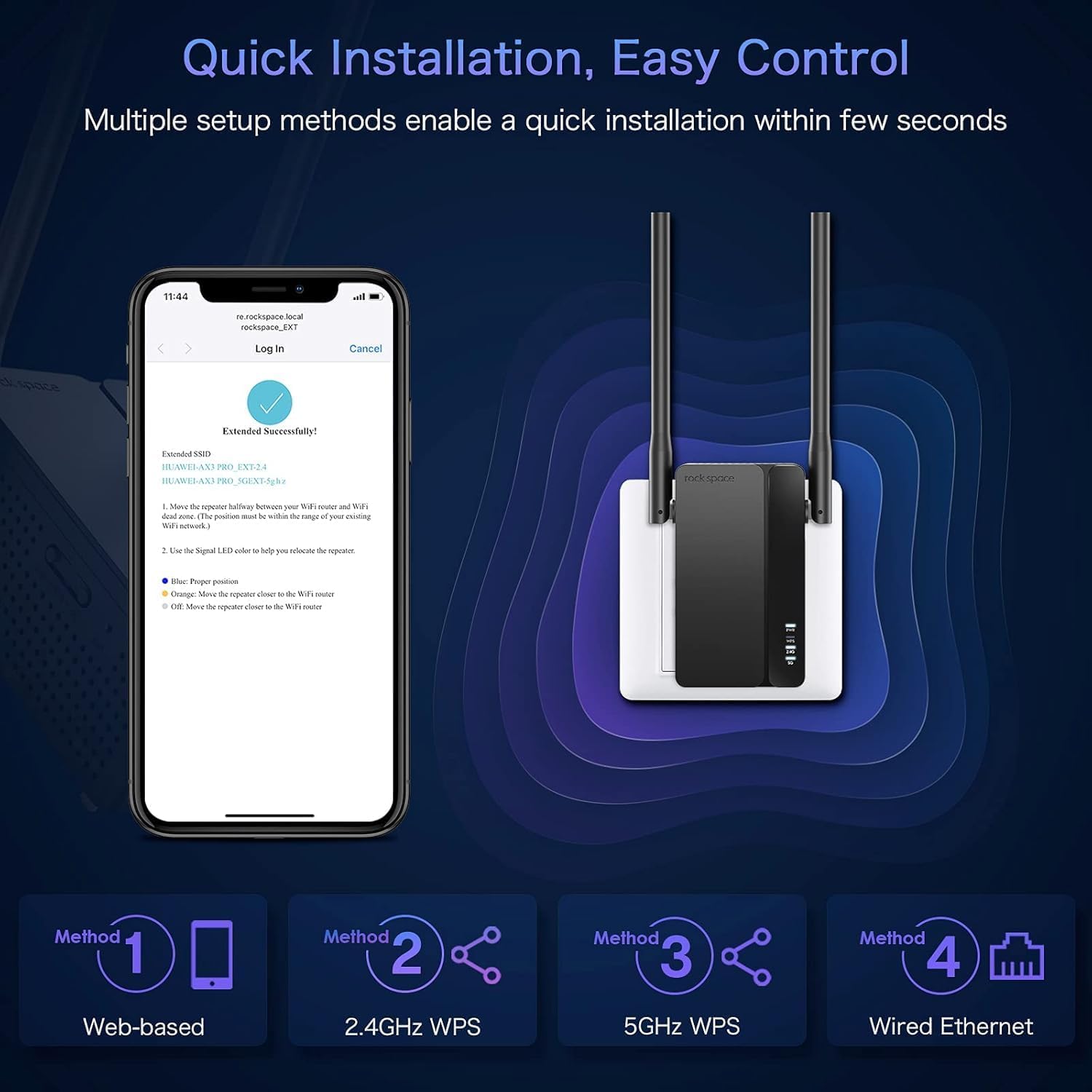
Image 3.1: Visual representation of the four quick installation methods: Web-based, 2.4GHz WPS, 5GHz WPS, and Wired Ethernet.
Metoda 1: Web-based Setup (Recommended)
- Connect your computer or mobile device to the extender's default WiFi network (e.g., "rockspace_EXT"). No password is required initially.
- Otvori a web preglednik i unesite re.rockspace.local or 192.168.0.254 u adresnoj traci.
- Follow the on-screen instructions to create an administrator password and select your main WiFi network to extend.
- Enter your main WiFi network's password when prompted.
- Once configured, the extender will reboot. The signal indicator LEDs will turn solid blue when successfully connected.
Method 2: WPS Setup (2.4GHz)
- Pritisnite WPS gumb na glavnom ruteru.
- Within two minutes, press the 2.4GHz WPS button on the extender.
- Wait for the 2.4GHz signal indicator LED on the extender to turn solid blue, indicating a successful connection.
Method 3: WPS Setup (5GHz)
- Pritisnite WPS gumb na glavnom ruteru.
- Within two minutes, press the 5GHz WPS button on the extender.
- Wait for the 5GHz signal indicator LED on the extender to turn solid blue, indicating a successful connection.
Method 4: Wired Ethernet Setup (for AP Mode)
This method is primarily for setting up the extender in Access Point (AP) mode. Refer to Section 4.2 for details.
3.4 Optimalno postavljanje
- After initial setup, relocate the extender to a location halfway between your router and the WiFi dead zone.
- Ensure the signal indicator LEDs show a strong blue signal from your router. If the signal is weak (e.g., red or orange), move the extender closer to the router.
- Avoid placing the extender near large metal objects, concrete walls, or appliances that emit electromagnetic interference (e.g., microwaves, cordless phones).
4. Načini rada
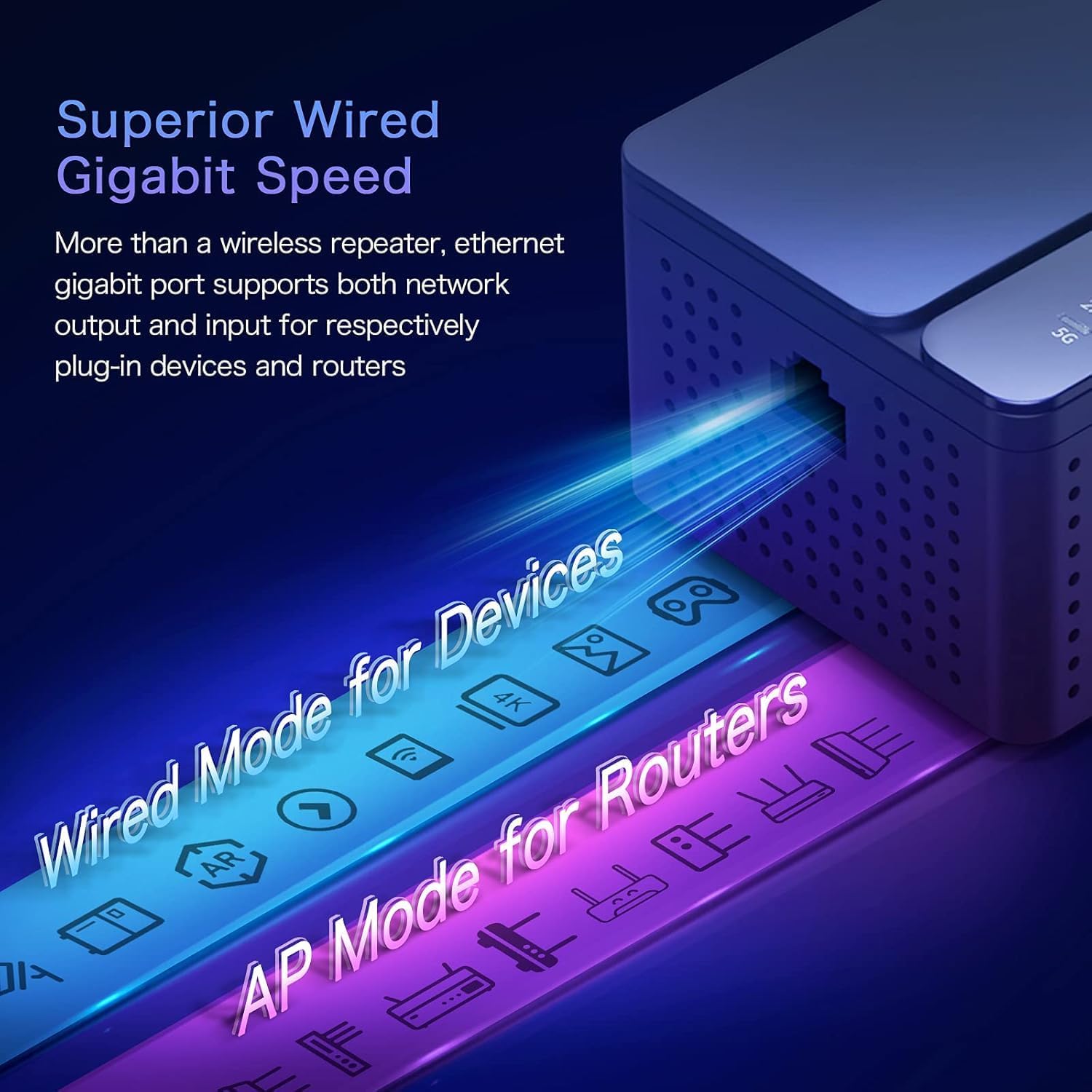
Image 4.1: Diagram illustrating the Gigabit Ethernet port and its dual functionality for 'Wired Mode for Devices' (Extender Mode) and 'AP Mode for Routers' (Access Point Mode).
4.1 Extender Mode (Repeater Mode)
In Extender Mode, the device wirelessly connects to your existing router and extends its WiFi signal to areas with weak or no coverage. It uses the same network name (SSID) or creates new ones with '_EXT' appended, depending on your configuration. This mode is ideal for expanding wireless coverage.
- Bežično proširenje: Connects wirelessly to your main router.
- Gigabitni Ethernet priključak: Can be used to connect a wired device (e.g., PC, gaming console, smart TV) to the extended network, providing a stable wired connection.
4.2 Način rada pristupne točke (AP)
In AP Mode, the extender connects to your router via an Ethernet cable and transforms your wired network into a wireless access point. This is useful for adding WiFi capability to a wired-only network or creating a new WiFi network in a specific area.
- Connect an Ethernet cable from your main router's LAN port to the Gigabit Ethernet port on the extender.
- Slijedite web-based setup instructions (Method 1 in Section 3.3) and select AP Mode during the configuration process.
- The extender will then broadcast a new WiFi network based on your settings.
5. Održavanje
5.1 ažuriranja firmvera
Periodically check the official rockspace website for firmware updates. Firmware updates can improve performance, add new features, and enhance security. Follow the instructions provided with the firmware update carefully.
5.2 Čišćenje
To clean the device, disconnect it from the power outlet. Use a soft, dry cloth to wipe the exterior. Do not use liquid cleaners or abrasive materials.
5.3 Optimalno postavljanje
Review the placement of your extender periodically to ensure it remains in an optimal location for signal strength and coverage, especially if your home layout or network devices change.
6. Rješavanje problema
6.1 Uobičajeni problemi i rješenja
- Bez napajanja: Ensure the extender is securely plugged into a working electrical outlet. Check if the power outlet is functional.
- Cannot Connect to Extender's WiFi: During initial setup, ensure you are connecting to the default network (e.g., "rockspace_EXT") without a password. If already set up, ensure you are using the correct extended network name and password.
- Slab signal ili česti prekidi veze:
- Premjestite produživač signala bliže glavnom ruteru.
- Ensure there are no major obstructions (thick walls, metal objects) between the extender and the router.
- Check the signal indicator LEDs on the extender; a solid blue indicates a good connection.
- Slow Speeds on Extended Network:
- Ensure the extender is placed in an optimal location (refer to Section 3.4).
- Provjerite pruža li vaš glavni ruter odgovarajuću brzinu interneta.
- Minimizirajte smetnje od drugih elektroničkih uređaja.
- Web-based Setup Page Not Accessible:
- Provjerite je li vaš uređaj spojen na WiFi mrežu pojačivača signala.
- Pokušajte izbrisati predmemoriju preglednika ili upotrijebite drugi preglednik.
- Verify you are entering the correct address: re.rockspace.local or 192.168.0.254.
- Ponovno pokrenite i ruter i proširivač signala.
- Zaboravljena administratorska lozinka: Perform a factory reset on the extender. Locate the reset button (usually a small pinhole) and press and hold it for 5-10 seconds until the LEDs flash. The extender will revert to factory settings, and you will need to set it up again.
7. Specifikacije
| Značajka | Detalj |
|---|---|
| Marka | rock prostor |
| Broj modela | AX1800 |
| Bežični standard | 802.11ax (WiFi 6) |
| Brzina prijenosa podataka | Do 1800 Mbps (1.8 Gbps) |
| Frekvencijski pojasevi | Dvopojasni (2.4 GHz i 5 GHz) |
| Antene | 4 External 5dBi Antennas |
| Ethernet priključak | 1x Gigabit Ethernet priključak |
| Sigurnost | WPA3 enkripcija |
| Načini rada | Extender (Repeater) Mode, Access Point (AP) Mode |
| Težina artikla | 14.9 unci |
| Dimenzije paketa | 8.9 x 5.43 x 2.64 inča |
8. Podrška
For further assistance, technical support, or warranty information, please refer to the official rockspace support channels or visit their website. Contact details are typically provided in the product packaging or on the manufacturer's official webmjesto.