
1. Uvod
This manual provides essential information for setting up, operating, and maintaining your NIMO N156 15.6" FHD Laptop. Please read this guide thoroughly before using your device to ensure proper function and longevity. Keep this manual for future reference.
2. Sadržaj paketa
Provjerite jesu li svi artikli prisutni u vašem paketu:
- 1 x NIMO N156 Laptop
- 1 x Type-C 100W PD Fast Charger
- 1 x Korisnički priručnik (ovaj dokument)
- Windows 11 Home Operating System (pre-installed)

Image: The NIMO N156 laptop, showcasing its 15.6-inch Full HD IPS display, Intel Core i5-12450H processor, 32GB RAM, 1TB SSD, fingerprint reader, Type-C PD charger, and backlit keyboard.
3. Proizvod je gotovview
3.1. Komponente i značajke
- Prikaz: 15.6" Full HD (1920x1080) IPS Anti-glare Panel with 178° wide viewing kutova.
- Procesor: Intel Core i5-12450H (8 Cores, up to 4.4GHz).
- Memorija: 32GB DDR4 RAM (user-expandable).
- Skladištenje: 1TB PCIe NVMe SSD (user-expandable).
- Tipkovnica: Tipkovnica pune veličine s pozadinskim osvjetljenjem i numeričkom tipkovnicom.
- Sigurnost: Integrated fingerprint reader, Webcam privacy shield.
- Punjenje: 100W Type-C Power Delivery (PD) fast charging.
- Povezivost: Wi-Fi 6.

Image: A detailed diagram illustrating the various ports on the NIMO N156 laptop, including Micro SD, USB 2.0, USB 3.0, Headphone Jack, Kensington lock, Type-C (multifunction), Type-C (PD Charger Only), HDMI, and Charge LED.
3.2. Raspored portova
Familiarize yourself with the port locations for connecting peripherals:
- Lijeva strana: USB 3.0 Port, USB 2.0 Port, Micro SD Card Slot, Headphone Jack, Kensington Lock.
- Desna strana: HDMI Port, USB 3.0 Port, Type-C Port (multifunction), Type-C Port (for PD Charger only), Charge LED.
4. Postavljanje
4.1. Početno uključivanje
- Unpack the laptop and charger from the box.
- Connect the 100W Type-C PD Fast Charger to the designated Type-C charging port on the laptop and plug it into a power outlet.
- Open the laptop lid. The power button is typically located on the top right of the keyboard or on the side. Press and hold the power button for a few seconds until the screen illuminates.
- Allow the laptop to charge for at least 30 minutes before initial use, especially if the battery is completely depleted.

Image: The NIMO 100W Type-C PD Fast Charger, designed for rapid charging of the laptop and compatible devices.
4.2. Instalacija sustava Windows 11
Follow the on-screen instructions to complete the Windows 11 setup process. This typically includes:
- Odabir regije i rasporeda tipkovnice.
- Spajanje na Wi-Fi mrežu.
- Prijava s Microsoftovim računom ili njegovo stvaranje.
- Postavljanje PIN-a ili lozinke.
- Reviewpostavke privatnosti.
5. Upute za rad
5.1. Upravljanje napajanjem
- Uključivanje: Pritisnite gumb za napajanje.
- Stanje mirovanja: Briefly press the power button or close the lid.
- Zatvoriti: Kliknite gumb Start sustava Windows, zatim Napajanje > Isključi.
- Ponovno pokretanje: Click the Windows Start button, then Power > Restart.
5.2. Značajke tipkovnice

Slika: Krupni plan view of the NIMO N156 laptop's backlit keyboard, highlighting the numeric keypad and the integrated fingerprint sensor on the touchpad.
- Tipkovnica s pozadinskim osvjetljenjem: Use the dedicated function key (often Fn + Fx, where Fx is an icon resembling a keyboard with light) to toggle the backlight on/off or adjust brightness levels.
- Numerička tipkovnica: The full-size numeric keypad on the right provides convenient data entry.
5.3. Čitač otiska prsta
The integrated fingerprint reader allows for secure and quick login. To set it up:
- Idite na Postavke sustava Windows > Računi > Mogućnosti prijave.
- Under 'Windows Hello Fingerprint', click 'Set up' and follow the on-screen prompts to register your fingerprints.
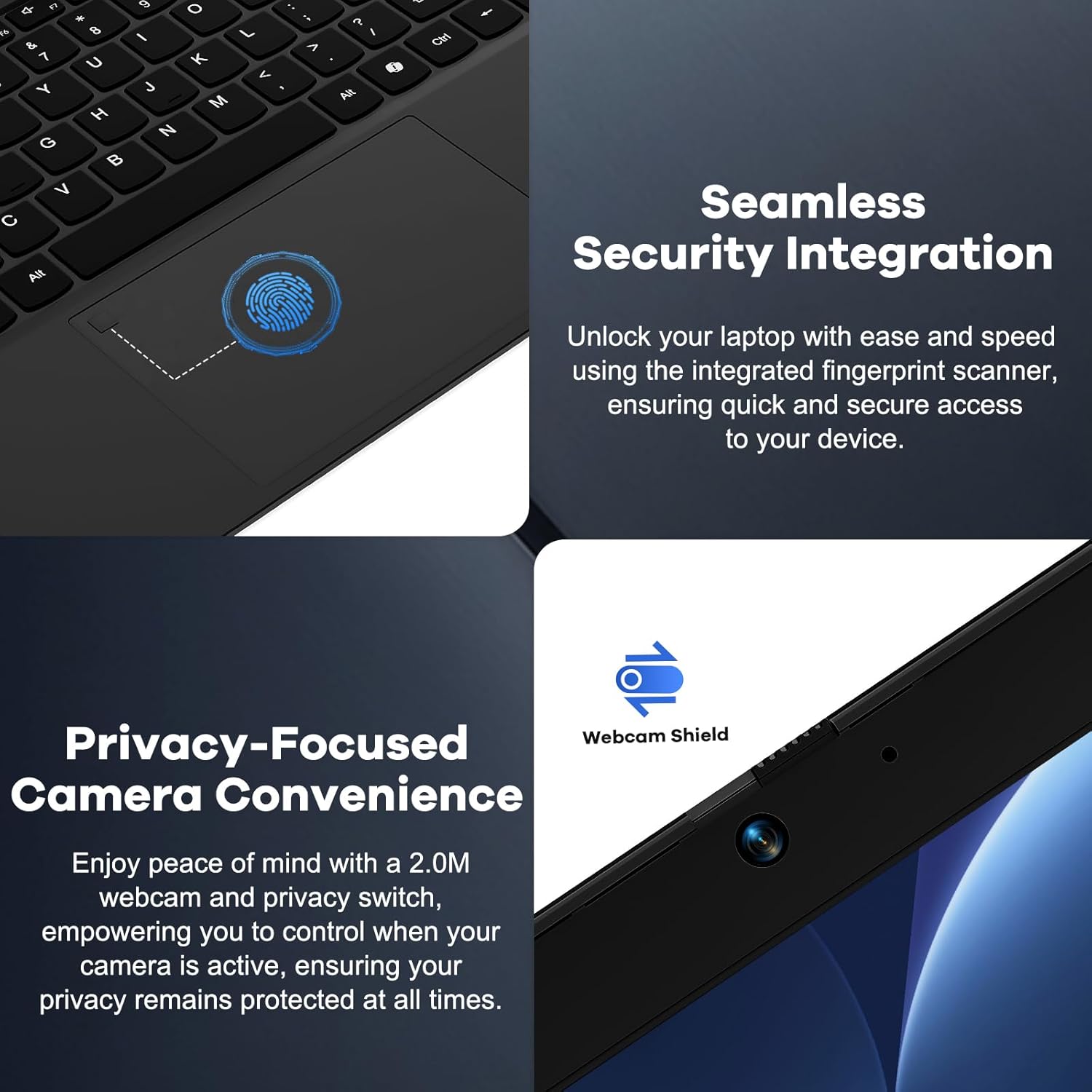
Image: A split image showing a close-up of the fingerprint reader on the touchpad for seamless security integration, and the physical webcam shield for privacy control.
5.4. Webcam Privacy Shield
The laptop features a physical privacy shield for the webcam. Slide the cover to the left to open the webcam for use, and slide it to the right to cover it when not in use, ensuring your privacy.
5.5. Povezivanje perifernih uređaja
Za spajanje vanjskih uređaja koristite različite priključke:
- USB priključci: Connect USB drives, external keyboards, mice, or other USB accessories.
- HDMI priključak: Connect to an external monitor or TV for extended display.
- Priključci tipa C: One port supports multifunctionality (data transfer, display output via adapter), and the other is dedicated for the 100W PD charger.
- Priključak za slušalice: Spojite slušalice ili vanjske zvučnike.
- Utor za mikro SD karticu: Umetnite Micro SD karticu za dodatnu pohranu ili prijenos podataka.
6. Održavanje
6.1. Čišćenje
- Always power off the laptop and disconnect the charger before cleaning.
- Koristite mekanu krpu koja ne ostavlja dlačice dampoprano vodom ili sredstvom za čišćenje ekrana.
- For the keyboard and chassis, use a soft, dry cloth. A can of compressed air can remove dust from crevices.
- Avoid harsh chemicals, abrasives, or excessive moisture.
6.2. Nadogradnje pohrane i RAM-a
The NIMO N156 laptop features user-expandable DDR4 RAM and PCIe NVMe SSD storage. Refer to the official NIMO support resources or a qualified technician for detailed instructions on performing upgrades to avoid voiding your warranty or damaging the device.

Image: The NIMO N156 laptop displaying multiple open applications, emphasizing its high-speed 32GB RAM and 1TB PCIe SSD for faster performance and multitasking.
6.3. Briga o bateriji
- Izbjegavajte često potpuno pražnjenje baterije.
- Prijenosno računalo čuvajte na hladnom i suhom mjestu ako se ne koristi dulje vrijeme, s baterijom napunjenom na oko 50-70%.
- Use only the provided NIMO 100W Type-C PD Fast Charger.
7. Rješavanje problema
Ako naiđete na probleme, pokušajte sljedeće osnovne korake za rješavanje problema:
- Laptop se ne uključuje: Ensure the charger is properly connected and plugged into a working outlet. Try a different outlet. If the battery is completely drained, allow it to charge for a while before attempting to power on.
- Zaslon je prazan: Check if the laptop is powered on. Try connecting an external monitor via HDMI to see if there's a display output.
- Problemi s Wi-Fi povezivošću: Provjerite je li Wi-Fi omogućen u postavkama sustava Windows. Ponovno pokrenite usmjerivač i prijenosno računalo. Provjerite ima li ažuriranih mrežnih upravljačkih programa.
- Spore performanse: Close unnecessary applications. Check for sufficient free storage space. Ensure Windows and drivers are up to date.
- Pregrijavanje: Provjerite da ventilacijski otvori nisu blokirani. Koristite prijenosno računalo na tvrdoj, ravnoj površini.
For more complex issues, refer to the NIMO support webstranicu ili se obratite službi za korisnike.
8. Specifikacije
| Značajka | Specifikacija |
|---|---|
| Model | Nimo N156 |
| Prikaz | 15.6" Full HD (1920x1080) IPS Anti-glare |
| Procesor | Intel Core i5-12450H (8 Cores, up to 4.4 GHz) |
| OVAN | 32 GB DDR4 (3200 MHz) |
| Skladištenje | 1 TB PCIe NVMe SSD |
| Operativni sustav | Windows 11 Home |
| Grafika | Integrirana Intel Graphics |
| Bežično povezivanje | Wi-Fi 6 (802.11a/b/g/n/ac) |
| luke | 2x USB 3.0, 1x USB 2.0, 2x Type-C (1x PD Charging), 1x HDMI, 1x Headphone Jack, 1x Micro SD Card Slot, 1x Kensington Lock |
| Trajanje baterije | Approx. 5 hours (average usage), up to 9 hours (standby) |
| Punjač | 100W Type-C PD Fast Charger |
| Dimenzije (DxŠxV) | 14.07 x 8.98 x 0.76 inča |
| Težina | 5 funti |
| Posebne značajke | Backlit Keyboard, Fingerprint Reader, Webcam Shield, Numeric Keypad, 180° Lay-Flat Hinge |
9. Jamstvo i podrška
Your NIMO N156 laptop is backed by a comprehensive 2-Year Manufacturer's Guarantee from Nimo Direct Inc. This warranty covers defects in materials and workmanship under normal use.
Additionally, NIMO offers a 90-Day Hassle-Free Returns policy. If you are not satisfied with your purchase, you may return it within 90 days according to the return policy terms.
For technical assistance, warranty claims, or support inquiries, please visit the official NIMO support website or contact their customer service department. Please have your model number (Nimo N156) and purchase information ready when contacting support.

Image: An illustration highlighting NIMO's after-sales services, including partially assembled domestically, 90-day returns, and 2 years of support.