
1. Uvod
Thank you for choosing the WiMiUS P62 Pro 4K Projector. This manual provides essential information for setting up, operating, and maintaining your projector to ensure optimal performance and longevity. Please read this manual thoroughly before use and retain it for future reference.
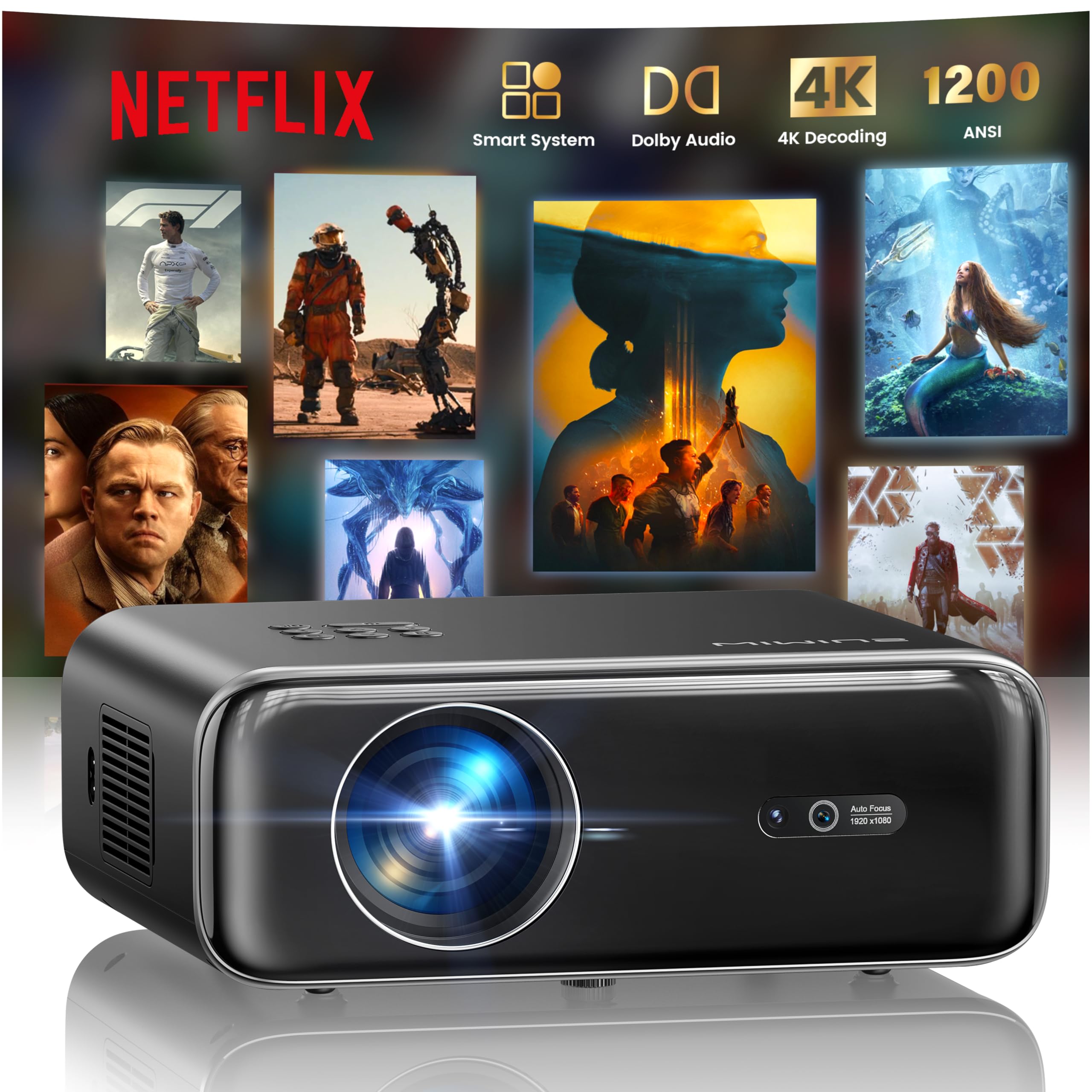
The WiMiUS P62 Pro 4K Projector, a compact and powerful device designed for home entertainment.
2. Što je u kutiji
Carefully unpack your WiMiUS P62 Pro projector and ensure all items are present:
- WiMiUS P62 Pro Projector (Netflix included)
- Daljinski upravljač
- Poklopac leće
- Kabel za napajanje
- HDMI kabel
- Komplet za čišćenje
- Kratki vodič za početak

Contents of the WiMiUS P62 Pro package, including the projector, remote, and essential cables.
3. Proizvod je gotovview i Ključne značajke
The WiMiUS P62 Pro is a versatile 4K-supported projector designed for a superior home cinema experience. Its key features include:
- Visoka svjetlina: 1400 ANSI lumens for clear images even in ambient light.
- Izvorna rezolucija od 1080P: Supports 4K Ultra HD input for crisp visuals.
- Smart OS with Official Apps: Pre-installed Netflix, YouTube, Prime Video, Plex, and access to over 20,000 apps.
- AI Intelligent Adjustment: Automatic focus, keystone correction, obstacle avoidance, and screen alignment.
- Dolby Audio: Integrated dual 36W speakers with Dolby Audio for immersive sound.
- Svestrana povezivost: WiFi 6, Bluetooth 5.4 (bidirectional), HDMI (ARC & CEC), USB.
- Prijenosni dizajn: Compact dimensions (25.7 x 20 x 10.3 cm) and lightweight (1.8 kg) for easy transport.
- Zaštita očiju: Utilizes diffuse reflection imaging technology to reduce eye strain.

The WiMiUS P62 Pro offers a revolutionary home cinema experience with integrated streaming apps like Netflix, YouTube, and Prime Video.

Experience exceptional audio quality with integrated Dolby Audio and powerful Hi-Fi speakers.
4. Postavljanje
Slijedite ove korake za početno postavljanje projektora:
- Plasman: Position the projector on a stable, flat surface or mount it (ceiling or tripod). Ensure adequate ventilation around the device. The projector can be placed between 1 to 6 meters from the projection surface.
- Priključak za napajanje: Spojite kabel za napajanje na projektor, a zatim na utičnicu.
- Uključivanje: Pritisnite tipku za napajanje na projektoru ili daljinskom upravljaču da biste ga uključili.
- Automatske prilagodbe: The projector features AI-powered auto-focus and auto-keystone correction. It will automatically adjust the image for clarity and shape. It also includes intelligent obstacle avoidance and automatic screen alignment.
- Manual Adjustments (if needed): If further adjustments are required, use the remote control to access settings for focus, keystone, and zoom (50%-100%).

The projector features intelligent screen adaptation 3.0, including auto-focus, auto-keystone correction, and obstacle avoidance.
5. Upute za rad
5.1 Uključivanje/isključivanje
- Za uključivanje: Pritisnite tipku za napajanje na projektoru ili daljinskom upravljaču.
- Za isključivanje: Ponovno pritisnite gumb za uključivanje/isključivanje. Potvrdite isključivanje ako se to od vas zatraži.
5.2 Navigacija i odabir izvora
- Use the remote control's directional buttons and OK button to navigate the on-screen menu.
- Select your desired input source (HDMI 1, HDMI 2, USB, or Smart Apps) from the main menu.
5.3 Postavke slike i zvuka
- Access the settings menu to adjust picture parameters such as brightness, contrast, color, and aspect ratio.
- Adjust sound volume and audio modes. The integrated Dolby Audio provides rich sound.

Enjoy an ultimate gaming experience with low latency and a 60Hz refresh rate.

Easily display your work or presentations on a larger screen.
6. Povezivost
The WiMiUS P62 Pro offers multiple connectivity options:
- HDMI priključci (x2): Connect devices like laptops, gaming consoles, Blu-ray players. HDMI 2 supports ARC (Audio Return Channel) and CEC (Consumer Electronics Control) for simplified audio setup and control.
- USB portovi (x2): Play media directly from USB drives or connect external devices.
- WiFi 6: Connect to your home network for internet access and streaming. Supports screen mirroring from iOS, Android, and Windows 10 devices for seamless content sharing.
- Bluetooth 5.4 (dvosmjerni): Connect external Bluetooth speakers or headphones for enhanced audio. The projector can also act as an independent Bluetooth speaker when connected to a phone.

The rear panel of the projector features multiple connectivity ports including HDMI and USB.

Synchronize and enjoy with multiple connectivity options for seamless entertainment.
7. Pametne značajke
7.1 Integrated Streaming Applications
The projector comes with officially certified streaming applications pre-installed, providing direct access to a vast library of content:
- Netflix
- YouTube
- Glavni video
- Plex
- And more via the integrated App Store.

Access official integrated apps like Netflix and Plex directly from your projector.

Explore more applications through the integrated App Store.
7.2 AI-Powered Image Adjustment
The projector utilizes advanced AI algorithms for automatic image optimization:
- Automatski fokus: Automatically adjusts the image sharpness.
- Automatsko ispravljanje trapezoidnosti: Corrects distorted images to a perfect rectangle.
- Inteligentno izbjegavanje prepreka: Detects and adjusts the projection to avoid objects in the path.
- Automatsko poravnanje zaslona: Optimizira sliku kako bi odgovarala površini za projekciju.

AI-optimized intelligent configuration ensures the best image quality wherever you are.
7.3 Web Pregledavanje
Navigate the internet directly on your projector using the integrated web browser. This allows you to access websites, news, and online content without needing an external computer.

Pregledajte web directly on your projector with the integrated navigation feature.
8. Održavanje
Pravilno održavanje osigurava dugotrajnost i performanse vašeg projektora:
- Čišćenje leća: Use the provided cleaning kit or a soft, lint-free cloth to gently clean the projector lens. Avoid abrasive materials or harsh chemicals.
- Ventilacija: Provjerite jesu li ventilacijski otvori projektora čisti i nezaklonjeni kako biste spriječili pregrijavanje. Ne postavljajte projektor na mekane površine koje mogu blokirati protok zraka.
- Uklanjanje prašine: Periodically clean the exterior of the projector with a soft, dry cloth to remove dust.
- Skladištenje: Kada se projektor ne koristi dulje vrijeme, čuvajte ga na hladnom i suhom mjestu, idealno u originalnom pakiranju ili zaštitnoj kutiji.
9. Rješavanje problema
If you encounter issues with your WiMiUS P62 Pro projector, refer to the following common problems and solutions:
| Problem | Mogući uzrok | Otopina |
|---|---|---|
| Nema prikazane slike | Kabel za napajanje isključen, pogrešan ulazni izvor, poklopac objektiva na mjestu. | Provjerite priključak za napajanje, odaberite ispravan ulazni izvor i skinite poklopac objektiva. |
| Slika je mutna | Projektor se pomaknuo, nije bio u fokusu. | Allow auto-focus to engage or manually adjust focus using the remote. |
| Slika je iskrivljena (trapezoidnog oblika) | Projektor nije okomit na platno. | Allow auto-keystone correction to engage or manually adjust keystone settings. |
| Nema zvuka | Volume too low, external audio device not connected, incorrect audio output. | Increase volume, check external audio connections, ensure correct audio output is selected. |
| Ne mogu se povezati s WiFi-jem/Bluetoothom | Incorrect password, device out of range, network issue. | Verify password, move devices closer, restart router/projector. |
Za dodatnu pomoć, molimo pogledajte kontaktne podatke u odjeljku Jamstvo i podrška.
10. Specifikacije
Detailed technical specifications for the WiMiUS P62 Pro Projector:
- Marka: WiMiUS
- Model: P62 Pro
- Svjetlina: 1400 ANSI lumena (38000 lumena)
- Izvorna razlučivost: 1920 x 1080p
- Maksimalna razlučivost zaslona: 3840 x 2160 (4K Ultra HD Support)
- Omjer kontrasta: 40000:1
- Vrsta zaslona: LCD ili LED
- Tehnologija povezivanja: Bluetooth 5.4, HDMI, USB, Wi-Fi 6
- Preporučena upotreba: Home Cinema, Gaming, Live TV & Sports, Outdoor, Camping
- Posebne karakteristike: AI Auto Focus/Keystone, Obstacle Avoidance, Screen Alignment, Official Apps (Netflix, etc.), Dolby Audio, HDMI ARC/CEC
- Udaljenost projekcije: 1 do 6 metara
- Veličina slike: 40 do 300 inča
- Vrsta kontrole: Daljinski upravljač
- Težina: 1.8 kilogram
- Dimenzije: 25.7 x 20 x 10.3 cm
- Kodiranje video zapisa: H.264, H.265

The projector boasts 1400 ANSI lumens and a 40000:1 contrast ratio for remarkable brilliance.

Uživati viewing without harmful blue light, reducing eye fatigue.
11. Jamstvo i podrška
The WiMiUS P62 Pro Projector comes with a 2-year warranty. For any questions or support needs regarding your projector, please refer to the service information provided in the Quick Start Guide or contact WiMiUS customer support directly. You can often find support contact details on the manufacturer's official webweb-mjestu ili putem vaše platforme za kupnju.