
1. Uvod
This manual provides detailed instructions for the setup, operation, maintenance, and troubleshooting of your Tabwee T90 Android 16 Tablet. Please read this manual thoroughly before using your device to ensure proper functionality and to maximize your user experience.

Image: The Tabwee T90 tablet shown with its full suite of accessories, including a detachable keyboard, wireless mouse, stylus, protective case, charging adapter, and USB cable. This illustrates the complete package contents.
2. Sadržaj paketa
Provjerite jesu li svi artikli prisutni u paketu:
- Tabwee T90 Tablet
- Bluetooth tipkovnica
- Bežični miš
- Stylus olovka
- Zaštitna torbica
- Screen Protector Film
- Power Adapter (Type-C)
- USB podatkovni kabel (tip-C)
- korisnički priručnik

Image: A visual representation of the Tabwee T90 tablet's dimensions and all components included in the retail package, such as the tablet, keyboard, mouse, stylus, and various cables and covers.
3. Početno postavljanje
3.1 Punjenje tableta
Before first use, fully charge the tablet using the provided Type-C power adapter and USB cable. The charging port is located on the side of the tablet.

Image: The Tabwee T90 tablet being charged via its Type-C port, highlighting its 8000mAh battery and estimated usage times for various activities like web browsing, video playback, gaming, and music.
3.2 Uključivanje/isključivanje
- Za uključivanje: Pritisnite i držite tipku za uključivanje dok zaslon ne zasvijetli.
- Za isključivanje: Pritisnite i držite gumb za napajanje, a zatim odaberite "Isključi" iz ponuđenih opcija.
3.3 Početna konfiguracija
Slijedite upute na zaslonu za dovršetak početnog postavljanja, uključujući:
- Izbor jezika
- Wi-Fi mrežna veza
- Prijava na Google račun
- Postavke datuma i vremena
- Security settings (PIN, pattern, password, or face recognition)

Image: A collage of screenshots demonstrating key Android 16 features such as real-time notifications, robust security measures, access to the Google Play Store for app downloads, and options for regional language optimization.
3.4 Spajanje dodatne opreme
The Tabwee T90 comes with a Bluetooth keyboard and mouse. To connect them:
- Omogućite Bluetooth na tabletu putem Postavke > Povezani uređaji > Bluetooth.
- Put the keyboard/mouse into pairing mode (refer to their individual manuals if needed).
- Odaberite pribor s popisa dostupnih uređaja na tabletu za uparivanje.
The stylus pen does not require pairing.
4. Upravljanje tabletom
4.1 Sučelje Androida 16
The Tabwee T90 runs on Android 16, offering an intuitive and enhanced user experience with improved security and performance. Features include real-time notifications, efficient multitasking, and smart operational capabilities.
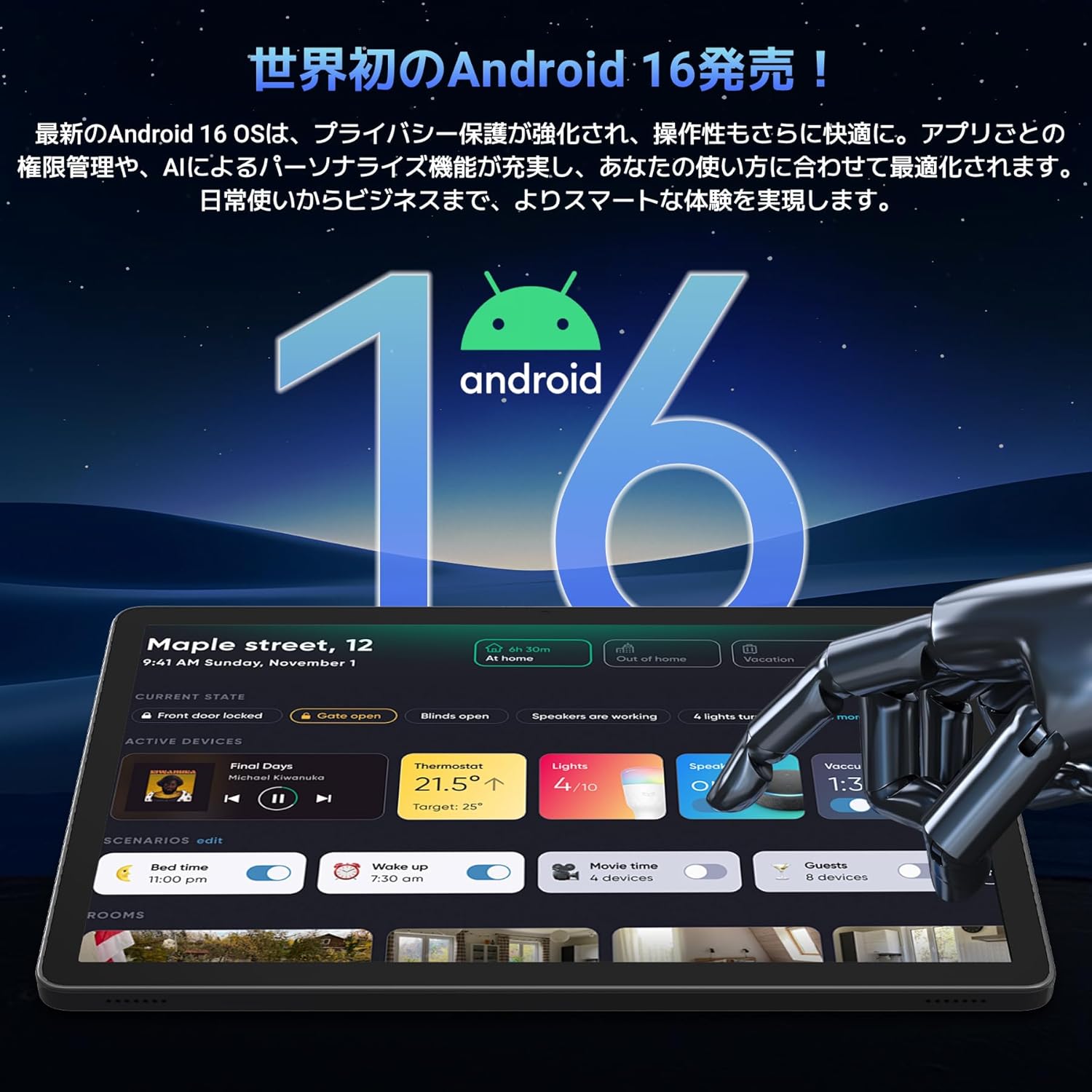
Image: A visual representation of the Android 16 operating system logo and its modern interface displayed on the Tabwee T90 tablet, emphasizing its new features and design.
4.2 Display and Media Playback
The 11-inch FHD IPS display (1920x1200 resolution) provides clear and vibrant visuals. With Widevine L1 support, you can stream high-definition content (1080p and above) from services like Netflix and Amazon Prime Video.

Image: The Tabwee T90 tablet showcasing a high-definition video of a baseball game, demonstrating its 11-inch FHD display and compatibility with streaming platforms like Netflix, YouTube, HBO, and Prime Video via Widevine L1.
4.3 Camera and Imaging
The tablet features a 5MP front camera for video calls and selfies, and a 13MP rear camera for capturing photos. Android 16's AI image processing enhances photo quality, and HEVC video encoding ensures stable editing and improved video quality. Google Lens integration allows for smart recognition, scanning, translation, and search functions.
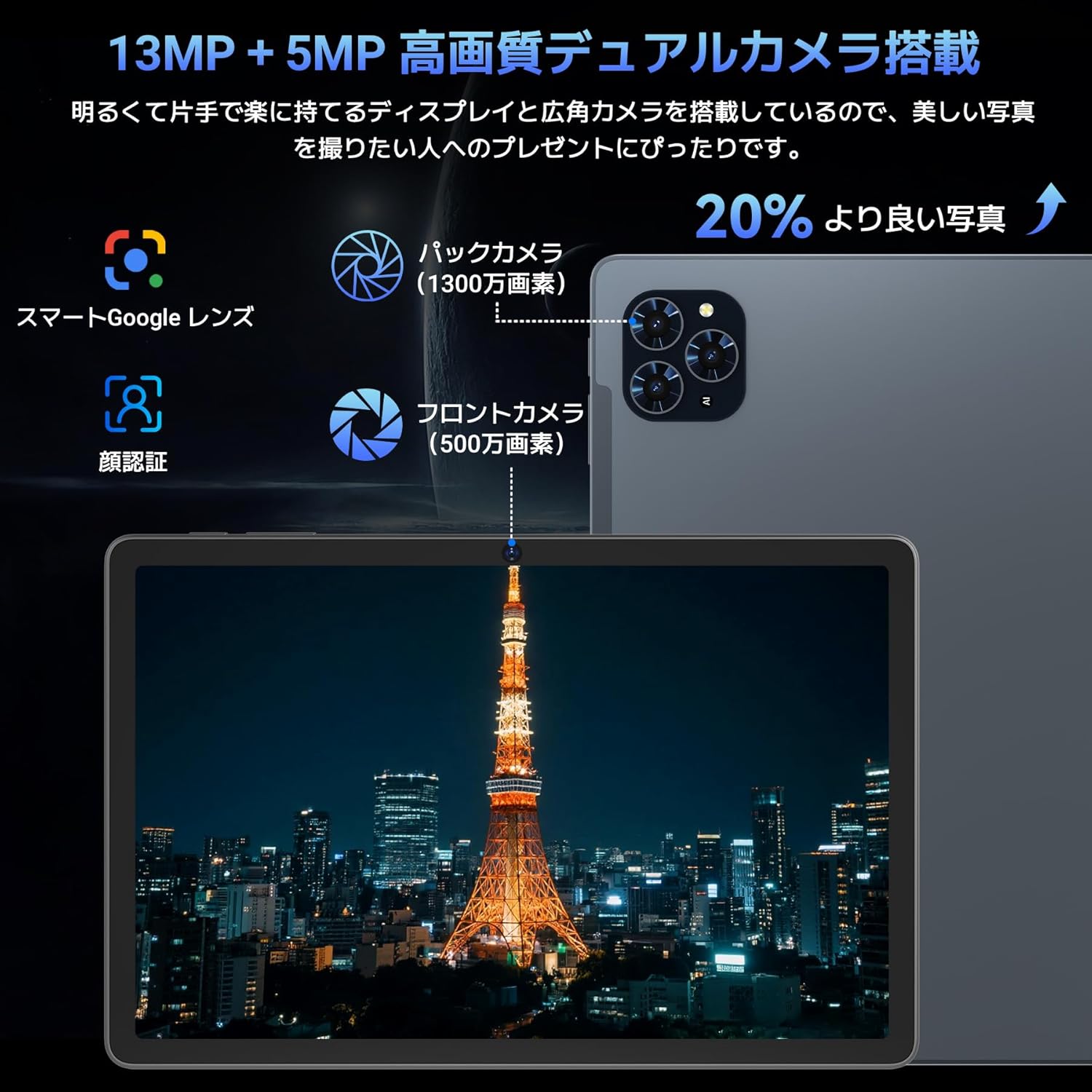
Slika: Detaljna view of the Tabwee T90 tablet's camera system, indicating a 13MP rear camera and a 5MP front camera. An example photo of Tokyo Tower is displayed on the screen, illustrating image capture capabilities.
4.4 Prepoznavanje lica
Utilize the face recognition feature for quick and secure unlocking of your tablet. Set it up in Settings > Security & privacy > Face unlock.
4.5 Integracija umjetne inteligencije s Geminijem
The tablet integrates with Gemini AI, optimizing performance across various scenarios. This AI assists with content recommendations, image processing, and semantic understanding, enhancing daily operations.

Image: A conceptual image depicting Gemini AI as a robotic figure interacting with multiple tablet screens, symbolizing its ability to support various tasks like email composition, schedule management, and information retrieval, enhancing user productivity.
4.6 Custom Keyboard Shortcuts
After connecting a Bluetooth keyboard, you can set custom shortcut keys to launch frequently used applications with a single press. Navigate to Settings > System > Keyboard > Keyboard shortcuts to configure.
5. Održavanje
5.1 Čišćenje
- Za čišćenje zaslona i kućišta tableta koristite meku krpu koja ne ostavlja dlačice.
- Izbjegavajte korištenje jakih kemikalija ili abrazivnih materijala.
- Za tvrdokorne mrlje, lagano dampOperite krpu vodom ili sredstvom za čišćenje ekrana namijenjenim za elektroniku.
5.2 Njega baterija
- Izbjegavajte izlaganje tableta ekstremnim temperaturama.
- Ne dopustite da se baterija često potpuno isprazni.
- Koristite samo priloženi punjač ili certificirani kompatibilni punjač.
5.3 Ažuriranja softvera
Redovito provjeravajte i instalirajte ažuriranja sustava kako biste osigurali optimalne performanse i sigurnost. Idite na Postavke > Sustav > Ažuriranje sustava.
6. Rješavanje problema
6.1 Tablet se ne uključuje
- Provjerite je li tablet dovoljno napunjen. Spojite ga na punjač na najmanje 30 minuta.
- Pritisnite i držite gumb za napajanje 10-15 sekundi za prisilno ponovno pokretanje.
6.2 Problemi s Wi-Fi vezom
- Ponovno pokrenite Wi-Fi usmjerivač i tablet.
- Zaboravite mrežu u postavkama tableta i ponovno se povežite.
- Provjerite jeste li unutar dometa Wi-Fi signala.
6.3 Pribor se ne spaja
- Ensure Bluetooth is enabled on the tablet.
- Check that the accessory is in pairing mode and has sufficient battery.
- Try restarting both the tablet and the accessory.
6.4 Spore performanse
- Zatvorite nepotrebne pozadinske aplikacije.
- Izbrišite predmemoriju za često korištene aplikacije (Postavke > Aplikacije > [Naziv aplikacije] > Pohrana i predmemorija > Izbriši predmemoriju).
- Osigurajte dovoljno prostora za pohranu.
- Povremeno ponovno pokrenite tablet.
7. Specifikacije
| Značajka | Detalj |
|---|---|
| Marka | TABWEE |
| Naziv modela | T90 |
| Operativni sustav | Android 16 |
| CPU | Unisoc T615 Octa-core (2x Cortex-A75 @ 2.0GHz, 6x Cortex-A55 @ 1.8GHz) |
| GPU | Mali-G57 |
| OVAN | 8 GB (proširivo do 24 GB s virtualnom RAM memorijom) |
| Unutarnja pohrana | 128 GB |
| Proširiva pohrana | Up to 2TB via microSD card (not included) |
| Veličina zaslona | 11 inča |
| Vrsta zaslona | IPS FHD |
| Rezolucija | 1920 x 1200 piksela |
| Prednja kamera | 5 MP |
| Stražnja kamera | 13 MP |
| Kapacitet baterije | 8000 mAh |
| Priključak za punjenje | Tip-C |
| Povezivost | Wi-Fi (2.4G/5G, 802.11ac), Bluetooth 5.0 |
| Težina | 1.37 kg (približno 3.02 lbs) |
| Dimenzije | 29.1 x 20 x 5.7 cm (pakiranje) |
| Certifikati | PSE, GITEKI, GMS |

Image: A detailed diagram illustrating the Unisoc T615 Octa-core CPU, highlighting its architecture with Cortex-A75 and Cortex-A55 cores, Mali-G52 MP1 GPU, and 12nm low power consumption, indicating its high performance.

Image: The Tabwee T90 tablet's screen showing multiple applications, emphasizing its 128GB internal storage and support for up to 2TB external storage, with examples of how many photos, songs, and videos can be stored.
8. Jamstvo i podrška
The Tabwee T90 Tablet comes with a Jamstvo 2 godine. This warranty covers manufacturing defects and ensures product quality.
8.1 Kontaktiranje podrške
If you encounter any issues or have questions, please contact customer support through your Amazon account:
- Go to your Amazon account > Order History > Select the relevant order.
- Click on the seller's name (TABWEE Official Store).
- Use the "Ask a question" option to send an email.
Support is available from 9:00 AM to 6:00 PM (excluding holidays). Inquiries will be responded to as quickly as possible.

Image: An illustration representing customer support, featuring a person wearing a headset and working on a laptop, symbolizing assistance for product inquiries and warranty claims.