
1. Uvod
This manual provides essential information for setting up, operating, maintaining, and troubleshooting your Lenovo Laptop Computer 2026 Edition, Model IdeaPad Slim 3. Please read this manual thoroughly before using your device to ensure proper function and longevity.
2. Sadržaj paketa
Provjerite jesu li svi artikli prisutni u vašem paketu:
- Lenovo Laptop Computer 2026 Edition (IdeaPad Slim 3)
- Adapter napajanja
- Čitač SD kartica
- Kratki vodič (ako je uključen)
- Warranty Information Card (if included)
3. Proizvod je gotovview
Familiarize yourself with the components and features of your Lenovo IdeaPad Slim 3 laptop.
3.1 Ključne značajke

This image displays the Lenovo IdeaPad Slim 3 laptop and highlights its primary features. It includes an Intel Core i7-13620H processor, a 15.3-inch WUXGA IPS display (1920x1200 resolution), and an HD camera with a privacy shutter. The laptop is 0.70 inches thin and weighs 3.51 lbs. It comes with 24GB DDR5 RAM, upgradable to 40GB, and a 512GB SSD, upgradable to 4TB. Audio is provided by dual 2W speakers. The device supports Rapid Charge Boost and features a Metal A Cover for durability, meeting Military Grade standards.
3.2 Display and Keyboard

This image focuses on the laptop's display and keyboard. The 15.3-inch WUXGA IPS display offers a 1920x1200 resolution, 300 nits brightness, anti-glare properties, and a 16:10 aspect ratio. It boasts up to a 90% active area ratio and is an Eyesafe Display, TÜV Rheinland Certified for low blue light. The keyboard is non-backlit and includes a numeric keypad.
3.3 Power and Audio
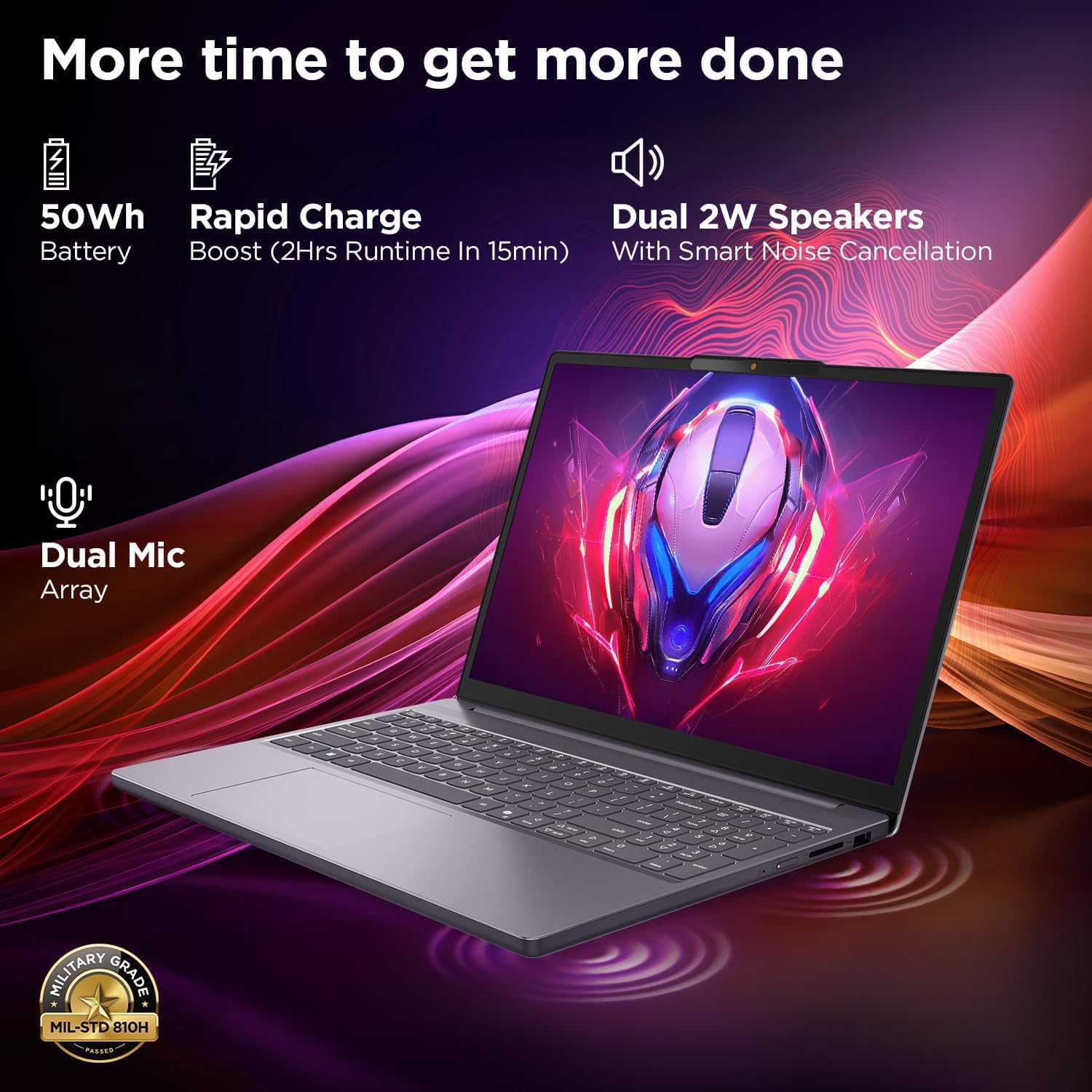
This image highlights the laptop's power and audio capabilities. It features a 50Wh battery with Rapid Charge Boost, providing 2 hours of runtime from a 15-minute charge. Dual 2W speakers with Smart Noise Cancellation and a Dual Mic Array enhance audio quality. The laptop also meets Military Grade MIL-STD 810H durability standards.
3.4 Portovi i povezivost

This image illustrates the various ports available on the Lenovo IdeaPad Slim 3. These include a power button, an SD card reader, a power connector, two USB-A ports (5Gbps), an HDMI port, and a USB-C port (5Gbps) with USB Power Delivery 3.0 and DisplayPort 1.2 support for data transfer and external displays. A headphone/microphone combo jack (3.5mm) is also present.
3.5 Keyboard and Touchpad Layout
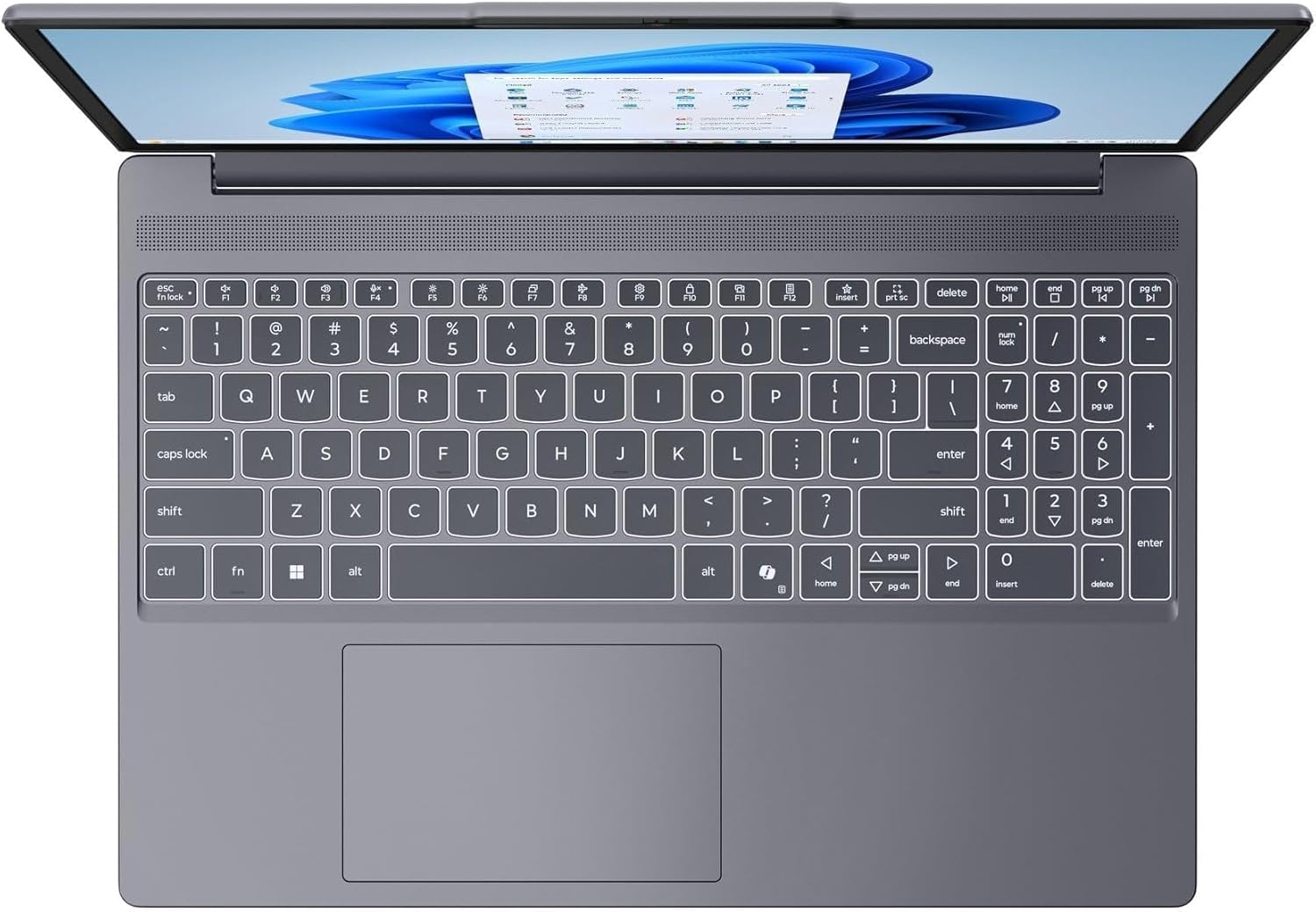
Ova slika pruža pogled odozgo prema dolje view of the laptop's full-size keyboard with a numeric keypad and the integrated touchpad. It shows the standard QWERTY layout along with function keys and dedicated navigation keys.
3.6 Laptop Exterior (Closed)
This image shows the top cover of the Lenovo IdeaPad Slim 3 laptop when closed, featuring the Lenovo brand logo centrally placed on the grey metallic surface.
3.7 Laptop Bottom View

This image displays the bottom panel of the Lenovo IdeaPad Slim 3 laptop, showing the ventilation grilles for cooling and rubber feet for stability.
4. Postavljanje
4.1 Početno uključivanje i punjenje
- Spojite strujni adapter: Uključite adapter za napajanje u priključak za napajanje prijenosnog računala, a zatim u zidnu utičnicu.
- Napunite bateriju: Prije prve upotrebe, ostavite prijenosno računalo da se puni najmanje 30 minuta ili dok indikator baterije ne pokaže dovoljnu napunjenost.
- Uključivanje: Open the laptop lid and press the power button located on the side or keyboard deck.
- Postavljanje sustava Windows: Slijedite upute na zaslonu da biste dovršili postavljanje sustava Windows 11 Home, uključujući jezik, regiju, mrežnu vezu i stvaranje korisničkog računa.
4.2 Spajanje na mrežu
- Wi-Fi: During Windows setup or later, click the Wi-Fi icon in the taskbar, select your network, enter the password, and click Connect.
- Ethernet (if applicable via adapter): Connect an Ethernet cable from your router/modem to a compatible USB-C adapter (not included) and then to the laptop's USB-C port.
5. Upute za rad
5.1 Korištenje tipkovnice i dodirne podloge
- Tipkovnica: The laptop features a full-size keyboard with a numeric keypad. Use the Fn key in combination with function keys (F1-F12) for special functions like adjusting brightness, volume, or enabling/disabling Wi-Fi.
- Touchpad: The integrated touchpad supports multi-touch gestures for navigation, scrolling, and zooming. Refer to Windows settings for customizing touchpad gestures.
5.2 Spajanje vanjskih uređaja
- USB uređaji: Connect USB peripherals (mouse, keyboard, external drives) to the available USB-A or USB-C ports.
- HDMI/DisplayPort: Use the HDMI port or USB-C (with DP 1.2 support) to connect an external monitor or projector.
- Bluetooth uređaji: Enable Bluetooth in Windows settings to pair wireless headphones, speakers, or other Bluetooth accessories.
- SD kartica: Insert an SD card into the dedicated SD card reader slot for data transfer.
5.3 Upravljanje napajanjem
- Stanje mirovanja: Zatvorite poklopac ili kratko pritisnite gumb za napajanje kako biste prijenosno računalo prebacili u stanje mirovanja.
- Zatvoriti: Click the Start button, then Power, and select "Shut down" to turn off the laptop completely.
- Ponovno pokretanje: Click the Start button, then Power, and select "Restart" to reboot the laptop.
6. Održavanje
6.1 Čišćenje prijenosnog računala
- Zaslon: Lagano koristite meku krpu koja ne ostavlja dlačice dampvodom ili sredstvom za čišćenje zaslona. Ne prskajte tekućinu izravno na zaslon.
- Tipkovnica i kućište: Koristite meku, suhu krpu. Za tvrdokornu prljavštinu, laganoamp Može se koristiti krpa s blagom otopinom sapuna, pazeći da tekućina ne uđe u otvore.
- Ventilacija: Povremeno čistite ventilacijske rešetke komprimiranim zrakom kako biste spriječili nakupljanje prašine, što može utjecati na performanse hlađenja.
6.2 Njega baterija
- Izbjegavajte ekstremne temperature.
- Nemojte često potpuno prazniti bateriju.
- Ako laptop skladištite dulje vrijeme, napunite bateriju na oko 50-60%.
6.3 Ažuriranja softvera
- Redovito provjeravajte ažuriranja za Windows putem Postavke > Windows Update.
- Posjetite službenu Lenovo podršku website for driver and firmware updates specific to your IdeaPad Slim 3 model.
7. Rješavanje problema
| Problem | Moguće rješenje |
|---|---|
| Laptop se ne uključuje. | Ensure the power adapter is securely connected and the outlet is functional. Try a different outlet. If the battery is completely drained, allow it to charge for a while before attempting to power on. |
| Zaslon je prazan ili crn. | Check if the laptop is powered on. Adjust screen brightness using function keys. Connect an external monitor to check if the issue is with the laptop's internal display. |
| Problemi s Wi-Fi vezom. | Ensure Wi-Fi is enabled in Windows settings. Restart your router/modem. Check for updated Wi-Fi drivers on the Lenovo support webmjesto. |
| Spore performanse. | Close unnecessary applications. Check Task Manager for resource-intensive processes. Ensure Windows and drivers are up to date. Run a disk cleanup. |
| Tipkovnica ili dodirna ploča ne reagiraju. | Restart the laptop. Check for driver updates. Ensure no physical obstructions are present. |
8. Specifikacije
| Značajka | Detalj |
|---|---|
| Marka | Lenovo |
| Naziv modela | IdeaPad Slim 3 |
| Veličina zaslona | 15.3 Inches WUXGA IPS |
| Rezolucija | 1920 x 1200 piksela |
| Procesor | 13th Gen Intel Core i7-13620H (2.4 GHz, up to 4.9 GHz) |
| OVAN | 24GB DDR5 RAM (Upgradable to 40GB) |
| Skladištenje | 1TB NVMe M.2 SSD (Upgradable to 4TB) |
| Operativni sustav | Windows 11 Home |
| Grafika | Integriran |
| Bežično povezivanje | WiFi 6 (802.11ax) |
| Bluetooth | Bluetooth 5.2 |
| luke | 2x USB-A (5Gbps), 1x USB-C (5Gbps, PD 3.0, DP 1.2), 1x HDMI, 1x Headphone/Mic Combo, 1x SD Card Reader, Power Connector |
| Webkamera | HD Camera with Privacy Shutter |
| Audio | Dual 2W Speakers with Smart Noise Cancellation, Dual Mic Array |
| Baterija | 50Wh, Rapid Charge Boost |
| Dimenzije (D x Š x Debljina) | 13.52 cm x 9.43 cm x 0.7 cm |
| Težina | 3.51 lbs |
| Posebne značajke | Privacy Shutter, Power Delivery, Military Grade Durability (MIL-STD 810H) |
9. Informacije o jamstvu
Your Lenovo Laptop Computer 2026 Edition (IdeaPad Slim 3) comes with a Ograničeno jamstvo. The specific terms and duration of your warranty may vary by region and purchase date. For detailed warranty information, including coverage, terms, and conditions, please refer to the warranty card included with your product or visit the official Lenovo support webstranica:
https://support.lenovo.com/warranty
Preporučuje se da registrirate svoj proizvod na Lenovo website to facilitate warranty claims and receive important updates.
10. Podrška
For further assistance, technical support, or to download the latest drivers and manuals, please visit the official Lenovo Support webstranica:
You may also contact Lenovo customer service directly. Contact information can typically be found on the support webstranicu za vašu specifičnu regiju.