
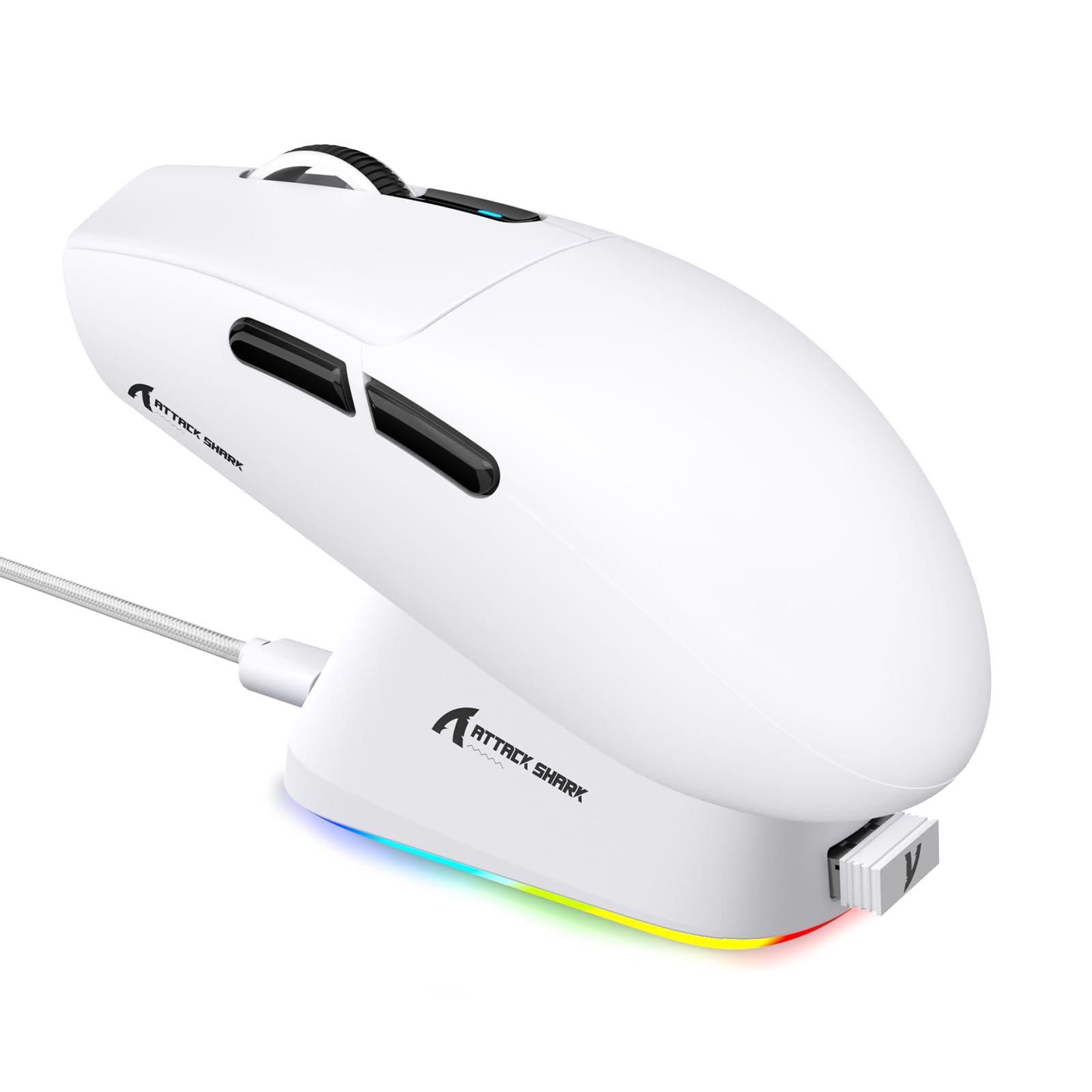
1. Uvod
This manual provides detailed instructions for the setup, operation, maintenance, and troubleshooting of your ATTACK SHARK G3PRO Wireless Gaming Mouse. Please read this manual thoroughly to ensure proper use and to maximize your gaming experience.

Slika: Prekoview of the ATTACK SHARK G3PRO mouse and its features, including magnetic fast charging, PAW3311 sensor, web cloud drive, RGB rapid charging dock, and lightweight design.
2. Sadržaj paketa
Provjerite jesu li svi artikli prisutni u vašem paketu:
- ATTACK SHARK G3PRO Wireless Gaming Mouse
- RGB Magnetic Charging Dock
- 2.4G USB prijemnik
- USB-C na USB-A kabel za punjenje/podatkovni kabel
- korisnički priručnik
3. Postavljanje
3.1 Početno punjenje
Before first use, it is recommended to fully charge the mouse. Connect the USB-C cable to the charging dock and a power source. Place the mouse onto the magnetic charging dock. The RGB lighting on the dock will indicate charging status.
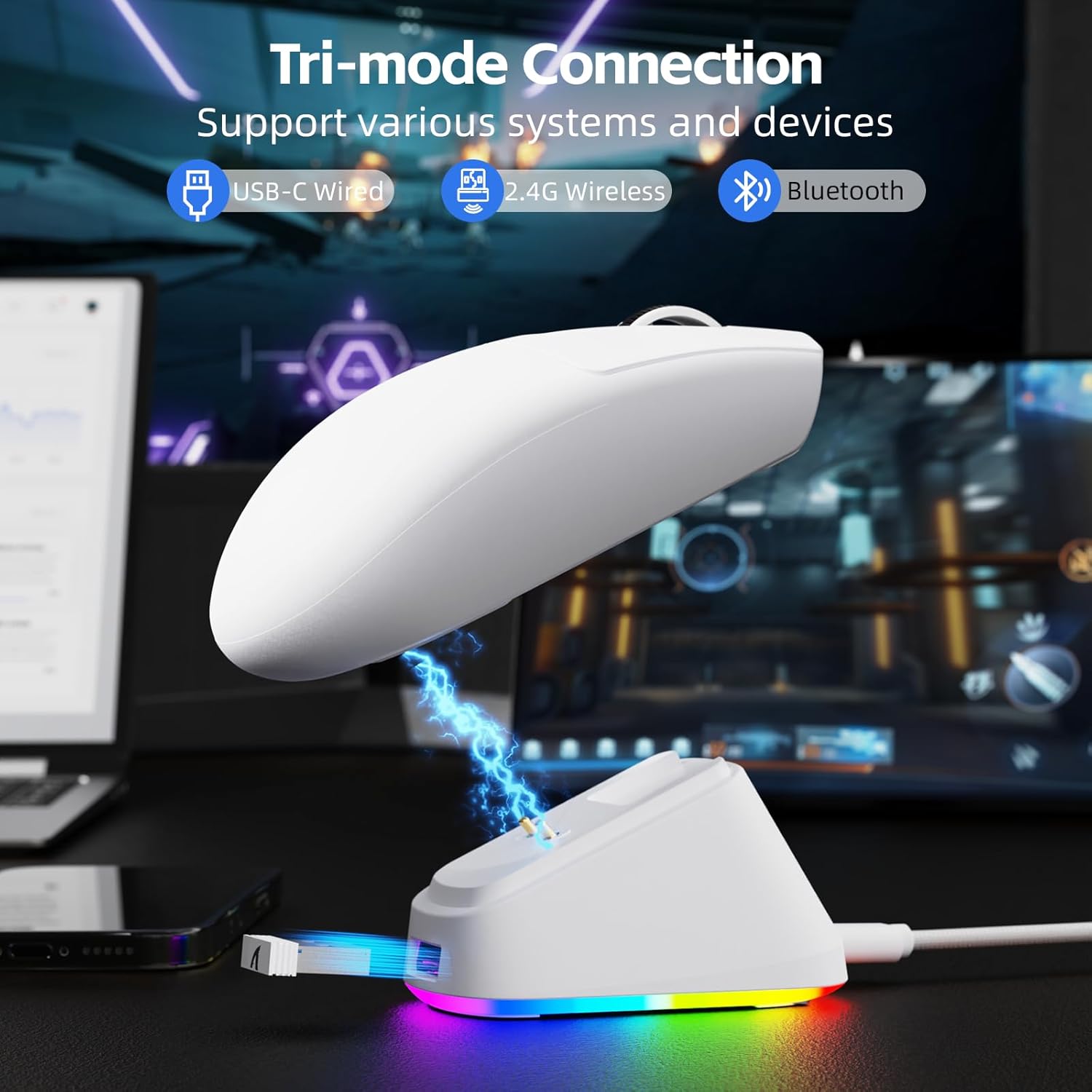
Image: The ATTACK SHARK G3PRO mouse magnetically attached to its RGB charging dock, showing the charging thimbles and USB-C port.
For a visual guide on charging, please watch the following video:
Video: This video demonstrates the magnetic charging dock and its features for the ATTACK SHARK G3PRO Wireless Gaming Mouse.
3.2 Spajanje miša
The G3PRO supports three connection modes: 2.4GHz Wireless, Bluetooth, and USB-C Wired. A switch on the bottom of the mouse allows you to select the desired mode.

Image: The ATTACK SHARK G3PRO mouse with visual indicators for Wired, 2.4G, and Bluetooth connectivity modes.
2.4GHz bežični način rada:
- Locate the 2.4G USB receiver, typically stored within the charging dock or the mouse itself.
- Priključite USB prijamnik u slobodni USB priključak na računalu.
- Set the switch on the bottom of the mouse to "2.4G".
- Miš bi se trebao automatski povezati.
Bluetooth način rada:
- Set the switch on the bottom of the mouse to "BT".
- Na računalu ili uređaju idite na postavke Bluetootha i omogućite Bluetooth.
- Tražiti new devices and select "ATTACK SHARK G3PRO" to pair.
Žičani način rada USB-C:
- Spojite USB-C kabel izravno s miša na računalo.
- Miš će funkcionirati kao žični miš i istovremeno se puniti.
For a visual guide on product features and connectivity, please watch the following video:
Video: This video demonstrates the various color options and the magnetic charging feature of the ATTACK SHARK G3PRO Wireless Gaming Mouse, showcasinnjegov dizajn i funkcionalnost.
4. Upravljanje mišem
4.1 Funkcije gumba
The ATTACK SHARK G3PRO features 5 programmable buttons:
- Lijevi klik: Primarna akcija.
- Desni klik: Sekundarni akcijski/kontekstni izbornik.
- Srednji klik/kotačić za pomicanje: Scroll up/down, middle click for universal scroll or other functions.
- Gumb naprijed: Default for navigating forward in web preglednici/mape.
- Gumb za povratak: Default for navigating backward in web preglednici/mape.
- DPI prekidač: Ciklično mijenja unaprijed postavljene razine DPI-ja.

Image: A detailed diagram illustrating the location and default functions of the multi-functional buttons on the ATTACK SHARK G3PRO mouse.

Slika: Eksplodirala view and labeled diagram of the G3PRO mouse components, including buttons, switches, charging points, and the 2.4G/OFF/BT mode switch.
4.2 Podešavanje DPI
The mouse features a dedicated DPI switch to cycle through various sensitivity levels, ranging from 800 to 25,000 DPI. The current DPI setting is indicated by an LED light.

Image: A visual representation of the 25,000 DPI optical sensor's precision and how mouse movement trajectory sensitivity scales with DPI settings.
4.3 Stopa anketiranja
The G3PRO supports a 1000Hz polling rate in both wired and 2.4GHz wireless modes, ensuring rapid response times for competitive gaming.

Image: A diagram illustrating the 1000Hz polling rate capability in both wired and wireless modes, highlighting millisecond response times.
5. Softver i prilagodba
Customize your G3PRO mouse settings using the intuitive web driver or downloadable software from ATTACK SHARK. This allows for personalization of DPI, polling rate, macros, and more.
- Web Vozač: Pristupite web-based configuration tool for quick adjustments without installation.
- Downloadable Software: For advanced customization and profile management, download the dedicated software.

Image: A screenshot of the ATTACK SHARK Hub software interface, showing options for mouse settings, DPI settings, parameter settings, macro editing, and personal center.

Image: The cloud-driven programming interface for the G3PRO mouse, displaying options for button settings, DPI adjustments, polling rate settings, and power management.
6. Održavanje
6.1 Čišćenje
Za održavanje optimalnih performansi redovito čistite miš. Za brisanje površine koristite meku, suhu krpu. Za tvrdokornu prljavštinu, laganoamp Može se koristiti krpa, pazeći da vlaga ne uđe u unutarnje komponente. Izbjegavajte jake kemikalije ili abrazivne materijale.
6.2 Skladištenje
When not in use for extended periods, store the mouse and charging dock in a cool, dry place. Ensure the USB receiver is securely stored, ideally within the charging dock's designated slot, to prevent loss.
7. Rješavanje problema
| Problem | Mogući uzrok | Otopina |
|---|---|---|
| Miš ne reagira (2.4G) | Low battery; Receiver not plugged in; Incorrect mode selected; Driver issue. | Charge the mouse; Ensure receiver is firmly plugged in; Set mouse to "2.4G" mode; Reinstall mouse drivers. |
| Miš ne reagira (Bluetooth) | Low battery; Bluetooth not enabled on device; Not paired; Incorrect mode selected. | Charge the mouse; Enable Bluetooth on your device; Re-pair the mouse in Bluetooth settings; Set mouse to "BT" mode. |
| Charging dock RGB not lighting up | Cable not connected; Power source issue. | Ensure USB-C cable is securely connected to dock and power source; Try a different USB port or power adapter. |
| Inconsistent tracking | Dirty sensor; Uneven surface; Interference (wireless). | Clean the optical sensor; Use a clean, even mouse pad; Reduce wireless interference by moving other devices or using wired mode. |
| Gumbi ne reagiraju | Sukob softvera; Fizička šteta. | Check software settings for button remapping; Test on another computer; Contact support if physical damage is suspected. |
8. Specifikacije
| Značajka | Detalj |
|---|---|
| Marka | NAPADAJ MORSKI PAS |
| Model | G3PRO |
| Boja | Bijela |
| Tehnologija povezivanja | 2.4 GHz bežično, Bluetooth, USB-C žičano |
| Tehnologija detekcije pokreta | Optički (PAW3311 senzor) |
| Max DPI | 25,000 DPI |
| Polling Rate | 1000 Hz |
| Ubrzanje | 40G |
| Brzina praćenja | 400 IPS |
| Prekidači | Mechanical (100 Million Clicks) |
| Kapacitet baterije | 500 mAh |
| Trajanje baterije | Do 200 sati |
| Težina | 59g ± 3g |
| Gumbi | 5 |
| Orijentacija ruke | Dvoličan |
| Kompatibilni uređaji | Prijenosno računalo, osobno računalo, pametni telefon, tablet |
| Operativni sustav | Windows, macOS |
For a comparison of G3 and G3PRO models, refer to the image below:

Image: A table comparing the specifications of the ATTACK SHARK G3 and G3PRO models, highlighting differences in components and features.
9. Sigurnosne informacije
- Ne izlažite uređaj ekstremnim temperaturama ili vlazi.
- Izbjegavajte ispuštanje ili izlaganje uređaja jakim udarcima.
- Čuvati izvan dohvata djece.
- Ne pokušavajte rastavljati ili modificirati uređaj jer će to poništiti jamstvo i može uzrokovati oštećenje.
- Use only the provided charging cable and dock.
10. Jamstvo i podrška
The ATTACK SHARK G3PRO Wireless Gaming Mouse comes with a standard manufacturer's warranty. For detailed warranty information, please refer to the warranty card included in your package or visit the official ATTACK SHARK webmjesto.
For technical support, troubleshooting assistance, or to inquire about replacement parts, please contact ATTACK SHARK customer service through their official webweb-mjesto ili kontaktne podatke navedene u pakiranju proizvoda.
Službenik Webstranica: ATTACK SHARK Store on Amazon