
1. Uvod
Thank you for choosing Bluedee BD-SK900 Computer Speakers. This manual provides essential information for the proper setup, operation, and maintenance of your new speakers. Please read this guide thoroughly before use to ensure optimal performance and longevity of your device. These speakers are designed to deliver high-fidelity audio with versatile connectivity and dynamic RGB lighting for an enhanced audio-visual experience.
2. Sadržaj paketa
Molimo provjerite jesu li svi dolje navedeni artikli uključeni u vaš paket:
- 1x Bluedee Computer Speaker (Pair)
- 1x USB/USB-C Cable
- 1x Vodič za brzi početak
3. Značajke proizvoda
The Bluedee BD-SK900 speakers are equipped with advanced features for a superior audio experience:
- Stereo zvuk visoke vjernosti: Features 2 tweeters, 2 full-range drivers, and 2 passive radiators for clear highs, rich mids, and powerful bass with a 20W output.
- All-in-One Control Knob: A single, intuitive knob allows for play/pause, volume adjustment, lighting control, and switching between connection modes.
- Bluetooth 5.4 povezivost: Ensures a stable, low-latency wireless connection for seamless audio streaming. (Note: Requires USB power supply for operation).
- Plug & Play dizajn: Connects easily via the included USB/USB-C cable for both audio and power, requiring no additional drivers or software.
- Dinamičko RGB osvjetljenje: Offers 5 distinct RGB lighting modes, including dynamic color-shifting and static single-color glows, controllable via the knob.
- Unique Egg-shaped Acoustic Design: A minimalist and space-saving design (5.1"D x 5"W x 7.2"H) that enhances sound projection.
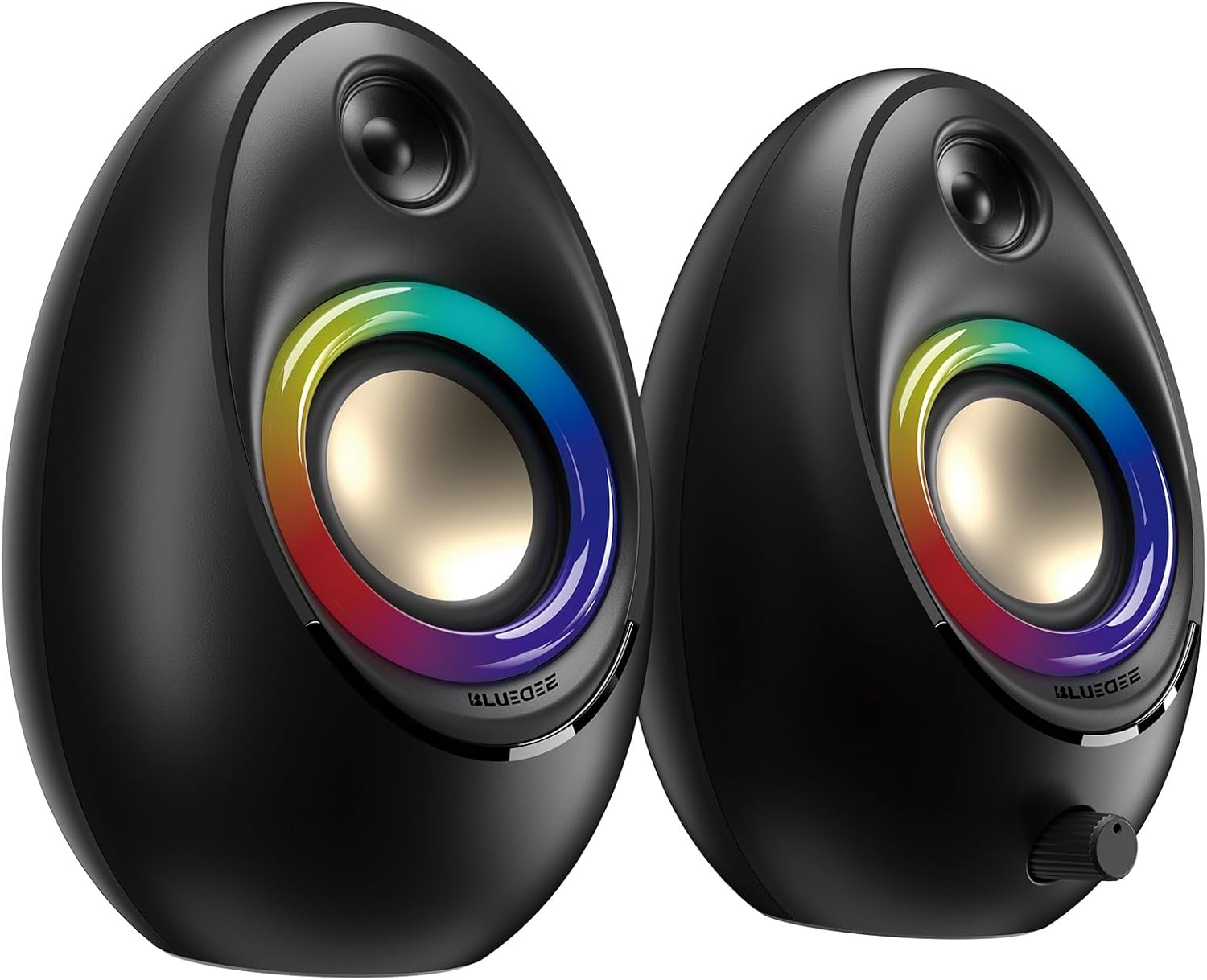
Figure 3.1: Bluedee BD-SK900 Computer Speakers, showcasinnjihov dizajn i RGB rasvjetu.

Figure 3.2: Internal acoustic architecture of the Bluedee BD-SK900 speakers.

Figure 3.3: The multi-functional control knob for easy operation.
4. Upute za postavljanje
Follow these steps to set up your Bluedee BD-SK900 speakers:
- Plasman: Position the two speakers on your desktop or desired surface, ensuring they are spaced appropriately for optimal stereo sound.
- Spojite napajanje i zvuk: Use the provided all-in-one USB/USB-C cable. Connect the USB-A or USB-C end to an available port on your computer (desktop, laptop) or a compatible USB power adapter (not included). The speakers will power on automatically.
- Početna veza: Upon connecting, the speakers will typically default to USB audio mode. If your computer recognizes the speakers, audio will play directly through them.
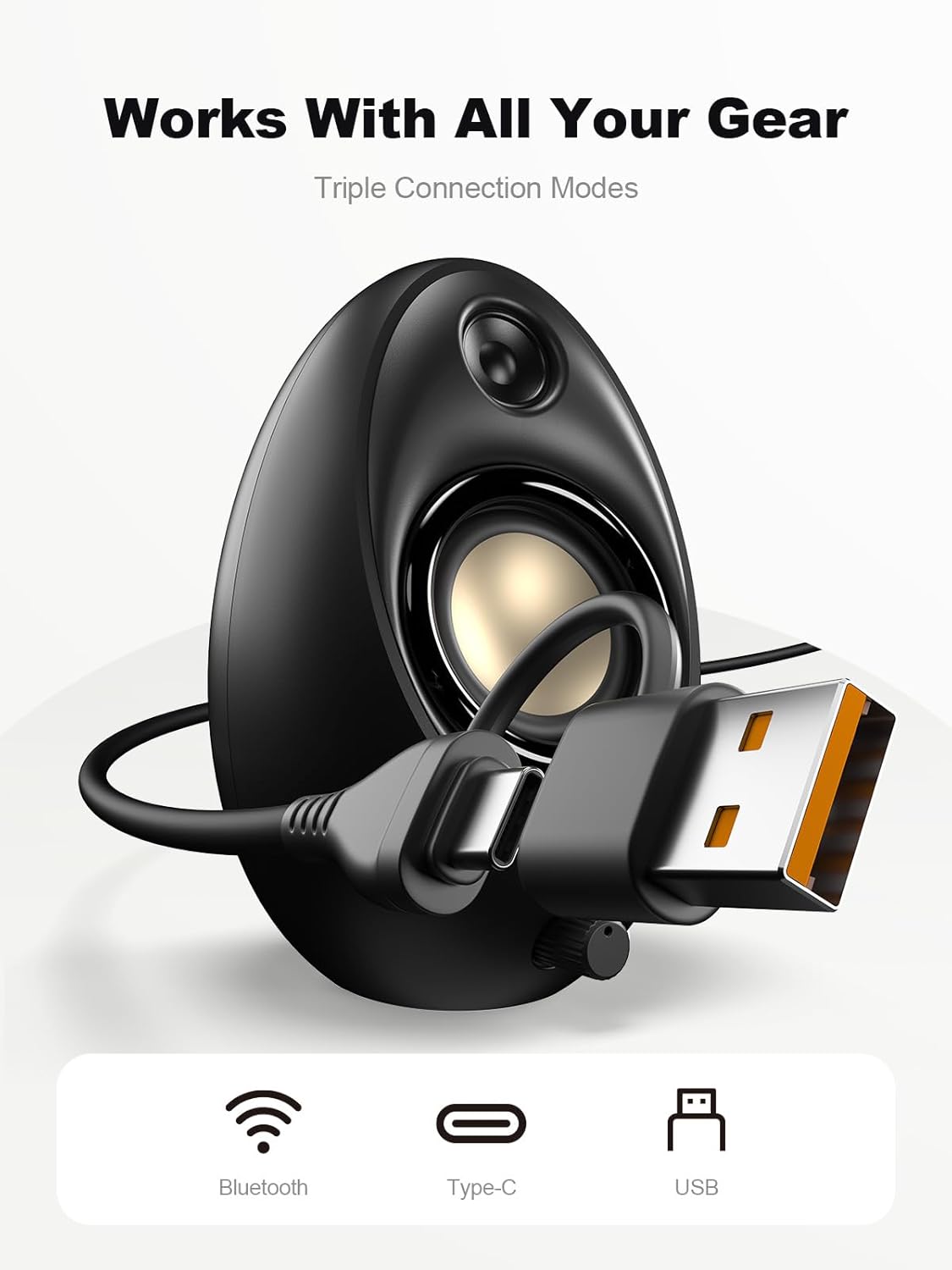
Figure 4.1: Connecting the speakers via USB/USB-C cable.
5. Upute za rad
5.1 Uključivanje/isključivanje
The speakers power on automatically when connected to a USB power source. To power off, disconnect the USB cable.
5.2 Kontrola glasnoće
Rotate the multi-functional knob clockwise to increase volume and counter-clockwise to decrease volume.
5.3 Bluetooth uparivanje
- Prebacivanje u Bluetooth način rada: Press and hold the multi-functional knob for approximately 2-3 seconds until the speaker indicates Bluetooth mode (e.g., a specific light pattern or audio prompt).
- Omogućite Bluetooth na uređaju: Na pametnom telefonu, tabletu ili prijenosnom računalu omogućite Bluetooth i potražite dostupne uređaje.
- Par: Select "Bluedee BD-SK900" from the list of devices. Once paired, the speakers will confirm the connection.
5.4 USB/Type-C Connection
When connected via the USB/USB-C cable, the speakers will automatically function as an audio output device for your computer. To switch back to USB mode from Bluetooth, press and hold the multi-functional knob again.
5.5 Upravljanje RGB rasvjetom
The speakers feature 5 dynamic RGB lighting effects. Briefly press the multi-functional knob to cycle through the available lighting modes. This allows you to customize the ambiance to your preference.

Figure 5.1: Dynamic RGB lighting effects.
6. Rješavanje problema
If you encounter issues with your Bluedee BD-SK900 speakers, please refer to the following common solutions:
- Nema zvuka:
- Ensure the USB/USB-C cable is securely connected to both the speakers and your device/power source.
- Check the volume level on both the speakers (using the knob) and your connected device.
- Provjerite je li u postavkama zvuka računala odabran ispravan audio izlazni uređaj.
- If using Bluetooth, ensure the speakers are in Bluetooth mode and successfully paired.
- Problemi s prekidom/uparivanjem Bluetootha:
- Ensure the speakers are within the 10-meter Bluetooth range of your device.
- Isključite i uključite Bluetooth na uređaju, a zatim ponovno pokušajte upariti uređaj.
- Forget the device from your Bluetooth list and re-pair.
- Ensure the speakers are not connected to another device.
- RGB svjetla ne rade:
- Provjerite jesu li zvučnici uključeni.
- Briefly press the multi-functional knob to cycle through lighting modes; the lights might be off or in a static mode.
- Iskrivljen zvuk:
- Smanjite glasnoću i na zvučnicima i na spojenom uređaju.
- Provjerite je li audio izvor dobre kvalitete.
- Check for any interference if using Bluetooth.
7. Specifikacije
| Naziv modela | BD-SK900 |
| Vrsta zvučnika | računalo Zvučnici |
| Tehnologija povezivanja | Bluetooth, USB |
| Bluetooth verzija | 5.4 |
| Bluetooth domet | 10 metara |
| Izlazna snaga | 20 W |
| Signal-to-Noise Ratio | 70 dB |
| Frekvencijski odziv | 20 KHz (Upper limit, typical for full-range) |
| RGB načini osvjetljenja | 5 |
| Kompatibilni uređaji | Stolno računalo, prijenosno računalo, pametni telefon, tablet |
| Dimenzije proizvoda (svaki zvučnik) | 5.1"D x 5"Š x 7.2"V |
| Težina artikla | 2.88 funti |
| Izvor napajanja | Corded Electric (USB/Type-C) |

Figure 7.1: Speaker dimensions and design.
8. Održavanje
Kako biste osigurali dugotrajnost i optimalne performanse svojih zvučnika, slijedite ove smjernice za održavanje:
- Čišćenje: Use a soft, dry cloth to clean the speaker surfaces. Avoid using abrasive cleaners, solvents, or strong chemicals, as they may damage the finish.
- Skladištenje: Kada se zvučnike ne koriste dulje vrijeme, pohranite ih na hladnom i suhom mjestu, dalje od izravne sunčeve svjetlosti i ekstremnih temperatura.
- Rukovanje: Pažljivo rukujte zvučnicima. Izbjegavajte ispuštanje ili izlaganje jakim udarcima.
- Ventilacija: Ensure proper ventilation around the speakers to prevent overheating. Do not block any vents.
9. Sigurnosne informacije
Pridržavajte se sljedećih sigurnosnih mjera:
- Ne izlažite zvučnike vodi, vlazi ili ekstremnim temperaturama.
- Do not attempt to disassemble or modify the speakers. This will void the warranty and may cause damage or injury.
- Keep the speakers away from heat sources, open flames, and direct sunlight.
- Use only the provided USB/USB-C cable for connection.
- Izbjegavajte slušanje glazbe na pretjerano glasnoj glasnoći dulje vrijeme kako biste spriječili oštećenje sluha.
10. Jamstvo i podrška
Bluedee provides comprehensive support for your BD-SK900 Computer Speakers:
- Jamstvo kvalitete: Your speakers are covered by a 540-day quality warranty from the date of purchase.
- Doživotna podrška: Bluedee offers lifetime customer support for this product.
- Kontakt: For any questions, technical assistance, or warranty claims, please contact us via Amazon Messages or refer to the contact details provided in your Quick Start Guide.