
1. Uvod
Thank you for choosing the BUGANI OWSB10S Open Ear Wireless Headphones. These headphones are designed to provide a comfortable listening experience while maintaining situational awareness. Featuring Bluetooth 5.4 technology, HiFi stereo sound, and an IPX5 waterproof rating, they are suitable for various activities including sports, running, and cycling. This manual provides detailed instructions for setup, operation, maintenance, and troubleshooting to ensure optimal performance.
2. Sadržaj paketa
- BUGANI OWSB10S Open Ear Wireless Headphones (Left and Right)
- Kutija za punjenje
- USB-C kabel za punjenje
- korisnički priručnik
3. Proizvod je gotovview
The BUGANI OWSB10S headphones feature an open-ear design that rests gently outside your ears, reducing pressure and fatigue. This design allows you to stay aware of your surroundings, making them ideal for outdoor activities. They are equipped with custom dynamic drivers for rich audio and an HD microphone for clear calls.

Figure 3.1: BUGANI OWSB10S Open Ear Wireless Headphones worn on ear, demonstrating the comfortable fit.

Slika 3.2: Eksplodirano view of a BUGANI OWSB10S earbud, showcasing the custom dynamic driver and internal structure.

Figure 3.3: Diagram illustrating the directional sound transmission technology of the BUGANI OWSB10S, designed to reduce sound leakage.
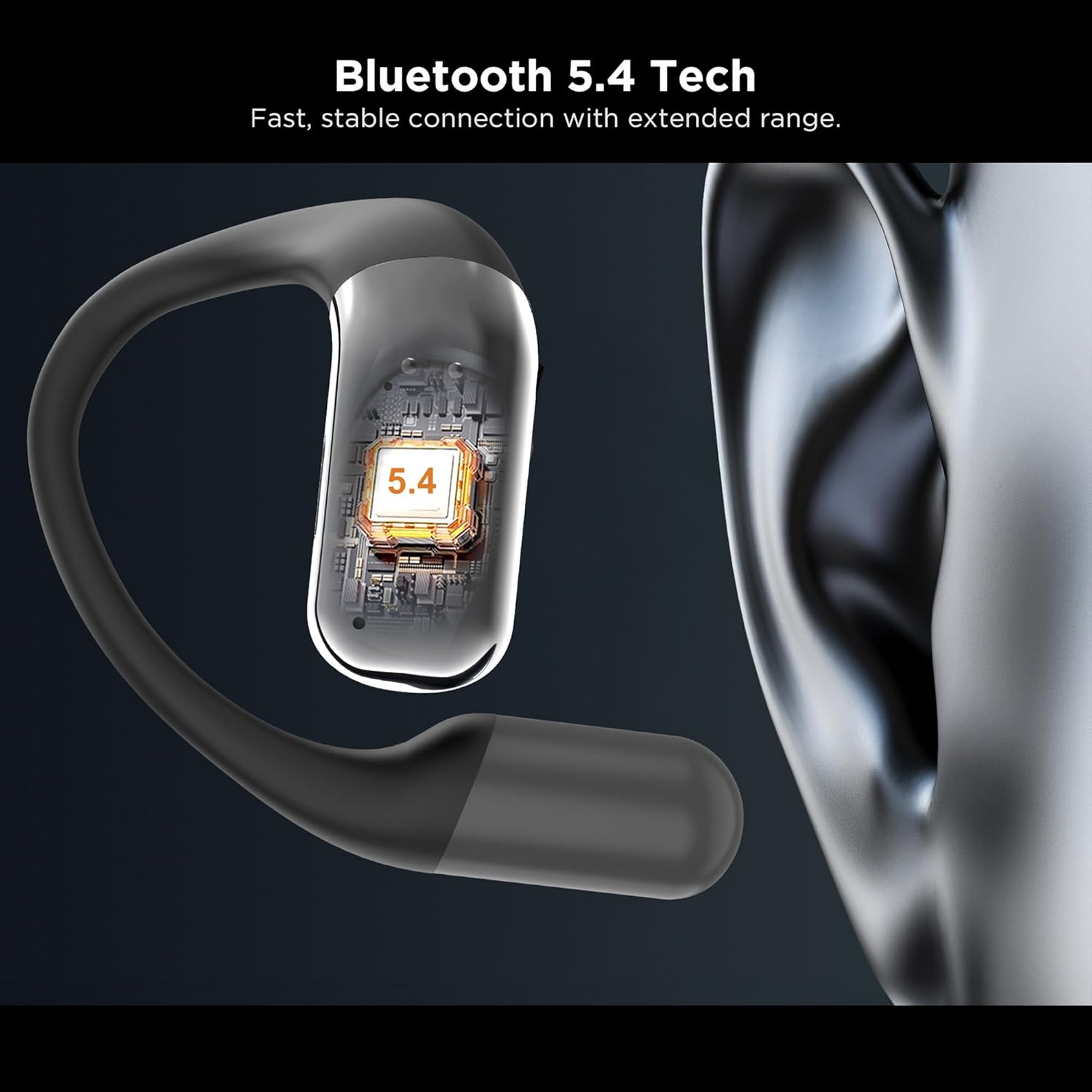
Slika 3.4: Krupni plan view of the integrated Bluetooth 5.4 chip within the BUGANI OWSB10S earbud, ensuring stable connectivity.

Figure 3.5: The BUGANI OWSB10S earbuds securely placed in their charging case, ready for recharging.
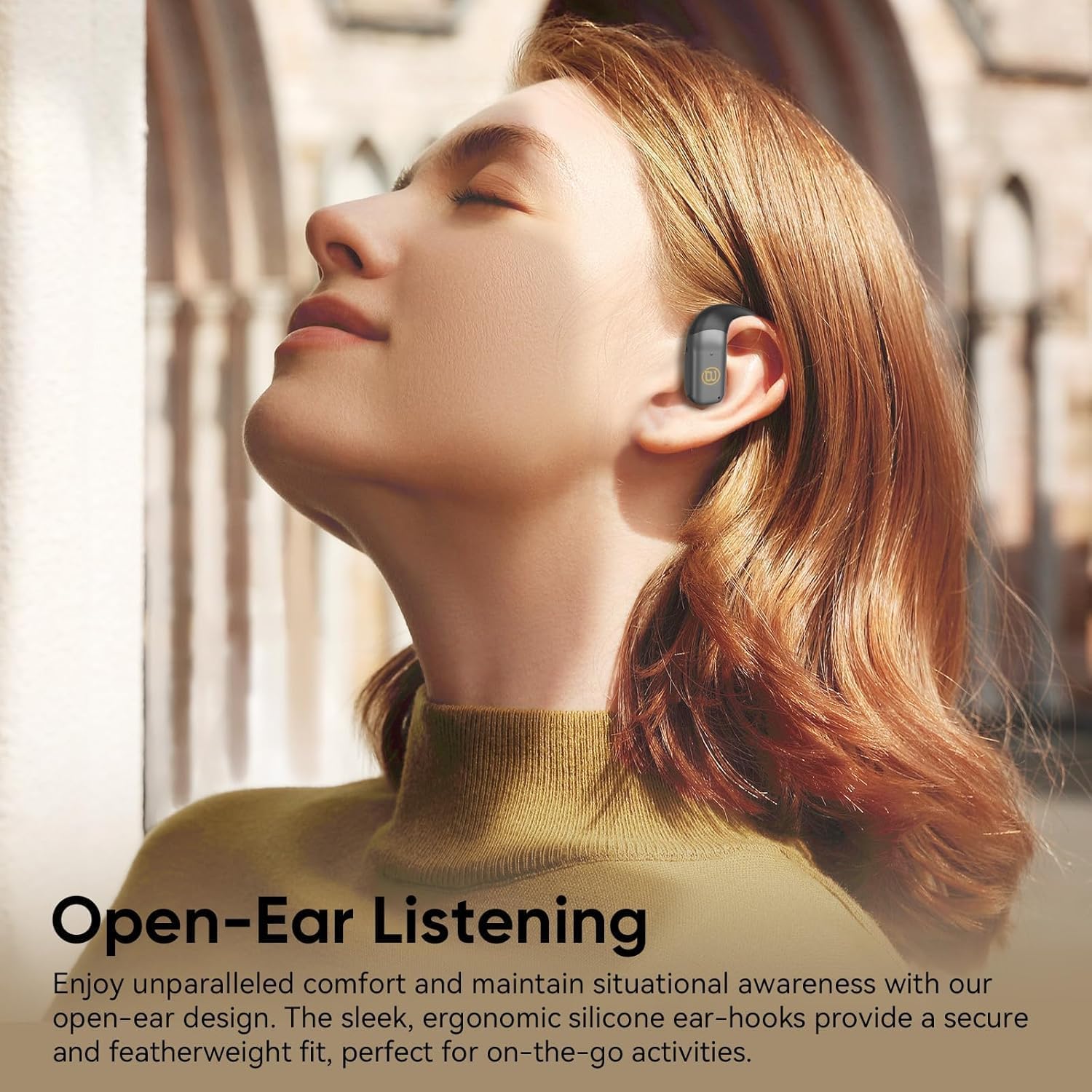
Figure 3.6: A user wearing the BUGANI OWSB10S headphones, highlighting the open-ear design for comfort and environmental awareness.
4. Postavljanje
4.1 Početno punjenje
Before first use, ensure the charging case is fully charged. Connect the provided USB-C cable to the charging port on the case and to a power source. The indicator light on the case will show charging status. Once fully charged, the case can provide multiple recharges for the earbuds.
4.2 Removing Protective Film
Upon unboxing, remove any protective plastic film covering the charging contacts on the earbuds. This film prevents charging and proper connection. Place the earbuds back into the charging case after removing the film.
4.3 Bluetooth uparivanje
- Otvorite kutijicu za punjenje. Slušalice će automatski ući u način uparivanja.
- Na svom uređaju (pametnom telefonu, tabletu itd.) omogućite Bluetooth.
- Tražiti dostupne Bluetooth uređaje i odaberite "BUGANI B10" s popisa.
- Nakon povezivanja, čut ćete zvučni signal i slušalice će biti spremne za upotrebu.
Video 4.1: This video demonstrates the unboxing and initial setup process for the BUGANI OWSB10S headphones, including how to remove protective films and place them in the charging case.
5. Upute za rad
5.1 Nošenje slušalica
Gently place the ear hooks over your ears, ensuring the earbud rests comfortably outside your ear canal. Adjust for a secure fit. The open-ear design allows for ambient sound awareness.
5.2 Kontrole na dodir
The BUGANI OWSB10S headphones feature touch controls for various functions:
- Reproduciraj/pauziraj: Jednom dodirnite bilo koju slušalicu.
- Sljedeća pjesma: Dvaput dodirnite desnu slušalicu.
- Prethodni zapis: Dvaput dodirnite lijevu slušalicu.
- Odgovori/prekini poziv: Jednokratno dodirnite bilo koju slušalicu tijekom dolaznog poziva.
- Odbij poziv: Pritisnite i držite bilo koju slušalicu tijekom dolaznog poziva.
- Aktiviranje glasovnog asistenta: Triput dodirnite bilo koju slušalicu.
5.3 AI Translation Feature
These headphones support AI translation capabilities when used with a compatible application on your smartphone. Once the app is set up and connected, you can utilize the earbuds for real-time translation. This feature allows you to hear translated speech and/or read translated text on your phone, facilitating communication across different languages.
6. Punjenje
The earbuds provide 8-10 hours of playtime on a single charge. The 500mAh charging case offers up to 6 full recharges for the earbuds, extending total usage time to approximately 60 hours.
6.1 Punjenje slušalica
Place the earbuds into the charging case. Ensure the charging contacts align. The earbuds will automatically begin charging. Indicator lights on the earbuds or case will confirm charging status.
6.2 Punjenje kutije
Connect the USB-C charging cable to the charging port on the case and to a 5V/1A power adapter (not included). The indicator light on the case will illuminate to show charging progress. A full charge typically takes a few hours.
7. Održavanje
The BUGANI OWSB10S headphones are IPX5 waterproof, meaning they are resistant to sweat, light rain, and splashes. They are not designed for submersion in water.
- Čišćenje: Use a soft, dry cloth to wipe the earbuds and charging case. Do not use abrasive cleaners or solvents.
- Skladištenje: Slušalice spremite u kutijicu za punjenje kada ih ne koristite kako biste ih zaštitili i održali napunjenima. Izbjegavajte ekstremne temperature.
- Izloženost vodi: If the earbuds get wet, wipe them dry thoroughly before placing them back in the charging case to prevent damage to the charging contacts.
8. Rješavanje problema
| Problem | Mogući uzrok | Otopina |
|---|---|---|
| Slušalice se ne uparuju | Protective film still on contacts; Bluetooth not enabled; Earbuds not in pairing mode. | Remove protective film. Ensure Bluetooth is on. Place earbuds in case, close, then open to re-enter pairing mode. |
| Nema zvuka | Volume too low; Not connected; Media paused. | Increase volume on device and earbuds. Reconnect Bluetooth. Check media playback status. |
| Kutija za punjenje se ne puni | Cable not connected properly; Faulty cable/adapter. | Ensure cable is securely connected. Try a different USB-C cable or power adapter. |
| Slušalice se ne pune u futroli | Protective film on contacts; Dirty contacts; Case battery low. | Remove protective film. Clean charging contacts on earbuds and case. Charge the charging case. |
9. Specifikacije
| Značajka | Detalj |
|---|---|
| Naziv modela | OWSB10S |
| Tehnologija povezivanja | Bežično (Bluetooth 5.4) |
| Oblik slušalice | Otvoreno uho |
| Razina vodootpornosti | IPX5 (vodootporan) |
| Metoda kontrole | Dodir |
| Trajanje baterije slušalice | 8-10 Hours (per charge) |
| Kapacitet kutije za punjenje | 500mAh (up to 6 full recharges) |
| Ukupno vrijeme reprodukcije s kutijom | Do 60 sati |
| Vrsta audio upravljačkog programa | Dinamički upravljački program |
| Dimenzije proizvoda | 1.9 x 4.5 x 4.5 inča |
| Težina artikla | 6.7 unci |
10. Jamstvo i podrška
BUGANI products are designed and manufactured to the highest quality standards. For warranty information, technical support, or customer service inquiries, please refer to the contact details provided on the product packaging or visit the official BUGANI webMolimo sačuvajte dokaz o kupnji za bilo kakve reklamacije u vezi s jamstvom.