
Uvod
Hvala na kupnjiasing the Hisense 43A69Q 4K UHD Smart VIDAA TV. This manual provides essential information for setting up, operating, and maintaining your television. Please read it thoroughly before using the product to ensure safe and correct operation. Keep this manual for future reference.
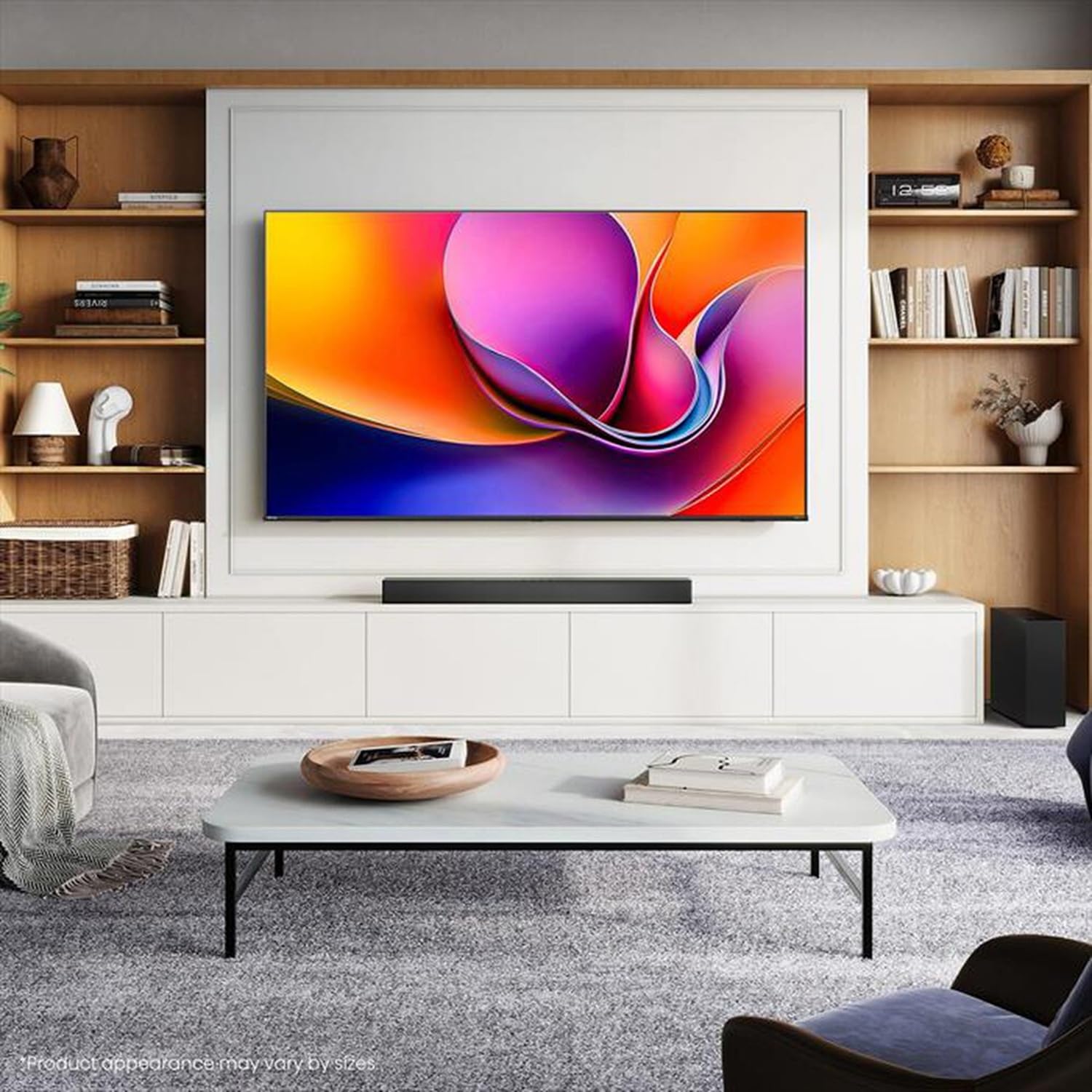
Image: Hisense 43A69Q 4K UHD Smart VIDAA TV. This image shows the television from the front, highlighting its slim bezel design and display.
Sigurnosne informacije
Uvijek slijedite ove osnovne sigurnosne mjere prilikom korištenja televizora:
- Ne izlažite TV kiši ili vlazi.
- Ne otvarajte kućište televizora. Za sve servisne radove obratite se kvalificiranom osoblju.
- Osigurajte pravilnu ventilaciju oko televizora. Ne blokirajte ventilacijske otvore.
- Zaštitite kabel za napajanje od gaženja ili prignječenja.
- Isključite televizor iz struje tijekom grmljavine ili kada ga ne koristite dulje vrijeme.
- Keep the TV away from heat sources like radiators, heat registers, stoves, or other heat-producing appliances.
Što je u kutiji
Provjerite jesu li sve komponente prisutne:
- Hisense 43A69Q 4K UHD Smart VIDAA TV
- Daljinski upravljač s baterijama
- Kabel za napajanje
- TV Stand Components (2 legs)
- Vijci za ugradnju stalka
- Quick Setup Guide
- Korisnički priručnik (ovaj dokument)
Postavljanje
1. Raspakiranje
Carefully remove the TV from its packaging. It is recommended that two people handle the TV to prevent damage or injury. Retain the packaging materials for future transport or servicing.
2. Instalacija postolja
If you are not wall-mounting the TV, attach the stand:
- Postavite televizor licem prema dolje na meku, čistu površinu kako biste spriječili oštećenje zaslona.
- Poravnajte svaku nogu postolja s odgovarajućim utorima na dnu televizora.
- Pričvrstite svaku nogu priloženim vijcima. Pazite da su čvrsto zategnuti.
- Pažljivo podignite televizor u uspravan položaj na stabilnoj, ravnoj površini.
3. Montaža na zid (opcionalno)
The Hisense 43A69Q is compatible with VESA standard wall mounts (200x300 mm). Wall mount kits are sold separately. Follow the instructions provided with your wall mount kit and ensure professional installation if you are unsure.
4. Spajanje vanjskih uređaja
Connect your devices to the TV's ports:
- HDMI: Connect Blu-ray players, game consoles, or set-top boxes to the HDMI ports (HDMI1, HDMI2, HDMI3). This model features HDMI 2.1 with ALLM and VRR (60Hz) support on all ports, and eARC on HDMI3.
- USB: Plug in USB drives for media playback (2 USB 2.0 ports).
- Antena/kabel: Connect your antenna or cable TV signal to the RF tuner input.
- Ethernet: For a stable wired internet connection, connect an Ethernet cable to the RJ45 port.
- Audio izlaz: Use the S/PDIF optical output for digital audio to a soundbar or receiver, or the headphone jack for private listening.
5. Power On & First-Time Setup
After connecting all devices:
- Uključite kabel za napajanje u televizor, a zatim u zidnu utičnicu.
- Pritisnite gumb za uključivanje/isključivanje na daljinskom upravljaču ili na samom televizoru.
- Follow the on-screen instructions for initial setup, including language selection, network connection (Wi-Fi or Ethernet), and channel scanning.
- Log in to your VIDAA account or create a new one to access smart features.
Rukovanje televizorom
1. Daljinsko upravljanjeview
Familiarize yourself with the remote control buttons for basic functions like power, volume, channel, input selection, and smart app shortcuts.
2. Navigating VIDAA Smart OS
The VIDAA Smart OS provides a user-friendly interface. Use the directional buttons and OK button on your remote to navigate menus, launch applications, and adjust settings.
3. Using Smart Features
Access pre-installed applications like Netflix, YouTube, and Amazon Prime Video directly from the home screen. Additional apps can be downloaded from the VIDAA App Store.
4. Postavke slike i zvuka
Adjust picture modes (Standard, Dynamic, Cinema, Game) and sound modes (Standard, Music, Speech) to optimize your viewing experience. Advanced settings allow fine-tuning of brightness, contrast, color, and audio equalizer.
This TV supports Dolby Vision and HDR10 for enhanced picture quality, and DTS Virtual X for immersive audio.
5. Značajke povezivanja
- Wi-Fi i Bluetooth: Connect wirelessly to your home network and Bluetooth devices like headphones or speakers.
- Dijeljenje zaslona: Use built-in screen sharing features (e.g., AirPlay 2 support) to mirror content from compatible mobile devices.
- Način igre PLUS: For gaming, enable Game Mode PLUS to reduce input lag (≤ 20 ms) and utilize VRR (Variable Refresh Rate) for smoother gameplay.
Održavanje
1. Čišćenje televizora
Za čišćenje zaslona, nježno ga obrišite mekom krpom koja ne ostavlja dlačice. Za tvrdokorne mrlje, laganoampen the cloth with water or a specialized screen cleaner. Never spray cleaner directly onto the screen. Clean the TV cabinet with a soft, dry cloth.
2. Ažuriranja softvera
Your TV may receive software updates to improve performance and add new features. Ensure your TV is connected to the internet. You can usually check for updates in the TV's settings menu under 'System' or 'About TV'.
Rješavanje problema
Ako naiđete na probleme, isprobajte ova uobičajena rješenja:
- Bez napajanja: Provjerite je li kabel za napajanje sigurno priključen i u televizor i u zidnu utičnicu. Pokušajte s drugom utičnicom.
- Nema slike/zvuka: Ensure the correct input source is selected. Check all cable connections. Restart connected devices.
- Daljinski upravljač ne radi: Zamijenite baterije. Provjerite da nema prepreka između daljinskog upravljača i IR senzora televizora.
- Problemi s mrežnom vezom: Restart your router and modem. Reconnect the TV to your Wi-Fi network or check the Ethernet cable.
- Loša kvaliteta slike: Check antenna/cable connections. Adjust picture settings. Ensure the source content is high quality.
For persistent problems, consult the Hisense support webstranicu ili se obratite službi za korisnike.
Tehnički podaci
| Značajka | Specifikacija |
|---|---|
| Marka | Hisense |
| Naziv modela | 43A69Q |
| Veličina zaslona | 43 inča (108 cm) |
| Rezolucija | 4K Ultra HD 3840x2160 |
| Brzina osvježavanja | 60 Hz |
| Operativni sustav | VIDAA Smart OS |
| HDR tehnologija | HDR, HDR10, HDR10+ decoding, Dolby Vision, HLG |
| Audio tehnologija | DTS Virtual X (2x7W speakers) |
| HDMI priključci | 3 (HDMI 2.1 with ALLM, VRR (60Hz); HDMI3 also with eARC) |
| USB priključci | 2 (USB 2.0) |
| Povezivost | Wi-Fi (IEEE 802.11 a/b/g/n/ac-2.4G,5G), Bluetooth, Ethernet |
| VESA kompatibilnost | 200x300 mm |
| Razred energetske učinkovitosti (SDR/HDR) | E / G |
| Dimenzije (sa postoljem) | 963 mm (Š) x 608 mm (V) x 222 mm (D) |
| Neto težina (sa postoljem) | 6.9 kg |
Jamstvo i podrška
Hisense proizvodi pokriveni su jamstvom proizvođača. Molimo pogledajte jamstveni list koji je priložen uz vaš proizvod ili posjetite službenu Hisense stranicu. webza detaljne uvjete jamstva specifične za vašu regiju.
Za tehničku podršku, pomoć u rješavanju problema ili zahtjeve za servisiranje obratite se korisničkoj podršci Hisensea putem njihove službene webweb-mjesto ili kontaktne podatke navedene u dokumentaciji proizvoda.