
Uvod
Thank you for choosing KICKER TW3 Wireless Earbuds. These earbuds are designed to provide a superior audio experience with advanced features such as Hybrid Active Noise Cancellation (ANC) and Environmental Noise Cancellation (ENC) for clear calls. Enjoy extended listening times, intuitive touch controls, and a durable, sweatproof design suitable for various activities.
Što je u kutiji
- KICKER TW3 bežične slušalice
- Recharging Carrying Case
- USB-C kabel za punjenje
- Three (3) Sizes of Rubber Ear Tips (S, M, L)
- Kratki vodič / Korisnički priručnik

Image: Contents of the KICKER TW3 Earbuds box, including the earbuds, charging case, USB-C cable, and various sizes of ear tips.
Proizvod gotovview
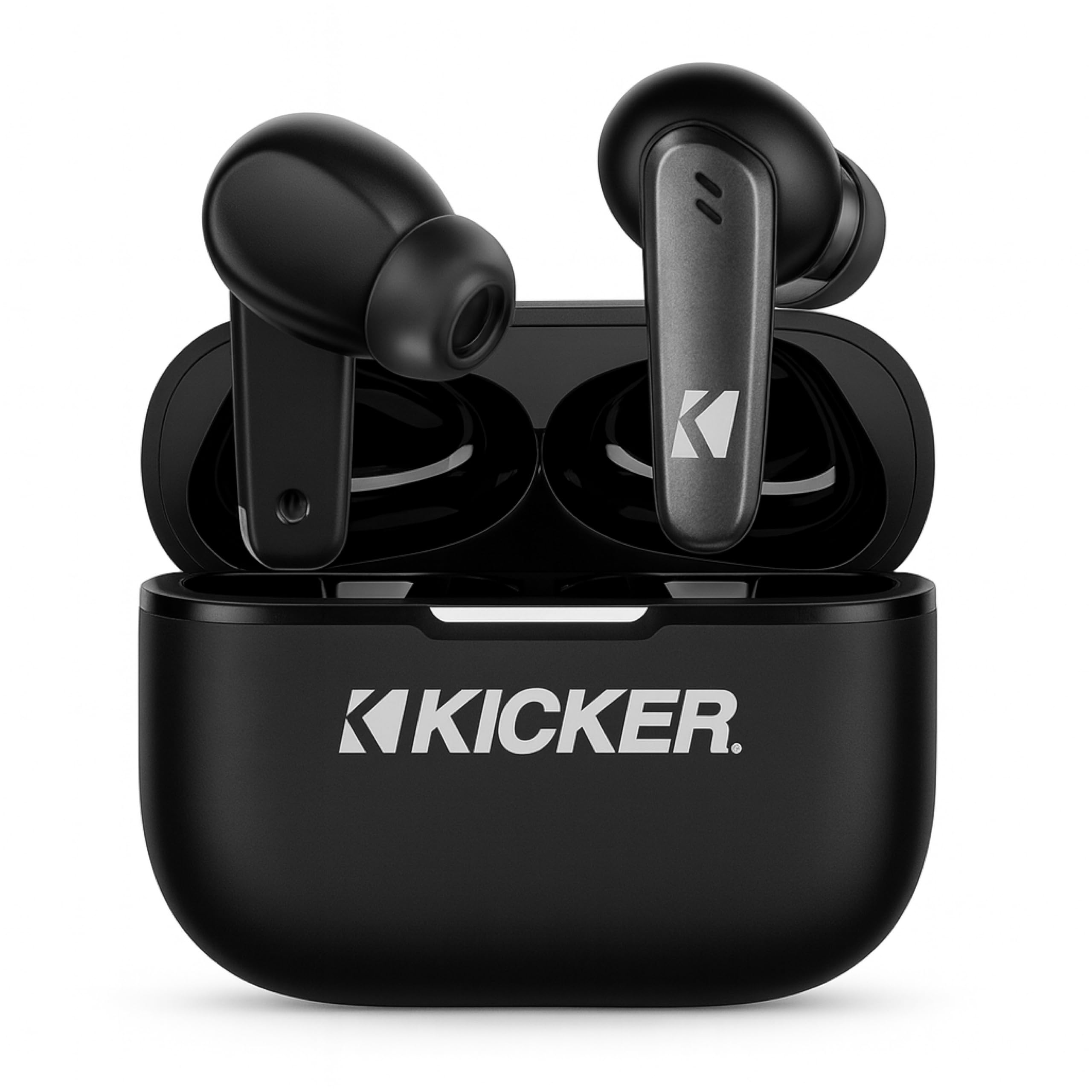
Image: The KICKER TW3 Wireless Earbuds resting inside their sleek black charging case.

Slika: Krupni plan view of a KICKER TW3 earbud, illustrating its noise reduction feature with a graphic showing noise being reduced by 35dB.
Postavljanje
1. Fitting Ear Tips
Select the ear tips (Small, Medium, Large) that provide the most comfortable and secure fit for your ears. A proper seal is crucial for optimal sound quality and noise cancellation. Insert the earbud into your ear and gently twist it until it feels snug.

Image: A diagram illustrating the correct way to insert the earbuds and the three available ear tip sizes (S, M, L) for a comfortable fit.
2. Početno punjenje
Before first use, fully charge the earbuds and the charging case. Place the earbuds into the charging case and connect the USB-C cable to the case and a power source. The indicator light on the case will show charging status.
3. Uparivanje s vašim uređajem
- Otvorite kutijicu za punjenje. Slušalice će automatski ući u način uparivanja.
- Na svom uređaju (pametnom telefonu, tabletu, prijenosnom računalu) idite na postavke Bluetootha.
- Select "KICKER TW3" from the list of available devices.
- Nakon povezivanja, čut ćete zvučni signal potvrde i slušalice su spremne za upotrebu.
Image: An icon representing Bluetooth wireless earbuds with auto-pairing functionality to a smartphone or device.
Upute za rad
Uključivanje/isključivanje
- Uključivanje: Otvorite kućište za punjenje i slušalice će se automatski uključiti.
- Isključivanje: Place the earbuds back into the charging case and close the lid. They will automatically power off. Earbuds will also auto power off after 3 minutes of no signal.
Kontrole na dodir
The KICKER TW3 earbuds feature intuitive touch sensors on each earbud for easy control of music, calls, and noise modes.

Image: A visual guide to the touch controls on the KICKER TW3 earbuds, showing actions for play/pause, previous/next song, voice assistance, ANC on/off/transparency, answer/end call, and reject call.
| Akcijski | Kontrolirati |
|---|---|
| Reprodukcija/Pauza | Jednostruki dodir bilo koje slušalice |
| Sljedeća pjesma | Dvaput dodirnite desnu slušalicu |
| Prethodna pjesma | Dvaput dodirnite lijevu slušalicu |
| Odgovori/prekini poziv | Jednostruki dodir bilo koje slušalice |
| Odbij poziv | Dugo pritisnite bilo koju slušalicu |
| Aktivirajte glasovnog pomoćnika | Triput dodirnite bilo koju slušalicu |
| Prebacivanje načina ANC/transparentnosti | Long press on either earbud (when not on a call) |
Aktivno poništavanje buke (ANC) i poništavanje buke iz okoliša (ENC)
The TW3 earbuds feature Hybrid Active Noise Cancellation, reducing ambient noise by up to -35dB, allowing you to focus on your audio. Transparency mode can be activated to hear your surroundings when needed. Environmental Noise Cancellation with dual microphones ensures your voice is clear during calls by blocking background chatter.
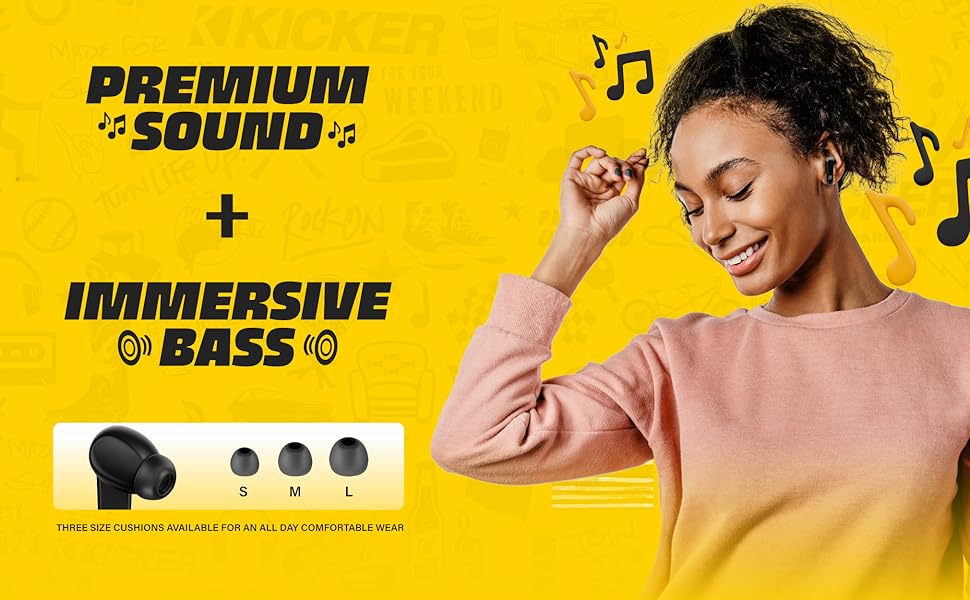
Image: A graphic illustrating the benefits of ENC for clear calls and ANC for blocking external noise from airplanes, offices, and cafes.
Punjenje
The KICKER TW3 earbuds offer extended battery life with their charging case.
- Vrijeme reprodukcije slušalice: Do 5 sati s jednim punjenjem.
- Ukupno vrijeme reprodukcije s kutijom: Up to 25 hours (20 additional hours from the charging case).
- Vrijeme punjenja: Otprilike 1.5 sati za potpuno punjenje kutijice i slušalica.
Punjenje kućišta i slušalica
- Čvrsto umetnite slušalice u odgovarajuće utore u kutijici za punjenje.
- Connect the provided USB-C charging cable to the charging port on the case and to a USB power adapter (not included).
- The LED indicator on the case will flash red while charging.
- The LED indicator will turn solid red when the case is fully charged.
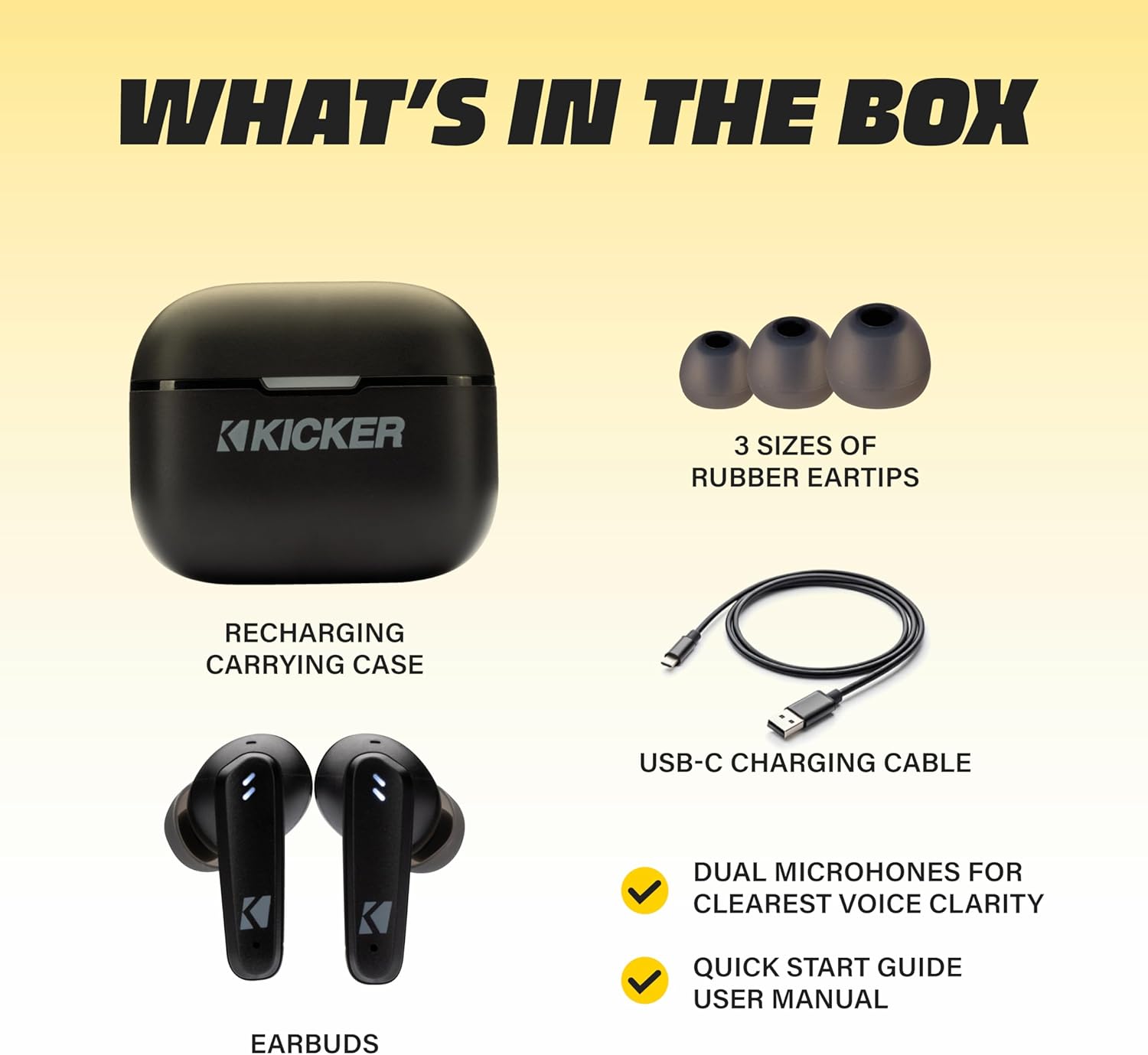
Image: The KICKER TW3 charging case being charged via a USB-C cable, with text indicating 5 hours of playtime for earbuds and 20 additional hours from the charging case, totaling 25 hours.
Održavanje
Čišćenje
Regularly clean your earbuds and charging case to ensure optimal performance and hygiene. Use a soft, dry, lint-free cloth. Do not use harsh chemicals or abrasive materials. Gently remove ear tips and clean them with mild soap and water, ensuring they are completely dry before reattaching.
Vodootpornost (IPX4)
The KICKER TW3 earbuds are IPX4 sweatproof, meaning they are resistant to splashes and sweat. They are suitable for workouts and outdoor activities but should not be submerged in water.

Image: An icon indicating the earbuds are sweat and water resistant.
Skladištenje
When not in use, store the earbuds in their charging case to protect them and keep them charged. Avoid storing them in extreme temperatures.
Rješavanje problema
| Problem | Moguće rješenje |
|---|---|
| Slušalice se ne uparuju | Ensure earbuds are charged. Turn off and on your device's Bluetooth. Forget "KICKER TW3" in your device's Bluetooth settings and re-pair. |
| Nema zvuka iz jedne slušalice | Ensure both earbuds are charged. Place both earbuds back in the case, close the lid, then open again to reset. Check device audio balance settings. |
| Kutija za punjenje se ne puni | Check USB-C cable connection. Try a different USB power adapter or port. Ensure the charging port is clean and free of debris. |
| ANC nije učinkovit | Ensure ear tips provide a proper seal. Switch between ANC and Transparency modes using touch controls to confirm functionality. |
Tehnički podaci
- Model: TWS3
- Bluetooth verzija: 5.0
- Bežični domet: Do 10 metara (33 stope)
- Kontrola buke: Hybrid Active Noise Cancellation (up to -35dB), Environmental Noise Cancellation (ENC)
- Vrijeme reprodukcije slušalice: Do 5 sati
- Ukupno vrijeme reprodukcije s kutijom: Do 25 sati
- Vrijeme punjenja: Otprilike 1.5 sata
- Vodootpornost: IPX4 (otporan na znoj)
- Mikrofoni: Dual Microphones for clear voice clarity
- Automatsko isključivanje: After 3 minutes of no signal
Službeni video proizvoda
Video: An official product features video for the KICKER Bluetooth TW3 ANC Earbuds, showcasing their design, noise cancellation, and other key functionalities.
Jamstvo i podrška
KICKER products are designed for durability and performance. For warranty information, technical support, or any questions regarding your KICKER TW3 Wireless Earbuds, please refer to the official KICKER website or contact KICKER customer service directly. Keep your proof of purchase for warranty claims.
Contact KICKER Support: 1(800) 256-0800 or visit kicker.com/support