
1. Uvod
This manual provides detailed instructions for the proper use and maintenance of your BOBLOV KJ26 2K Body Camera. Please read this manual thoroughly before operating the device to ensure optimal performance and longevity.
2. Sadržaj paketa
Provjerite jesu li sve dolje navedene stavke uključene u vaš paket:
- KJ26 Body Camera
- 360° Rotatable Long Clip
- 360° Rotatable Short Clip
- Two Rechargeable Batteries (2000mAh each)
- Dock za punjenje
- USB-C kabel
- Korisnički priručnik (ovaj dokument)
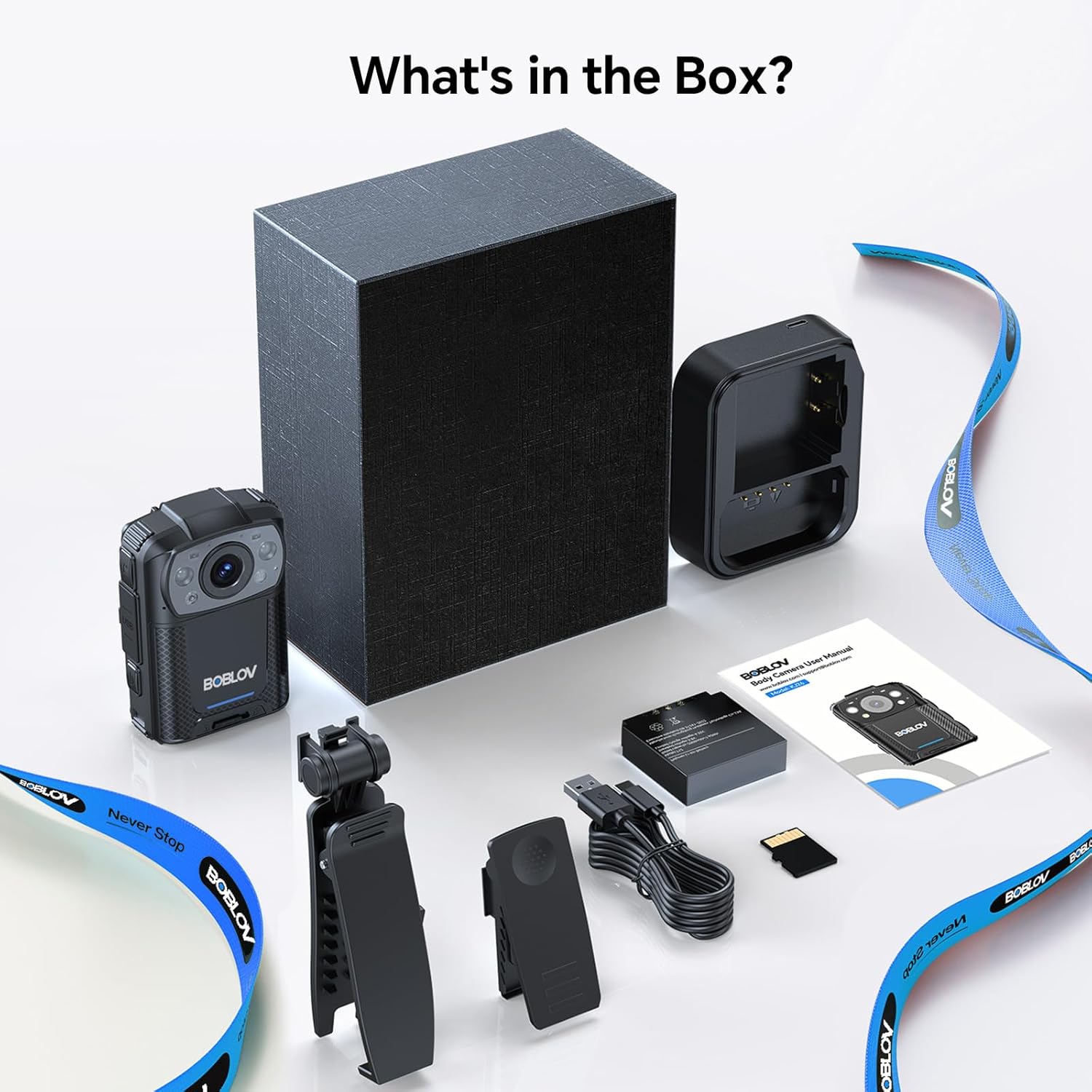
Image: All components included in the BOBLOV KJ26 Body Camera package.

Slika: Vizualni prikaz sadržaja paketa.
Video: Official unboxing video for the BOBLOV KJ26 body camera, demonstrating the contents of the package and initial setup.
3. Postavljanje
3.1. Ugradnja i punjenje baterije
The KJ26 body camera comes with two 2000mAh rechargeable batteries. Ensure batteries are fully charged before first use.
- Insert a battery into the designated battery compartment on the camera.
- Place the camera onto the charging dock.
- Connect the USB-C cable to the charging dock and a power source.
- Indikatorska lampica punjenja prikazat će status punjenja.
- To swap batteries, remove the current battery and insert a fresh one.

Image: BOBLOV KJ26 body camera highlighting its dual battery system for extended recording.

Image: Swappable batteries for continuous recording.
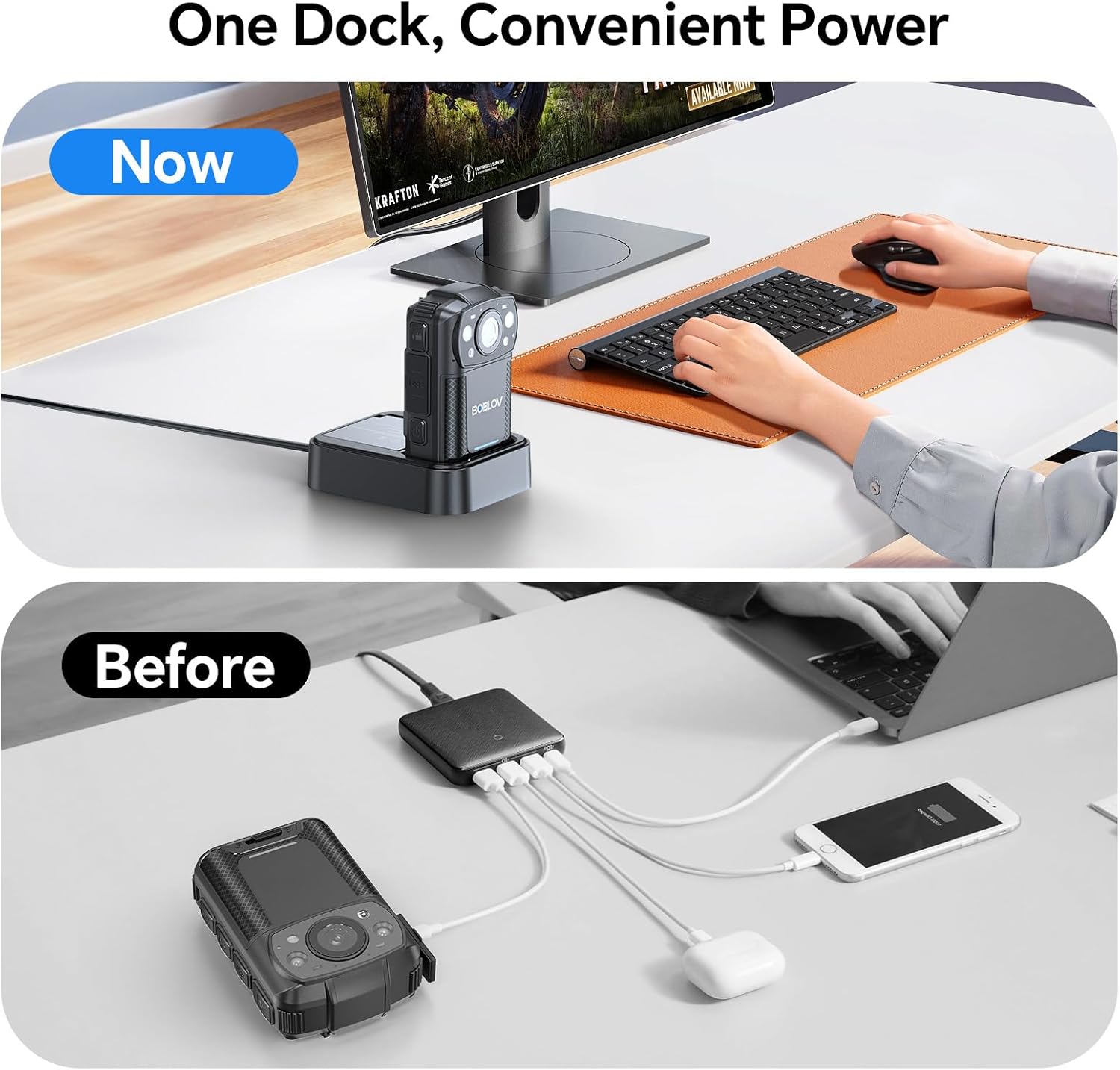
Image: The camera charging in its dedicated dock.
3.2. Ugradnja memorijske kartice
The camera supports external Micro SD cards for storage expansion. The device comes with a 256GB card installed.
- Pronađite utor za Micro SD karticu na kameri.
- Gently insert the Micro SD card until it clicks into place.
- Za uklanjanje, pritisnite karticu prema unutra dok ne izađe.

Image: The camera supports easy memory card swapping for expanded storage.
3.3. Attaching Clips
Two rotatable clips (long and short) are provided for flexible mounting options.
- Select the appropriate clip (long or short) for your intended use.
- Attach the clip to the back of the camera by sliding it into the designated slot until it locks securely.
- The clip can rotate 360° for optimal positioning.

Slika: pramples of flexible mounting with different clip lengths.
4. Upute za rad
4.1. Uključivanje/isključivanje
- Za uključivanje: Pritisnite i držite gumb za uključivanje/isključivanje dok se zaslon ne osvijetli.
- To power off: Press and hold the Power button until the device shuts down.
4.2. Video snimanje
The camera records video in 2K, 1080P, or 720P resolution with audio, saving files in MOV format.
- To start recording: Press the Record button. A red indicator light or on-screen icon will confirm recording is active.
- To stop recording: Press the Record button again.
- Snimanje petlje: The camera supports loop recording, overwriting the oldest files kada je memorijska kartica puna.
- Adjustable Video Length: Video segments can be set to 5, 10 (default), 15, or 20 minutes.

Image: The compact design of the wearable body camera.

Image: Continuous recording with adjustable video segment lengths.
4.3. Snimanje fotografija
The camera can also capture still images.
- To take a photo: Press the Photo button.
4.4. Noćni vid
The KJ26 features infrared LEDs for clear recording in low-light conditions.
- Night vision activates automatically in dark environments.

Image: Night vision capability for reliable surveillance in low light.

Image: Capturing details even in low light conditions.
4.5. Posebne značajke
- Detekcija pokreta: The camera can be set to start recording automatically when motion is detected.
- Način rada kamere na tabli: The device can function as a dash camera, suitable for vehicle use.

Image: The camera mounted in a vehicle, demonstrating dash camera mode.
5. Održavanje
5.1. Čišćenje
- Za čišćenje kućišta fotoaparata koristite meku, suhu krpu.
- Za leću koristite specijaliziranu krpu i otopinu za čišćenje leća kako biste izbjegli ogrebotine.
- Nemojte koristiti jake kemikalije ili abrazivne materijale.
5.2. Briga o bateriji
- Čuvajte baterije na hladnom i suhom mjestu kada ih ne koristite.
- Izbjegavajte često potpuno pražnjenje baterija kako biste produžili njihov vijek trajanja.
- Ako skladištite baterije dulje vrijeme, napunite ih do otprilike 50% kapaciteta.
5.3. Skladištenje
- Store the camera in a protective case to prevent damage from impacts or dust.
- Držite uređaj podalje od ekstremnih temperatura i izravne sunčeve svjetlosti.
6. Rješavanje problema
| Problem | Mogući uzrok | Otopina |
|---|---|---|
| Kamera se ne uključuje. | Baterija je prazna ili nije pravilno umetnuta. | Ensure battery is charged and correctly inserted. Try swapping with the second battery. |
| Nije moguće snimati videozapis. | Memory card is full, corrupted, or not inserted. | Check memory card status. Format the card (this will erase all data). Replace the card if necessary. |
| Loša kvaliteta videa noću. | Night vision not active or insufficient ambient light. | Ensure night vision is enabled (if manual setting is available) or that there is some minimal light for the IR sensors to function. |
| Kamera se zamrzava ili prestaje reagirati. | Softverski problem ili privremena greška. | Press and hold the Power button for 10-15 seconds to force a restart. If issue persists, contact support. |
7. Specifikacije
| Značajka | Detalj |
|---|---|
| Marka | BOBLOV |
| Broj modela | KJ26 |
| Rezolucija video snimanja | 2K, 1080P, 720P |
| Tehnologija foto senzora | CMOS |
| Vrsta flash memorije | Micro SD |
| Veličina instalirane flash memorije | 256 GB |
| Format za snimanje videa | MOV |
| Podržani audio format | AAC, MP3 |
| Veličina zaslona | 2 inča |
| Tehnologija povezivanja | USB |
| Posebne značajke | Audio Recording, Dash Camera Mode, Loop Recording, Motion Detection, Night Vision |
| Razina vodootpornosti | Nije vodootporan |
| Prosječno trajanje baterije | 8 hours (with two batteries) |
| Broj baterija | 2 (uključeno) |
| Načini snimanja | Video Recording, Photo Capture |
| Omjer slike | 16:9 |
| Kompatibilni uređaji | Laptop, osobno računalo |
8. Informacije o jamstvu
The BOBLOV KJ26 Body Camera comes with a Jamstvo 2 godine from the date of purchase. This warranty covers manufacturing defects and malfunctions under normal use. Please retain your proof of purchase for warranty claims. For detailed warranty terms and conditions, please refer to the official BOBLOV webstranicu ili se obratite korisničkoj podršci.
9. Korisnička podrška
For technical assistance, troubleshooting, or any inquiries regarding your BOBLOV KJ26 Body Camera, please contact BOBLOV customer support:
- Službenik Webstranica: Posjetite BOBLOV Store on Amazon za informacije o proizvodu i resurse podrške.
- E-pošta/Telefon: Refer to the contact information provided on the official BOBLOV webweb-mjestu ili u pakiranju vašeg proizvoda.