
1. Uvod
Welcome to the user manual for your NIMO N152S 15.6-inch Laptop. This guide provides essential information on setting up, operating, maintaining, and troubleshooting your new device. Please read this manual thoroughly to ensure optimal performance and longevity of your laptop.
2. Proizvod je gotovview
2.1 Ključne značajke
- Snažna izvedba: Equipped with an AMD Ryzen 5 3500U processor and integrated Radeon graphics for smooth multitasking and efficient performance.
- Imerzivni Full HD zaslon: A 15.6-inch Full HD (1920x1080) IPS display with a 180° wide hinge for vibrant visuals and wide viewing kutova.
- Tanak i lagan dizajn: Crafted with a sleek metal top cover, weighing under 3.7 lbs and measuring just 19.2 mm thin.
- Poboljšana povezivost: Features 2 USB-A, 2 USB-C (full function PD/DP/Data), HDMI, MicroSD, and a 3.5mm audio jack.
- Expandable Memory & Storage: Supports up to 32GB DDR4 RAM and M.2 PCIe 3.0 x4 SSD for future-proof upgrades.
- Smart Security & Comfort: Includes a fingerprint reader on the touchpad, a backlit keyboard for low-light use, and dual microphones.
2.2 Identifikacija komponente
Familiarize yourself with the various components of your NIMO N152S laptop as illustrated below.

Slika 2.1: Prednja strana view of the NIMO N152S laptop, showcasing its sleek design and key features like Windows 11, 32GB RAM, 1TB SSD, Full HD display, AMD Ryzen 5, Type-C PD Charger, Backlit Keyboard, and Fingerprint Reader.

Figure 2.2: Illustration of the AMD Ryzen 5 processor, detailing its specifications including 4 Cores, 8 Threads, 15W Power Consumption, and 3.7 GHz Turbo Boost, indicating its capability for daily tasks and light gaming.

Figure 2.3: The NIMO laptop screen showcasing a vivid Full HD (1920x1080) IPS display, highlighting features like bright view and eye protection, with an 85% screen-to-body ratio.

Slika 2.4: Detaljno view of the NIMO laptop's expanded connectivity options, labeling ports such as Type-C (Charge Only), USB 3.0, HDMI, Type-C (Full Function), Charge LED, Micro SD Reader, USB 2.0, USB 3.0, Headphone Combo, and Kensington Lock.
3. Početno postavljanje
3.1 Punjenje prijenosnog računala
Before first use, fully charge your NIMO laptop. Connect the provided 65W Type-C PD charger to the USB-C charging port on the laptop and then to a power outlet. The charge LED indicator will illuminate to confirm charging.

Figure 3.1: The 65W Type-C PD Charger, designed for universal compatibility with laptops, tablets, and smartphones, simplifying your charging needs compared to multiple chargers.
3.2 Prvo uključivanje
- Otvorite poklopac laptopa.
- Pritisnite gumb za napajanje koji se nalazi na tipkovnici.
- Slijedite upute na zaslonu da biste dovršili početno postavljanje sustava Windows 11, uključujući odabir jezika, mrežnu vezu i stvaranje korisničkog računa.
4. Operating Your NIMO Laptop
4.1 Uključivanje/isključivanje i način rada za spavanje
- Uključivanje: Pritisnite gumb za napajanje.
- Zatvoriti: Kliknite gumb Start, zatim Napajanje > Isključi.
- Stanje mirovanja: Zatvorite poklopac ili kliknite gumb Start, zatim Napajanje > Stanje mirovanja.
4.2 Korištenje tipkovnice i dodirne podloge
Your NIMO laptop features a full-sized keyboard with a numeric keypad and a responsive touchpad.
- Tipkovnica s pozadinskim osvjetljenjem: Pritisnite Fn + F10 (or the key with the backlight icon) to toggle the keyboard backlight on/off or adjust brightness levels.
- Touchpad: Podržava višedodirne geste za navigaciju. Za prilagodbu pogledajte postavke sustava Windows.
- Numerička tipkovnica: Use the dedicated numeric keypad for efficient data entry.

Figure 4.1: The NIMO laptop keyboard, emphasizing its backlit keys, integrated touchpad, fingerprint reader, and numeric keypad, designed for comfortable typing in various lighting conditions.
4.3 Čitač otiska prsta
The integrated fingerprint reader on the touchpad provides quick and secure access to your laptop.
- Idite na Postavke sustava Windows > Računi > Mogućnosti prijave.
- Postavite otisak prsta u sustavu Windows Hello.
- Slijedite upute na zaslonu za registraciju otisaka prstiju.
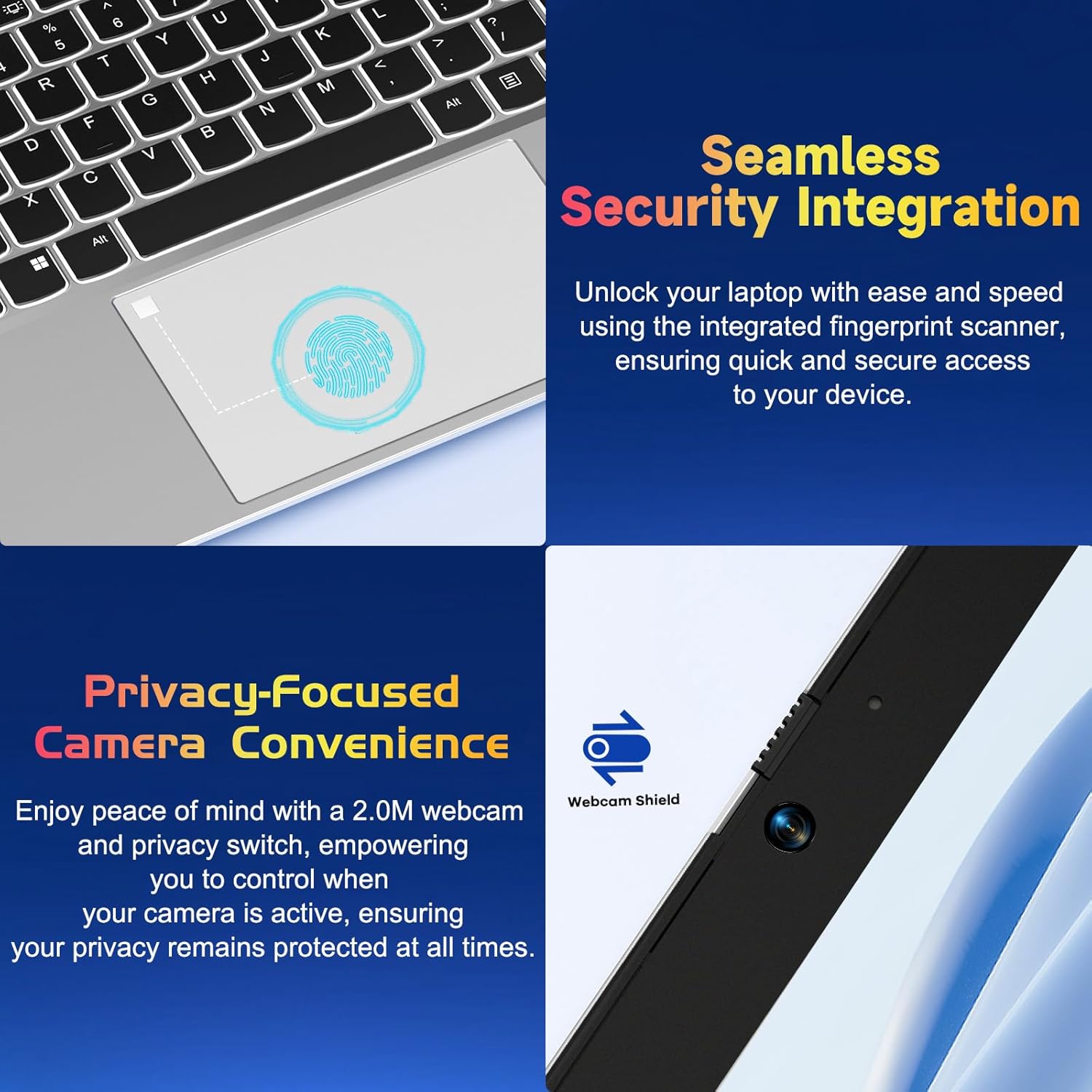
Slika 4.2: Krupni plan view of the NIMO laptop's touchpad, highlighting the integrated fingerprint scanner for seamless security integration, alongside the privacy-focused webcam with a physical shield.
4.4 Spajanje perifernih uređaja
Your laptop offers various ports for connecting external devices:
- USB-A priključci: Za spajanje standardnih USB uređaja poput miševa, tipkovnica ili vanjskih diskova.
- USB-C priključci: Two full-function USB-C ports support Power Delivery (PD), DisplayPort (DP), and data transfer. One is dedicated for charging.
- HDMI priključak: Spajanje na vanjske monitore ili projektore.
- Čitač MicroSD kartica: Insert a MicroSD card for additional storage or data transfer.
- 3.5 mm audio utičnica: Za slušalice ili vanjske zvučnike.
4.5 Webcam Privacy
The laptop includes a 2.0MP webcam with a physical privacy shield. Slide the shield to cover the camera lens when not in use to ensure your privacy.
5. Održavanje i njega
- Čišćenje: Koristite mekanu krpu koja ne ostavlja dlačice dampZaslon i vanjštinu očistite vodom ili sredstvom za čišćenje zaslona. Izbjegavajte jake kemikalije.
- Ažuriranja softvera: Redovito ažurirajte operativni sustav Windows i upravljačke programe kako biste osigurali optimalne performanse i sigurnost.
- Njega baterije: Kako biste produžili vijek trajanja baterije, izbjegavajte ekstremne temperature i pokušajte održavati napunjenost baterije između 20% i 80% kad god je to moguće.
- Skladištenje: Prijenosno računalo čuvajte na hladnom i suhom mjestu, dalje od izravne sunčeve svjetlosti i ekstremnih temperatura.
6. Rješavanje problema
This section addresses common issues you might encounter with your NIMO laptop.
| Izdati | Moguće rješenje |
|---|---|
| Laptop se ne uključuje. | Ensure the laptop is charged. Connect the charger and wait a few minutes before attempting to power on again. If unresponsive, perform a hard reset by holding the power button for 15 seconds. |
| Zaslon je prazan ili treperi. | Try adjusting the screen brightness (Fn + F5/F6). If connected to an external monitor, ensure the cable is secure. Restart the laptop. |
| Keyboard backlight is not working. | Press Fn + F10 (or the key with the backlight icon) to cycle through backlight settings. Ensure the function keys are enabled. |
| Fingerprint reader not recognized. | Ensure your finger is clean and dry. Re-register your fingerprint in Windows Hello settings if the issue persists. |
| Problemi s Wi-Fi vezom. | Check if Wi-Fi is enabled (Fn + F12 or Windows settings). Restart your router and laptop. Update Wi-Fi drivers if necessary. |
| Laptop radi sporo. | Close unnecessary applications. Check Task Manager for resource-intensive processes. Ensure Windows and drivers are up to date. Consider running a disk cleanup. |
7. Tehničke specifikacije
| Značajka | Specifikacija |
|---|---|
| Marka | NIMO |
| Naziv modela | NIMO N152S |
| Broj modela artikla | NIMO N152 |
| Veličina zaslona | 15.6 inča |
| Maksimalna razlučivost zaslona | 1920 x 1080 piksela (Full HD) |
| Procesor | AMD Ryzen 5 3500U (3.7 GHz) |
| OVAN | 32 GB DDR4 (3200 MHz) |
| Tvrdi disk | 1024 GB SSD (čvrsto stanje) |
| Grafički koprocesor | AMD Integrated graphics |
| Operativni sustav | Windows 11 |
| Bežična vrsta | 802.11abg |
| Broj USB 2.0 priključaka | 1 |
| Prosječno trajanje baterije | 5 sata |
| Težina artikla | 3.8 funti |
| Dimenzije proizvoda | 14.07 x 8.98 x 0.76 inča |
| Boja | Klasično srebro |
| Stražnji Webrezolucija kamere | 2 MP |
| Izvor napajanja | Napajanje na baterije |
| Baterije | Potrebne su 1 litij -polimerne baterije (uključene) |
8. Jamstvo i korisnička podrška
8.1 Informacije o jamstvu
Your NIMO N152S laptop comes with a comprehensive warranty:
- Pravila besplatnog povrata u roku od 90 dana: You may return your NIMO laptop for any reason within 90 days of purchase.
- 2-godišnje jamstvo: All NIMO products are covered by a 2-year warranty for after-sales support.

Figure 8.1: NIMO's commitment to customer satisfaction, featuring a 90-day free return policy and a 2-year warranty for reliable support.
8.2 Korisnička podrška
For any product-related questions, technical assistance, or warranty claims, please contact our U.S.-based support team:
- Visit the official NIMO webstranica za resurse podrške i mogućnosti kontakta.
- Za konkretne kontaktne podatke pogledajte dokumentaciju o kupnji.
Our team is dedicated to providing professional and high-quality customer service to resolve any issues you may encounter.