
1. Uvod
Thank you for choosing the ZENTALITY A10 Projector. This compact and versatile projector is designed to deliver a high-quality home cinema experience with its native 1080P resolution, 4K decoding support, and integrated Android operating system. Featuring Wi-Fi 6 and Bluetooth 5.1 connectivity, automatic keystone correction, and a 360-degree adjustable stand, the A10 offers flexible entertainment options for various environments. Please read this manual carefully to ensure proper setup, operation, and maintenance of your device.
2. Sigurnosne informacije
- Napajanje: Koristite samo priloženi adapter za napajanje. Provjerite glasnoćutage odgovara zahtjevima projektora.
- Ventilacija: Do not block ventilation openings. Maintain adequate space around the projector for proper airflow to prevent overheating.
- Izloženost tekućini: Projektor držite dalje od vode ili drugih tekućina. Ne koristite ga u vlažnim okruženjima.
- Čišćenje: Isključite napajanje prije čišćenja. Koristite meku, suhu krpu. Izbjegavajte abrazivna sredstva za čišćenje.
- djeca: Projektor držite izvan dohvata male djece.
- Plasman: Projektor postavite na stabilnu, ravnu površinu. Izbjegavajte postavljanje na izravnu sunčevu svjetlost ili u blizinu izvora topline.
- Objektiv: Ne gledajte izravno u objektiv projektora kada je lamp je uključen, jer može uzrokovati oštećenje oka.
3. Sadržaj paketa
Molimo provjerite paket za sljedeće stavke:
- ZENTALITY A10 Projector Unit
- Daljinski upravljač
- Adapter napajanja
- HDMI kabel
- Korisnički priručnik (ovaj dokument)
4. Proizvod je gotovview
Familiarize yourself with the main components and ports of your ZENTALITY A10 Projector.

The ZENTALITY A10 Projector, showcasing svojim kompaktnim dizajnom i objektivom.
Strana view of the ZENTALITY A10 Projector, highlighting its various input and output ports for connectivity.
Ključne komponente:
- Objektiv za projekciju: Emituje sliku.
- Gumb za napajanje: Uključuje/isključuje projektor.
- HDMI priključak: Connects to external devices like laptops, gaming consoles, or TV sticks.
- USB priključak: Za reprodukciju medija s USB pogona.
- Audio izlaz: Spaja se na vanjske zvučnike ili slušalice.
- DC ulaz: Ulaz za napajanje.
- Podesivo postolje: Allows for 360-degree rotation and flexible positioning.
5. Postavljanje
5.1 Postavljanje
Position the projector on a stable surface. The optimal projection distance for the ZENTALITY A10 is between 1.0 to 3.5 meters, which can produce screen sizes ranging from 40 to 200 inches.

A visual guide recommending optimal projection screen sizes (30, 100, 200 inches) for the ZENTALITY A10 Projector under different lighting conditions, from dim to completely dark rooms.
5.2 Priključak za napajanje
- Spojite adapter za napajanje na DC In priključak na projektoru.
- Uključite strujni adapter u zidnu utičnicu.
- Pritisnite gumb za napajanje na projektoru ili daljinskom upravljaču da biste ga uključili.
5.3 Podešavanje fokusa
The ZENTALITY A10 features electric focus. Use the 'F+' and 'F-' buttons on the remote control to achieve a clear and sharp image.

The ZENTALITY A10 Projector in a room setting, with its remote control demonstrating electric focus and automatic keystone correction features.
5.4 Korekcija trapezoidnog iskrivljenja
The projector is equipped with automatic 45° keystone correction. This feature automatically adjusts the image to be rectangular even if the projector is placed at an angle. Manual adjustments can also be made if needed through the settings menu.
5.5 Povezivost
- Wi-Fi veza: Navigate to the 'Settings' menu on the projector's interface. Select 'Network & Internet' and connect to your desired 2.4G or 5G Wi-Fi network.
- Bluetooth veza: For connecting external audio devices, go to 'Settings' > 'Connected Devices' > 'Bluetooth'. Enable Bluetooth and pair with your device.
- HDMI veza: Connect an HDMI cable from your external device (e.g., laptop, TV stick) to the HDMI port on the projector. Select the HDMI input source from the projector's main menu.

An illustration showing the ZENTALITY A10 Projector's fast Wi-Fi 6 and Bluetooth 5.1 capabilities, enabling seamless wireless connections for streaming and audio.
6. Operativni
6.1 Android OS and Applications
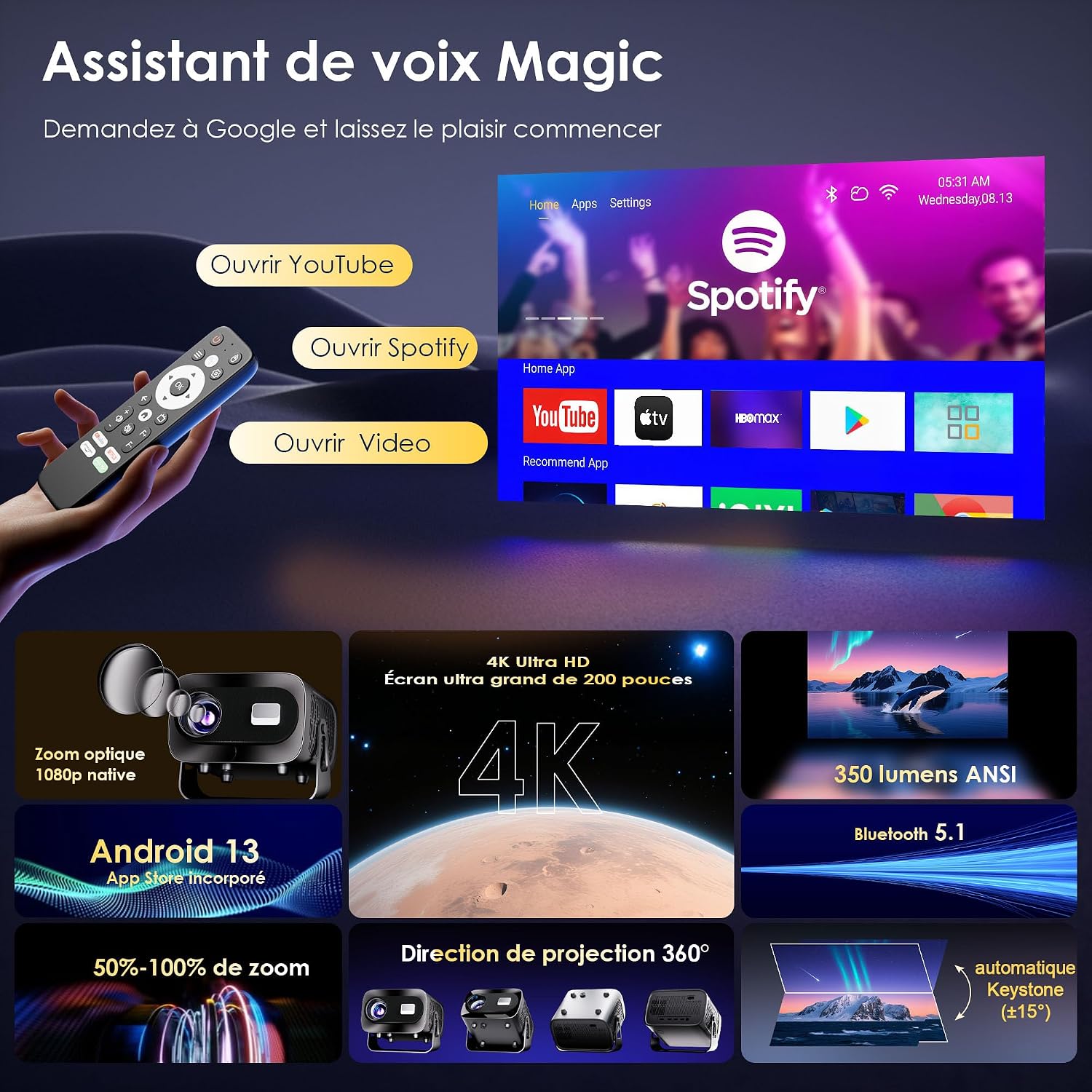
The ZENTALITY A10 runs on an integrated Android operating system, providing access to a wide range of applications. You can find pre-installed apps like YouTube and Spotify on the home screen. Additional applications can be downloaded from the Google Play Store.

A screenshot of the ZENTALITY A10 Projector's Android interface, displaying pre-installed applications like YouTube and Spotify, ready for streaming.
6.2 Audio izlaz
The projector includes built-in speakers for audio playback. For an enhanced audio experience, connect external Bluetooth speakers or headphones via Bluetooth 5.1, or use the 3.5mm audio out port.
6.3 Rotacija od 360°
The projector's integrated stand allows for 360-degree rotation, enabling projection onto walls, ceilings, or any desired surface without needing to reposition the entire unit.

An image illustrating the ZENTALITY A10 Projector's flexible 360-degree adjustable stand, allowing for versatile projection angles.
6.4 Funkcija zumiranja
Adjust the image size from 50% to 100% using the zoom function in the projector's settings menu. This allows you to fine-tune the screen size without moving the projector.
7. Održavanje
- Čišćenje leća: Use a soft, lint-free cloth specifically designed for optical lenses. Gently wipe the lens to remove dust or smudges. Avoid touching the lens with bare fingers.
- Vanjsko čišćenje: Wipe the projector's exterior with a soft, dry cloth. Do not use liquid or aerosol cleaners, as they may damage the finish.
- Ventilacija: Regularly check that the ventilation openings are clear of dust and debris to ensure proper heat dissipation.
- Skladištenje: Kada se projektor ne koristi dulje vrijeme, čuvajte ga na hladnom i suhom mjestu, zaštićenom od prašine.
8. Rješavanje problema
If you encounter issues with your ZENTALITY A10 Projector, refer to the following common problems and solutions:
| Problem | Mogući uzrok | Otopina |
|---|---|---|
| Nema struje | Power cable disconnected; power outlet issue; projector off. | Ensure power cable is securely connected. Try a different outlet. Press the power button. |
| Mutna slika | Incorrect focus; projector too close/far; dirty lens. | Adjust focus using 'F+'/'F-' buttons. Adjust projection distance. Clean the lens. |
| Slika je trapezoidna/iskrivljena | Projector not perpendicular to screen; automatic keystone not engaged. | Ensure projector is facing the screen directly. Check keystone settings in the menu for manual adjustment if needed. |
| Nema zvuka | Volume too low; external speakers not connected/paired; incorrect audio output selected. | Increase volume. Check Bluetooth connection for external speakers. Ensure correct audio output is selected in settings. |
| Daljinski upravljač ne reagira | Low batteries; obstruction; out of range. | Replace batteries. Ensure no obstructions between remote and projector. Point remote directly at the projector's IR receiver. |
| App compatibility issues (e.g., specific streaming apps) | DRM restrictions; app version incompatibility. | Ensure the app is updated to the latest version. Some apps may have specific device restrictions. Consider using an external streaming stick via HDMI if issues persist. |
| Overheating/Fan noise | Blocked ventilation; prolonged use. | Ensure ventilation ports are clear. Allow the projector to cool down. Operate in a well-ventilated area. |
9. Specifikacije
Key technical specifications for the ZENTALITY A10 Projector:
| Značajka | Specifikacija |
|---|---|
| Marka | ZENTALNOST |
| Naziv modela | A10 |
| Izvorna razlučivost zaslona | 1920 x 1080 (1080P Full HD) |
| Maksimalna razlučivost zaslona | 3840 x 2160 (podržano 4K) |
| Vrsta zaslona | LCD |
| Omjer kontrasta | 10000:1 |
| Tehnologija povezivanja | Wi-Fi 6, Bluetooth 5.1, HDMI |
| Preporučena uporaba | Kućno kino |
| Posebne značajke | Integrated Wireless Connection, 360° Rotation, Automatic Keystone Correction, Android OS |
| Udaljenost projekcije | Do 3.5 metara |
| Maksimalna veličina slike | 200 inča |
| Kompatibilni uređaji | Laptop, Smartphone, Gaming Console, TV Stick, HDMI devices |
| Tehnologija poboljšanja slike | HDR10+ |
| Video kodiranje | H.265 |
10. Jamstvo i podrška
ZENTALITY is committed to providing excellent customer service and product quality.
- Jamstvo kvalitete: Enjoy a 360-day quality guarantee from the date of purchase.
- Besplatni povrat: Benefit from 180 days of free returns.
- Tehnička podrška: Za vaš proizvod dostupna je doživotna tehnička podrška.
- Služba za korisnike: Our customer service team is available 24/7 to assist you with any inquiries or issues.
For support, please refer to the contact information provided with your purchase or visit the official ZENTALITY webmjesto.