
1. Uvod
This manual provides detailed instructions for the setup, operation, and maintenance of your Rettru W7 Mini WiFi Security Camera. Please read this manual thoroughly before using the product to ensure proper functionality and safety. This camera is designed for indoor security monitoring, offering features such as motion detection, night vision, and remote access via a dedicated mobile application.

Figure 1: Versatile applications of the Rettru W7 Mini WiFi Security Camera.
2. Proizvod je gotovview
2.1 Sadržaj paketa
- Rettru W7 Mini WiFi Security Camera
- Kabel za punjenje
- Korisnički priručnik (ovaj dokument)
2.2 Ključne značajke
- HD 1080P Resolution: Provides clear video quality.
- WiFi povezivost: Supports 2.4GHz WiFi for remote access (5GHz not supported).
- Motion Detection & Alarm Push: Sends notifications to your smartphone upon detecting movement.
- Noćni vid: Enhanced night vision performance up to 5 meters in complete darkness with 4 infrared LEDs.
- Snimanje petlje: Automatski prepisuje starije foo datoteketage kada je memorijska kartica puna.
- Podrška za MicroSD kartice: Compatible with MicroSD cards up to 128GB (not included).
- Kompaktan dizajn: Small and portable for discreet placement.
- Kontrola aplikacije: Upravljajte i view fujtage via a dedicated mobile application for iOS and Android.
2.3 Product Dimensions and Design
The camera measures approximately 40 x 33 x 33 mm (1.57 x 1.29 x 1.29 inches), making it highly compact and suitable for discreet placement.

Figure 2: Camera dimensions. The camera is shown with a digital caliper indicating its small size.

Figure 3: Compact design for discreet placement, shown hidden within a woven basket among plants.

Figure 4: Camera hidden on a bookshelf, demonstrating its unobtrusive design.
3. Upute za postavljanje
- Napunite kameru: Before initial use, fully charge the camera using the provided charging cable.
- Umetnite MicroSD karticu: Insert a MicroSD card (up to 128GB, not included) into the designated slot for local storage.
- Preuzmite aplikaciju: Prepare an iPhone or Android smartphone and download the free dedicated application from your smartphone's app store.
- Uključivanje: Pritisnite i držite tipku za uključivanje kako biste uključili kameru.
- Povežite se na WiFi:
- Otvorite aplikaciju i slijedite upute na zaslonu za dodavanje novog uređaja.
- Ensure your smartphone is connected to a 2.4GHz WiFi network. The camera does not support 5GHz WiFi.
- The app will guide you through connecting the camera to your home or office WiFi network.
- Plasman: Position the camera in your desired location. Its small size allows for versatile placement.

Figure 5: Camera held in hand, illustrating its portability and ease of setup.
4. Upute za rad
4.1 Uživo View
Once connected, open the dedicated app on your smartphone. You can access the live video feed from the camera anytime, anywhere. Multiple users can log in to the app to monitor a single camera.

Figure 6: 150-degree wide-angle view. The image shows a living room from the camera's perspective, highlighting its broad field of view.

Figure 7: App interface for live monitoring. A smartphone displays the camera's live feed of a room.
4.2 Detekcija pokreta i alarmi
The camera features motion detection technology. When a change in the image is detected, the camera will immediately send a notification message to your smartphone. Log in to the app to view the situation at home anytime, anywhere. Motion detection recordings are saved to the memory card as evidence.

Figure 8: Motion detection alarm notification on a smartphone.
4.3 Noćni vid
The camera provides high-definition 1080p night vision, allowing clear visibility up to 5 meters in complete darkness. This ensures you can monitor activities even in low-light conditions without the camera emitting visible light.

Slika 9: Nprample of night vision in a dark room.
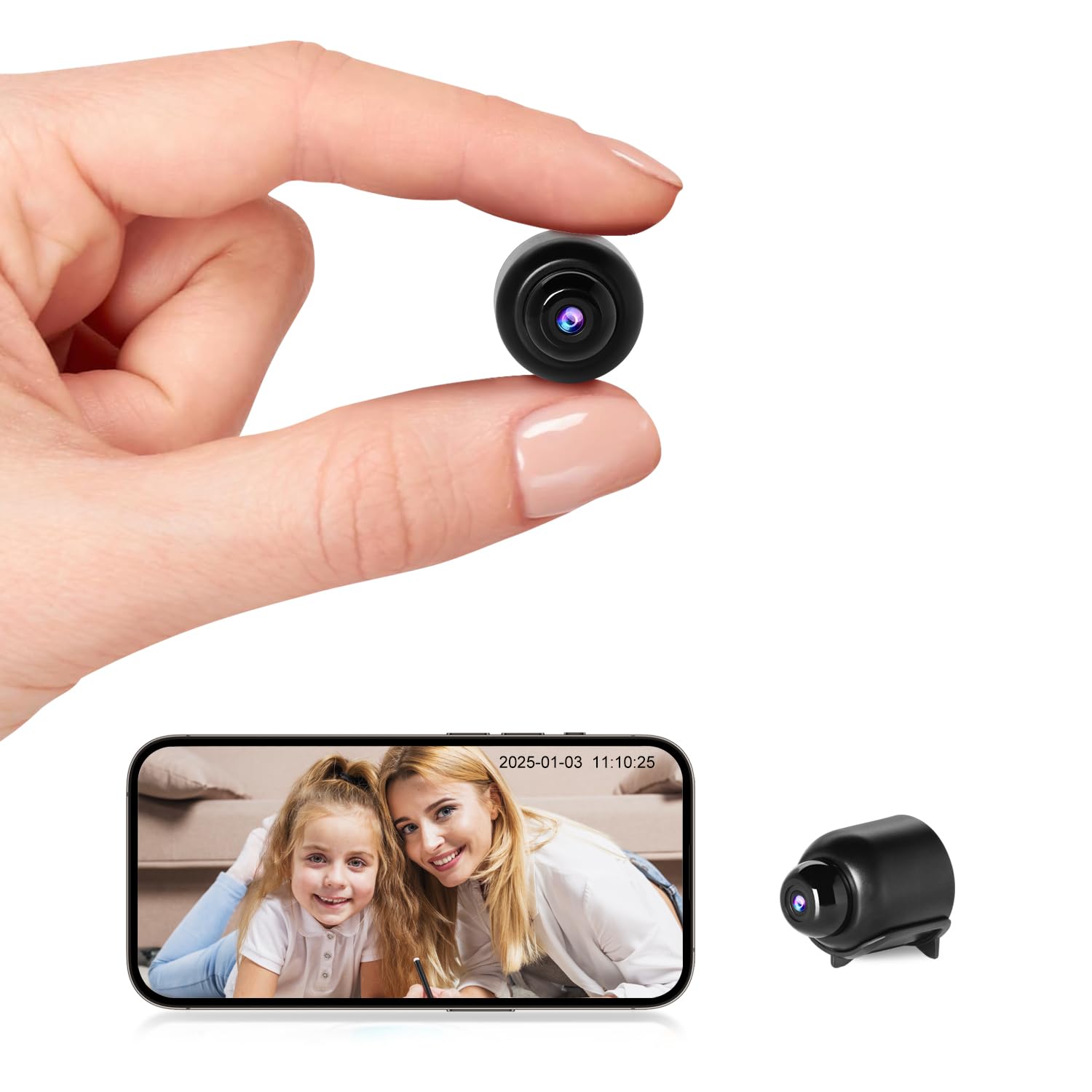
Figure 10: Night vision view on the app, showing a sleeping child in black and white.
4.4 Snimanje u petlji
When the MicroSD card is full, the camera automatically overwrites the oldest video files, ensuring continuous recording without the need to manually delete footage.

Figure 11: Loop recording functionality and MicroSD card support.
5. Održavanje
- Čišćenje: Za čišćenje objektiva i tijela fotoaparata koristite meku, suhu krpu. Izbjegavajte korištenje tekućih sredstava za čišćenje ili abrazivnih materijala.
- Skladištenje: Kameru čuvajte na hladnom i suhom mjestu kada je ne koristite dulje vrijeme.
- Njega baterije: To prolong battery life, avoid fully discharging the battery frequently. Charge the camera regularly.
- Ažuriranja softvera: Check the app periodically for any available firmware updates for the camera to ensure optimal performance and security.
6. Rješavanje problema
| Problem | Mogući uzrok | Otopina |
|---|---|---|
| Kamera se ne uključuje. | Slaba baterija ili neispravan kabel za punjenje. | Ensure the camera is fully charged. Try a different charging cable and power adapter. |
| Ne mogu se povezati s WiFi-jem. | Incorrect WiFi password, 5GHz network, or camera too far from router. |
|
| App does not detect the device. | Camera not in pairing mode, app permissions, or network issues. |
|
| Video footage is unclear or blurry. | Dirty lens or insufficient lighting. | Očistite objektiv kamere mekom krpom. Osigurajte odgovarajuće osvjetljenje ili provjerite je li noćni vid aktivan pri slabom osvjetljenju. |
| Ne primaju se upozorenja o detekciji pokreta. | App notification settings, motion detection sensitivity, or network issues. |
|
7. Specifikacije
| Značajka | Detalj |
|---|---|
| Broj modela | W7 |
| Video rezolucija | 1080p HD |
| Frame Rate | 25 fps |
| Polje od View | 150 stupnjeva |
| Domet noćnog vida | Do 5 metara |
| Infracrvene LED diode | 4 |
| Povezivost | Wi-Fi (samo 2.4 GHz) |
| Skladištenje | MicroSD card, up to 128GB (not included) |
| Format za snimanje videa | AVI |
| Sensor Technology | CMOS |
| Dimenzije proizvoda | 40 x 33 x 33 mm |
| Preporučena uporaba | Unutarnja sigurnost |
| Waterproof Type | Nevodootporan |
| Vrsta montaže | Stolni nosač |
| Uključene komponente | Charging cable, User manual |
| Zemlja podrijetla | Kina |
8. Jamstvo i podrška
Rettru products are designed for reliability and performance. If you encounter any issues or have questions regarding your Rettru W7 Mini WiFi Security Camera, please do not hesitate to contact our customer support. We are committed to providing assistance for your purchase and use.
Molimo pogledajte dokumentaciju o kupnji ili upute prodavača webstranicu za specifične uvjete jamstva i kontaktne podatke.