
1. Uvod
Thank you for choosing the STRICH SDP-120 88-Key Weighted Digital Piano. This instrument is designed to provide an authentic piano playing experience with modern digital features. Please read this manual carefully to ensure proper setup, operation, and maintenance of your new digital piano.
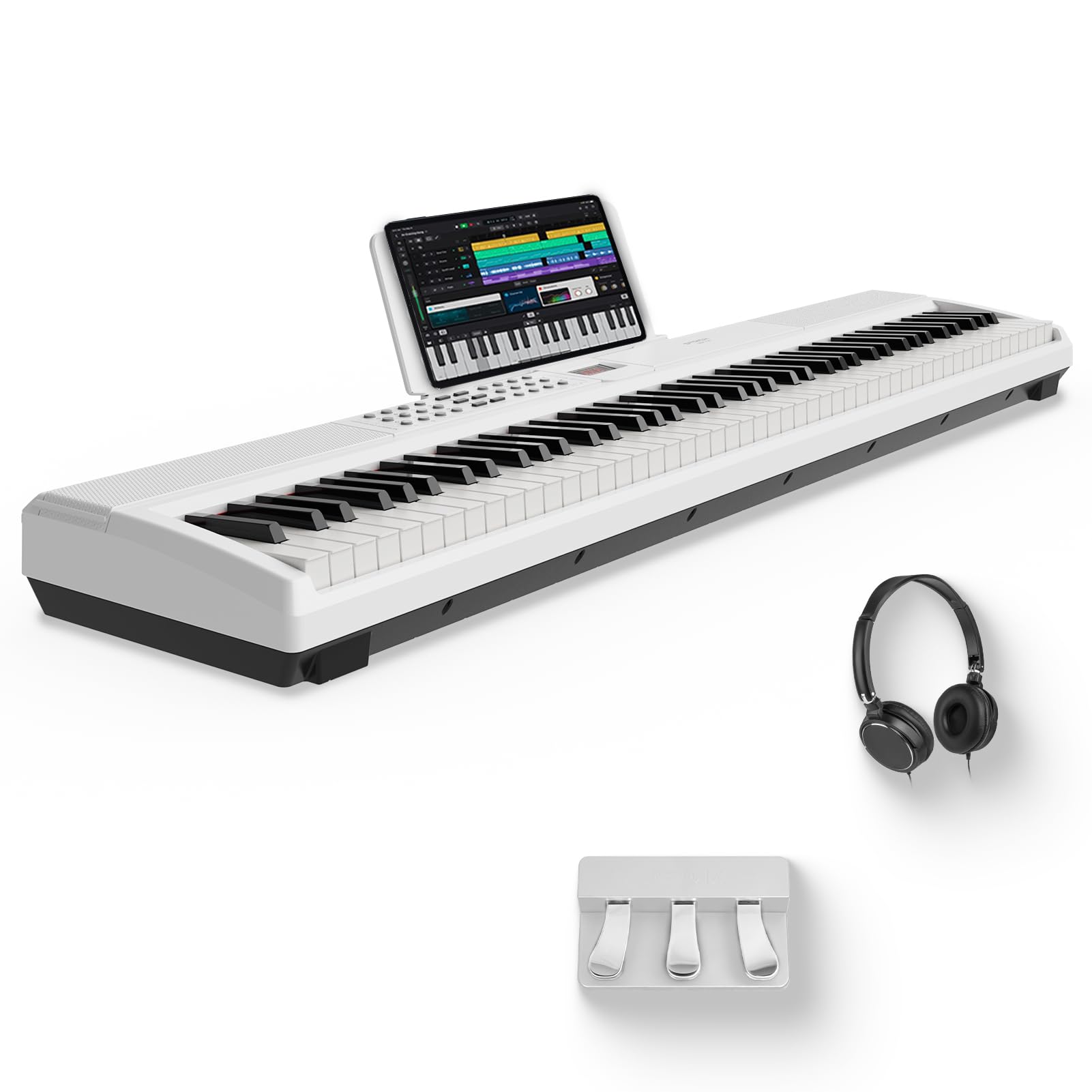
Figure 1: The STRICH SDP-120 88-Key Weighted Digital Piano.
2. Što je uključeno
Your STRICH SDP-120 package should contain the following items:
- STRICH SDP-120 88-Key Digital Piano
- Sustain pedala
- USB kabel
- Adapter napajanja
- Sheet Music Holder
- Keyboard Stickers (for white keys only)
- Slušalice

Figure 2: All components included with the STRICH SDP-120 Digital Piano.
3. Postavljanje
3.1 Raspakiranje i početno postavljanje
- Pažljivo izvadite sve komponente iz pakiranja.
- Place the digital piano on a stable, flat surface or a compatible keyboard stand.
- Attach the included sheet music holder to the designated slot on the piano.
3.2 Connecting Power and Accessories
- Connect the Power Adapter to the DC 12V input port on the rear panel of the piano and then plug it into a wall outlet.
- Connect the Sustain Pedal to the 'SUSTAIN' jack on the rear panel.
- For private practice, plug the included headphones into the 'PHONE' jack on the rear panel.
- For MIDI connectivity, use the USB-MIDI port or enable Wireless MIDI (refer to the 'Connectivity' section).

Figure 3: Rear panel connections for power, pedals, and audio.
4. Upute za rad
4.1 Uključivanje/isključivanje
Locate the Power button on the control panel. Press it to turn the piano ON. The LCD display will illuminate. Press again to turn OFF.
4.2 Kontrola glasnoće
Adjust the master volume using the dedicated volume knob or buttons on the control panel to your desired listening level.
4.3 Odabir tonova i ritmova
The SDP-120 features 128 tones and 200 rhythms. Use the 'TONE' and 'RHYTHM' buttons along with the numeric keypad or +/- buttons to select different instrument sounds and accompaniment styles.
4.4 demo pjesme
The piano includes 110 demo songs. Press the 'DEMO' button to cycle through and play the pre-recorded demonstration tracks.
4.5 Metronom
Activate the metronome function to assist with timing and rhythm practice. Adjust the tempo as needed.
4.6 Snimanje i reprodukcija
Use the 'REC' button to record your performances and 'PLAY' to listen back. This feature is useful for self-assessment and practice.
4.7 Split and Dual Modes
- Split način rada: Divides the keyboard into two sections, allowing different tones to be played by each hand.
- Dvostruki način rada: Layers two different tones across the entire keyboard for a richer sound.
4.8 Transponirati
Adjust the pitch of the keyboard up or down in semitone steps without changing your finger positions on the keys.
Video 1: Official STRICH demonstration of the SDP-120 digital piano, showcasing its features and sound quality.
5. Ključne značajke
5.1 Fully-Weighted Hammer-Action Keys
The SDP-120 features a fully-weighted keyboard design that simulates the tactile response of a grand piano, providing an authentic and professional playing experience. This includes adjustable touch response and quality key materials for optimal feel.

Figure 4: Illustration of the fully-weighted key design.
5.2 Rich Timbre Performance with Built-in Speakers
Equipped with 2x15W speakers, 128 max polyphony, 128 tones, 200 rhythms, and 110 demo songs, the SDP-120 delivers unparalleled musical expression and versatility. Enjoy rich, three-dimensional surround sound for various musical genres.

Figure 5: Rich Timbre Performance features.
5.3 Intuitive Ease of Use
The SDP-120 features an intuitive interface and a clear LCD display, making it easy for musicians of all levels to access its robust capabilities. The included high-quality sustain pedal ensures a complete and professional playing experience.
5.4 Dual Bluetooth Link Function
Built-in wireless MIDI allows for seamless connection to various music apps and devices, enhancing your music creation, editing, and sharing experience.

Figure 6: Dual Bluetooth Link Function in use.
6. Povezivost
The SDP-120 offers versatile connectivity options to integrate with your existing audio and MIDI equipment:
- USB-MIDI: Connect to a computer or other MIDI devices for recording, sequencing, or using software instruments.
- Bežični MIDI: Seamlessly connect to compatible apps and devices without cables.
- Audio In/Out (3.5mm/6.35mm Jacks): Connect external audio sources to play along with, or output the piano's sound to external speakers or recording devices.
- Priključak za slušalice (3.5 mm): Za tiho vježbanje.
- Ulaz pedale za zadržavanje: Connect the included sustain pedal for expressive playing.
7. Održavanje
Proper care and maintenance will ensure the longevity and optimal performance of your STRICH SDP-120 digital piano.
- Čišćenje: Use a soft, dry cloth to wipe the surface of the piano. For stubborn dirt, use a slightly damp krpom i zatim temeljito osušite. Izbjegavajte abrazivna sredstva za čišćenje ili otapala.
- Skladištenje: Store the piano in a cool, dry place away from direct sunlight, heat sources, and excessive humidity.
- Rukovanje: Izbjegavajte ispuštanje ili izlaganje klavira jakim udarcima.
- Vlast: Always turn off the piano and unplug the power adapter when not in use for extended periods or during electrical storms.
8. Rješavanje problema
If you encounter any issues with your STRICH SDP-120, please refer to the following common solutions:
- Nema zvuka: Check if the power adapter is properly connected and the piano is turned on. Ensure the volume is not set to minimum or muted. Verify that headphones are not plugged in if you intend to use the built-in speakers.
- Tipke ne reagiraju: Ensure the piano is powered on. If using MIDI, check MIDI connections and software settings.
- Izobličen zvuk: Adjust the volume to a lower level. Check for any loose cable connections.
- Problemi s povezivanjem: For USB-MIDI, ensure the USB cable is securely connected and drivers (if required) are installed on your computer. For Wireless MIDI, ensure Bluetooth is enabled on both devices and they are paired correctly.
Ako problem i dalje postoji nakon što ste isprobali ove korake, obratite se korisničkoj podršci.
9. Specifikacije
| Značajka | Specifikacija |
|---|---|
| Marka | STRICH |
| Naziv modela | SDP-120 |
| Broj tipki | 88 |
| Vrsta ključa | Fully-Weighted, Hammer Action |
| Maksimalna polifonija | 128 |
| Tonovi | 128 |
| Ritmovi | 200 |
| Demo pjesme | 110 |
| Zvučnici | 2 x 15W Built-In Speakers |
| Povezivost | USB-MIDI, Wireless MIDI, 3.5mm Jack, 6.35mm Jack |
| Izvor napajanja | Električni na kabel |
| Dimenzije predmeta (D x Š x V) | 11"D x 51"Š x 4.3"V (10.63 x 50.79 x 4.33 cm) |
| Težina | cca. 20.5 lbs (9.3 kg) |

Figure 7: Dimensions and key features overview.
10. Jamstvo i podrška
For warranty information, technical support, or any inquiries regarding your STRICH SDP-120 Digital Piano, please refer to the contact information provided in your product packaging or visit the official STRICH webmjesto.