
Uvod
Welcome to the world of effortless homemade baking with your new KBS 19-in-1 Programmable Bread Maker. This appliance is designed to simplify the bread-making process, allowing you to enjoy fresh, delicious bread with minimal effort. Please read this manual thoroughly before first use to ensure safe and optimal operation.
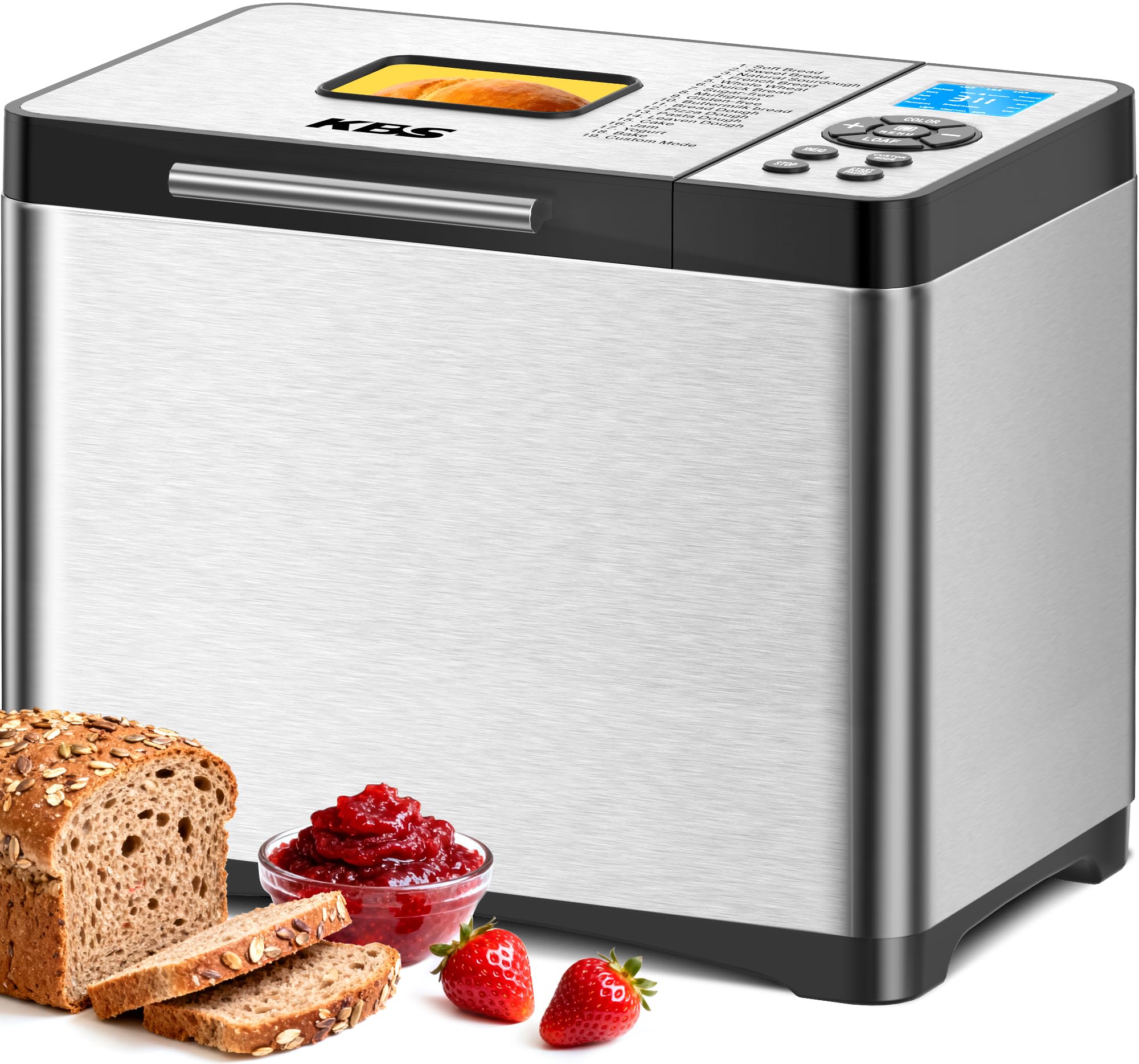
The KBS 19-in-1 Programmable Bread Maker, ready for use in a modern kitchen setting.
Značajke proizvoda
- 19 unaprijed programiranih postavki: Includes options for Gluten-free, Sourdough, Basic bread, French, Dough, Yogurt, Jam, Cake, and more.
- Customizable Program: Tailor the duration of each baking stage for personalized results.
- Healthy Ceramic Pan: High-quality, non-stick ceramic pan and paddle for even heat conduction and healthier baking.
- 360° cirkulacija vrućeg zraka: Ensures a crispy crust and fluffy interior.
- Adjustable Loaf Sizes: Bake 1lb, 1.5lb, or 2lb loaves.
- 3 Crust Color Options: Choose between light, medium, or dark crusts.
- Odgoda početka od 15 sati: Prepare ingredients in advance and enjoy fresh bread at your convenience.
- 60-Minute Keep Warm: Maintains bread temperature after baking.
- 15-Minute Power Failure Protection: Resumes program if power is restored within 15 minutes.
- 650W Variable Frequency Motor: Efficient and durable motor for consistent performance.
- Inteligentni digitalni zaslon: High-definition display and large viewing window for monitoring the baking process.

Visual representation of the 19 diverse programs and customizable options available on the bread maker.
Što je u kutiji
Your KBS 19-in-1 Programmable Bread Maker package includes the following items:
- 1 x KBS Bread Maker Machine
- 1 x Non-stick Ceramic Pan
- 1 x Ceramic Paddle (Stirring Rod)
- 1 x korisnički priručnik
- 1 x Recipe Book (53 recipes + step-by-step guides)
- 1 x Vodič za brzi početak
- 1 x Extra-long Heat-resistant Glove
- 1 x mjerni čep
- 1 x Mjerna žlica
- 1 x Hook (for removing paddle)
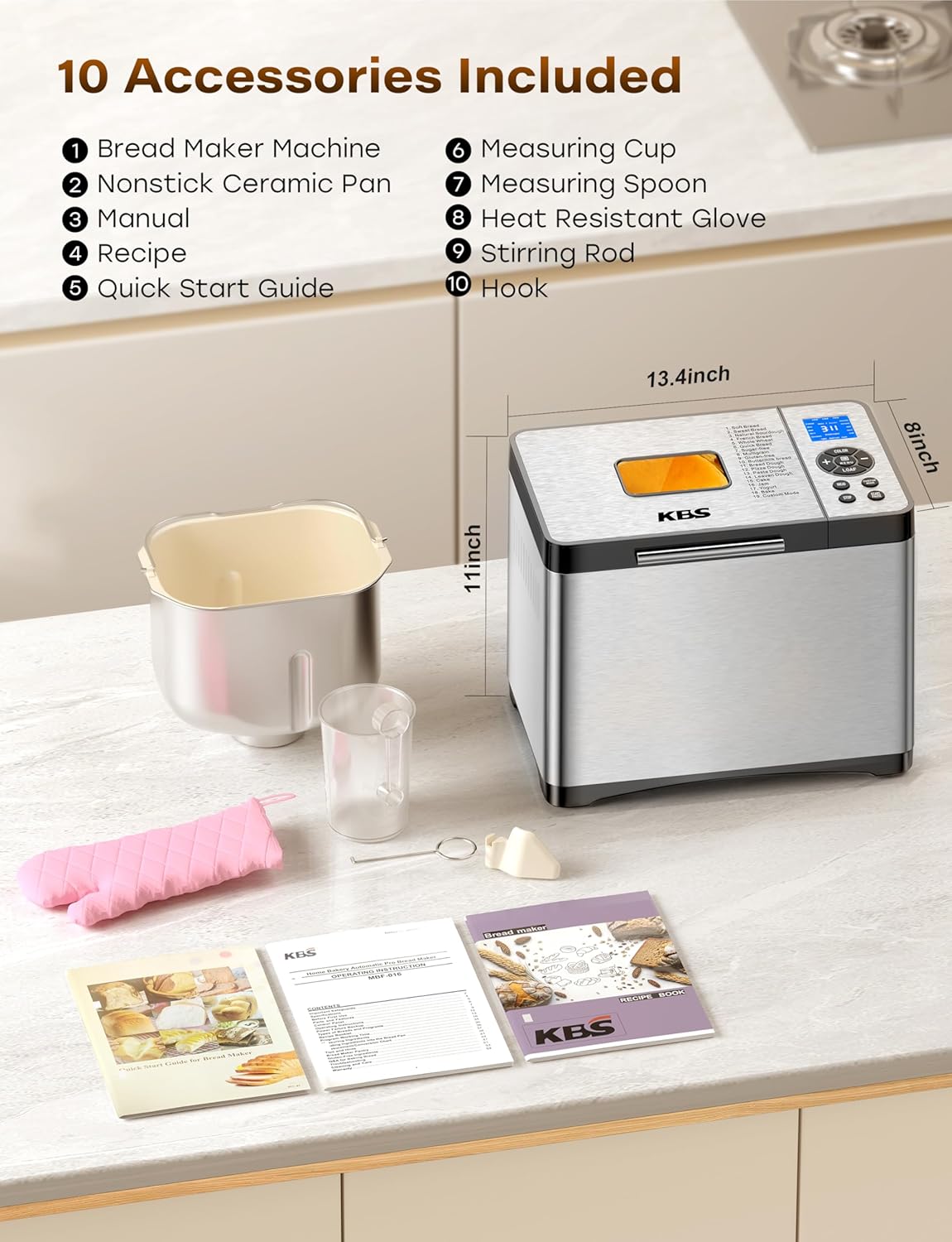
A complete set of accessories provided with your bread maker for a seamless baking experience.
Postavljanje
- Raspakirati: Pažljivo izvadite sve komponente iz pakiranja.
- Čist: Wash the ceramic bread pan, stirring paddle, measuring cup, and spoon with warm, soapy water. Rinse thoroughly and dry. Wipe the exterior of the bread maker with a damp tkanina.
- Položaj: Pekač kruha postavite na stabilnu, ravnu, toplinski otpornu površinu, dalje od izravne sunčeve svjetlosti i izvora topline. Osigurajte odgovarajuću ventilaciju oko uređaja.
- Install Pan: Insert the stirring paddle onto the shaft at the bottom of the bread pan. Place the bread pan into the baking chamber, pressing down firmly and twisting slightly until it locks into place.
- Uključivanje: Plug the power cord into a grounded electrical outlet. The machine will beep, and the display will light up, indicating it's ready for operation.
Upute za rad
Upravljačka ploča gotovaview
The bread maker features an intuitive digital touch panel with an LCD screen. The main controls include:
- IZBORNIK: Press to cycle through the 19 pre-programmed settings.
- VEKNA: Press to select the desired loaf size (1.0lb, 1.5lb, 2.0lb).
- BOJA: Press to choose your preferred crust color (Light, Medium, Dark).
- Gumbi +/-: Adjust time for delay start or custom programs.
- START/STOP/PAUZA: Initiates, pauses, or cancels a program. Press and hold for 3 seconds to cancel a program.

The user-friendly control panel and display for easy program selection.
Dodavanje sastojaka
Always add ingredients in the order specified in your recipe. Typically, liquids go first, followed by dry ingredients, with yeast placed last on top of the dry ingredients, away from liquids and salt.
Using the Fruit/Nut Dispenser
The intelligent fruit/nut dispenser automatically adds ingredients like nuts, seeds, or dried fruit at the optimal mixing stage. Open the dispenser lid, add your desired ingredients, and close it. The machine will release them automatically.
Odabir programa
- Add ingredients to the bread pan according to your recipe.
- Zatvorite poklopac.
- Pritisnite tipku JELOVNIK button repeatedly until the desired program number is displayed. Refer to the included recipe book for program details.
- Pritisnite tipku VEKNA gumb za odabir željene veličine kruha (1.0 lb, 1.5 lb ili 2.0 lb).
- Pritisnite tipku BOJA button to choose your preferred crust color (Light, Medium, or Dark).
- If using the Delay Start function, press the +/- tipke za postavljanje željenog vremena odgode.
- Pritisnite tipku START/STOP/PAUSE button to begin the program.

The 360° convection heating ensures uniform baking and a perfect crust.
Funkcija odgode starta
The 15-hour delay start allows you to program the bread maker to finish baking at a later time. After selecting your program, loaf size, and crust color, use the +/- buttons to set the total time until baking completion (including the baking cycle itself). Press START/STOP/PAUSE to activate the delay timer.

Set the delay timer to wake up to the aroma of freshly baked bread.
Funkcija održavanja topline
After the baking cycle is complete, the bread maker automatically enters a 60-minute Keep Warm phase, maintaining the bread at an optimal temperature of 135°F. This ensures your bread stays warm and fresh until you're ready to serve.
Zaštita od kvara napajanja
U slučaju napajanja outage, the bread maker has a built-in memory function. If power is restored within 15 minutes, the program will automatically resume from where it left off.
Video Guide: Simple & Easy to Use
Watch this official video from KBS Direct demonstrating the simple and easy operation of the bread maker, including program selection and ingredient loading.
Održavanje i čišćenje
Proper maintenance ensures the longevity and performance of your bread maker.
- Bread Pan & Paddle: The non-stick ceramic pan and paddle are dishwasher safe, but hand washing is recommended to preserve the non-stick coating. Use a soft sponge and mild detergent.
- Vanjski: Obrišite vanjski dio pekača kruha mekom,amp tkanina. Nemojte uranjati uređaj u vodu.
- Interijer: Očistite unutrašnjost komore za pečenje s oglasomamp cloth. Ensure no food debris accumulates around the heating element.
- Fruit/Nut Dispenser: The dispenser is removable for easy cleaning. Wash with warm, soapy water and dry thoroughly.
- Skladištenje: Ensure the bread maker is clean and dry before storing. Store in a cool, dry place.

The healthy ceramic pan is designed for easy cleaning and safe baking.
Rješavanje problema
If you encounter issues with your bread maker, refer to the following common solutions:
- Kruh se ne diže: Ensure yeast is fresh and active. Check water temperature (should be lukewarm, not hot or cold). Verify correct ingredient measurements and order.
- Tijesto previše ljepljivo/suho: Adjust liquid or flour slightly. Humidity and flour type can affect consistency.
- Stroj se ne pokreće: Ensure the power cord is securely plugged in. Check that the bread pan is correctly installed and locked.
- Program Cancellation: If you accidentally start a program, press and hold the START/STOP/PAUSE button for approximately 3 seconds until you hear a beep to reset the machine.
- Uneven Crust: Ensure the bread maker is placed on a level surface. The 360° hot air circulation should prevent this, but environmental factors can sometimes play a role.
Tehnički podaci
| Značajka | Detalj |
|---|---|
| Broj modela | MBF-016-Silver |
| Voltage | 120 volti |
| Wattage | 650 vata |
| Kapacitet | 2 Pounds (1lb, 1.5lb, 2lb options) |
| Broj programa | 19 |
| Dimenzije proizvoda | 8"D x 13.4"Š x 11"V |
| Materijal | 100% Silver Stainless Steel |
| Materijal posude | Non-stick Ceramic |
| Upute za njegu proizvoda | Dishwasher Safe or Hand Wash (pan and paddle) |
Jamstvo i podrška
KBS stands behind the quality of its products. Your bread maker includes:
- 4-Year After-Sales Service: Comprehensive support for any issues you may encounter.
- Doživotna tehnička podrška: Access to expert assistance for the lifespan of your product.
- Responzivna podrška: Our experienced engineers and well-trained support team aim to respond to inquiries within 12 hours.
For assistance, please refer to the contact information provided in your Quick Start Guide or visit the official KBS webmjesto.