
1. Proizvod je gotovview
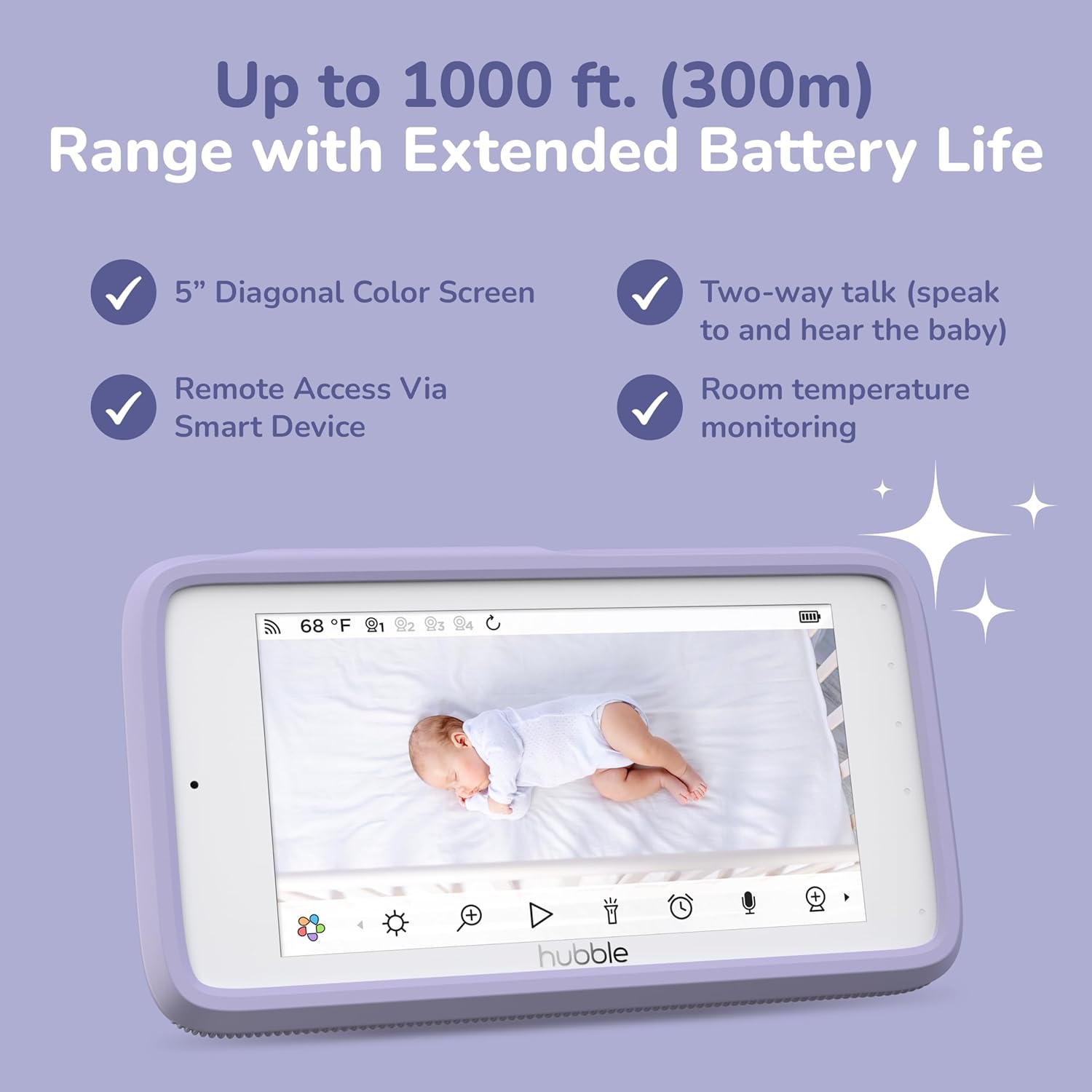
The HUBBLE CONNECTED Nursery Pal Skyview is a comprehensive baby monitoring system designed to provide parents with real-time insights and control over their baby's nursery environment. This system includes a Full HD 1080p baby camera, a 5-inch parent unit, and various mounting options, offering both local and remote access via a smart device.
Key features include a 7-color night light, a built-in sleep trainer and soother, two-way communication, infrared night vision, room temperature sensors, and digital pan, tilt, and zoom capabilities. The system is designed for secure and private monitoring with protected cloud storage and 256-bit WiFi encryption.
2. Što je u kutiji
Molimo provjerite jesu li sve komponente prisutne u vašem paketu:
- Full HD 1080p Baby Camera Unit
- 5-inch HD Parent Unit
- Magnetski nosač
- Crib Mount (includes top & bottom clamp, gooseneck, 4 poles with cord management)
- 2 adaptera za napajanje
- Kratki vodič za početak

3. Upute za postavljanje
3.1 Punjenje roditeljske jedinice
- Spojite jedan adapter za napajanje na roditeljsku jedinicu i uključite ga u utičnicu.
- Charge the Parent Unit for at least 4 hours before initial use to ensure optimal battery life.
3.2 Powering the Camera Unit
- Connect the second power adapter to the Camera Unit and plug it into a power outlet.
- Ensure the camera is placed within range of your Wi-Fi network if you plan to use the HubbleClub app.
3.3 Montaža kamere
Kamera nudi fleksibilne mogućnosti montaže:
- Magnetic Desk Mount: For quick and secure attachment to shelves, walls, or metallic surfaces. The camera can be detached for portable use.
- Crib Mount: Provides a safe and stable setup for cribs or bassinets. It features adjustable height and angle with a secure strap system, ideal for close-up baby monitoring.

3.4 Connecting to the HubbleClub App
- Download the HubbleClub app from the App Store or Google Play.
- Follow the in-app instructions to create an account and pair your camera unit with your smart device.
- Ensure your smart device is connected to a 2.4 GHz Wi-Fi network during the pairing process.
4. Upute za rad
4.1 Monitoring Your Baby
The Nursery Pal Skyview allows you to monitor your baby through the 5-inch Parent Unit or remotely via the HubbleClub app on your smartphone.
- Video feed uživo: View a real-time 1080p Full HD video stream of your baby.
- Digital Pan, Tilt, and Zoom: Podesite kameru view remotely using the Parent Unit or the app to get a better look at your baby.
- Infracrveni noćni vid: Automatically activates in low-light conditions to provide a clear view of your baby at night.

4.2 Dvosmjerna komunikacija
Use the two-way talk feature to soothe your baby from another room or communicate with someone in the nursery. Press and hold the talk button on the Parent Unit or use the microphone icon in the HubbleClub app to speak.
4.3 Night Light and Soother
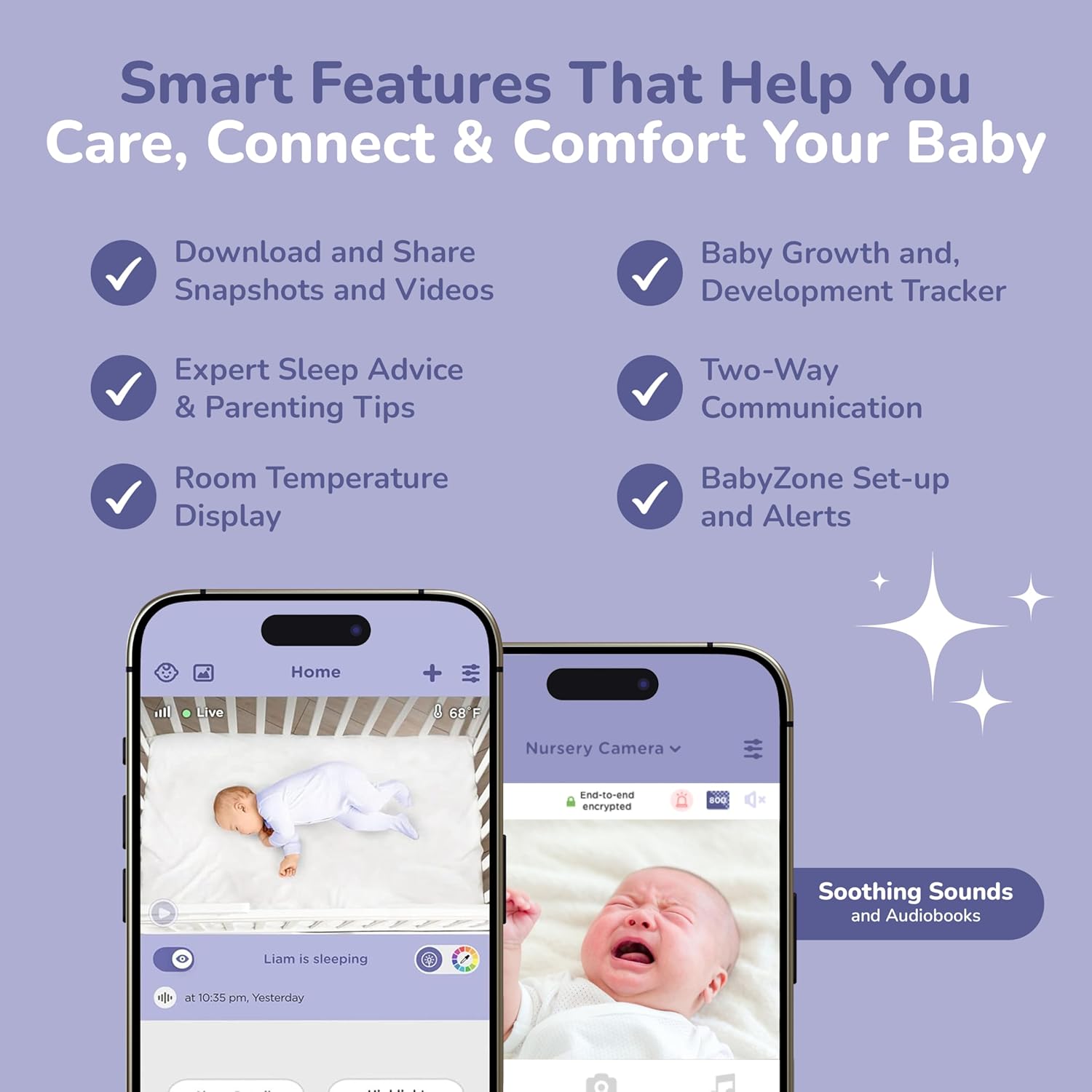
The camera unit features a 7-color night light and a library of pre-loaded nature sounds, lullabies, bedside stories, and audiobooks. These can be activated and controlled via the Parent Unit or the HubbleClub app to help soothe your baby to sleep.

4.4 HubbleClub App Features
The HubbleClub app enhances your monitoring experience with advanced features:
- Smart Insights: Download and share snapshots and videos, track growth and development.
- Motion-Activated Video: Receive alerts and view recordings when motion is detected.
- BabyZones: Set up virtual boundaries and receive alerts if your baby moves outside them.
- Sleep Trainer: Access expert sleep advice and parenting tips.
- Advanced AI Monitoring: Features like Covered Face & Roll Over Alerts, Advanced Sleep Analytics, Baby Eye Wellness Tracker, and Precious Baby Moments detection.

5. Održavanje
5.1 Čišćenje jedinica
- Ensure both the Camera Unit and Parent Unit are powered off and unplugged before cleaning.
- Wipe the surfaces of the units with a soft, dry, lint-free cloth.
- Do not use cleaning sprays, liquid cleaners, or abrasive cleaning agents.
- Clean the camera lens gently with a lens cleaning cloth to avoid scratches.
5.2 Njega baterija
- To preserve battery life, avoid fully discharging the Parent Unit's battery frequently.
- If storing the unit for an extended period, charge the battery to approximately 50% and store it in a cool, dry place.
6. Rješavanje problema
6.1 No Power to Unit
- Ensure the power adapter is securely connected to the unit and the power outlet.
- Provjerite je li utičnica funkcionalna tako da priključite drugi uređaj.
- For the Parent Unit, ensure the battery is charged.
6.2 No Video/Poor Video Quality
- Check that both the Camera Unit and Parent Unit are powered on and within range of each other.
- Ensure there are no obstructions between the camera and parent unit that could interfere with the signal.
- If using the app, verify your Wi-Fi connection is stable and strong.
- Clean the camera lens if the image appears blurry.
6.3 No Audio/Poor Audio Quality
- Increase the volume on the Parent Unit or your smart device.
- Ensure the microphone on the Camera Unit is not obstructed.
- Provjerite ima li smetnji od drugih elektroničkih uređaja.
6.4 Problemi s povezivanjem aplikacija
- Ensure your smartphone is connected to a stable 2.4 GHz Wi-Fi network.
- Restart the HubbleClub app and your camera unit.
- Provjerite ima li ažuriranja aplikacija u trgovini aplikacija na vašem uređaju.
- Ako se problemi nastave, pokušajte ponovno upariti kameru s aplikacijom.
7. Specifikacije
| Značajka | Specifikacija |
|---|---|
| Marka | HUBBLE POVEZAN |
| Model | Nursery Pal Skyview |
| Tehnologija povezivanja | Bežični, Wi-Fi |
| Preporučena upotreba | Nadzor beba |
| Posebna značajka | Punjiva baterija |
| Kompatibilni uređaji | Pametni telefon |
| Vrsta kontrolera | Hand Control (Parent Unit) |
| Izvor napajanja | Električni na kabel |
| Potrebne baterije | Yes (for Parent Unit) |
| UPC | 810074830010 |
| ASIN | B0FQJVJC87 |
8. Informacije o jamstvu
This product comes with a limited manufacturer's warranty. Please refer to the warranty card included in your product packaging or visit the official HUBBLE CONNECTED webZa detaljne uvjete jamstva posjetite stranicu. Sačuvajte dokaz o kupnji za slučaj zahtjeva za jamstvo.
9. Korisnička podrška
For technical assistance, troubleshooting, or product inquiries, please contact HUBBLE CONNECTED customer support. Contact information can be found in your Quick Start Guide or on the official HUBBLE CONNECTED website. Online resources, FAQs, and support articles may also be available.