
1. Uvod
Thank you for choosing the OMOTON WK209 Wireless Keyboard and Mouse Set. This manual provides detailed instructions for setting up, operating, and maintaining your new wireless peripheral set. Please read this manual carefully before use to ensure optimal performance and longevity of your product.
2. Sadržaj paketa
The OMOTON WK209 Wireless Keyboard and Mouse Set package includes the following items:
- 1 x OMOTON WK209 Wireless Keyboard
- 1 x OMOTON Wireless Mouse
- 1 x USB 2.4 GHz Receiver
Note: AAA batteries are required for operation but are not included in the package.
3. Vodič za postavljanje
3.1. Instaliranje baterija
Before using the keyboard and mouse, you need to install batteries.
- Pronađite odjeljak za baterije na donjoj strani tipkovnice i miša.
- Otvorite poklopce baterija.
- Insert two AAA batteries into the keyboard and one AAA battery into the mouse, ensuring correct polarity (+/-).
- Čvrsto zatvorite poklopce baterija.

This image displays the battery compartments for the OMOTON WK209 keyboard and mouse. The keyboard requires two AAA batteries, and the mouse requires one AAA battery. Please note that batteries are not included with the product.
3.2. Spajanje USB prijemnika
The OMOTON WK209 set uses a single USB receiver for both the keyboard and mouse.
- Locate the USB 2.4 GHz receiver, usually stored in the mouse's battery compartment or packaging.
- Plug the USB receiver into an available USB port on your computer (laptop or desktop PC).
- The system will automatically detect and install the necessary drivers. This is a Plug & Play process and typically requires no manual installation.
- Turn on the mouse using the ON/OFF switch located on its underside. The keyboard does not have a separate power switch; it activates when keys are pressed.

This image illustrates the 2.4 GHz wireless connection of the OMOTON WK209 keyboard and mouse set. It highlights features such as Plug & Play functionality, a stable 2.4G connection, and a wireless range of up to 10 meters (33 feet).
3.3. Kompatibilnost
The OMOTON WK209 set is compatible with a wide range of Windows operating systems.
- Operativni sustavi: Windows 11, Windows 10, Windows 8, Windows 7, Windows XP.
- uređaji: Laptop, Desktop PC.

This image demonstrates the broad compatibility of the OMOTON WK209 set with different Windows operating systems, including Windows 7, 8, 10, and 11, across desktop PCs and laptops.
4. Upute za rad
4.1. Korištenje tipkovnice
The WK209 keyboard features a full-size QWERTZ layout with multimedia keys for enhanced productivity. Simply begin typing after successful connection.
- Multimedijske tipke: Access functions like volume control, play/pause, and more directly from the keyboard.
- QWERTZ raspored: Standard German keyboard layout for familiar typing experience.
- Nagib od 8°: The keyboard is designed with a natural 8-degree tilt for ergonomic comfort during extended use.

This image provides the physical dimensions of the OMOTON WK209 full-size QWERTZ keyboard (43.8 cm x 12.4 cm) and mouse (10.3 cm x 6.6 cm x 3.6 cm). It also notes the keyboard's natural 8-degree tilt for comfortable typing.
4.2. Korištenje miša
The WK209 mouse offers precise control and several functional buttons.
- Lijevi klik: Standardni odabir i aktivacija.
- Desni klik: Pristupa kontekstnim izbornicima.
- Kotačić za pomicanje: Za vertikalno pomicanje i funkcionalnost klika srednjom tipkom miša.
- Gumb Natrag: Navigira natrag web preglednici ili file istraživači.
- Gumb naprijed: Navigira naprijed u web preglednici ili file istraživači.
- Desktop Show/Hide Button: Quickly minimizes all open windows to show the desktop, and restores them with another press.

This image highlights the features of the OMOTON WK209 wireless mouse, including the scroll wheel, left-click button, right-click button, back button, forward button, and a button for showing/hiding the desktop. It also emphasizes its ergonomic design and quiet click functionality.
5. Značajke
- Bežična veza od 2.4 GHz: Provides a stable and reliable connection with a range of up to 10 meters (33 feet).
- Plug & Play: Easy setup without the need for additional software or drivers.
- Full-size QWERTZ Layout: Comfortable and familiar typing experience.
- Multimedijske tipke: Convenient access to media controls.
- Ergonomski dizajn: The mouse is shaped for comfortable use, and the keyboard features a natural 8-degree tilt.
- Tihi rad: Both the keyboard and mouse are designed for silent clicks and keystrokes, ideal for quiet environments.
- Indikator niske baterije: The keyboard features an indicator light to alert you when batteries are running low.

This image illustrates the quiet operation of the OMOTON WK209 keyboard and mouse, highlighting its silent keys and noiseless mouse clicks, suitable for quiet environments.
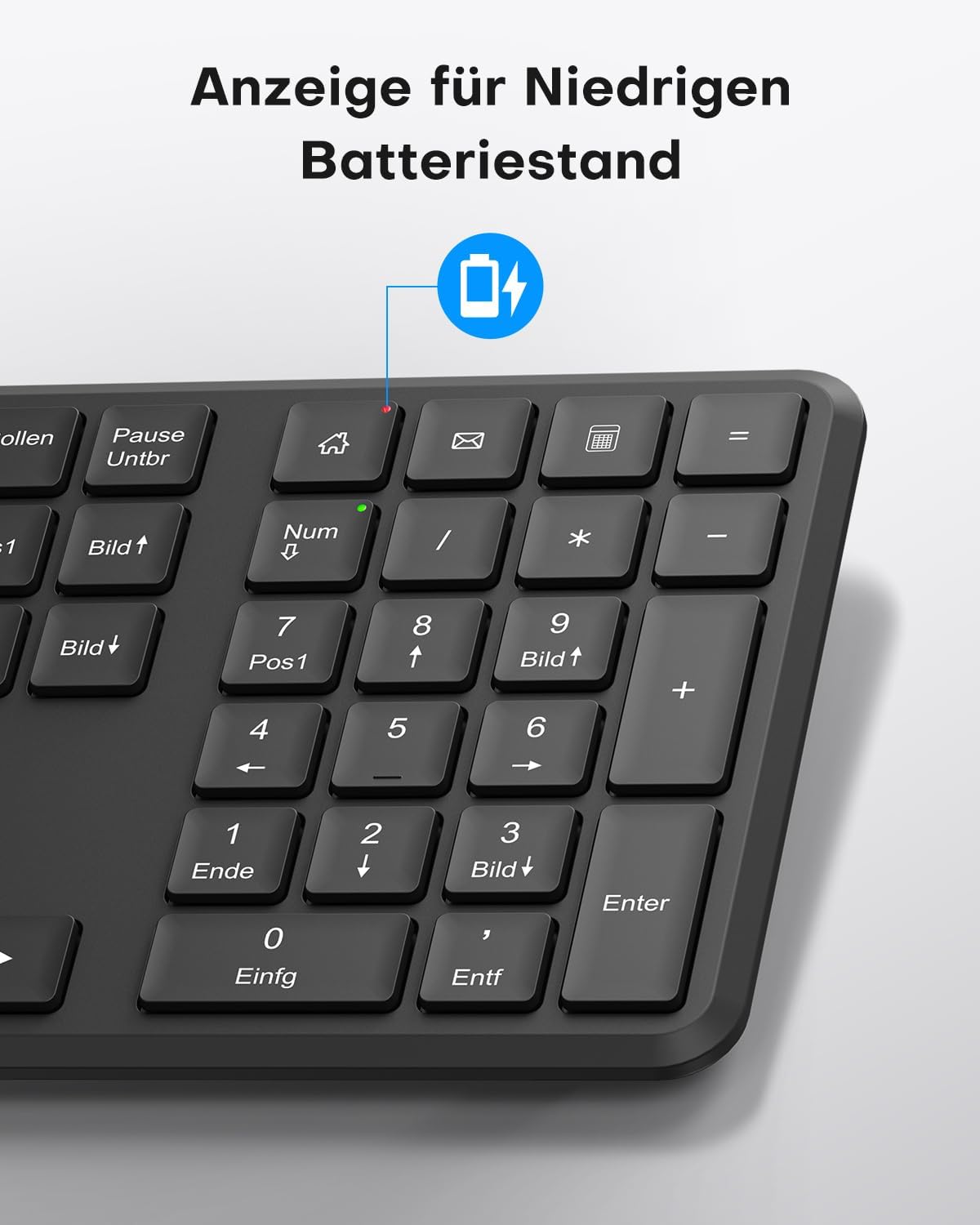
This image points out the low battery indicator on the OMOTON WK209 keyboard, which illuminates to alert the user when batteries need to be replaced.
6. Održavanje
To ensure the longevity and optimal performance of your OMOTON WK209 set, follow these maintenance guidelines:
- Čišćenje: Za čišćenje površina tipkovnice i miša koristite meku, suhu krpu. Za tvrdokornu prljavštinu, laganoamp Može se koristiti krpa, ali pazite da vlaga ne uđe u uređaje.
- Zamjena baterije: Replace batteries promptly when the low battery indicator appears or when performance degrades. Always use fresh, high-quality AAA batteries.
- Skladištenje: Kada se uređaji ne koriste dulje vrijeme, izvadite baterije kako biste spriječili curenje. Uređaje čuvajte na hladnom i suhom mjestu.
- Izbjegavajte tekućine: Keep the keyboard and mouse away from liquids to prevent damage.
7. Rješavanje problema
If you encounter issues with your OMOTON WK209 set, try the following troubleshooting steps:
- Nema odgovora od tipkovnice/miša:
- Provjerite jesu li baterije ispravno umetnute i nisu ispražnjene. Zamijenite ih ako je potrebno.
- Make sure the mouse's ON/OFF switch is in the 'ON' position.
- Provjerite je li USB prijemnik sigurno priključen u ispravan USB priključak na računalu. Pokušajte s drugim USB priključkom.
- Ponovno pokrenite računalo.
- Kašnjenje ili povremena veza:
- Približite tipkovnicu i miš USB prijemniku.
- Ensure there are no large metal objects or other wireless devices (e.g., Wi-Fi routers, cordless phones) interfering with the 2.4 GHz signal.
- Try plugging the USB receiver into a front USB port or using a USB extension cable to bring it closer to the devices.
- Tipke ne rade ispravno:
- Provjerite ima li ostataka ispod tipki.
- Ensure the keyboard layout setting on your computer matches the QWERTZ layout.
- Kursor miša skače ili je netočan:
- Očistite optički senzor na donjoj strani miša.
- Koristite miš na čistoj, nereflektirajućoj površini ili podlozi za miša.
8. Specifikacije
| Značajka | Detalj |
|---|---|
| Marka | OMOTON |
| Model | WK209 |
| Boja | Crna |
| Tehnologija povezivanja | 2.4 GHz bežični |
| Raspored tipkovnice | Full-size QWERTZ (German Layout) |
| Posebne značajke | 2.4 GHz, Full-size, QWERTZ-layout, Battery-operated, Multimedia keys |
| Kompatibilni uređaji | Laptop, PC |
| Kompatibilni operativni sustavi | Windows 11/10/8/7/XP |
| Izvor napajanja | Battery-Powered (2x AAA for keyboard, 1x AAA for mouse - not included) |
| Težina artikla (približno) | 514 Grams (total set, including packaging) |
| Dimenzije paketa | 44.79 x 13.9 x 5.3 cm |
| ASIN | B0FQNS3FFB |
9. Jamstvo i podrška
OMOTON products are designed for reliability and performance. For warranty information and customer support, please refer to the warranty card included with your purchase or visit the official OMOTON website. If you experience any issues that cannot be resolved using the troubleshooting guide, please contact OMOTON customer service for assistance.