
1. Uvod
This manual provides essential information for setting up, operating, and maintaining your NIMO 15.6-inch FHD Laptop (Model N152). Please read through these instructions carefully to ensure optimal performance and longevity of your device.
2. Postavljanje
2.1 Raspakiranje i početni pregled
Upon receiving your NIMO laptop, carefully open the packaging and ensure all components are present and undamaged. The box should contain:
- 1 x NIMO N152 Laptop
- 1 x Type-C 65W PD Fast Charger
- 1 x Korisnički priručnik (ovaj dokument)
- Windows 11 Home (unaprijed instaliran)
2.2 Početno uključivanje i punjenje
Before first use, connect the laptop to the 65W Type-C PD Fast Charger. A full charge is recommended. The laptop can provide up to 2 hours of use from a 15-minute charge.

Slika: The included 65W PD GaN USB-C Adapter, designed for fast and efficient charging of your NIMO laptop and other compatible devices.
2.3 Operating System Setup (Windows 11 Home)
Follow the on-screen prompts to complete the initial setup of Windows 11 Home. This includes selecting your region, connecting to a Wi-Fi network, and creating a user account.
2.4 Postavljanje senzora otiska prsta
For enhanced security and quick login, configure the built-in fingerprint sensor located on the touchpad during the Windows setup or via Windows Settings.

Slika: Close-up of the fingerprint sensor integrated into the touchpad, allowing for secure and instant login.
3. Operating Your NIMO Laptop
3.1 Prikaz
The NIMO N152 features a 15.6-inch Full HD (1920x1080) IPS display, providing clear and vibrant visuals for work, study, and entertainment.
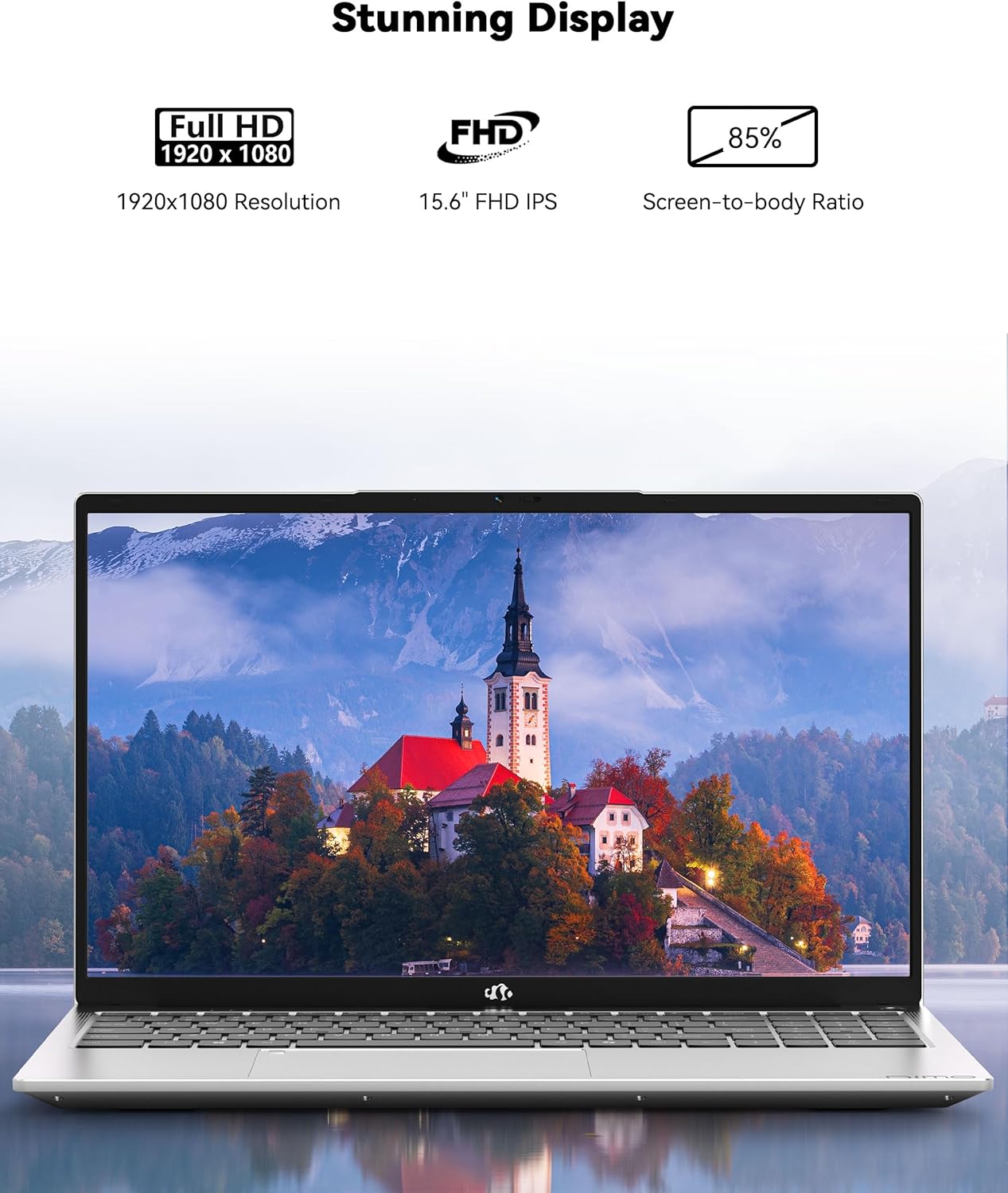
Slika: The NIMO laptop showcasing its 15.6-inch Full HD IPS display with vivid colors and sharp details.
3.2 Tipkovnica i dodirna podloga
The laptop is equipped with an ergonomic backlit keyboard, allowing for comfortable typing in various lighting conditions. The touchpad supports multi-touch gestures and includes an integrated fingerprint sensor for secure access.
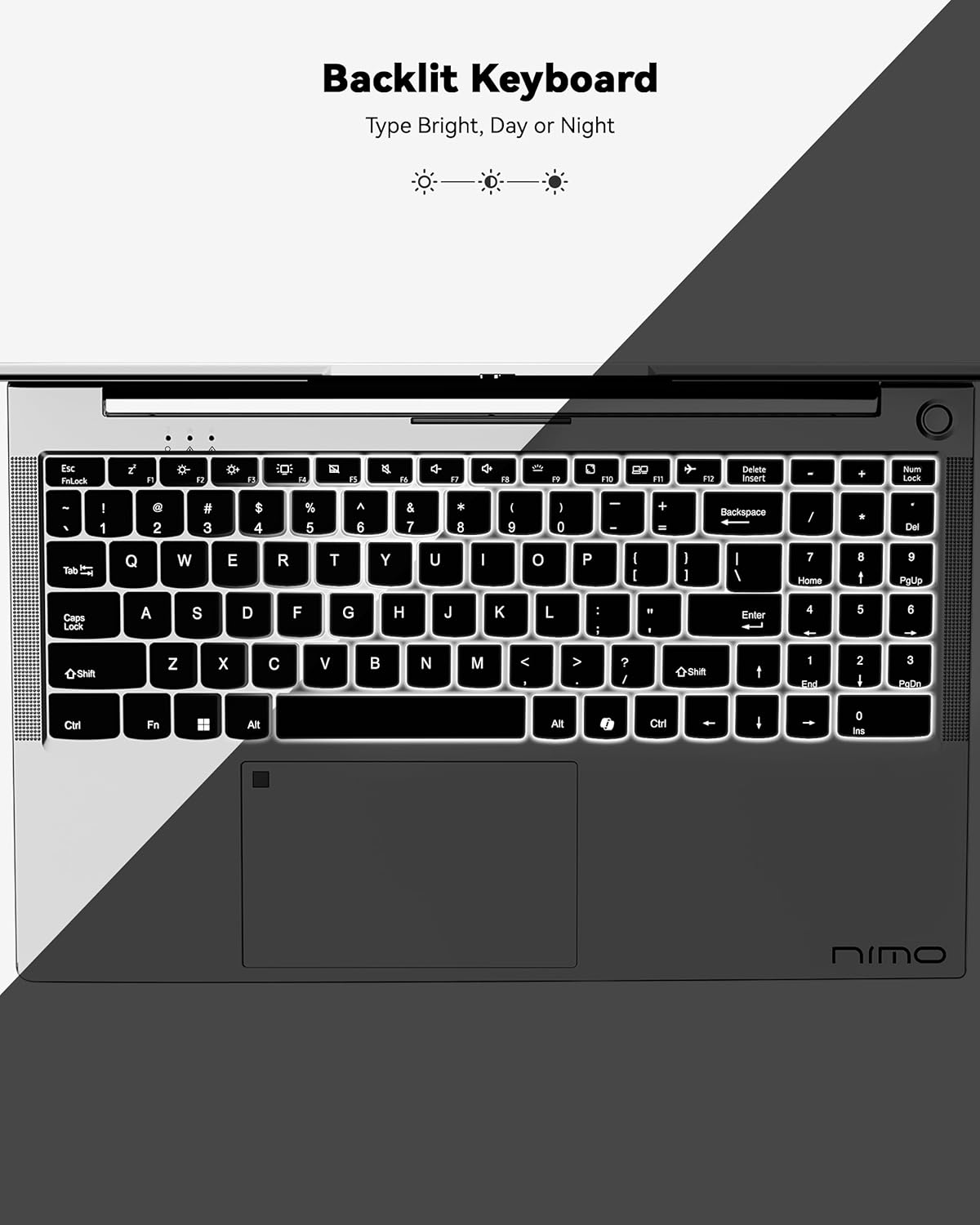
Slika: A view of the backlit keyboard, illustrating its illumination for use in low-light environments.
3.3 Portovi i povezivost
The NIMO N152 offers a range of ports for versatile connectivity:
- USB 2.0: 1 luka
- USB 3.0: 3 priključka
- Tip-C: Za punjenje i prijenos podataka
- HDMI1.4: For external display connections
- Čitač mikro SD kartica: For memory cards
- Audio priključak: For headphones/microphone
- Kensingtonska brava: For security

Slika: Strana view of the NIMO laptop, highlighting the various input/output ports available for connecting peripherals and external devices.
Wireless connectivity includes Wi-Fi 5 (802.11a/b/g/n/ac) and Bluetooth 5.2.
3.4 Webkamera i audio
The laptop features a 2 MP webcam for video calls and online meetings. Dual 2W, 4Ω speakers provide audio output.
3.5 Izvedba
Powered by an AMD Ryzen 5 processor with 4 cores up to 3.7GHz, 8GB DDR4 RAM, and a 256GB SSD, the NIMO N152 is designed for smooth multitasking and quick application loading.
Video: Overview of the NIMO 15.6-inch FHD Laptop, demonstrating its use for students, home, and work environments.
Video: Showcasing the NIMO Laptop as a versatile tool for work and study, suitable for various settings and tasks.
4. Održavanje
4.1 Njega baterija
The laptop is equipped with a 54WH battery, offering an average battery life of 9 hours. To prolong battery lifespan, avoid extreme temperatures and fully discharging the battery frequently. The 65W PD fast charger supports quick power-ups.

Slika: Interni view of the laptop highlighting the 54WH battery and smart battery optimization features.
4.2 Nadogradnja
The NIMO N152 features an expandable RAM slot for easy self-upgrades and an upgradable SSD slot, allowing you to expand storage as needed.
5. Rješavanje problema
If you encounter any issues with your NIMO laptop, please refer to the following general troubleshooting tips:
- Problemi s napajanjem: Ensure the charger is properly connected and the power outlet is functional. Try a different outlet if necessary.
- Kašnjenje izvedbe: Zatvorite nepotrebne aplikacije, provjerite ima li ažuriranja za Windows i osigurajte dovoljno slobodnog prostora za pohranu.
- Problemi s povezivanjem: Restart your Wi-Fi router and the laptop. Check network settings to ensure correct connection.
- Problemi sa softverom: Ensure all drivers and software are up to date. Consider running a system diagnostic or restoring to a previous point if a recent change caused the issue.
For persistent problems, contact NIMO customer support.
6. Specifikacije
| Značajka | Specifikacija |
|---|---|
| Marka | NIMO |
| Naziv modela | NIMO N152 |
| Veličina zaslona | 15.6 inča |
| Razlučivost zaslona | 1920 x 1080 piksela (FHD) |
| Procesor | AMD Ryzen 5 (4 Cores, up to 3.7 GHz) |
| OVAN | 8 GB DDR4 (Upgradable) |
| Tvrdi disk | 256 GB SSD (Upgradable) |
| Grafički koprocesor | AMD Integrated graphics |
| Operativni sustav | Windows 11 Home |
| Bežična vrsta | 802.11a/b/g/n/ac (Wi-Fi 5) |
| Bluetooth | BT5.2 |
| USB priključci | 1 x USB 2.0, 3 x USB 3.0 |
| Ostale luke | Type-C (65W PD), HDMI, Micro SD, Audio Jack, Kensington Lock |
| Webkamera | 2 MP |
| Prosječno trajanje baterije | 9 sata |
| Težina artikla | 3.75 funti |
| Dimenzije proizvoda | 14.07 x 8.98 x 0.76 inča |
| Posebne značajke | Backlit Keyboard, Fingerprint Reader, HD Audio, Numeric Keypad |
7. Jamstvo i podrška
Your NIMO N152 Laptop comes with a 2-godišnje jamstvo proizvođača. Additionally, NIMO offers a 90-day hassle-free return and exchange policy. For any product-related questions, technical assistance, or warranty claims, please contact NIMO customer support.
NIMO is committed to providing professional and high-quality customer service. You can find contact information on the official NIMO webweb-mjesto ili stranicu proizvoda.
Video: A seller-provided video highlighting features of a NIMO laptop, including its design and functionality.
Video: A seller-provided video demonstrating the NIMO laptop with a Ryzen 5 3500U processor, showcasing njegove mogućnosti.