
1. Uvod
This manual provides comprehensive instructions for the Inateck Wearable 1MP 2D QR Barcode Scanner, Nano 370 (Model N6022-BK). It covers product features, setup, operation, maintenance, and troubleshooting to ensure optimal performance and user experience.

Figure 1: Inateck Nano 370 Wearable Barcode Scanner overview.
2. Značajke proizvoda
- Ergonomic 60g Design: Features a 10° scanning angle designed to reduce wrist fatigue. Weighing only 60g with a breathable strap, it offers comfort for extended use.
- Voice Control & Hands-Free Operation: Activate scanning by saying "Scan." Supports automatic detection and a manual trigger for various workflows.
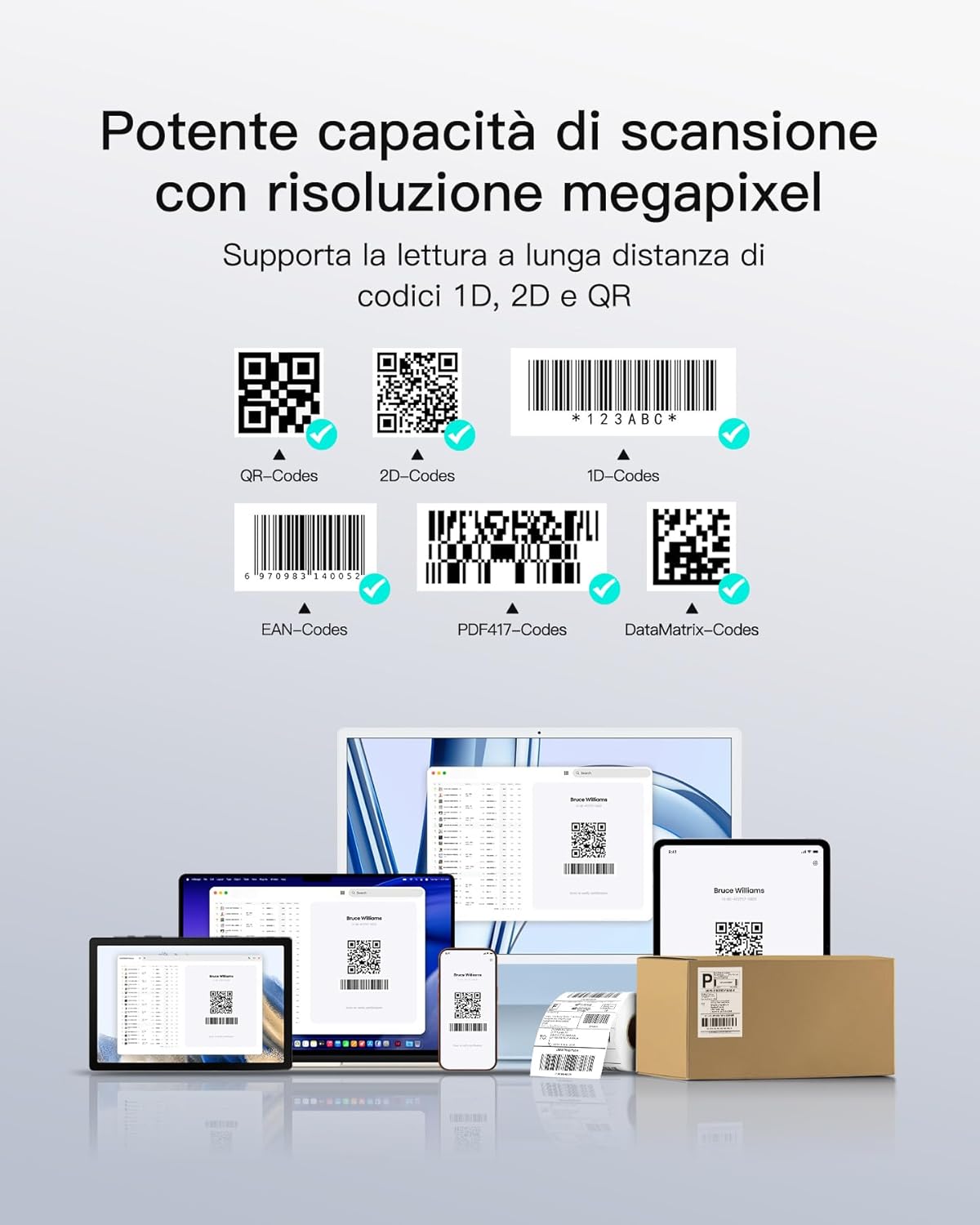
- 1MP High-Resolution Sensor: Equipped with a CMOS 1280*800 sensor, capable of instantly reading 1D/2D codes from smartphones and damaged labels.
- Bluetooth 5.3 & Triple Connection Modes: Provides stable transmission up to 40m with quick reconnection. Compatible with iOS, Android, and Windows via Bluetooth, 2.4G Dongle, or USB cable.
- 10 Hours Battery Life & Plug-and-Play: No drivers required for operation. The 800mAh battery supports a full day of continuous use. Features vibration and LED feedback for scan confirmation in noisy environments.

Figure 2: Ergonomic design highlights, including 60g weight, high-quality silicone, and 10° tilted lens for comfortable scanning.

Figure 3: Demonstrates the scanner's powerful megapixel resolution and ability to read various 1D, 2D, and QR codes, including those on screens or damaged labels.
3. Postavljanje
3.1 Punjenje uređaja
Before first use, fully charge the scanner using the provided USB-C cable. The LED indicator will show charging status. A full charge provides up to 10 hours of continuous operation.

Figure 4: The scanner features an 800mAh battery, providing up to one day of continuous use.
3.2 Načini povezivanja
The Nano 370 scanner supports three connection methods:
- Bluetooth: For wireless connection to Windows, Mac OS, Linux, Android, and iOS devices.
- USB žičani: Direct connection via USB-C cable to a computer.
- 2.4G adapter: For wireless connection using the included 2.4G dongle.

Figure 5: Illustration of the three connection modes: Bluetooth for various operating systems, USB wired, and 2.4G adapter.
3.3 Inateck Scanner APP
For advanced configuration and efficient management, download the Inateck Scanner APP, available for both Android and iOS devices. This app allows for easy customization of scanner settings.

Figure 6: The Inateck Scanner APP supports simple and efficient configuration on Android and iOS devices.
4. Upute za rad
4.1 Nošenje skenera
Attach the scanner to your wrist using the adjustable, breathable strap. Ensure it is snug but comfortable, allowing for free movement of your hand and wrist. The 10° tilted lens is designed for optimal scanning posture.

Figure 7: Proper hand and wrist positioning for effective scanning with the wearable device.
4.2 Načini skeniranja
The Nano 370 offers three scanning modes to suit different operational needs:
- Način upravljanja glasom: Simply say "Scan" to activate the laser and read a barcode. This is ideal for hands-free operation, especially when handling heavy items.
- Automatic Sensor Mode: The scanner automatically detects and reads barcodes when they enter its field of view.
- Ručni način okidanja: Press the physical button on the scanner to activate the laser and scan a barcode.
Slika 8: Gotovoview of the three operational modes: voice command, automatic sensor, and manual button press.
4.3 Scan Confirmation
Upon successful scan, the device provides both vibration feedback and an LED indicator to confirm the reading, which is particularly useful in noisy environments.
5. Održavanje
- Čišćenje: Use a soft, dry cloth to clean the scanner's body and lens. Avoid abrasive materials or harsh chemicals.
- Skladištenje: Skener čuvajte na hladnom i suhom mjestu, dalje od izravne sunčeve svjetlosti i ekstremnih temperatura.
- Njega baterije: Kako biste produžili vijek trajanja baterije, izbjegavajte često potpuno pražnjenje baterije. Redovito punite uređaj.
- Zamjena trake: The breathable silicone strap is designed for durability. If replacement is needed, contact Inateck support.
6. Rješavanje problema
| Problem | Mogući uzrok | Otopina |
|---|---|---|
| Skener se ne uključuje | Slaba baterija; Kvar uređaja | Charge the scanner; Contact support if issue persists. |
| Ne može se povezati putem Bluetootha | Bluetooth not enabled on host device; Out of range; Pairing issue | Ensure Bluetooth is on; Move closer to host device; Re-pair the scanner. |
| Unable to read barcodes | Barcode damaged/unreadable; Incorrect scanning mode; Lens dirty | Try a different barcode; Switch scanning modes; Clean the lens. |
| Glasovno upravljanje ne reagira | Voice control disabled; Noisy environment | Check settings in Inateck Scanner APP; Use manual trigger in noisy areas. |
7. Specifikacije
- Broj modela: N6022-BK
- Marka: Inateck
- Senzor: 1MP CMOS (1280*800)
- Kut skeniranja: 10 Degrees (Ergonomic Tilt)
- Težina: 60g
- Povezivost: Bluetooth 5.3, USB-C, 2.4G Wireless (with adapter)
- Kompatibilni uređaji: Stolno računalo, prijenosno računalo, tablet, pametni telefon
- Kompatibilni OS: Windows, Mac OS, Linux, Android, iOS
- Baterija: 800 mAh litij-ionska (uključena)
- Trajanje baterije: Do 10 sati neprekidne upotrebe
- Brzina skeniranja: 0.5 seconds per scan
- Povratne informacije: Vibration, LED Indicator
8. Jamstvo i podrška
Inateck products come with a standard manufacturer's warranty. For detailed warranty information, technical support, or service inquiries, please visit the official Inateck webstranicu ili se obratite njihovoj službi za korisnike.
Official Inateck Webstranica: www.inateck.com
9. Video o proizvodu
Video 1: Overview of the Inateck Nano 370 Wearable Barcode Scanner, showcasing its design, features, and various operational aspects.