1. Uvod
This manual provides essential information for the safe and efficient operation of your Lisowod L03Pro Projector. Please read it thoroughly before using the device and retain it for future reference. The Lisowod L03Pro is a smart projector designed for versatile entertainment, featuring advanced AI auto-setup, extensive streaming capabilities, and high-quality audio-visual performance.

Slika 1.1: Prednja strana view of the Lisowod L03Pro Projector.
2. Sigurnosne informacije
- Ne blokirajte ventilacijske otvore. Osigurajte odgovarajući protok zraka oko projektora kako biste spriječili pregrijavanje.
- Izbjegavajte izravno izlaganje očiju leći projektora kada je lamp je uključen.
- Projektor držite dalje od vode ili drugih tekućina.
- Koristite samo strujni adapter koji ste dobili s uređajem.
- Do not attempt to disassemble or repair the projector yourself. Contact customer support for assistance.
- Čuvati izvan dohvata djece.
3. Sadržaj paketa
Provjerite jesu li svi artikli prisutni u kutiji:
- L03Pro Mini Projector (x1)
- Remote (x1, batteries not included)
- HDMI kabel (x1)
- Korisnički priručnik (x1)
- Cleaning Kit (x1)
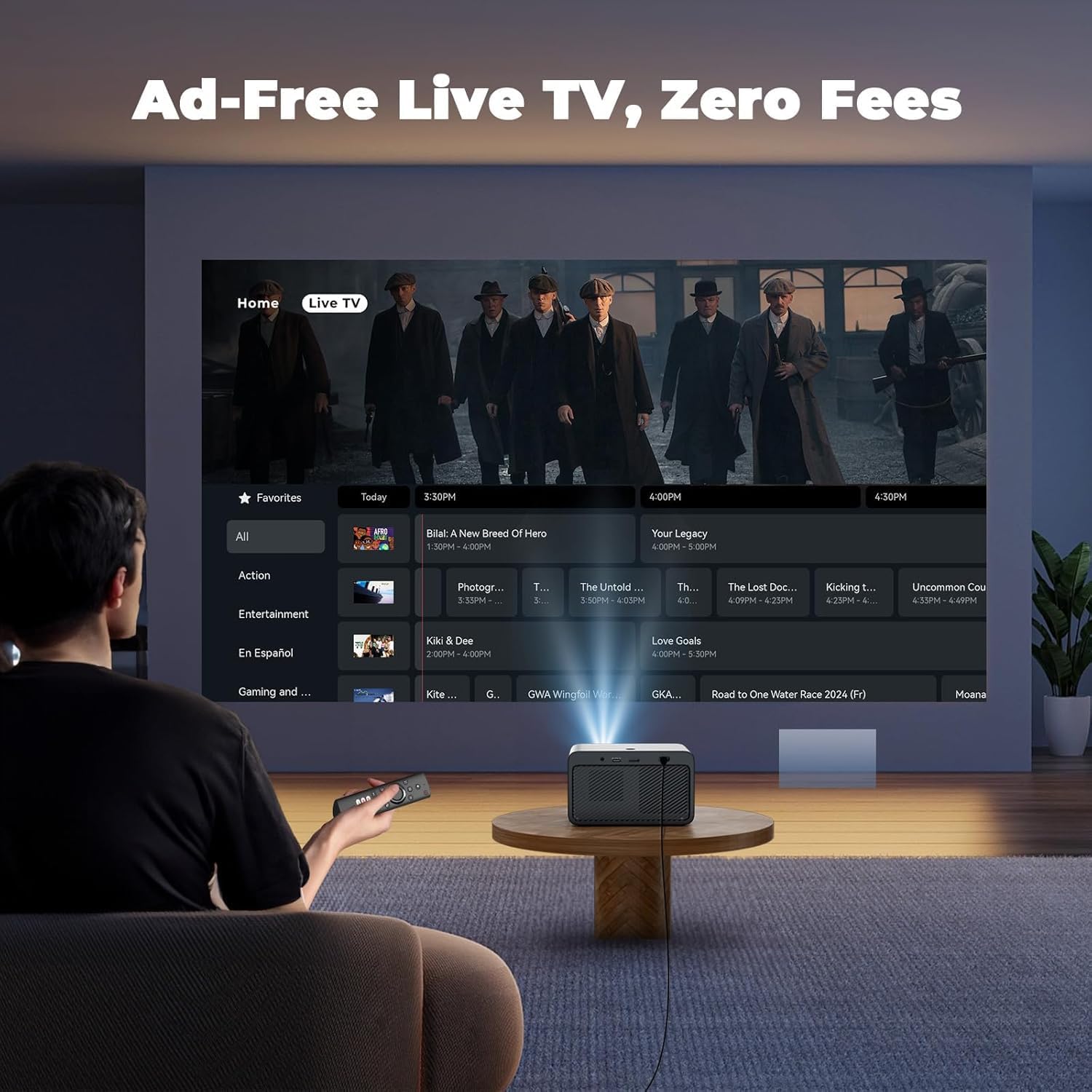
Image 3.1: Lisowod L03Pro Projector and included accessories.
4. Proizvod je gotovview
4.1. Komponente
- Objektiv za projekciju: Emituje sliku.
- IR prijemnik: Za signale daljinskog upravljanja.
- Gumb za napajanje: Za uključivanje/isključivanje projektora.
- Rešetke zvučnika: Integrirani audio izlaz.
- Ventilacijski otvori: Za odvođenje topline.
4.2. Portovi i veze
- HDMI priključak: Connect to external devices like gaming consoles, laptops, or TV sticks.
- USB priključci: For media playback from USB drives or connecting peripherals.
- 3.5 mm audio utičnica: Za spajanje vanjskih slušalica ili zvučnika.
- Ulazna snaga: Spojite strujni adapter.
Slika 4.1: straga view prikaz portova za povezivanje.
5. Postavljanje
5.1. Priključak za napajanje
- Spojite adapter za napajanje na ulazni priključak za napajanje projektora.
- Uključite strujni adapter u zidnu utičnicu.
- Pritisnite gumb za napajanje na projektoru ili daljinskom upravljaču da biste ga uključili.
5.2. Početno postavljanje
- Upon first power-on, select your preferred language.
- Connect to your Wi-Fi network by selecting it from the list and entering the password. The projector supports Wi-Fi 6 for faster streaming.
5.3. Placement and Image Adjustment
The L03Pro features an AI Auto-Setup System for quick image optimization:
- AI Auto-Focus: The projector automatically adjusts focus for a clear image.
- Automatsko ispravljanje trapezoidnosti: Automatically corrects trapezoidal distortion to achieve a rectangular image.
- Automatsko izbjegavanje prepreka: Detektira i prilagođava projekciju kako bi izbjegao prepreke na zidu.
- Automatsko poravnanje zaslona: Optimizes the image to fit the screen area.
- Automatic Placement Adjustment: Corrects image orientation even if the projector is placed upside down.
For manual adjustments, navigate to the settings menu:
- Ručna korekcija trapezoida: Fine-tune the image shape if needed.
- Zoom & Shift: Adjust the image size and position on the screen.

Image 5.1: AI Auto-Setup System in action.

Image 5.2: Auto Screen Alignment for a perfect fit.

Image 5.3: Auto Obstacle Avoidance feature.

Image 5.4: Zoom & Shift for precise screen placement.
6. Upute za rad
6.1. Navigacija i korisničko sučelje
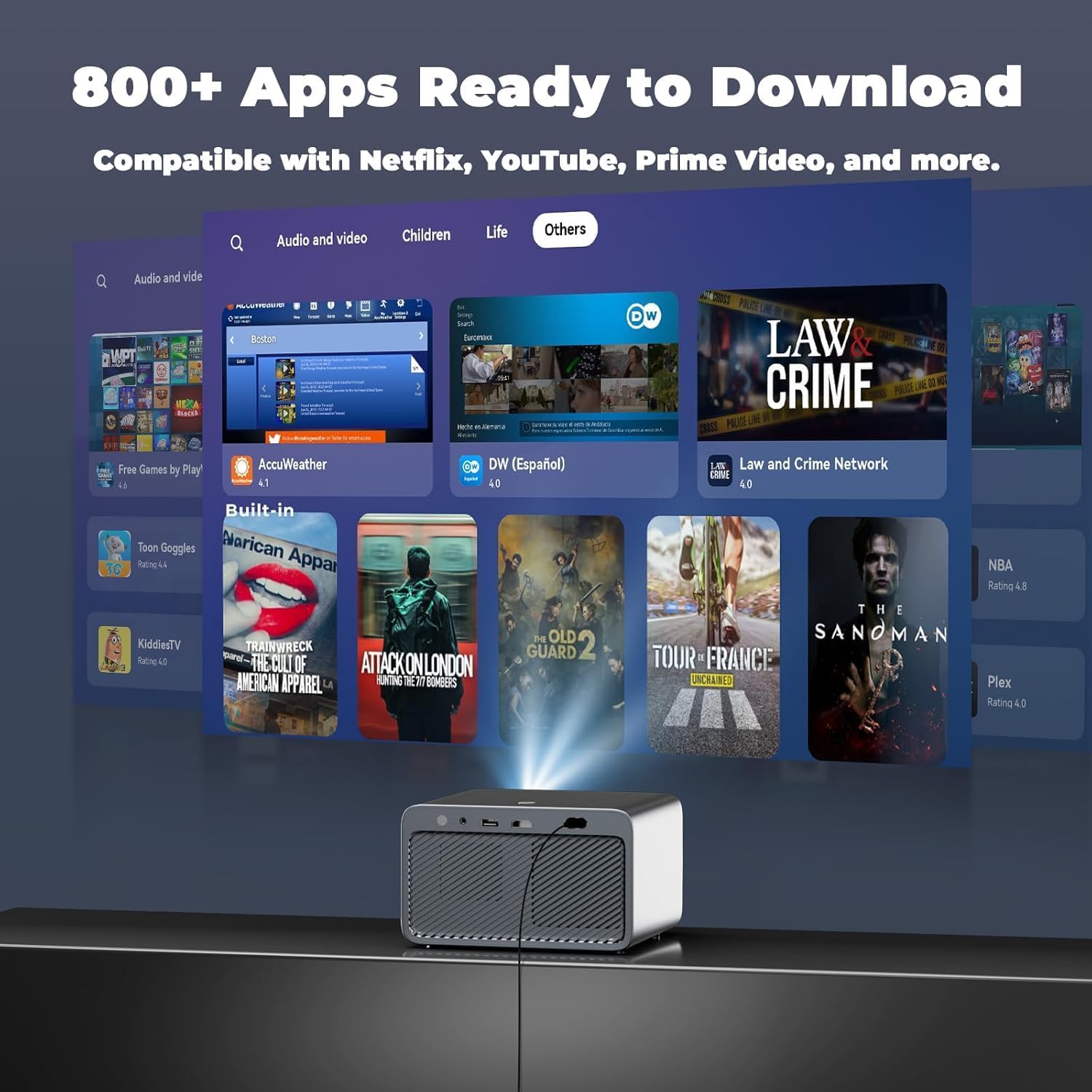
The projector operates on CinemOS, offering a smooth, phone-like user interface. Use the provided remote control to navigate through menus and select options.

Image 6.1: Home screen displaying available applications.
6.2. Streaming Apps and Live TV
The L03Pro comes with pre-installed apps and access to an app store with over 800 applications, including Netflix, YouTube, Prime Video, and Apple TV. It also offers over 1,000 free live TV channels without ads or subscriptions.
- Select the desired app from the home screen to start streaming.
- Access Live TV channels through the dedicated Live TV section.
- Use Live TV Favorites to save and quickly access your preferred channels.
Video 6.1: Demonstration of Lisowod L03Pro's 800+ apps and 1000 free live channels.

Image 6.2: User interface for Live TV channels.
6.3. Media Playback and Screen Mirroring
- Connect USB drives to play local media files.
- Use the Projection Assistant for screen mirroring from your smartphone or tablet.
6.4. Audio postavke
The projector features Dolby Audio technology and 2*15W HiFi speakers. For external audio:
- Connect Bluetooth 5.2 enabled speakers or headphones for lag-free audio.
- Utilize the 3.5mm audio jack for wired connections.
- Bluetooth Volume Sync: Automatically matches speaker and projector volume.
- Smart Sound Balance: Prevents jarring loud jumps in audio.

Image 6.3: Enhanced audio experience with Bluetooth and Dolby.
6.5. Postavke slike
The L03Pro supports native 1080P resolution with 4K playback and AI image boost.
- Adjust picture modes (Vivid, Standard, Sport, Movie, Game, Custom) to suit your content.
- Customize brightness, contrast, saturation, sharpness, and color temperature.
- LCD Pro wide color gamut and 98% NTSC color coverage ensure vibrant visuals.

Image 6.4: Customize your movie-specific colors.
6.6. Način igre
Activate Game Mode for ultra-low lag performance during gaming sessions.

Image 6.5: Game Mode for an optimized gaming experience.
6.7. Browser Functionality
Use the built-in browser for full-screen web browsing. You can scan a QR code to turn your phone into a touchpad for easier navigation.

Image 6.6: Open Browser with phone control via QR code.
6.8. Kontrola CIK-a
Control multiple CEC-supported external devices (e.g., TV sticks, PS4) with the projector's single remote via HDMI connection.

Image 6.7: CEC Control for unified remote operation.
7. Održavanje
7.1. Čišćenje
- Objektiv: Use the provided cleaning cloth and brushes to gently clean the lens. Avoid abrasive materials.
- Vanjski: Obrišite vanjski dio projektora mekom, suhom krpom.
- Ventilacijski otvori: Ensure vents are clear of dust and debris for optimal performance.
7.2. Praćenje temperature
The projector features a smart temperature display to ensure long-lasting performance. If the temperature exceeds safe limits, the projector may automatically shut down to prevent damage.

Image 7.1: Real-Time Temperature Monitoring for safety.
7.3. Skladištenje
When not in use, store the projector in a cool, dry place. The built-in lens cover protects the lens from dust.

Image 7.2: Compact design with lens protection.
8. Rješavanje problema
| Izdati | Mogući uzrok | Otopina |
|---|---|---|
| Nema slike ili je slika mutna | Incorrect focus, keystone, or placement. | Use AI Auto-Setup or manually adjust focus/keystone. Ensure projector is placed correctly. |
| Nema zvuka | Volume too low, external speakers not connected, or audio settings incorrect. | Increase volume. Check Bluetooth connection or 3.5mm audio cable. Verify audio output settings. |
| Ne mogu se spojiti na Wi-Fi | Netočna lozinka, izvan dometa ili problem s mrežom. | Re-enter password. Move closer to router. Restart router. |
| Daljinski upravljač ne reagira | Low batteries, IR path blocked. | Replace remote batteries (AAA). Ensure no obstacles between remote and projector. |
| Projektor se pregrijava i gasi | Blocked ventilation, prolonged use in high temperatures. | Ensure vents are clear. Allow projector to cool down. Use in a well-ventilated area. |
9. Specifikacije
| Značajka | Opis |
|---|---|
| Marka | Lisowod |
| Broj modela | L03Pro |
| Razlučivost zaslona | Izvorna rezolucija 1920 x 1080 (1080P), podrška za 4K |
| Svjetlina | 1800 ANSI lumeni |
| Pokrivenost bojama | 98% NTSC |
| Operativni sustav | CinemOS (with 800+ apps, 1000+ live TV channels) |
| Procesor | Flagship LX3 chip |
| Povezivost | Wi-Fi 6, Bluetooth 5.2, HDMI, USB, 3.5mm Jack, IR |
| Audio | Dolby Audio, 2*15W HiFi Speakers |
| Posebne značajke | AI Auto Focus, Auto Keystone Correction, Auto Obstacle Avoidance, Auto Screen Alignment, Automatic Placement Adjustment, CEC Control, Game Mode, Smart Temperature Display, Built-in Browser, Customizable Screensaver, Live TV Favorites |
| Život izvora svjetlosti | 100,000 sata |
| Dimenzije | 8.3 x 7.4 x 7.0 inča |
| Težina | 3.5 lbs |

Image 9.1: Visual representation of 1080P and 4K support.
Video 9.2: Krajview of the L03Pro's features and capabilities.
Video 9.3: Demonstration of the L03Pro's true 1080P resolution and color accuracy.
Video 9.4: Cinematic projection demo showcasing immersive visuals.
10. Jamstvo i podrška
Lisowod is committed to providing ongoing support and assistance for your L03Pro projector. For any inquiries or technical support, please contact:
Email: support_us@lisowod.com
Za detalje o jamstvu pogledajte dokumentaciju o kupnji.