
1. Postavljanje
1.1 Sadržaj paketa
Before assembly, please verify that all components are present in the package:
- KTC H24F7 24 Inch 240Hz Monitor
- Baza monitora
- Postolje za monitor
- Adapter napajanja
- HDMI kabel
- Vodič za brzi početak (QSG)
1.2 Upute za sastavljanje
Slijedite ove korake da sastavite svoj monitor:
- Pažljivo izvadite monitor i sve komponente iz pakiranja.
- Attach the monitor stand to the monitor base. Ensure it clicks securely into place.
- Connect the assembled stand and base to the back of the monitor. The stand is designed for easy snap-in installation.
- Postavite monitor na stabilnu, ravnu površinu.

1.3 Ugradnja VESA nosača
The KTC H24F7 monitor supports VESA 100mm x 100mm mounting for alternative stand or wall mount solutions. Ensure you use M4-0.7 x 10mm screws (not included) for secure installation.

1.4 Povezivanje s uređajima
Connect your computer or other devices to the monitor using the appropriate cables.
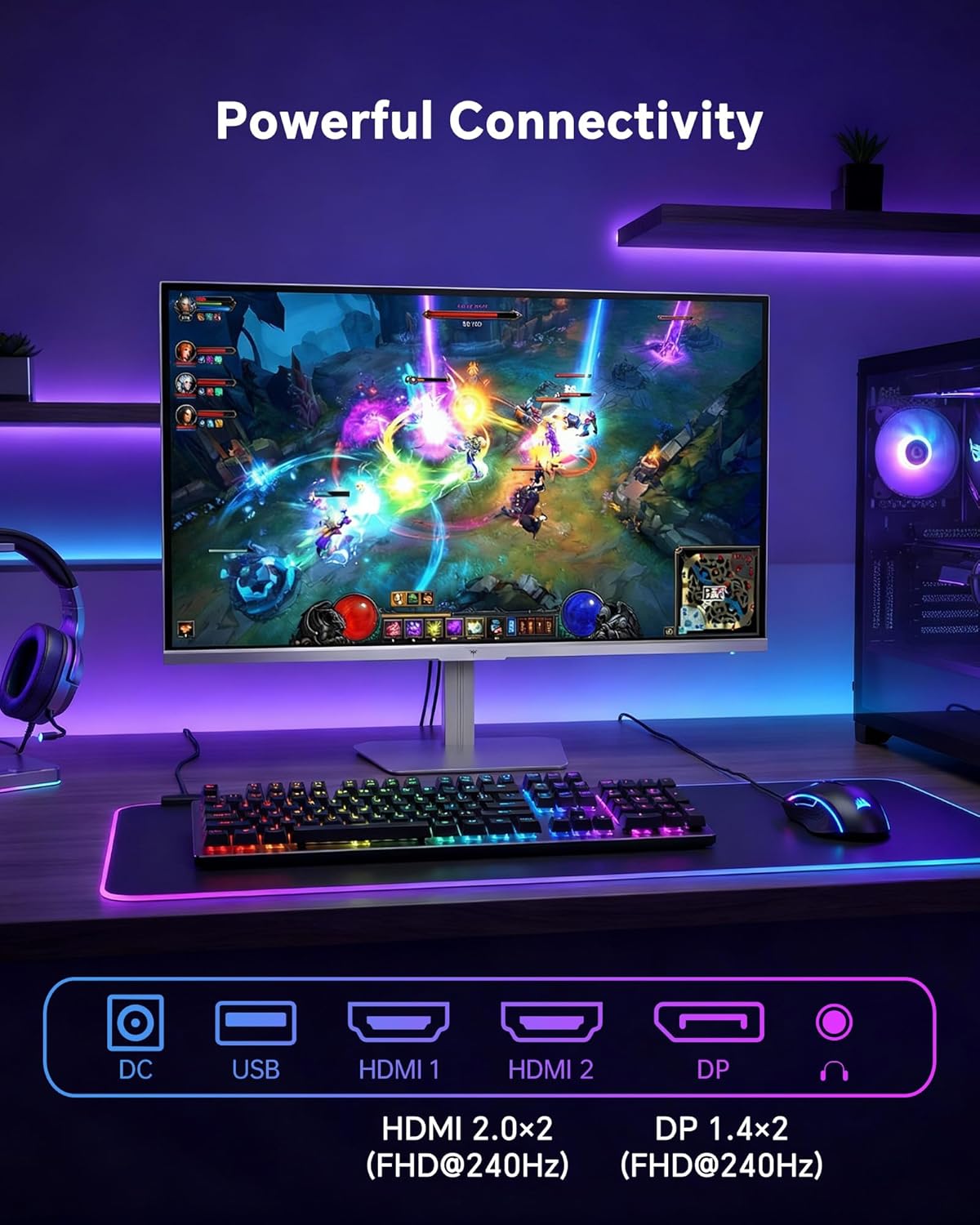
- HDMI: Use an HDMI cable to connect to devices with HDMI output. The monitor has two HDMI 2.0 ports, supporting FHD at 240Hz.
- DisplayPort: Use a DisplayPort cable for devices with DisplayPort output. The monitor has one DisplayPort 1.4, supporting FHD at 240Hz.
- Vlast: Connect the power adaptor to the DC input on the monitor and then to a power outlet.
- USB: A USB 2.0 port is available for connecting peripherals.
- Audio izlaz: A 3.5mm audio jack is available for connecting headphones or external speakers.
2. Upute za rad
2.1 Uključivanje/isključivanje
Pritisnite gumb za uključivanje/isključivanje koji se nalazi na monitoru kako biste ga uključili ili isključili. Indikator napajanja svijetli kada je monitor aktivan.
2.2 Izbornik na zaslonu (OSD)
The OSD menu allows you to adjust various monitor settings. Use the control buttons (typically located on the back or bottom of the monitor) to navigate the menu and select options. Refer to the Quick Start Guide for specific button functions.
2.3 Postavke zaslona
Optimizirajte svoje viewiskustvo prilagođavanjem sljedećih postavki:
- Stopa osvježavanja: The monitor supports a 240Hz refresh rate for smooth motion. Ensure your graphics card settings are configured to utilize this rate.

- Adaptivna sinkronizacija: This technology synchronizes the monitor's refresh rate with your graphics card's frame rate to eliminate screen tearing and stuttering. Enable Adaptive Sync in the OSD menu and ensure it is also enabled in your graphics card control panel (FreeSync/G-Sync compatible).

- HDR 400: High Dynamic Range 400 provides enhanced contrast and color accuracy, delivering brighter highlights and deeper shadows. Activate HDR in the OSD menu and your operating system display settings for compatible content.

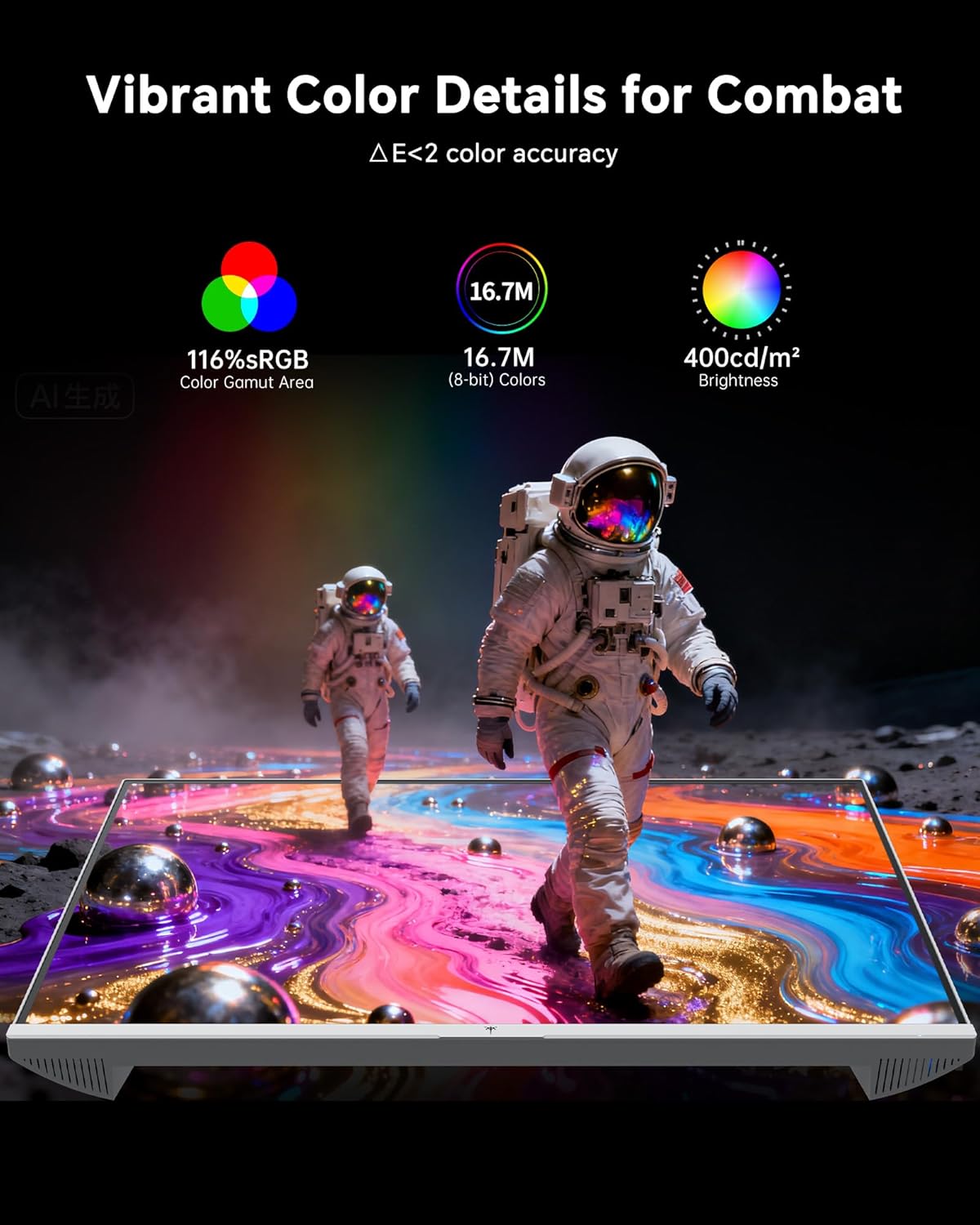
- Postavke boja: The monitor offers 116% sRGB color gamut and 16.7 million colors. Adjust brightness (up to 400 cd/m²) and color temperature through the OSD menu to suit your preference.
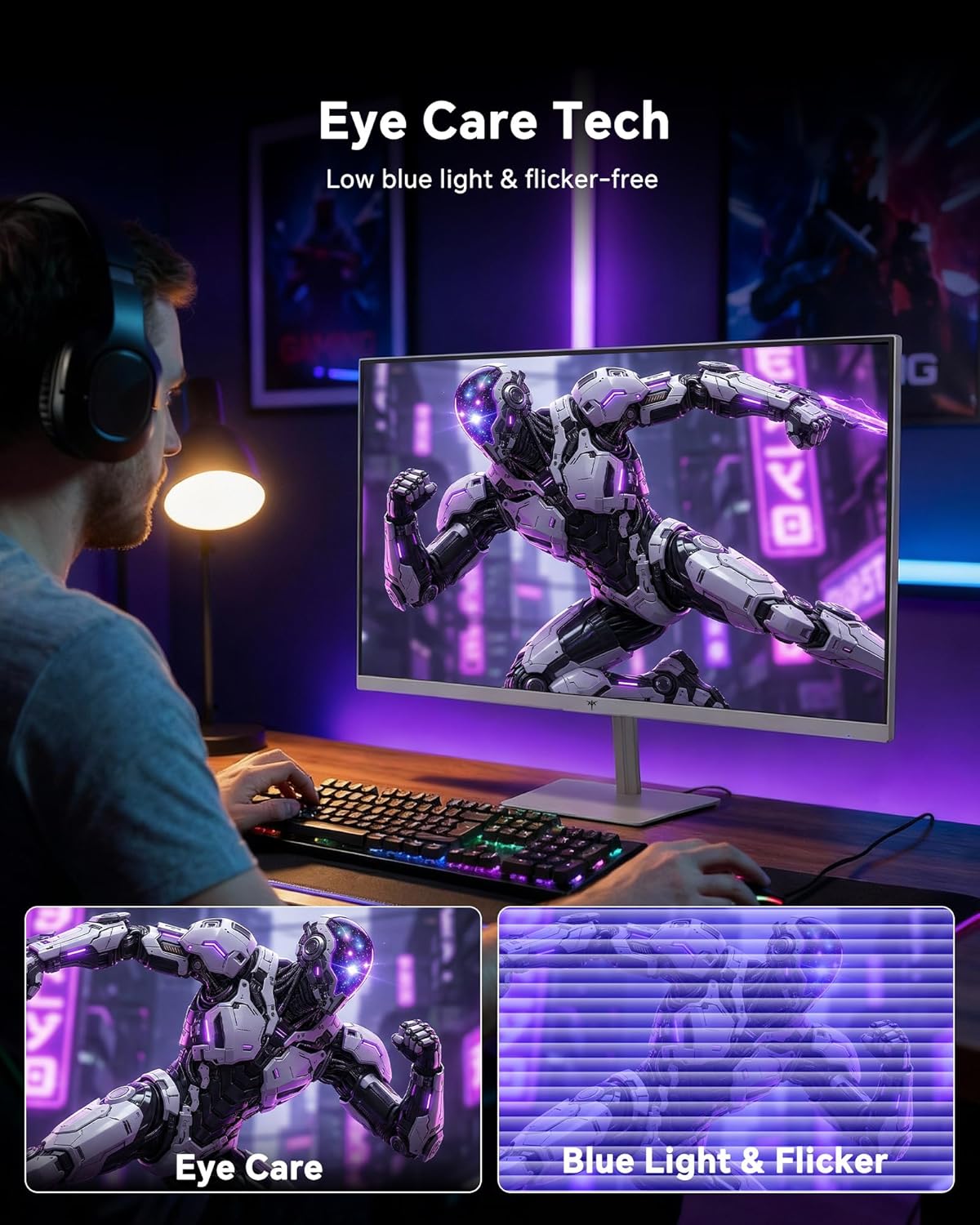
- Tehnologija za njegu očiju: The monitor features low blue light and flicker-free technology to reduce eye strain during prolonged use. These settings can typically be adjusted or enabled within the OSD menu.
2.4 Monitor Tilt Adjustment
The monitor supports tilt adjustment from -5° to 15° (±3°). Gently adjust the monitor panel to your desired viewing kut.
3. Održavanje
3.1 Čišćenje monitora
Za čišćenje zaslona monitora i casing:
- Prije čišćenja uvijek isključite monitor i iskopčajte kabel za napajanje.
- Koristite mekanu krpu koja ne ostavlja dlačice dampvodom ili blagim, neabrazivnim sredstvom za čišćenje ekrana.
- Nježno obrišite zaslon kako biste uklonili prašinu i mrlje. Izbjegavajte pretjerani pritisak.
- Za casing, use a dry, soft cloth. Do not use alcohol, ammonia, or abrasive cleaners, as these can damage the surface.
3.2 Opća briga
- Izbjegavajte stavljanje teških predmeta na monitor ili njegove kabele.
- Ne izlažite monitor izravnoj sunčevoj svjetlosti, prekomjernoj toplini ili ekstremnoj hladnoći.
- Držite monitor dalje od tekućina i visoke vlažnosti.
- Osigurajte odgovarajuću ventilaciju oko monitora kako biste spriječili pregrijavanje.
4. Rješavanje problema
If you encounter issues with your KTC H24F7 monitor, refer to the following common problems and solutions:
| Problem | Mogući uzrok | Otopina |
|---|---|---|
| Nema slike na ekranu | Power cable disconnected; Video cable disconnected or loose; Incorrect input source selected; Monitor is off. | Ensure power cable is securely connected and monitor is on. Check video cable connections (HDMI/DisplayPort) at both the monitor and computer. Press the input source button on the monitor to cycle through inputs. |
| Treperenje ili kidanje slike | Adaptive Sync not enabled; Graphics card driver issues; Faulty video cable. | Enable Adaptive Sync in the OSD menu and your graphics card control panel. Update graphics card drivers. Try a different video cable. If using DisplayPort 1, try DisplayPort 2 or HDMI if available, as some units may experience issues with specific ports. |
| Boje izgledaju nepravilno ili isprano | Color settings incorrect; HDR not properly configured; Faulty video cable. | Adjust color settings (brightness, contrast, color temperature) in the OSD menu. Ensure HDR is enabled in both the OSD and your operating system for HDR content. Try a different video cable. |
| Monitor ne dostiže 240Hz | Graphics card limitations; Incorrect display settings in OS; Cable bandwidth limitations. | Ensure your graphics card supports 240Hz at 1080p. Verify display settings in your operating system (e.g., Windows Display Settings or NVIDIA/AMD control panel) are set to 240Hz. Use the provided HDMI cable or a certified DisplayPort 1.4 cable. |
| Stuck or dead pixels | Greška u proizvodnji. | A small number of stuck or dead pixels (typically 1-3) may be considered normal for LCD panels. If the issue is severe or persistent, contact customer support. |
5. Specifikacije
| Značajka | Detalj |
|---|---|
| Marka | KTC |
| Broj modela | H24F7 |
| Veličina zaslona | 24 inča |
| Rezolucija | FHD 1080p (1920 x 1080 piksela) |
| Vrsta ploče | Gotovo IPS |
| Brzina osvježavanja | 240 Hz |
| Vrijeme odziva | 1 milisekunda (MPRT) |
| Omjer slike | 16:9 |
| Svjetlina | 400 kandela po kvadratnom metru |
| Omjer kontrasta | 1000:1 |
| Raspon boja | 116% sRGB |
| HDR podrška | HDR 400 |
| Adaptivna sinkronizacija | FreeSync, G-Sync Compatible |
| Povezivost | 2x HDMI 2.0, 1x DisplayPort 1.4, 1x USB 2.0, 1x Audio Out (3.5mm) |
| Značajke za njegu očiju | Low Blue Light, Flicker-Free, Anti-Glare Screen |
| Prilagodbe | Nagib (-5° do 15°) |
| VESA nosač | 100 mm x 100 mm |
| Dimenzije (D x Š x V) | 5.39"D x 21.25"Š x 15.74"V |
| Težina artikla | 3.2 kilogram |
| Boja | Bijela |
6. Jamstvo i podrška
6.1 Informacije o jamstvu
The KTC H24F7 monitor comes with a three-year manufacturer warranty. Ovo jamstvo pokriva nedostatke u materijalu i izradi pri normalnoj uporabi.
Zadržite svoj dokaz o kupnji za jamstvene zahtjeve.
6.2 Korisnička podrška
For technical assistance, warranty claims, or any questions regarding your KTC H24F7 monitor, please contact KTC customer support. KTC aims to provide responsive customer support and typically responds within 12 hours.
You can usually find contact information on the official KTC website or through the retailer where you purchased the product. When contacting support, please have your monitor model number (H24F7) and purchase details ready.