
1. Uvod
This manual provides detailed instructions for setting up, operating, and maintaining your AOOSTAR MACO AMD Ryzen 7 H255 Mini PC. Please read this manual thoroughly before using the device to ensure proper functionality and safety. The AOOSTAR MACO Mini PC is designed for high performance, featuring an AMD Ryzen 7 H255 processor, Radeon 780M graphics, and extensive connectivity options.
2. Sadržaj paketa
Provjerite jesu li sve dolje navedene stavke prisutne u vašem paketu:
- 1 x AOOSTAR MACO AMD Ryzen 7 H255 Mini PC
- 1 x SSD Cooling Pad
- 1 x 120W 19V 6.32A Type-C Power Supply
3. Proizvod je gotovview
The AOOSTAR MACO Mini PC is a compact yet powerful computing solution. Below are key features and an overview of its components and ports.
3.1 Ključne značajke
- Procesor: AMD Ryzen 7 H255 (8-core, 16-thread, up to 4.9 GHz) with Zen 4 architecture and 4nm process.
- Grafika: Integrated Radeon 780M graphics (RDNA 3 architecture).
- Memorija: Dual-channel DDR5 5600MHz (expandable up to 128GB).
- Skladištenje: Dual-channel M.2 2280 NVMe PCIe4.0x4 SSD (expandable up to 8TB).
- Sigurnost: One-touch fingerprint unlock for secure access.
- Podrška zaslona: Supports up to four 4K displays simultaneously.
- Povezivost: OCuLink, Dual USB4, USB 3.2 Gen2, USB 3.0, HDMI, DisplayPort, Dual 2.5G LAN, Wi-Fi 6.
3.2 Vanjske komponente i priključci
Familiarize yourself with the various ports and components of your Mini PC.
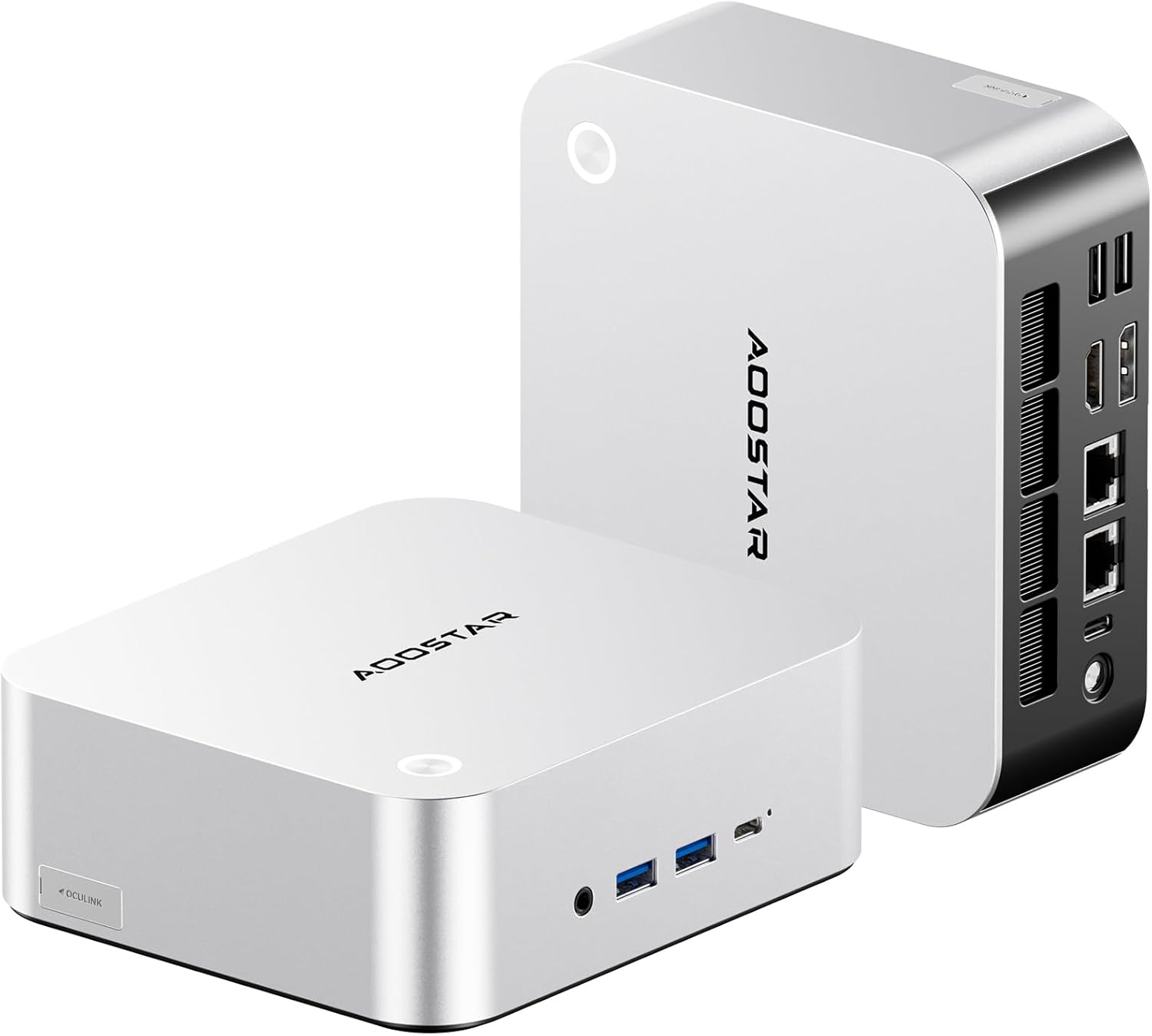
Slika: Prednja i stražnja strana view of the AOOSTAR MACO Mini PC, showcasing svojim kompaktnim dizajnom i raznim priključcima.

Slika: Detaljna view of the AOOSTAR MACO Mini PC's rear ports, including OCuLink, USB4, USB 3.2 Gen2, HDMI, DisplayPort, and Dual 2.5G LAN ports.
- Prednja ploča: Power button with fingerprint sensor, USB ports.
- Stražnji panel: OCuLink port (1), USB4 ports (2), USB 3.2 Gen2 ports (2), USB 3.0 ports (2), HDMI port (1), DisplayPort (1), 2.5G LAN ports (2), DC power input (1), Audio Jack (1).

Image: Close-up of the one-touch fingerprint sensor on the AOOSTAR MACO Mini PC for secure login.

Image: Visual representation of the AMD Ryzen 7 H255 processor, highlighting its core count, turbo frequency, and architecture.

Slika: Interna view showing the dual DDR5 memory slots and dual M.2 PCIe 4.0 SSD slots for high-speed storage and memory.

Image: The OCuLink port connected to an external GPU enclosure, demonstrating its use for enhanced graphics performance.

Image: Two AOOSTAR MACO Mini PCs side-by-side, highlighting the dual USB4 ports for high-speed data transfer and power delivery.
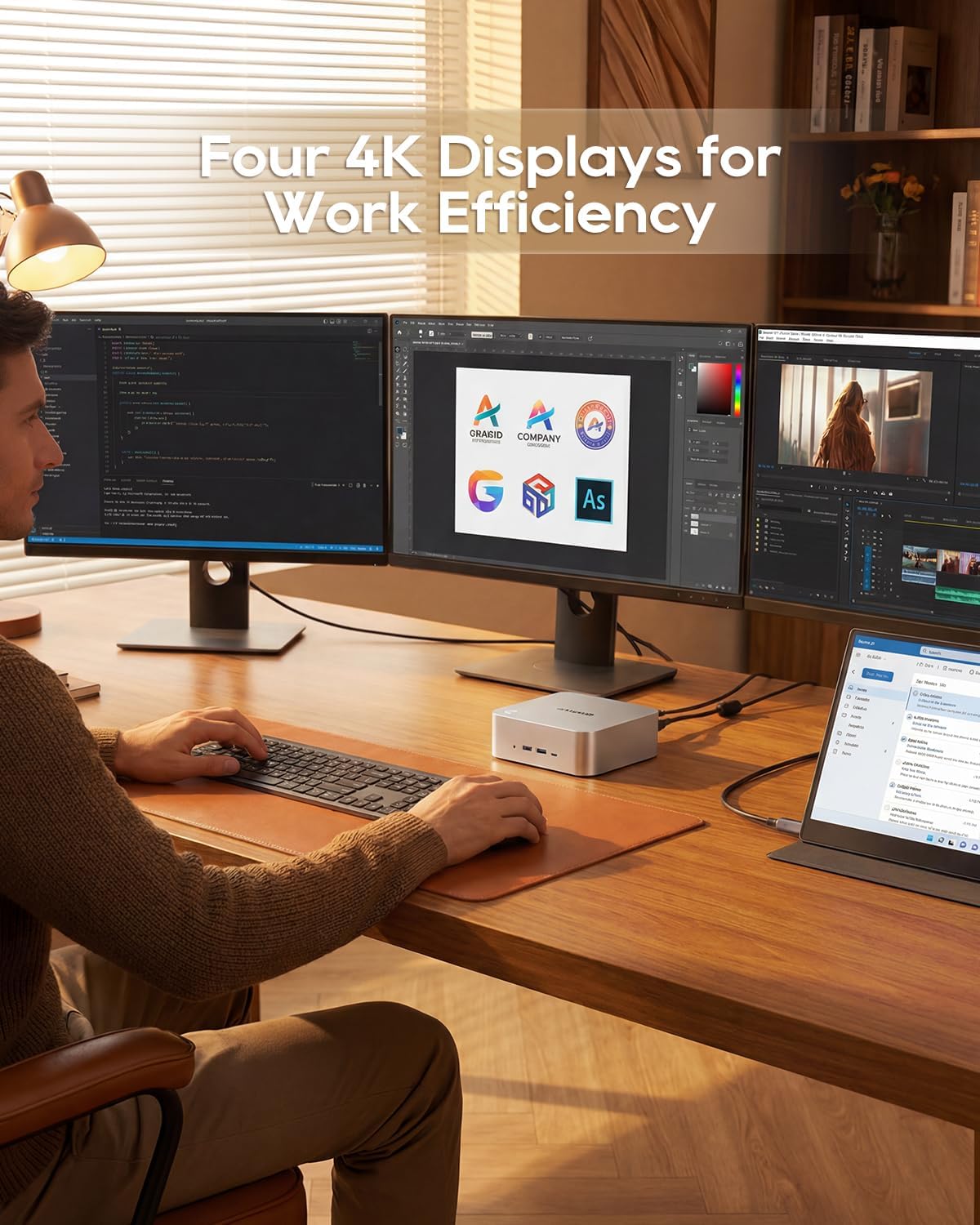
Image: A user working with the AOOSTAR MACO Mini PC connected to four 4K displays, illustrating its multi-display capability for productivity.
Image: The rear of the Mini PC showing the dual 2.5G LAN ports and an external WiFi antenna, emphasizing its high-speed networking capabilities.
Video: Prekorview of the AOOSTAR MACO Mini PC, demonstrating its features such as fingerprint unlock, business applications, gaming performance, and home theater use.
4. Upute za postavljanje
Follow these steps to set up your AOOSTAR MACO Mini PC:
- Poveži zaslon: Connect your monitor(s) to the Mini PC using an HDMI or DisplayPort cable. The Mini PC supports up to four 4K displays.
- Povežite periferne uređaje: Uključite tipkovnicu, miš i sve ostale USB uređaje u dostupne USB priključke.
- Mrežna veza: For wired internet, connect an Ethernet cable to one of the 2.5G LAN ports. For wireless internet, ensure the Wi-Fi antenna is connected (if external) and the device is powered on to configure Wi-Fi settings.
- Priključak za napajanje: Connect the 120W Type-C power supply to the DC input port on the Mini PC, then plug the power adapter into a wall outlet.
- Uključivanje: Press the power button on the front of the Mini PC. The system will boot up.
- Početno postavljanje: Slijedite upute na zaslonu za dovršetak postavljanja operativnog sustava (npr. Windows OS).
5. Upute za rad
Ovaj odjeljak pokriva općenite upute za rad i specifične značajke vašeg Mini PC-a.
5.1 Otključavanje otiskom prsta
The Mini PC features a one-touch fingerprint unlock for enhanced security and quick access. During initial OS setup or via system settings, you can enroll your fingerprints. Once configured, simply touch the power button to wake and log in without needing a password.
5.2 Postavljanje više zaslona
The Mini PC supports connecting up to four 4K displays. Connect your monitors to the available HDMI and DisplayPort outputs. You can configure display settings (e.g., extend, duplicate) within your operating system's display settings.
5.3 OCuLink for External Graphics
The OCuLink port provides a high-bandwidth connection (64 Gbps) for external GPU solutions. This allows for significantly improved graphics performance for demanding applications or gaming. Note that OCuLink is not hot-swappable and does not occupy an M.2 2280 PCIe4.0 SSD slot.
5.4 USB4 Ports
The dual USB4 ports offer versatile connectivity with high data transfer speeds and power delivery capabilities (up to 100W). These ports can be used for external graphics card docks, NVMe SSD arrays, or other high-speed peripherals.
6. Održavanje
Redovito održavanje pomaže u osiguravanju dugovječnosti i optimalnih performansi vašeg Mini PC-a.
- Čišćenje: Use a soft, dry cloth to clean the exterior of the Mini PC. For dust accumulation in vents, use compressed air. Ensure the device is powered off and unplugged before cleaning.
- Ventilacija: Ensure the Mini PC is placed in a well-ventilated area. Do not block the ventilation openings.
- Ažuriranja softvera: Regularly update your operating system, drivers, and applications to maintain security and performance.
7. Rješavanje problema
Ako naiđete na probleme s Mini PC-jem, pogledajte sljedeće uobičajene korake za rješavanje problema:
- Bez napajanja:
- Provjerite je li adapter za napajanje sigurno spojen i na Mini PC i na ispravnu utičnicu.
- Provjerite je li utičnica funkcionalna tako da priključite drugi uređaj.
- Nema zaslona:
- Check that the display cable (HDMI/DisplayPort) is securely connected to both the Mini PC and the monitor.
- Provjerite je li monitor uključen i postavljen na ispravan ulazni izvor.
- Pokušajte se spojiti na drugi zaslon ili upotrijebiti drugi kabel.
- Nema internetske veze:
- Za žičanu vezu provjerite status Ethernet kabela i usmjerivača.
- For Wi-Fi, ensure Wi-Fi is enabled in the operating system settings and you are connected to the correct network with the correct password.
- Ponovno pokrenite ruter/modem i Mini PC.
- Spora izvedba:
- Zatvorite nepotrebne aplikacije koje rade u pozadini.
- Provjerite ima li dovoljno slobodnog prostora na vašem SSD-u.
- Ensure the Mini PC is well-ventilated to prevent overheating.
8. Specifikacije
Detailed technical specifications for the AOOSTAR MACO AMD Ryzen 7 H255 Mini PC:
| Značajka | Specifikacija |
|---|---|
| Marka | AOOSTAR |
| Broj modela | MACO AMD Ryzen 7 H255 |
| Model procesora | AMD Ryzen 7 H255 |
| Brzina procesora | 3.8 GHz (Base), up to 4.9 GHz (Max Boost) |
| Grafički koprocesor | Radeon 780M |
| Veličina instalirane RAM memorije | 24 GB |
| Tehnologija RAM memorije | DDR5 |
| Brzina memorije | 5600 MHz |
| Maksimalna veličina RAM memorije | 128 GB |
| Kapacitet pohrane memorije | SSD od 1 TB |
| Sučelje tvrdog diska | PCIE x 4 |
| Operativni sustav | OS (unaprijed instaliran) |
| Tehnologija povezivanja | HDMI, USB, Wi-Fi 6, 2.5G LAN, OCuLink |
| Video izlazno sučelje | DisplayPort, HDMI |
| Rezolucija | 4K |
| Ukupno USB priključaka | 6 (2x USB4, 2x USB 3.2 Gen2, 2x USB 3.0) |
| Dimenzije artikla | 5.12 x 5.12 x 2.36 inča |
| Težina artikla | 660 gram |
| Boja | Crna |
9. Jamstvo i podrška
The AOOSTAR MACO AMD Ryzen 7 H255 Mini PC comes with a 1-year warranty. For warranty claims, technical support, or service inquiries, please contact AOOSTAR customer support through their official channels or the retailer where the product was purchased. Keep your proof of purchase for warranty validation.