
1. Uvod
This manual provides detailed instructions for the safe and efficient operation of your NIIMBOT B1Pro Label Printer. The B1Pro is a high-resolution 300 DPI thermal label printer designed for various labeling needs, including text, barcodes, QR codes, and photo printing. It supports two-color printing (red and black) with compatible labels and connects wirelessly via Bluetooth to your smartphone or PC.
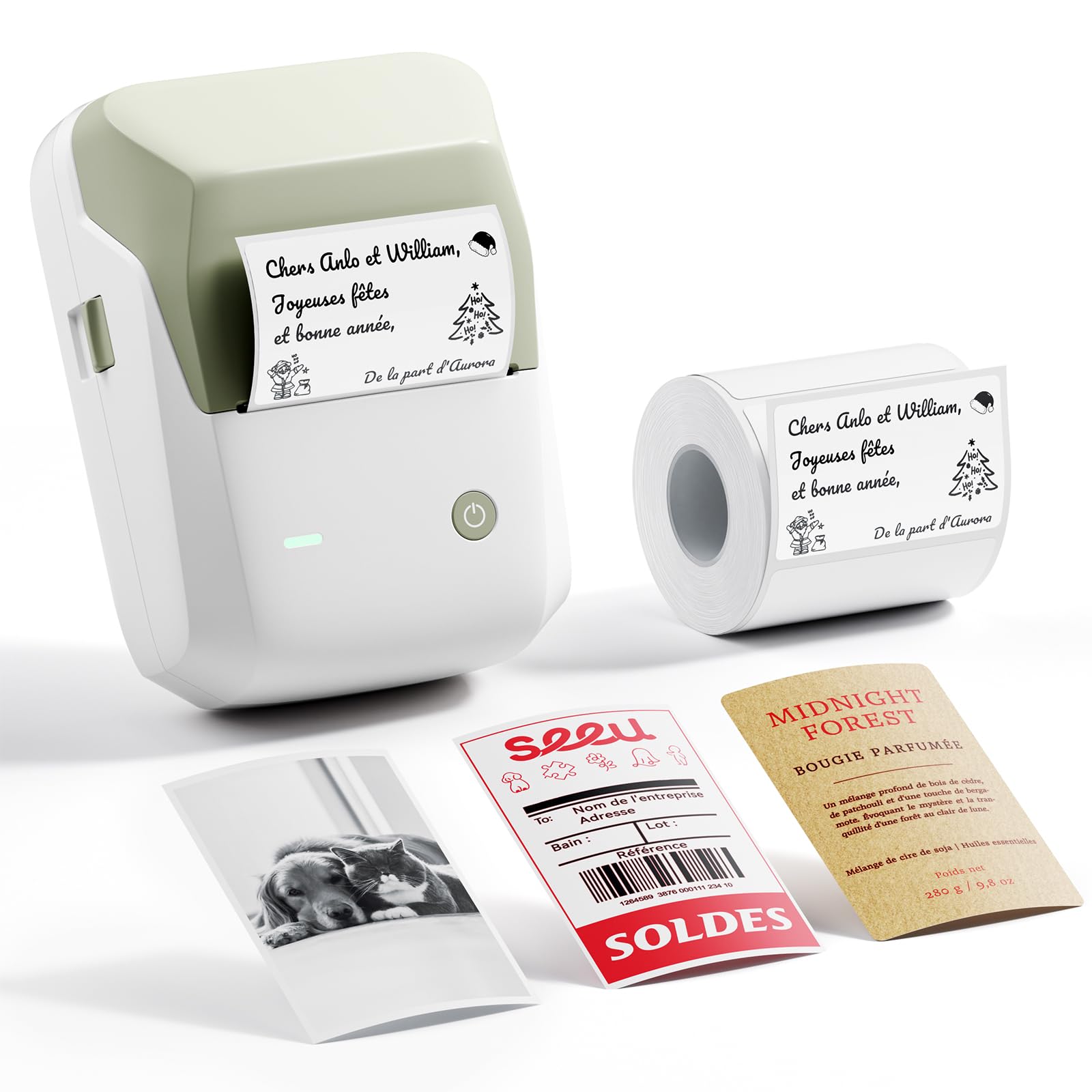
Image 1.1: The NIIMBOT B1Pro Label Printer, a compact and portable thermal printer.
2. Što je u kutiji
Provjerite jesu li svi artikli prisutni u paketu:
- NIIMBOT B1Pro Label Printer
- 1x White Label Roll (50 x 30 mm)
- USB kabel za punjenje
- Korisnički priručnik (ovaj dokument)
3. Značajke proizvoda
The NIIMBOT B1Pro offers advanced features for versatile labeling:
- High Resolution (300 DPI): Produces sharp, clear text and detailed graphics, even at small sizes.
- Ispis u dvije boje: Supports printing in red and black simultaneously with special compatible labels, enhancing visibility and impact.
- Photo Printing Capability: Allows printing of photos on specialized photo labels, capturing moments with clarity.
- Bežična povezanost: Connects via Bluetooth to smartphones (Android/iOS) and PCs for convenient printing.
- Intuitive App: The NIIMBOT app provides extensive customization options, including over 60 fonts, 100 borders, 1000 templates, and 1600 icons.
- Termalni ispis bez tinte: Utilizes thermal technology, eliminating the need for ink cartridges and reducing operational costs.

Image 3.1: Comparison highlighting the B1Pro's superior 300 DPI resolution, photo printing, and two-color output compared to the standard B1 model.

Image 3.2: Visual demonstration of 300 DPI print clarity versus 203 DPI, showing sharper text and QR codes.
4. Vodič za postavljanje
4.1 Punjenje uređaja
Before first use, fully charge the NIIMBOT B1Pro using the provided USB cable. Connect the cable to the printer's charging port and a standard USB power adapter (not included). The indicator light will show charging status.
4.2 Ugradnja role etiketa
- Open the printer cover by gently pushing the release button or lifting the designated area.
- Insert the label roll into the compartment, ensuring the labels face upwards and the leading edge is aligned with the print head.
- Close the printer cover firmly until it clicks into place. The printer will automatically detect the label type and size.

Image 4.1: Proper installation of the label roll, with an automatic self-tightening guide to prevent printing misalignment.
4.3 Downloading and Connecting the App
- Download the official NIIMBOT app from the App Store (iOS) or Google Play Store (Android). For PC, download the NIIMBOT software from the official webmjesto.
- Ensure your printer is powered on and Bluetooth is enabled on your smartphone or PC.
- Open the NIIMBOT app and follow the on-screen instructions to connect to your B1Pro printer via Bluetooth. The app will typically detect nearby NIIMBOT devices.

Image 4.2: The NIIMBOT B1Pro supports wireless Bluetooth connection with both smartphones and PCs, allowing simultaneous connections.
5. Upute za rad
5.1 Izrada i ispis naljepnica
The NIIMBOT app provides a user-friendly interface for label creation:
- Open the NIIMBOT app and select a template or start a new blank label.
- Add text, numbers, dates, barcodes, or QR codes using the app's editing tools.
- Customize fonts, sizes, styles, and alignment.
- prijeview your label to ensure it appears as desired.
- Tap the print button. Adjust the number of copies if necessary, then confirm to print.
5.2 Photo Printing
To print photos, ensure you are using special photo-compatible labels:
- Load a photo label roll into the printer.
- In the NIIMBOT app, select the photo printing option.
- Choose an image from your device's gallery.
- Adjust the image as needed within the label boundaries.
- Print the photo label.

Slika 5.1: Primjeramples of photo labels for memos, notes, and personal images, demonstrating the B1Pro's photo printing capability.
5.3 Two-Color Printing
The B1Pro supports two-color printing (red and black) with specific label types. When using these labels, the app will automatically detect the capability and allow you to assign elements to either red or black ink.

Image 5.2: Various applications of two-color red and black labels, including bakery pricing, reminder tags, product prices, and date labels.
5.4 Using the NIIMBOT App
The NIIMBOT app is a powerful tool for label customization:
- Predlošci: Access a library of over 1000 pre-designed templates for various uses.
- Fontovi: Choose from over 60 fonts to personalize your text.
- Icons & Borders: Enhance your labels with over 1600 icons and 100 decorative borders.
- Prilagodba: Adjust text size, alignment, add images, and integrate QR/barcodes.

Image 5.3: The NIIMBOT app offers extensive customization options, including a wide selection of icons, templates, fonts, and borders.
6. Label Types and Applications
The NIIMBOT B1Pro supports a wide range of label types and is suitable for numerous applications:
- Standard Thermal Labels: Rectangular, round, white, colored, transparent.
- Photo Labels: For printing images and graphics.
- Two-Color Labels: For red and black printing.
- Specialty Labels: Including Kraft paper, double-row, and various sizes.
Uobičajene aplikacije uključuju:
- Home organization (spice jars, storage boxes)
- Office organization (files, documents, asset tags)
- Retail (price tags, product information, expiration dates)
- Obrt i DIY projekti
- School supplies and study notes
- Medicine labeling

Image 6.1: A selection of available label styles, including standard thermal, photo-compatible, and two-color options.

Image 6.2: The B1Pro supports a diverse range of label types for different needs, from basic text to photo and specialty labels.
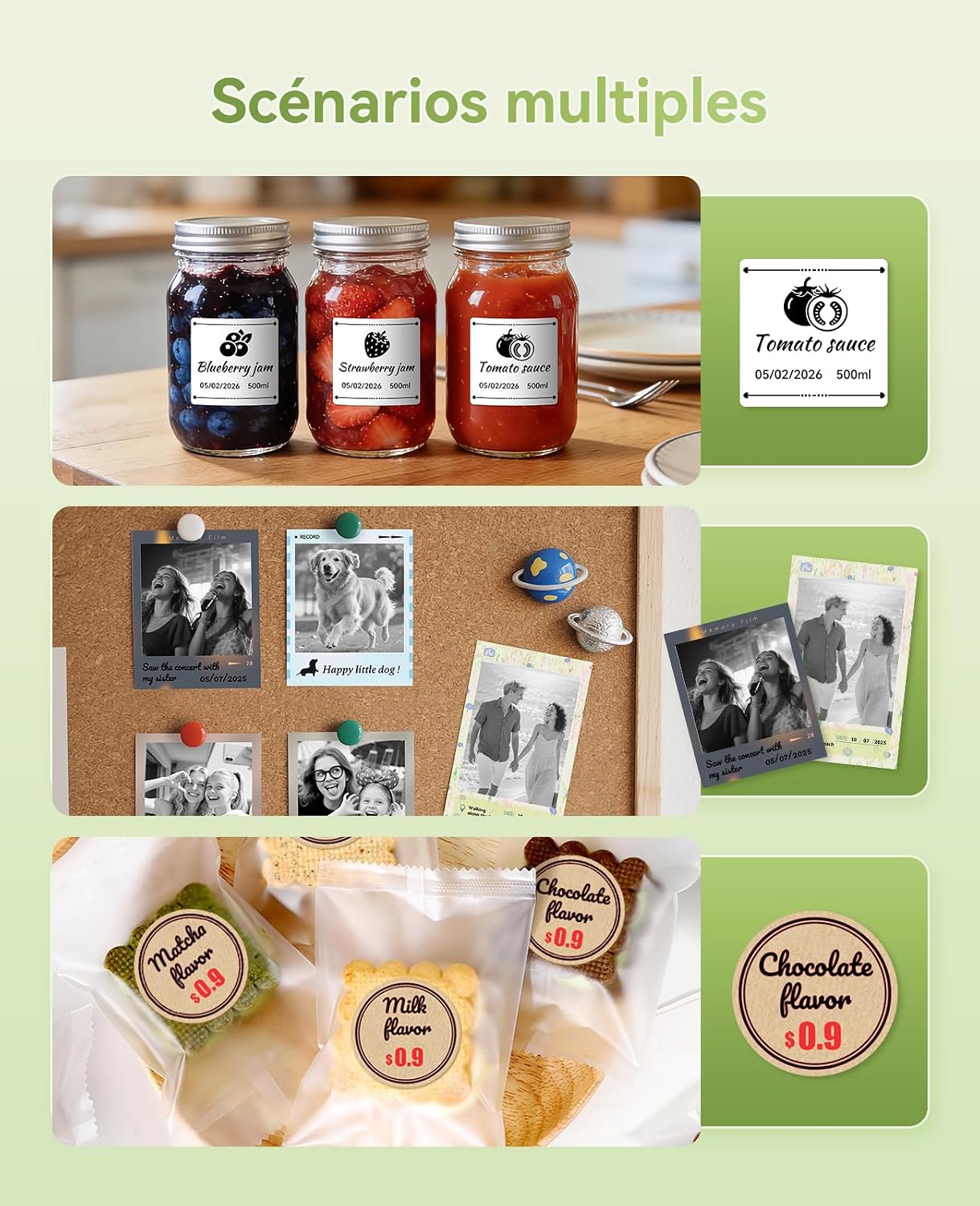
Slika 6.3: Primjeramples of the B1Pro in various settings, including kitchen organization, personal photo displays, and small business product labeling.
7. Održavanje
To ensure optimal performance and longevity of your NIIMBOT B1Pro printer:
- Čišćenje: Regularly clean the print head with a soft, lint-free cloth moistened with isopropyl alcohol. Ensure the printer is off and cool before cleaning.
- Skladištenje: Pisač čuvajte na hladnom i suhom mjestu, dalje od izravne sunčeve svjetlosti i ekstremnih temperatura.
- Rolne naljepnica: Use only genuine NIIMBOT label rolls to prevent damage to the print head and ensure optimal print quality.
- Njega baterije: For prolonged storage, charge the battery to about 50% every three months to maintain battery health.
8. Rješavanje problema
If you encounter issues with your NIIMBOT B1Pro, refer to the following common solutions:
| Problem | Mogući uzrok | Otopina |
|---|---|---|
| Pisač se ne uključuje | Slaba baterija; Gumb za napajanje nije pravilno pritisnut | Charge the printer; Press and hold the power button for a few seconds |
| Loša kvaliteta ispisa | Print head dirty; Incorrect label type; Low battery | Clean the print head; Ensure correct NIIMBOT labels are used; Charge the printer |
| Ne može se povezati putem Bluetootha | Bluetooth off; Printer not discoverable; App issue | Ensure Bluetooth is on for both devices; Restart printer and app; Reinstall app |
| Etikete se ne uvlače ispravno | Label roll improperly installed; Labels jammed | Reinstall label roll, ensuring it's straight; Clear any jammed labels carefully |
| Two-color printing not working | Not using two-color compatible labels | Ensure you are using NIIMBOT BR series (red and black) labels |
If the problem persists, please contact NIIMBOT customer support for further assistance.
9. Specifikacije
| Značajka | Detalj |
|---|---|
| Marka | NIIMBOT |
| Naziv modela | B1Pro |
| Tehnologija povezivanja | Bluetooth |
| Tehnologija tiska | Toplinski |
| Razlučivost ispisa | 300 DPI (točaka po inču) |
| Vrsta izlaza | Color (with compatible labels) |
| Boja tinte | Red, Black (with compatible labels) |
| Dimenzije proizvoda | 6P x 9l x 13V centimetara |
| Maksimalna veličina medija | 50 x 30 mm (included roll) |
| Vrsta medija | Etikete |
| Duplex ispis | Ne (jednostrano) |
| Posebne značajke | High-resolution printing, color and photo printing, Bluetooth connectivity, customizable app |
| Zemlja podrijetla | Kina |
10. Jamstvo i podrška
The NIIMBOT B1Pro Label Printer comes with a limited warranty. For specific warranty terms and conditions, please refer to the documentation included with your purchase or visit the official NIIMBOT webmjesto.
For technical support, product inquiries, or warranty claims, please contact NIIMBOT customer service through their official webweb-mjesto ili kontaktne podatke navedene u pakiranju proizvoda.


