
Uvod
Thank you for choosing the OneOdio Focus A1Pro Wireless On-Ear Headphones. This manual provides detailed instructions for setting up, operating, maintaining, and troubleshooting your new headphones. Please read this manual thoroughly before use to ensure optimal performance and longevity of your device.
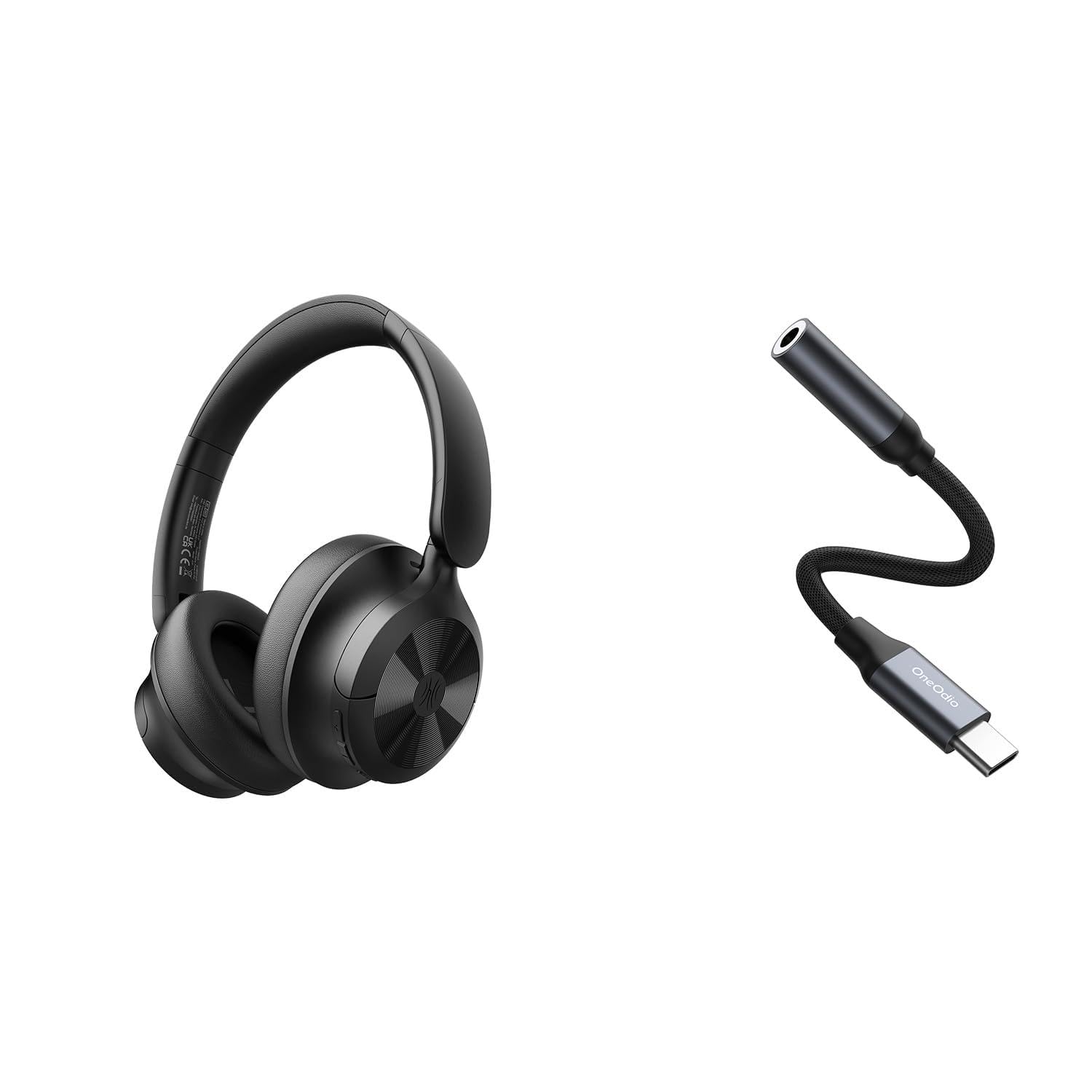
Image: OneOdio Focus A1Pro Wireless On-Ear Headphones. This image displays the headphones in their typical on-ear design, showcasing slušalice i traku za glavu.
Sadržaj paketa
Molimo provjerite paket za sljedeće stavke:
- OneOdio Focus A1Pro Wireless On-Ear Headphones
- USB-C na 3.5 mm audio adapter
- USB-C kabel za punjenje
- Torbica za nošenje
- Korisnički priručnik (ovaj dokument)
Postavljanje
1. Punjenje slušalica
Before first use, fully charge the headphones. Connect the USB-C charging cable to the charging port on the headphones and the other end to a USB power source (e.g., computer USB port, wall adapter). The LED indicator will show charging status and turn off or change color when fully charged.

Image: Close-up of the USB-C charging port on the OneOdio Focus A1Pro headphones, with a charging cable connected.
2. Uključivanje/isključivanje
- Za uključivanje: Press and hold the Multi-function button for approximately 3 seconds until the LED indicator flashes blue.
- Za isključivanje: Press and hold the Multi-function button for approximately 3 seconds until the LED indicator flashes red and then turns off.
3. Bluetooth uparivanje
- Provjerite jesu li slušalice isključene.
- Press and hold the Multi-function button for 5-7 seconds until the LED indicator flashes red and blue alternately. This indicates pairing mode.
- Na svom uređaju (pametnom telefonu, tabletu, računalu) omogućite Bluetooth i potražite dostupne uređaje.
- Select "OneOdio A1Pro" from the list of found devices.
- Kad se poveže, LED indikator će polako bljeskati plavo.
- Ako je potrebna lozinka, unesite "0000".
Slušalice će se automatski pokušati ponovno povezati s posljednjim uparenim uređajem kada se uključe.
4. Wired Connection (using USB-C to 3.5mm Audio Adapter)
For a wired connection, use the provided USB-C to 3.5mm audio adapter. This allows you to connect the headphones to devices with a standard 3.5mm audio jack.
- Plug the USB-C end of the adapter into the USB-C port on the headphones.
- Plug the 3.5mm end of the adapter into the 3.5mm audio jack of your audio source device.
- Ensure the headphones are powered off for wired mode to function correctly and conserve battery.

Image: The OneOdio Focus A1Pro headphones connected to an audio source via the USB-C to 3.5mm audio adapter.
Upute za rad
Kontrole nadview
The headphones feature intuitive controls located on the earcup. Familiarize yourself with these buttons for seamless operation.

Image: Diagram showing the location and function of control buttons on the OneOdio Focus A1Pro headphones, including volume, multi-function, and ANC buttons.
Reprodukcija glazbe
- Reproduciraj/pauziraj: Pritisnite višenamjenski gumb jednom.
- Sljedeća pjesma: Pritisnite i držite tipku za pojačavanje glasnoće 2 sekunde.
- Prethodni zapis: Pritisnite i držite tipku za smanjivanje glasnoće 2 sekunde.
- Pojačati: Kratko pritisnite tipku za pojačavanje glasnoće.
- Smanjivanje glasnoće: Kratko pritisnite tipku za smanjivanje glasnoće.
Upravljanje pozivima
- Odgovori/prekini poziv: Pritisnite višenamjenski gumb jednom.
- Odbij poziv: Pritisnite i držite višenamjenski gumb 2 sekunde.
- Ponovno biranje zadnjeg broja: Dvaput pritisnite višenamjenski gumb.
Otkazivanje aktivne buke (ANC)
The Focus A1Pro headphones feature Active Noise Cancellation to reduce ambient noise.
- Aktiviraj ANC: Press the ANC button once. The ANC indicator light will turn green.
- Deaktiviraj ANC: Press the ANC button once again. The ANC indicator light will turn off.
Nošenje slušalica
Adjust the headband to fit comfortably over your head. The earcups should fully cover your ears for optimal sound quality and noise cancellation. The earcups are typically marked 'L' for left and 'R' for right.
Održavanje
Čišćenje
- Obrišite slušalice mekom, suhom krpom koja ne ostavlja dlačice.
- Ne koristite abrazivna sredstva za čišćenje, alkohol ili kemijska otapala.
- Spriječite ulazak vlage u bilo kakve otvore.
- Jastučići za uši mogu se nježno obrisati laganom krpomamp cloth and mild soap solution, then dried thoroughly.
Skladištenje
When not in use, store the headphones in the provided carrying pouch to protect them from dust and scratches. Store in a cool, dry place away from extreme temperatures.
Briga o bateriji
- Izbjegavajte često potpuno pražnjenje baterije.
- Redovito punite slušalice, čak i ako se ne koriste dulje vrijeme, kako biste održali stanje baterije.
- Do not expose the headphones to high temperatures, as this can degrade battery performance.
Rješavanje problema
Nema snage
- Provjerite jesu li slušalice potpuno napunjene.
- Press and hold the Multi-function button for 3 seconds to power on.
Nema zvuka
- Bluetooth:
- Ensure the headphones are paired and connected to your device.
- Provjerite razinu glasnoće i na slušalicama i na uređaju.
- Try unpairing and re-pairing the headphones.
- Wired:
- Ensure the USB-C to 3.5mm adapter is securely connected to both the headphones and the audio source.
- Provjerite reproducira li se izvor zvuka i je li glasnoća pojačana.
- Test with a different audio cable or device if possible.
Problemi s Bluetooth vezom
- Ensure the headphones are in pairing mode (red and blue flashing LED).
- Približite slušalice uređaju.
- Izbrišite Bluetooth popis na svom uređaju i pokušajte ponovno upariti uređaj.
- Izbjegavajte smetnje od drugih bežičnih uređaja.
Resetiranje slušalica
If you experience persistent issues, you can try resetting the headphones to their factory settings. (Note: Specific reset procedures vary by model. A common method is to press and hold the Multi-function and Volume Down buttons simultaneously for 5-10 seconds while powered on, or connect to power while holding a button. Refer to the manufacturer's official support for exact steps if this general method does not work.)
Tehnički podaci
| Naziv modela | Focus A1Pro |
| Bluetooth verzija | 5.0 (Estimated, common for modern headphones) |
| Promjer pokretača | 40 mm (Procijenjeno) |
| Frekvencijski odziv | 20Hz - 20kHz (Tipično) |
| Kapacitet baterije | 500mAh (Procijenjeno) |
| Vrijeme punjenja | cca. 2-3 sata |
| Vrijeme reprodukcije | Up to 30 hours (Varies with volume and ANC usage) |
| Težina | Approx. 250g (Procijenjeno) |
Note: Specifications are subject to change without notice. Actual performance may vary.
Jamstvo i podrška
Informacije o jamstvu
OneOdio products are covered by a limited warranty from the date of purchase. This warranty covers manufacturing defects in materials and workmanship. It does not cover damage caused by misuse, accidents, unauthorized modifications, or normal wear and tear. Please retain your proof of purchase for warranty claims.
Korisnička podrška
For technical support, warranty inquiries, or other assistance, please contact OneOdio customer service through their official webweb-mjesto ili prodavača gdje ste kupili proizvod.
Službenik Webstranica: www.oneodio.com
Podrška e-poštom: support@oneodio.com