
1. Uvod
The GameSir Pocket Taco is a vertical mobile gaming controller designed to transform your Android smartphone into a retro handheld gaming device. It offers a compact, lightweight design with Bluetooth connectivity and a built-in rechargeable battery, providing an authentic arcade experience for mobile gaming.
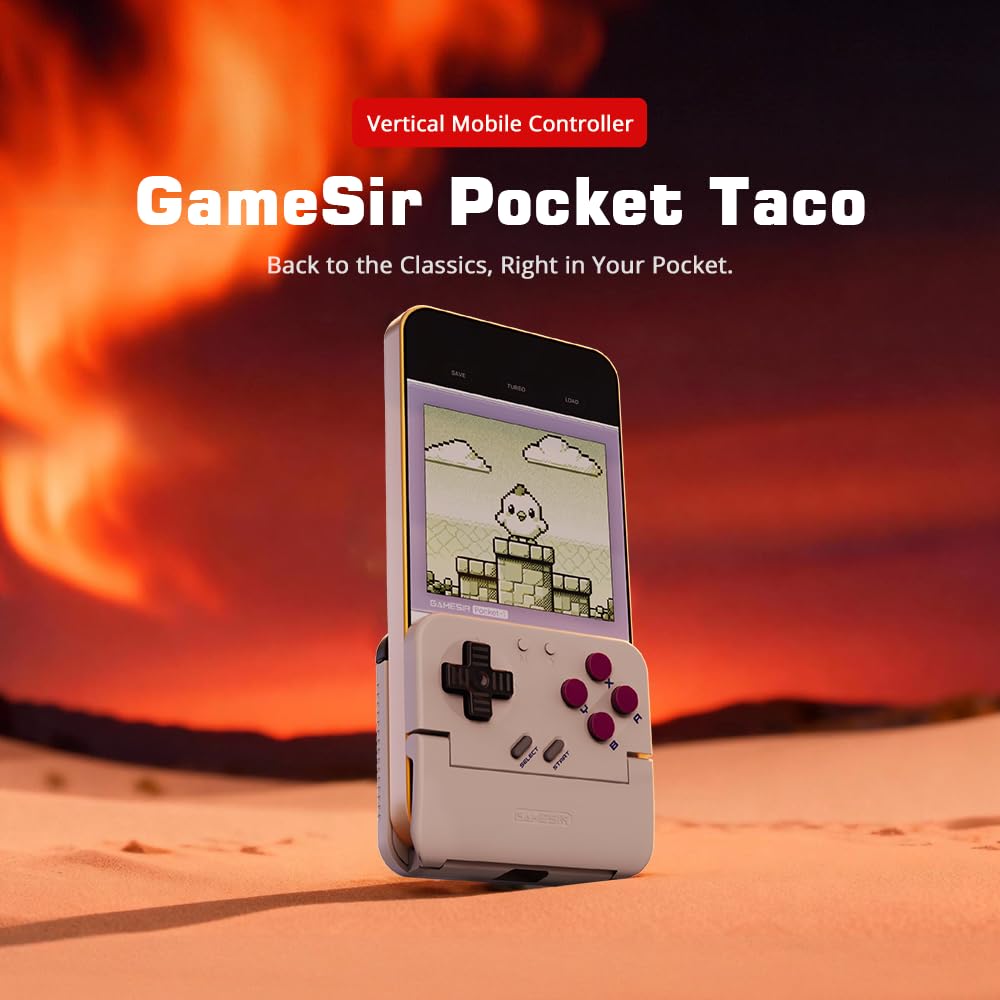
Figure 1: GameSir Pocket Taco attached to a smartphone, ready for vertical gaming.
Video 1: Krajview of the GameSir Pocket Taco Vertical Mobile Gaming Controller, showcasinnjegov dizajn i značajke.
2. Ključne značajke
- Vertical Retro Arcade Design: Transforms your phone into a classic vertical handheld gaming device, ideal for retro titles and vertical shoot 'em ups.
- Ultra-prijenosan i lagan: Weighing only 62.2g, this compact Bluetooth controller is easy to carry and includes a durable PP storage box for protection.
- Smart Power & Seamless Bluetooth Connectivity: Automatically powers on when unfolded and off when closed. Offers low-latency wireless gaming on Android and other compatible devices.
- Long-Lasting 600 mAh Battery & Pass-Through Charging: Provides hours of gameplay on a single charge. The hollow-bottom design allows simultaneous phone charging while gaming.
- Customizable Controls via GameSir App: Remap buttons, enable D-pad diagonal lock, switch to keyboard mode, and access G-Touch/V-Touch support for precise inputs.
- Phone-Friendly Silicone Protection: Soft silicone pads in the clamp area protect your phone from scratches and ensure a secure fit during intense gaming sessions.

Figure 2: Experience vertical handheld gaming by attaching your smartphone to the GameSir Pocket Taco.
3. Postavljanje i povezivanje
3.1 Početno postavljanje
- Raspakirati: Carefully remove the GameSir Pocket Taco from its packaging.
- Pregledati: Check for any visible damage or missing components.
- Naplatiti: Ensure the controller is sufficiently charged before first use. Connect the USB-C cable to the charging port on the controller.
- Umetni telefon: Gently open the controller's clamp and insert your smartphone. The silicone pads will secure your device and prevent scratches.
3.2 Bluetooth veza
The GameSir Pocket Taco supports multiple connection modes for various platforms. Follow the steps below for your specific device:

Figure 3: The GameSir Pocket Taco offers seamless Bluetooth connectivity across various compatible devices.
3.2.1 iOS Connection (DS4 Mode)
- Pritisnite i držite Početna tipka i zadana Gumb simultaneously for 2 seconds until the indicator light turns solid and flashes rapidly.
- On your iOS device, open Bluetooth postavke.
- Select "DUALSHOCK 4 Wireless Controller" from the available devices to connect.
- A solid indicator light on the controller confirms a successful connection.
3.2.2 Android Connection (Android Mode)
- Pritisnite i držite Početna tipka i zadana Gumb B simultaneously for 2 seconds until the indicator light turns solid and flashes rapidly.
- On your Android device, open Bluetooth postavke.
- Select "GameSir-Pocket 1" or "GameSir-Pocket 1_G" from the available devices to connect.
- A solid indicator light on the controller confirms a successful connection.
3.2.3 Switch Connection (Switch Mode)
- Pritisnite i držite Početna tipka i zadana Gumb X simultaneously for 2 seconds until the indicator light flashes up and down rapidly.
- On your Nintendo Switch, go to the Početni izbornik, zatim odaberite "Kontrolori", a zatim "Promjena hvata/redoslijeda" za ulazak u način uparivanja.
- Wait for the connection to be established. A solid indicator light on the controller confirms a successful connection.
3.2.4 G-Touch Mode Connection
- Pritisnite i držite Početna tipka i zadana Gumb Y simultaneously for 2 seconds until the indicator light turns solid and flashes rapidly.
- On your Android device, open Bluetooth postavke.
- Select "GameSir-Pocket 1_G" from the available devices to connect.
- A solid indicator light on the controller confirms a successful connection.
4. Upute za rad
4.1 Uključivanje/isključivanje
- Uključivanje: Unfold the controller to automatically power it on.
- Isključivanje: Close the controller to automatically power it off.
4.2 Punjenje
The GameSir Pocket Taco features a 600mAh battery. To charge, connect a USB-C cable to the charging port located on the top of the controller. The hollow-bottom design allows you to charge your phone simultaneously while playing.

Figure 4: Key features of the GameSir Pocket Taco, including pass-through charging and protective silicone pads.
4.3 Customizable Controls (GameSir App)
Download the official GameSir App to unlock advanced customization options:
- Ponovno mapiranje gumba: Assign functions to different buttons for personalized gameplay.
- D-pad Diagonal Lock: Enable or disable diagonal input for the D-pad.
- Način rada tipkovnice: Switch to keyboard mode for a more flexible control experience.
- G-Touch/V-Touch Support: Utilize advanced touch mapping features for specific games.
- Ažuriranja firmvera: Keep your controller up-to-date with the latest software enhancements.

Figure 5: Customize your GameSir Pocket Taco settings and update firmware using the dedicated GameSir App.
5. Njega i održavanje
- Čišćenje: Za čišćenje kontrolera koristite meku, suhu krpu. Izbjegavajte abrazivna sredstva za čišćenje ili otapala.
- Skladištenje: When not in use, store the GameSir Pocket Taco in its durable PP storage box to protect it from dust, scratches, and impacts.
- Rukovanje: Do not apply excessive force when opening or closing the controller to prevent damage to the hinge mechanism.
- Temperatura: Avoid exposing the controller to extreme temperatures or direct sunlight for prolonged periods.
6. Rješavanje problema
6.1 Problemi s vezom
- Kontroler se ne povezuje: If the connection fails, press and hold the 'M' button and the 'Home' button on the controller for 2 seconds to re-enter pairing mode. Ensure Bluetooth is enabled on your device and the correct mode (iOS, Android, Switch, G-Touch) is selected.
- Povremena veza: Ensure the controller is within range of your device and there are no significant obstructions. Fully charge the controller and your device.
6.2 Odziv gumba
- Gumbi ne reagiraju: Ensure the controller is properly connected. Check for firmware updates via the GameSir App.
- D-pad issues: Some users have reported issues with D-pad responsiveness. Ensure firmware is up-to-date. If issues persist, contact GameSir support.
6.3 Problemi s punjenjem
- Kontroler se ne puni: Use the provided USB-C cable or a compatible cable. Ensure the cable and power adapter are functioning correctly.
7. Specifikacije
| Značajka | Detalj |
|---|---|
| Naziv modela | GameSir Pocket Taco |
| Marka | GameSir |
| Kompatibilni uređaji | Android (also supports iOS, Switch, PC via specific modes) |
| Vrsta kontrolera | Gamepad |
| Povezivost | Bežično (Bluetooth) |
| Kapacitet baterije | 600 mAh |
| Priključak za punjenje | USB-C (Pass-Through Charging for phone) |
| Težina artikla | 0.2 kilograma (otprilike 62.2 g) |
| Boja | Bijela |
| Hardverska platforma | Pametni telefon |
8. Jamstvo i podrška
For warranty information, technical support, or service inquiries, please refer to the documentation included with your product or visit the official GameSir webstranicu. Sačuvajte račun kao dokaz o kupnji za slučaj reklamacije.