
1. Uvod
Thank you for choosing the THOMSON TDF-1001P Digital Photo Frame. This device allows you to display your favorite photos and videos, play music, and utilize features like a calendar, clock, and alarm. With Wi-Fi connectivity, you can easily share media and receive weather updates. Please read this manual thoroughly before operating the device to ensure proper use and maintenance.
2. Sigurnosne informacije
- Ne izlažite uređaj vlazi, kiši ili ekstremnim temperaturama.
- Izbjegavajte postavljanje uređaja blizu izvora topline ili na izravnu sunčevu svjetlost.
- Koristite samo priloženi adapter za napajanje. Korištenje neovlaštenih adaptera može oštetiti uređaj i poništiti jamstvo.
- Ne pokušavajte sami rastavljati ili popravljati uređaj. Sve servisne radove prepustite kvalificiranom osoblju.
- Držite uređaj podalje od jakih magnetskih polja.
- Clean the screen with a soft, dry cloth. Do not use liquid cleaners or sprays directly on the screen.
3. Sadržaj paketa
Molimo provjerite paket za sljedeće stavke:
- THOMSON TDF-1001P Digital Photo Frame
- Adapter napajanja
- Korisnički priručnik (ovaj dokument)
- Stalak (ako je primjenjivo)
4. Proizvod je gotovview
Upoznajte se s komponentama vašeg digitalnog okvira za fotografije.
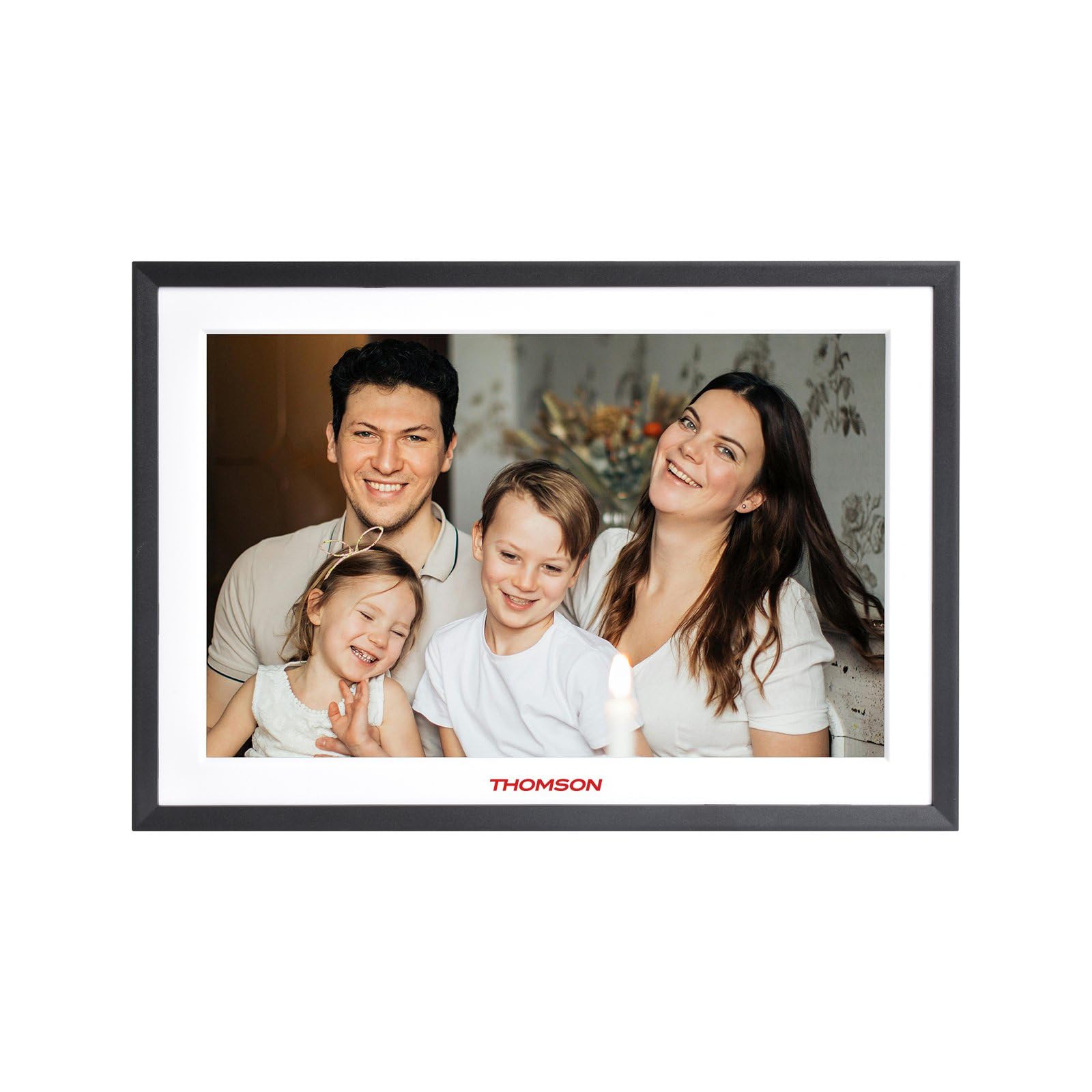
Slika 4.1: Ispred view of the THOMSON TDF-1001P Digital Photo Frame. This image shows the 10.1-inch IPS display with a black frame, designed for clear photo and video playback.
4.1. Prednja ploča
- 10.1-inčni IPS zaslon osjetljiv na dodir: The main display for viewing content and interacting with the device.
4.2. Stražnja ploča i priključci
The rear panel typically includes various ports for connectivity and power.
- Ulazna snaga: Spaja se na priloženi adapter za napajanje.
- USB priključak: Za spajanje USB pogona za prijenos medija.
- Utor za SD karticu: For inserting SD cards to expand storage or transfer media.
- Gumb za resetiranje: A small pinhole button to reset the device if necessary.
5. Postavljanje
5.1. Početno uključivanje
- Unpack the digital photo frame and its accessories.
- Attach the stand to the back of the frame, ensuring it is securely fastened.
- Connect the power adapter to the power input port on the frame.
- Uključite adapter za napajanje u zidnu utičnicu. Okvir će se automatski uključiti.
- Slijedite upute na zaslonu za odabir jezika i regije.
5.2. Wi-Fi veza
Connecting to Wi-Fi enables online features like photo sharing and weather updates.
- U glavnom izborniku dodirnite 'Postavke'.
- Odaberite 'Wi-Fi' ili 'Mrežne postavke'.
- Toggle Wi-Fi to 'On'. The frame will scan for available networks.
- Odaberite željenu Wi-Fi mrežu s popisa.
- Enter the Wi-Fi password using the on-screen keyboard and tap 'Connect'.
- Nakon povezivanja, na statusnoj traci pojavit će se ikona Wi-Fi mreže.
5.3. App Setup for Sharing
To share photos and videos via Wi-Fi, you will need to install the dedicated app on your smartphone.
- Locate the app name or QR code in the frame's settings under 'Cloud Services' or 'App Connection'.
- Download and install the app on your smartphone from your device's app store.
- Otvorite aplikaciju i kreirajte račun ili se prijavite.
- Follow the app's instructions to pair your smartphone with the digital photo frame, typically by scanning a QR code displayed on the frame or entering a unique device ID.
- Once paired, you can send photos and videos directly from your smartphone to the frame.
6. Upravljanje digitalnim okvirom za fotografije
6.1. Navigacija sučeljem
The frame features a touch screen for easy navigation. Tap icons to open applications and swipe to browse content or menus.
6.2. Photo and Video Playback
- From the main menu, tap the 'Photos' or 'Gallery' icon.
- Select the source of your media (Internal Storage, SD Card, USB Drive, or Cloud/App).
- Browse through your albums or individual files. Tap on a photo or video to view to.
- During playback, you can typically swipe left/right to navigate between files, or tap the screen to reveal playback controls (play/pause, next, previous, rotate, delete).
6.3. Reprodukcija glazbe
- Tap the 'Music' icon from the main menu.
- Odaberite izvor svoje glazbe files.
- Browse and tap on a song to begin playback.
- Use the on-screen controls for play/pause, skip, volume adjustment, and repeat modes.
6.4. Calendar, Clock, and Alarm
- Kalendar: Tap the 'Calendar' icon to view the current date and month. Some models may allow adding events.
- Sat: The current time is usually displayed on the home screen. Time settings can be adjusted in the 'Settings' menu.
- Alarm: Access the 'Alarm' function via the main menu or 'Settings'. You can set multiple alarms with custom times and sounds.
6.5. Weather Updates
If connected to Wi-Fi, the frame can display local weather information.
- Ensure the frame is connected to Wi-Fi.
- Go to 'Settings' and find 'Weather' or 'Location Services'.
- Enable weather updates and set your location (either automatically or manually).
- The weather forecast will then be displayed on the home screen or a dedicated weather widget.
7. Održavanje
7.1. Čišćenje uređaja
- Uvijek isključite uređaj i iskopčajte ga iz struje prije čišćenja.
- Use a soft, lint-free cloth to gently wipe the screen and frame.
- Za tvrdokorne mrlje na ekranu, lagano očistiteampen the cloth with water or a screen-safe cleaning solution, then wipe gently. Do not spray liquids directly onto the screen.
- Izbjegavajte abrazivna sredstva za čišćenje ili otapala.
7.2. Skladištenje
When not in use for extended periods, store the digital photo frame in a cool, dry place, away from direct sunlight and extreme temperatures. It is recommended to keep the original packaging for storage.
8. Rješavanje problema
Ovaj odjeljak obrađuje uobičajene probleme s kojima se možete susresti.
| Problem | Mogući uzrok | Otopina |
|---|---|---|
| Okvir se ne uključuje. | Adapter za napajanje nije spojen ili je neispravan. | Provjerite je li adapter za napajanje sigurno spojen na okvir i ispravnu utičnicu. Pokušajte s drugom utičnicom. |
| Ne mogu se spojiti na Wi-Fi. | Netočna lozinka, izvan dometa ili problem s usmjerivačem. | Verify the Wi-Fi password. Move the frame closer to the router. Restart your Wi-Fi router. |
| Fotografije/videozapisi se ne prikazuju. | Nepodržano file format, oštećen files, or incorrect source selected. | Osigurati files are in supported formats (e.g., JPEG for photos, MP4 for videos). Check if the files are corrupted. Select the correct storage source (SD card, USB, internal). |
| Zaslon osjetljiv na dodir ne reagira. | Privremeni softverski kvar. | Restart the frame by unplugging and replugging the power adapter. If the issue persists, use a pin to press the reset button on the back. |
9. Specifikacije
| Značajka | Specifikacija |
|---|---|
| Model | TDF-1001P |
| Veličina zaslona | 10.1 inča |
| Rezolucija | 800 * 1280 IPS |
| Omjer slike | 16:10 |
| Internal Flash Storage | 32 GB |
| Zaslon osjetljiv na dodir | G+P Type |
| Povezivost | Wi-Fi |
| Funkcije | Photo, Music, Video, Calendar, Clock, Alarm, Weather, Wi-Fi Sharing |
| Materijal | Plastic black frame and white middle frame |
| Dimenzije predmeta (D x Š) | 7.25 cm D x 10.44 cm Š |
| Izvor napajanja | Električni na kabel |
10. Informacije o jamstvu
The THOMSON TDF-1001P Digital Photo Frame comes with a 1-godišnje ograničeno jamstvo from the date of purchase. This warranty covers manufacturing defects in materials and workmanship under normal use. It does not cover damage caused by misuse, accidents, unauthorized modifications, or external causes such as power surges.
Please retain your proof of purchase for warranty claims. For detailed warranty terms and conditions, refer to the warranty card included in your package or contact customer support.
11. Korisnička podrška
If you have any questions, require technical assistance, or need to make a warranty claim, please contact THOMSON customer support. Refer to the contact information provided on the product packaging or the official THOMSON webmjesto.
When contacting support, please have your product model number (TDF-1001P) and proof of purchase readily available.