
1. Uvod
Welcome to the user manual for your new TCL 65A400 Pro 65-inch 4K UHD MiniLED Smart TV. This guide provides essential information for setting up, operating, maintaining, and troubleshooting your television. Please read these instructions carefully to ensure proper use and to maximize your viewiskustvo.
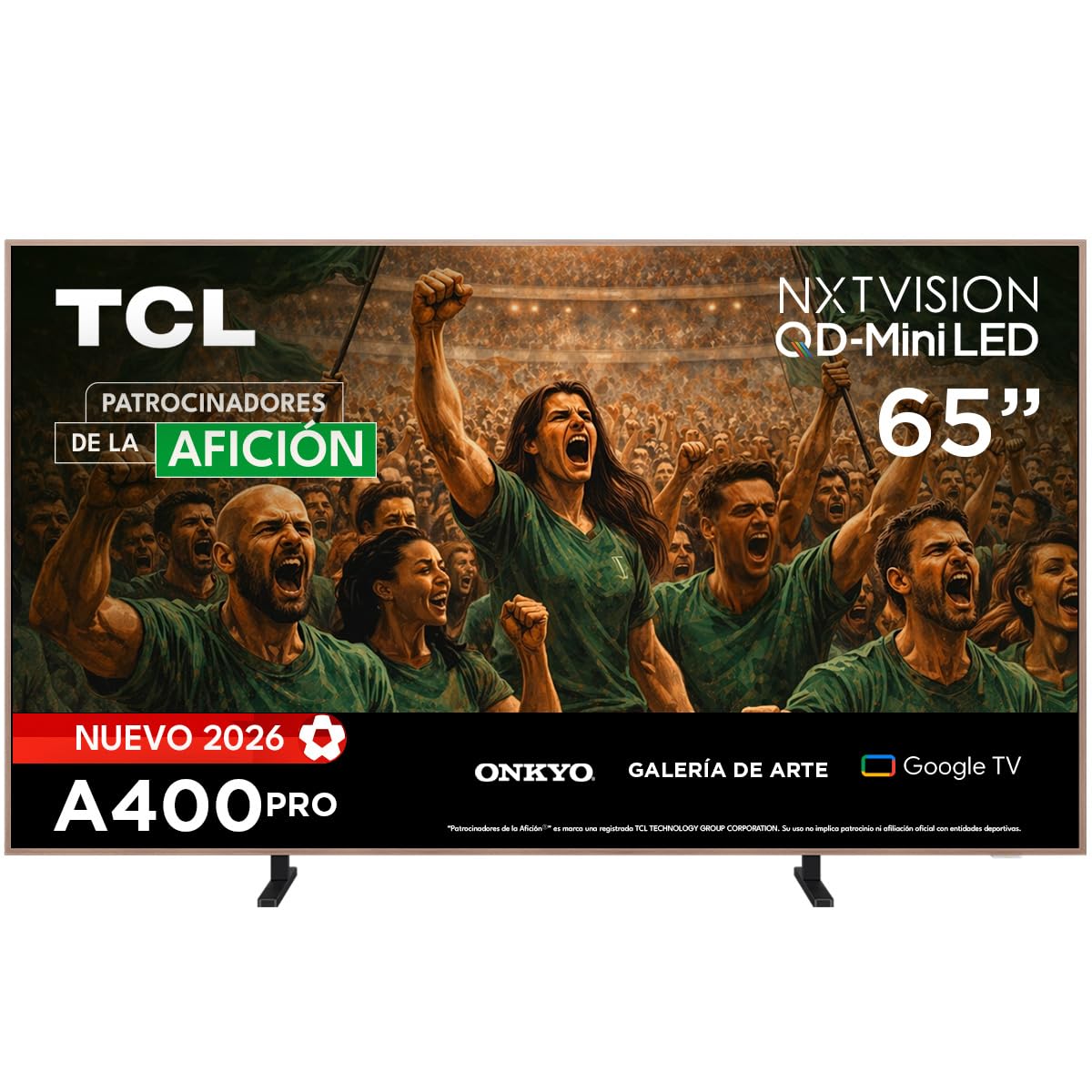
Slika: prednja strana view of the TCL 65A400 Pro 65-inch Smart TV.
2. Što je u kutiji
Prije početka, provjerite sadržaj paketa kako biste bili sigurni da su svi elementi prisutni:
- TCL Smart TV with Google TV
- Stalak za stol
- Kabel za napajanje
- Kratki vodič za početak
- Daljinski upravljač i baterije

Image: Diagram showing the TV dimensions and a list of included accessories.
3. Postavljanje
3.1 Fizička instalacija
Your TCL 65A400 Pro TV offers flexible installation options:
- Stalak za stol: Attach the included table stand according to the Quick Start Guide for placement on a flat surface.
- Zidni nosač: The TV supports flush wall mounting. Ensure you use a compatible VESA wall mount (sold separately) and follow its installation instructions carefully.
- Easel Bases: Optional easel-style bases are available for a unique display (sold separately).

Image: The ultra-thin design of the TV, suitable for flush wall mounting.
3.2 Povezivanje uređaja
Spojite vanjske uređaje na televizor pomoću dostupnih priključaka:
- HDMI: Use one of the four HDMI ports for high-definition devices like Blu-ray players, game consoles, or cable boxes.
- USB: Two USB ports are available for connecting USB storage devices to play media.
- Vlast: Spojite kabel za napajanje na televizor, a zatim na utičnicu.
3.3 Početno uključivanje i postavljanje mreže
After connecting all devices and power, press the power button on the remote control. Follow the on-screen instructions to complete the initial setup, including connecting to your Wi-Fi network and logging into your Google account for Google TV features.
4. Upravljanje televizorom
4.1 Sučelje Google TV-a
Your TV runs on Google TV, providing a personalized experience with access to streaming services, apps, and content recommendations. Use the remote control to navigate the interface, search for content, and manage your smart home devices.

Image: The Google TV home screen displaying various streaming applications and content.
4.2 Umjetnički način rada
Transform your TV into a digital art display with Art Mode. Access a collection of famous paintings and photographs in stunning 4K UHD. This mode allows your screen to blend seamlessly into your home decor when not actively watching content.

Image: The TV in Art Mode, showcasing a painting in a gallery environment.
4.3 Značajke zaslona
- QD-Mini LED: Experience deep blacks and intense brightness with Quantum Dot and Mini LED technology, offering superior cinematic realism.
- 4K UHD rezolucija: Enjoy incredibly detailed and sharp images.
- 144 Hz VRR: Variable Refresh Rate at 144 Hz provides smooth motion, especially beneficial for gaming.
- Matte Panel: The HVA Matte finish reduces glare from natural or artificial light, maintaining color fidelity and protecting your eyes.

Image: Illustration of QD-Mini LED technology enhancing picture precision, brightness, and contrast.
4.4 Audio sustav
The integrated Onkyo audio system with Dolby Atmos delivers powerful and clear sound, creating an immersive audio experience for all your entertainment.
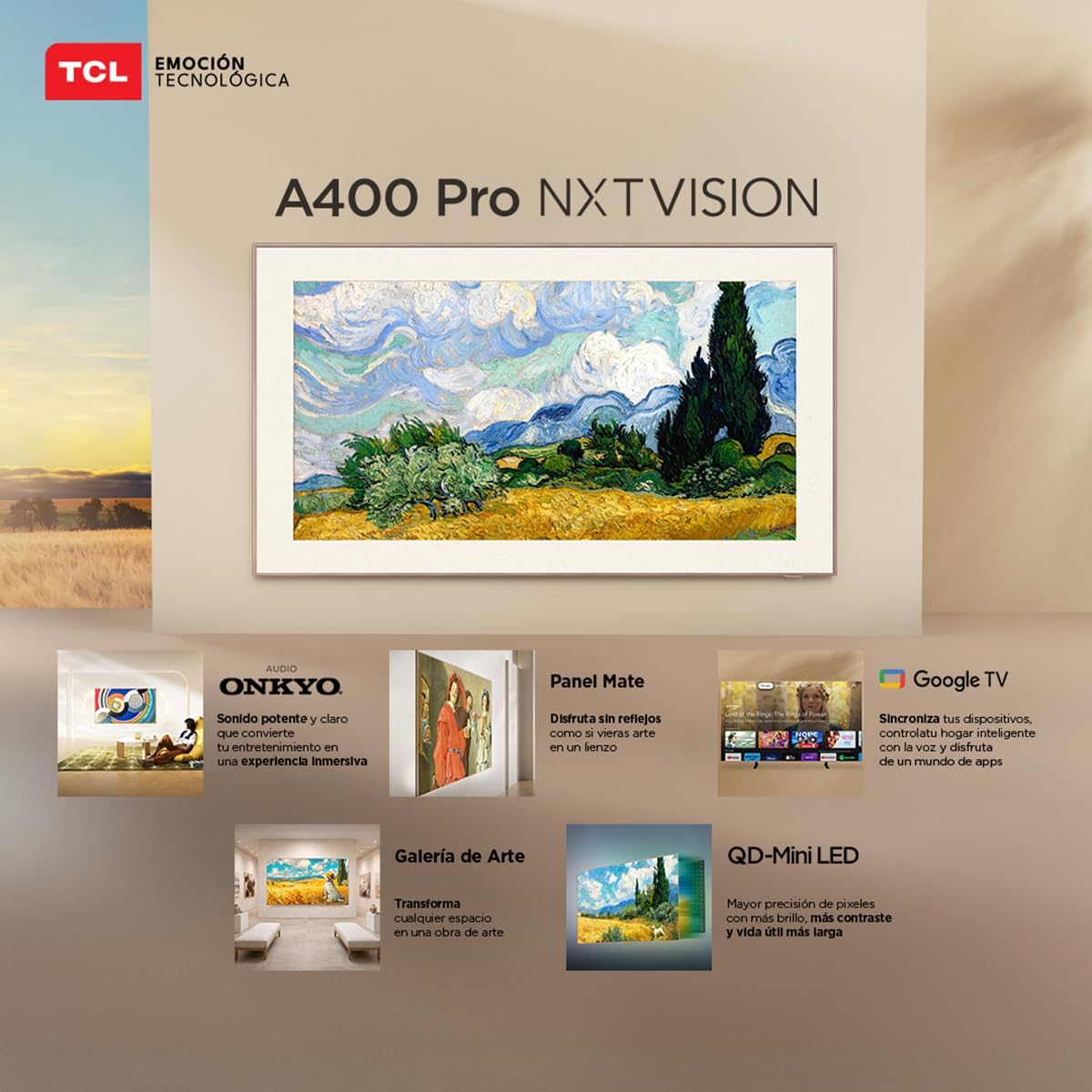
Image: A person enjoying immersive audio from the TV, highlighting the Onkyo sound system.
4.5 Povezivost
Televizor podržava razne mogućnosti povezivanja:
- Wi-Fi: Povežite se s kućnom mrežom za pristup internetu i streaming.
- Bluetooth 5.4: Uparite bežične slušalice, soundbarove ili druge uređaje s omogućenom Bluetooth vezom.
- Chromecast: Built-in Chromecast allows you to cast content from your mobile devices to the TV.
- Alexa kompatibilnost: Upravljajte svojim televizorom pomoću glasovnih naredbi putem kompatibilnih Alexa uređaja.
5. Održavanje
To ensure the longevity and optimal performance of your TCL TV, follow these maintenance guidelines:
- Čišćenje ekrana: Nježno obrišite zaslon mekom, suhom krpom koja ne ostavlja dlačice. Za tvrdokorne mrlje, laganoampIsperite krpu vodom ili specijaliziranim sredstvom za čišćenje zaslona. Izbjegavajte jake kemikalije ili abrazivne materijale.
- Čišćenje okvira: Za čišćenje okvira televizora koristite meku, suhu krpu.
- Ventilacija: Provjerite da ventilacijski otvori na stražnjoj strani televizora nisu blokirani kako biste spriječili pregrijavanje.
- Kabel za napajanje: Redovito provjeravajte kabel za napajanje ima li oštećenja. Ako je oštećen, obratite se korisničkoj podršci za zamjenu.
6. Rješavanje problema
Ako imate problema s televizorom, pogledajte sljedeće uobičajene probleme i rješenja:
| Problem | Moguće rješenje |
|---|---|
| Nema snage | Ensure the power cable is securely connected to both the TV and a working power outlet. Check if the power outlet is functional. |
| Nema slike, ali je zvuk prisutan | Check the input source. Ensure the connected device is powered on and its video output is correctly configured. Try a different HDMI cable. |
| Nema zvuka, ali je slika prisutna | Check the TV's volume and mute settings. Ensure external audio devices (soundbar, receiver) are properly connected and powered on. Check audio output settings on the TV. |
| Daljinski upravljač ne radi | Replace the batteries in the remote control. Ensure there are no obstructions between the remote and the TV's IR sensor. Re-pair the remote if it's a Bluetooth remote. |
| Problemi s Wi-Fi vezom | Restart your router and modem. Go to the TV's network settings and try reconnecting to your Wi-Fi network. Ensure the Wi-Fi password is correct. |
If the problem persists after trying these solutions, please contact TCL customer support.
7. Specifikacije
Key technical specifications for the TCL 65A400 Pro 65-inch Smart TV:
| Značajka | Detalj |
|---|---|
| Veličina zaslona | 65 inča |
| Tehnologija zaslona | 4K, Mini LED |
| Rezolucija | 4K UHD |
| Brzina osvježavanja | 144 Hz (VRR) |
| Podrška za HDR format | Dolby Vision, HDR10+ |
| Operativni sustav | Google TV |
| Način audio izlaza | Surround |
| Integrated Surround Sound Format | Dolby Atmos |
| HDMI priključci | 4 |
| USB priključci | 2 |
| Bluetooth verzija | 5.4 |
| Tehnologija povezivanja | Bluetooth, HDMI, USB, Wi-Fi |
| Posebne značajke | Chromecast, Art Mode |
| Dimenzije proizvoda (DxŠxV) | 4 x 145.2 x 83.3 cm |
| Težina (bez postolja) | 17.6 kilogram |
| Boja | Crna |
| Screen Finish | Mat |
| Model godine | 2026 |
| UPC | 840464047636 |
8. Informacije o jamstvu
Your TCL 65A400 Pro Smart TV comes with a 2-godišnje ograničeno jamstvo from the date of purchase. This warranty covers manufacturing defects under normal use. Please retain your proof of purchase for warranty claims. For full terms and conditions, refer to the warranty card included with your product or visit the official TCL webmjesto.
9. Korisnička podrška
For technical assistance, troubleshooting, or warranty inquiries, please contact TCL customer support:
- Telefon: 800 112 4656
- WhatsApp: 55 7005 5159
- Email: servicio.mx@tcl.com
- Radno vrijeme: Monday to Saturday, 8:00 a.m. to 8:00 p.m. (local time)

Image: TCL Technical Support contact details including phone, WhatsApp, and email.