
Uvod
Thank you for choosing the PUSOKEI Single Ear Bluetooth Headset. This manual provides detailed instructions for the proper setup, operation, and maintenance of your device. Please read this manual thoroughly before use to ensure optimal performance and longevity of your headset.
Sadržaj paketa
Provjerite jesu li sve dolje navedene stavke prisutne u vašem paketu:
- 1 x Bluetooth Earphone
- 1 x Earphone Charging Case
- 2 x Ear Tips (different sizes)
- 1 x USB Adapter (Dongle)
- 1 x Korisnički priručnik (ovaj dokument)
- 1 x USB kabel za punjenje

Image: All components included in the PUSOKEI Single Ear Bluetooth Headset package.
Proizvod gotovview
The PUSOKEI Single Ear Bluetooth Headset is designed for clear communication and comfort. Key features include:
- Bluetooth V6.1: For stable and fast wireless connections.
- ENC Dual Microphone Noise Cancellation: Filters background noise for clear calls.
- IPX6 otpornost na vodu: Štiti od prskanja i znoja.
- Rotatable Earpiece and Ear Hook: Allows wearing on either left or right ear with adjustable fit.
- Višenamjenska tipka (MFB): For call management and media control.
- Gumbi za glasnoću: For adjusting audio levels and track navigation.
Headset Components and Controls
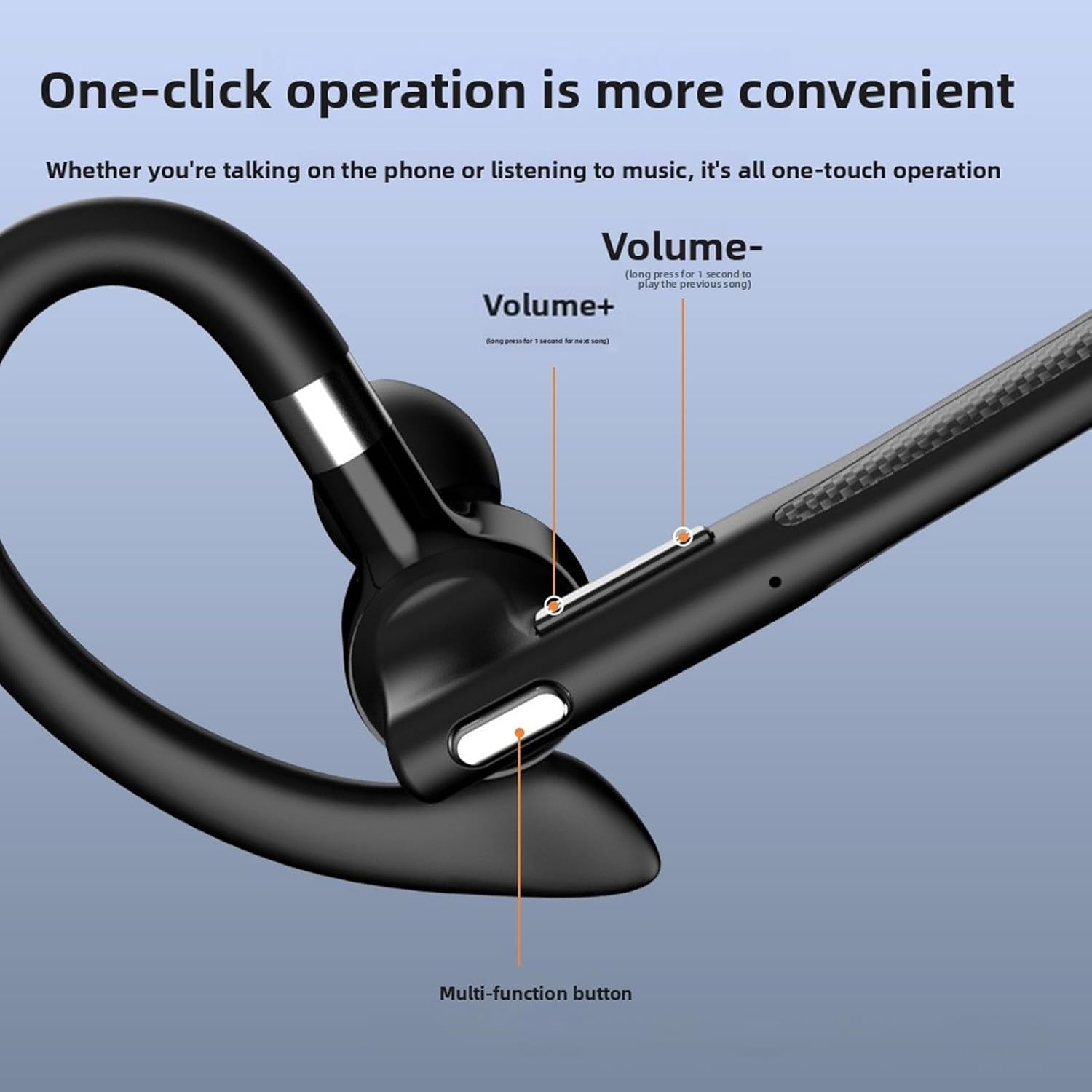
Slika: Detaljna view of the headset's control buttons, including Volume +/-, and the Multi-function button.
- Tipka za glasnoću +: Short press to increase volume. Long press for 1 second to play the next song.
- Volume - Key: Short press to decrease volume. Long press for 1 second to play the previous song.
- Višenamjenska tipka (MFB): Used for power on/off, answering/ending calls, playing/pausing music, and activating voice assistant.
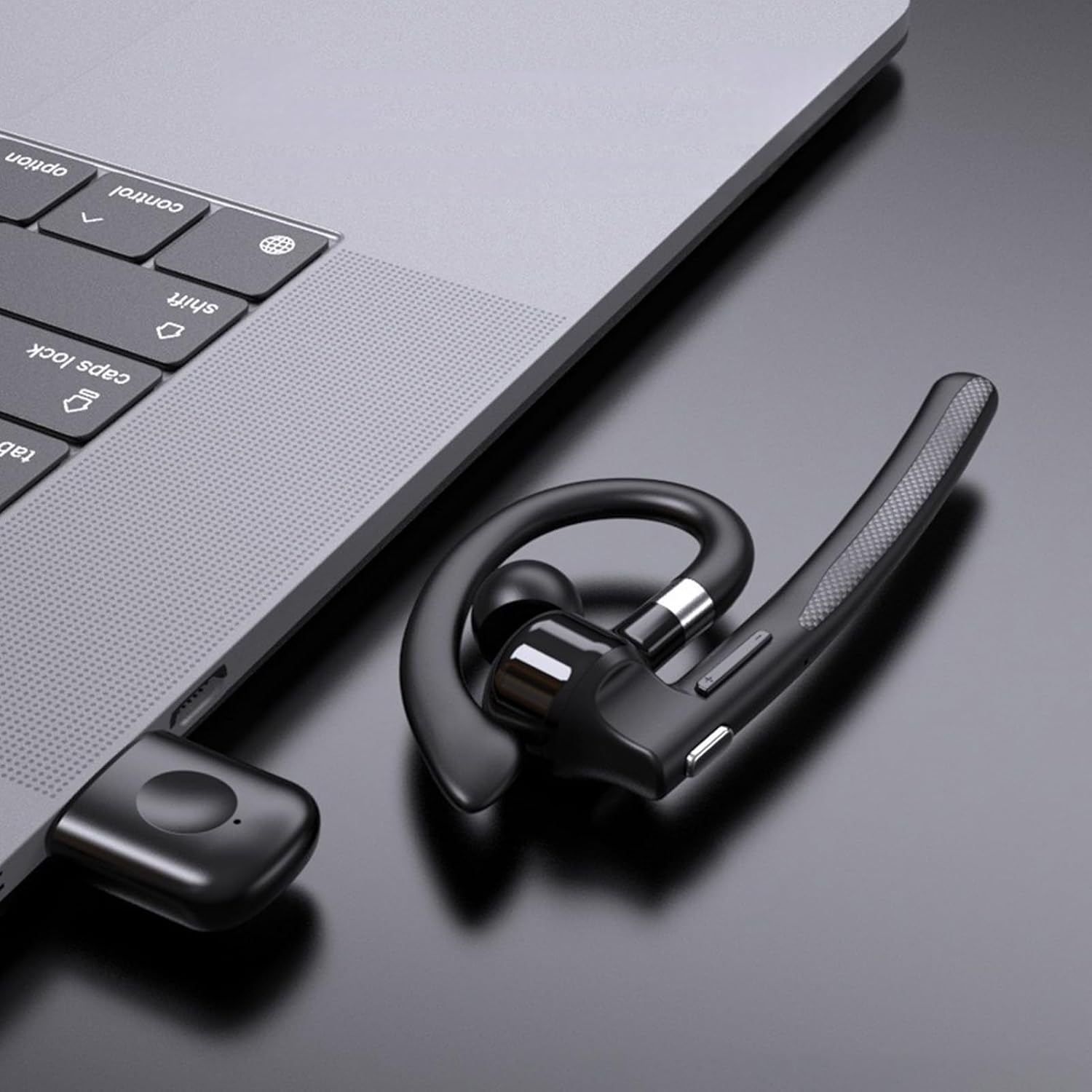
Image: Illustration of the headset's rotatable earpiece and ear hook for left or right ear wearing.
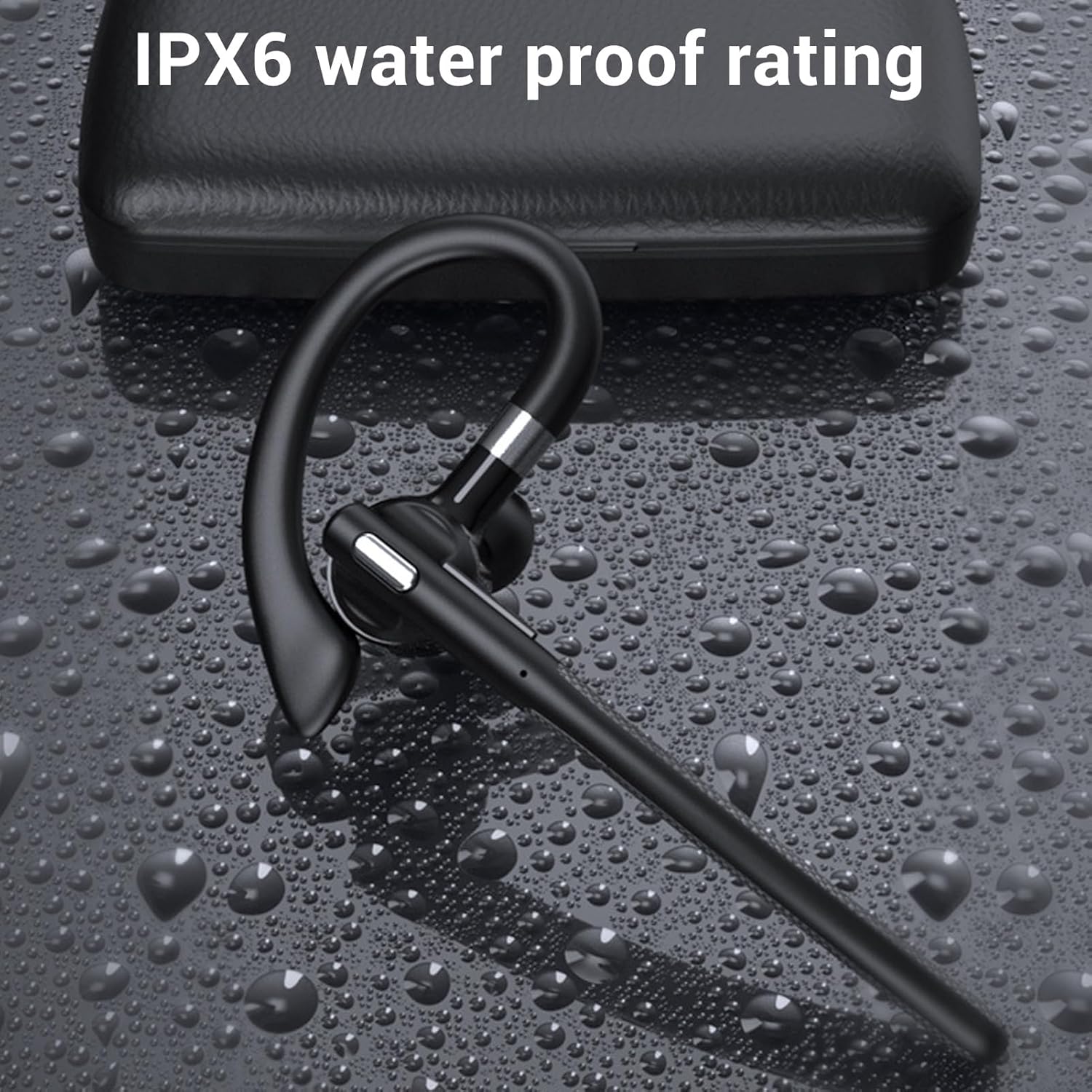
Image: The headset demonstrating its IPX6 water resistance.

Image: The headset highlighting its ENC Dual Microphone Noise Cancellation feature.
Postavljanje
1. Charging the Headset and Charging Case
Prije prve upotrebe, potpuno napunite i slušalice i kutijicu za punjenje.
- Stavite slušalice u kutijicu za punjenje.
- Connect the USB charging cable to the charging case and a power source (e.g., computer USB port, wall adapter).
- The LED display on the charging case will indicate the charging status. Ensure both are fully charged for optimal battery life.
2. Uključivanje/isključivanje
- Uključivanje: Press and hold the Multi-function Button (MFB) for approximately 3 seconds until you hear a voice prompt or see an indicator light.
- Isključivanje: Press and hold the MFB for approximately 5 seconds until you hear a voice prompt or see an indicator light turn off.
3. Bluetooth Pairing (Without USB Dongle)
To connect the headset directly to your phone, tablet, or other Bluetooth-enabled device:
- Provjerite jesu li slušalice isključene.
- Press and hold the MFB for about 5-7 seconds until the indicator light flashes red and blue alternately, indicating pairing mode.
- Na svom uređaju idite na postavke Bluetootha i uključite Bluetooth.
- Tražiti available devices and select "YYK 526 USB" from the list.
- Once connected, the indicator light on the headset will flash blue slowly.
4. Connecting with USB Dongle (For PC/Laptop)
The USB dongle provides a stable connection for computers, especially those without built-in Bluetooth or for enhanced stability.
- Plug the USB adapter (dongle) into an available USB port on your computer.
- Power on the headset (if not already on). The headset will automatically attempt to connect to the dongle.
- Once connected, the indicator light on the headset will flash blue slowly, and the dongle's indicator light will be solid blue.
- On your computer's sound settings, ensure the PUSOKEI headset is selected as the input and output device.

Image: Headset, smartphone, and laptop with USB dongle demonstrating pairing capabilities.
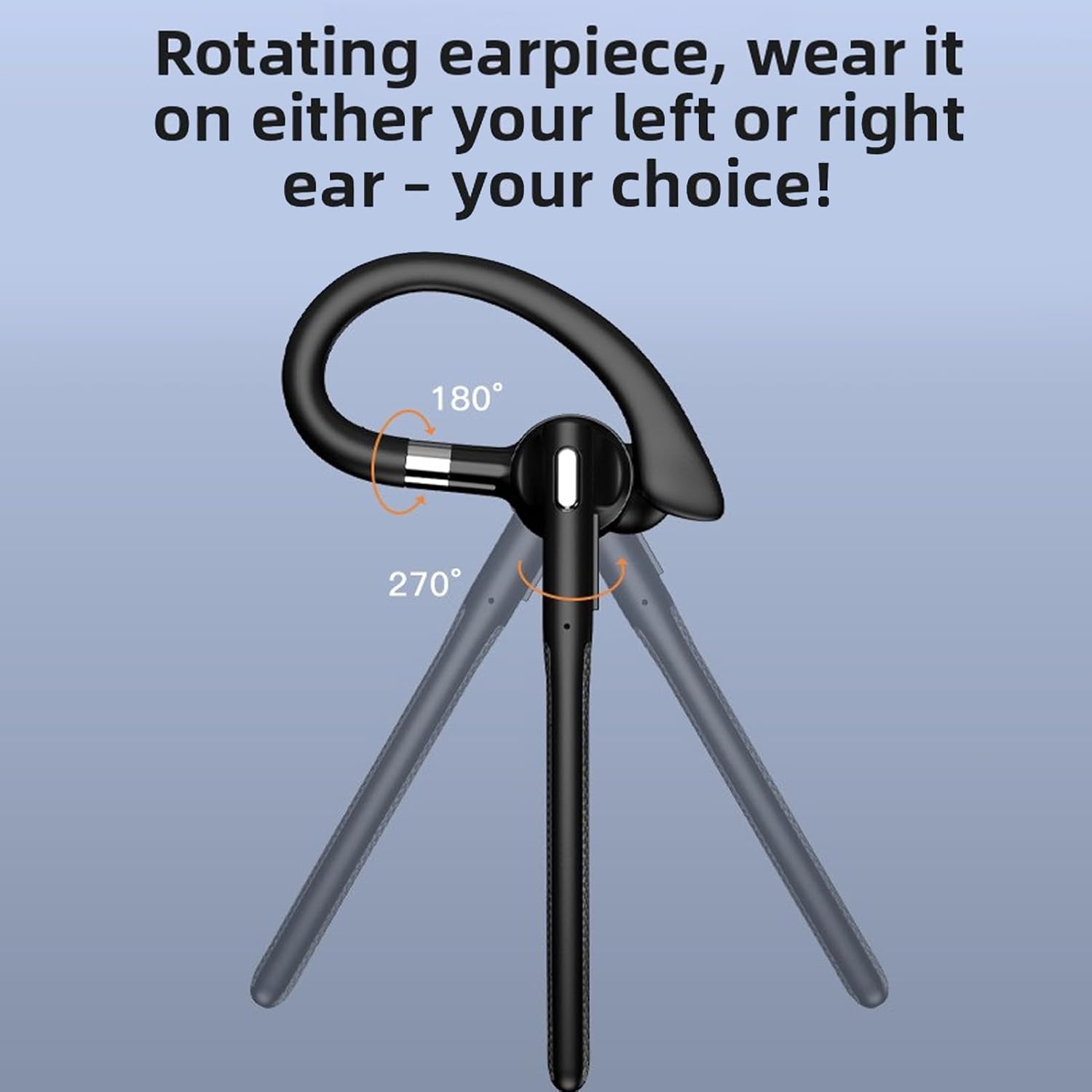
Image: The headset and USB dongle connected to a laptop.
Upute za rad
Nošenje slušalica
The headset features a rotatable earpiece and ear hook for comfortable wear on either your left or right ear.
- Adjust the ear hook to fit comfortably over your ear.
- Rotate the earpiece to position the speaker inside your ear canal and the microphone boom towards your mouth.
- Ensure a snug fit for optimal sound quality and microphone performance.
Upravljanje pozivima
- Odgovori na poziv: Kratko pritisnite MFB.
- Završi poziv: Kratko pritisnite MFB tijekom poziva.
- Odbij poziv: Long press the MFB for 2 seconds during an incoming call.
- Isključi/uključi zvuk: During a call, short press the MFB twice to mute or unmute the microphone.
- Ponovno biranje zadnjeg broja: Dvaput pritisnite MFB kada niste u pozivu.
Reprodukcija glazbe
- Reproduciraj/pauziraj: Kratko pritisnite MFB.
- Sljedeća pjesma: Long press the Volume + button for 1 second.
- Prethodni zapis: Long press the Volume - button for 1 second.
Kontrola glasnoće
- Povećanje glasnoće: Kratko pritisnite tipku za povećanje glasnoće.
- Smanjivanje glasnoće: Kratko pritisnite tipku za glasnoću -.
Glasovni pomoćnik
- Aktiviranje glasovnog asistenta: Triple-press the MFB when not on a call.
Održavanje
Čišćenje
Redovito čišćenje pomaže u održavanju performansi i higijene slušalica.
- Obrišite slušalice i kutijicu za punjenje mekom, suhom krpom koja ne ostavlja dlačice.
- Za tvrdokornu prljavštinu upotrijebite lagano damp krpom blagim sapunom, a zatim odmah obrišite suhom krpom.
- Ne koristite abrazivna sredstva za čišćenje, alkohol ili kemijska otapala.
- The headset has an IPX6 water-resistant rating, meaning it can withstand splashes and sweat. Do not submerge it in water.
Skladištenje
- Kada se ne koriste, slušalice spremite u kutijicu za punjenje kako biste ih zaštitili i održali napunjenima.
- Čuvati na hladnom i suhom mjestu, dalje od ekstremnih temperatura i izravne sunčeve svjetlosti.
Briga o bateriji
- To preserve battery life, charge the headset and case regularly, even if not used frequently.
- Izbjegavajte potpuno pražnjenje baterije dulje vrijeme.
Rješavanje problema
Ako imate problema sa slušalicama, pogledajte sljedeća uobičajena rješenja:
Headset Not Powering On
- Ensure the headset is charged. Place it in the charging case and connect the case to power.
- Press and hold the MFB for at least 3 seconds.
Nije moguće upariti s uređajem
- Ensure the headset is in pairing mode (red and blue indicator lights flashing alternately).
- Make sure Bluetooth is enabled on your device and it is within 10 meters (33 feet) of the headset.
- Forget/delete "YYK 526 USB" from your device's Bluetooth list and try pairing again.
- Ponovno pokrenite i slušalice i uređaj.
Nema zvuka ili je zvuk loše kvalitete
- Provjerite razinu glasnoće i na slušalicama i na povezanom uređaju.
- Ensure the headset is properly connected to your device. Re-pair if necessary.
- If using the USB dongle, ensure it is securely plugged in and the headset is selected as the audio device in your computer's sound settings.
- Move closer to your device to avoid interference or being out of range.
- Pokušajte reproducirati zvuk iz druge aplikacije ili izvora.
Mikrofon ne radi
- Ensure the microphone is not muted (double-press MFB during a call to toggle mute).
- Check your device's settings to ensure the headset is selected as the input (microphone) device.
- Provjerite je li nosač mikrofona ispravno postavljen prema vašim ustima.
Tehnički podaci
| Vrsta stavke | Bluetooth slušalice |
| Model | PUSOKEIxkopsj7mg5 |
| Materijal | ABS |
| Bluetooth verzija | V6.1 |
| Bluetooth podrška | A2DP/AVDTP/AVRCP/RFCOMM/HSP/SPP |
| Udaljenost prijema | Cca. 10m / 32.81ft |
| Bluetooth naziv | YYK 526 USB |
| Frekvencijski pojas | 2.402 GHz - 2.480 GHz |
| Impedancija zvučnika | 32Ω±10% |
| Osjetljivost mikrofona | -84dBm |
| Ocjena otpornosti na vodu | IPX6 |
| Baterija za slušalice | Built-in Polymer Lithium-ion Battery (Capacity: 40mAh) |
| Kutija za punjenje baterije | Built-in Polymer Lithium-ion Battery (Capacity: 500mAh) |
| Vrijeme za razgovor | Do 50 sati |
| Vrijeme pripravnosti | Do 200 sati |
| Težina | Approx. 0.39 oz (earpiece only) |
Informacije o jamstvu
This PUSOKEI product is covered by a manufacturer warranty for 90 days from the date of purchase. This warranty covers manufacturing defects and workmanship. It does not cover damage caused by misuse, accidents, unauthorized modifications, or normal wear and tear.
Zadržite svoj dokaz o kupnji za jamstvene zahtjeve.
podrška
For further assistance, technical support, or warranty inquiries, please contact your retailer or refer to the official PUSOKEI webstranica za kontakt podatke.
When contacting support, please have your product model number (PUSOKEIxkopsj7mg5) and proof of purchase readily available.