
Uvod
The iGPSPORT BSC200S is a wireless GPS bike computer designed to provide comprehensive data and navigation for cyclists. This manual provides instructions for setting up, operating, maintaining, and troubleshooting your device to ensure optimal performance and an enhanced cycling experience.
The BSC200S features a 2.4-inch color display, a 25-hour battery life, USB Type-C interface, and IPX7 water resistance. It supports various sensors via ANT+ and Bluetooth 5.0, including speed, cadence, heart rate, and power sensors, as well as iGPSPORT front lights and radar.

Image: The iGPSPORT BSC200S bike computer, showcasing its compact design and color display.
Postavljanje
Sadržaj paketa
Prije nego što započnete, provjerite jesu li svi artikli prisutni u paketu:
- 1 x BSC200S Bike Computer
- 1 x Gumeni jastučić
- 2 x gumice
- 1 x korisnički priručnik

Image: Contents of the iGPSPORT BSC200S package, including the device, mounting accessories, and manual.
Montaža uređaja
Follow these steps to securely mount your BSC200S on your bicycle handlebar:
- Stack the two fixed bases together.
- Place the stacked base on the bike handlebar.
- Cross the two rubber bands to bind the base firmly.
- Podesite kut za optimalan viewing.
- Fix the bike computer onto the base by twisting it into place.
- Verify that the installation is completed and secure.

Image: Step-by-step guide for mounting the iGPSPORT BSC200S bike computer on a handlebar.
Sensor Pairing (ANT+/Bluetooth 5.0)
The BSC200S supports dual connectivity via ANT+ and Bluetooth 5.0 for stable and accurate data transmission. It is compatible with most speed, cadence, heart rate, and power sensors on the market. To pair a sensor:
- Ensure your sensor is active and within range.
- Navigate to the sensor pairing menu on your BSC200S.
- Select the type of sensor you wish to pair (e.g., speed, cadence, heart rate, power).
- The device will scan for available sensors. Select your sensor from the list to connect.
The device is also compatible with iGPSPORT radar tail lights for enhanced cycling safety.
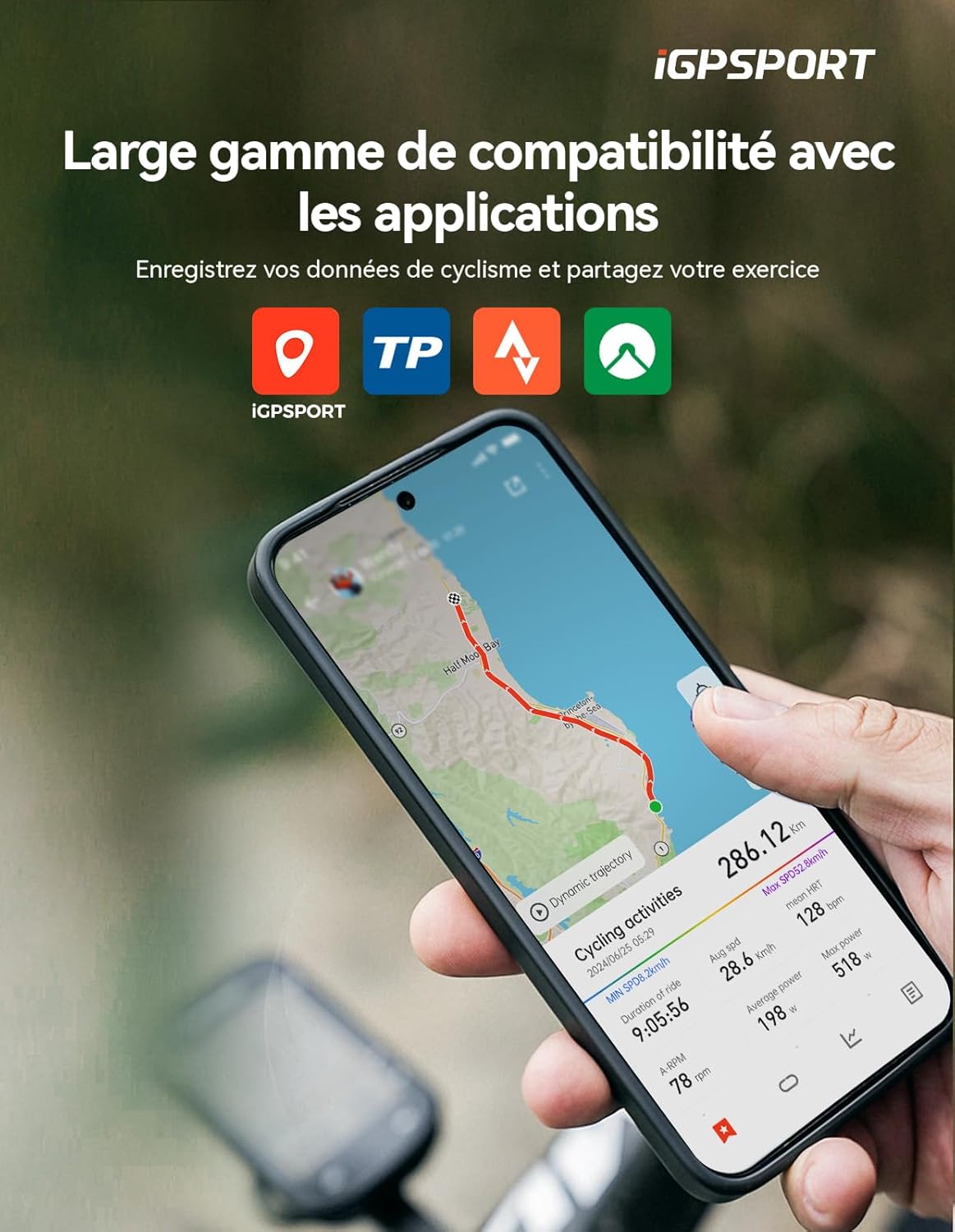
Image: The iGPSPORT BSC200S bike computer connected to various cycling sensors, including speed, cadence, heart rate, and radar tail light.
Upute za rad
Zaslon i sučelje
The BSC200S features a 2.4-inch semi-transmissive color display, which offers improved clarity under strong sunlight. It has 6 physical buttons for easy operation. The backlight brightness can be adjusted automatically based on sunrise and sunset times or manually configured.

Image: Close-up of the iGPSPORT BSC200S display, highlighting its 2.4-inch color screen and data fields.
Značajke navigacije
The device offers colored route navigation. Connect to the iGPSPORT app to create and transfer routes to your bike computer. During navigation, the display shows important information such as turn-by-turn directions, street names, and remaining distance. A deviation alert function helps you stay on track.

Image: The iGPSPORT BSC200S displaying route navigation on a map, with turn indicators and distance information.
One-Touch Navigation
Tražiti a destination in the iGPSPORT app and start navigation directly with a single click. This allows for easy planning of precise routes. You can also configure up to four frequent locations for quick access. The BSC200S allows customization of routes and tracking colors.

Image: A smartphone screen showing the iGPSPORT app with a route selected, demonstrating one-touch navigation to the BSC200S.
Data Display and Recording
The BSC200S offers over 100 data options across 12 categories, supporting various display formats including circular, linear, and bar diagrams. You can customize your riding experience with any combination of data fields.

Image: The iGPSPORT BSC200S display showing multiple data fields and customizable interface options.
Motion Detection and Continuous Recording
The device is equipped with an intelligent activity detection function. When you start riding, the computer automatically begins recording your ride data and sends a reminder to ensure accurate recording of key statistics like speed, distance, and time. It supports continuous recording of cycling data, even over multiple days. If you pause your ride, you can resume recording at any time.

Image: A cyclist riding with the iGPSPORT BSC200S, illustrating the motion detection feature for automatic recording.
Pametne obavijesti
By connecting with a paired smartphone, you can receive call alerts, text messages, and app notifications directly on the BSC200S. This ensures you don't miss important messages while cycling, contributing to a safer ride.

Image: The iGPSPORT BSC200S displaying incoming call and message notifications from a paired smartphone.
Data Analysis and Sharing
The BSC200S integrates with the official iGPSPORT application. After each ride, your data will automatically synchronize with the app for analysis. You can also share your cycling data via popular platforms such as Strava, Komoot, or TrainingPeaks, enhancing your cycling experience, training efficiency, and social interactions.

Image: Smartphone screens showing the iGPSPORT app interface for data analysis and sharing with platforms like Strava.
Global GPS Coverage
The BSC200S is equipped with 5 satellite positioning systems (GPS, GLONASS, Galileo, Beidou, QZSS), providing precise real-time location information. Compared to traditional three or four constellation systems, it acquires signals faster and improves positioning accuracy, ensuring high-precision location data even in urban or mountainous environments.
Održavanje
Čišćenje
To clean your BSC200S, wipe it with a soft, damp cloth. Avoid using abrasive cleaners or solvents that could damage the device's finish or screen. The device has an IPX7 water resistance rating, meaning it can withstand immersion in up to 1 meter of water for 30 minutes. However, it is not recommended for prolonged underwater use.
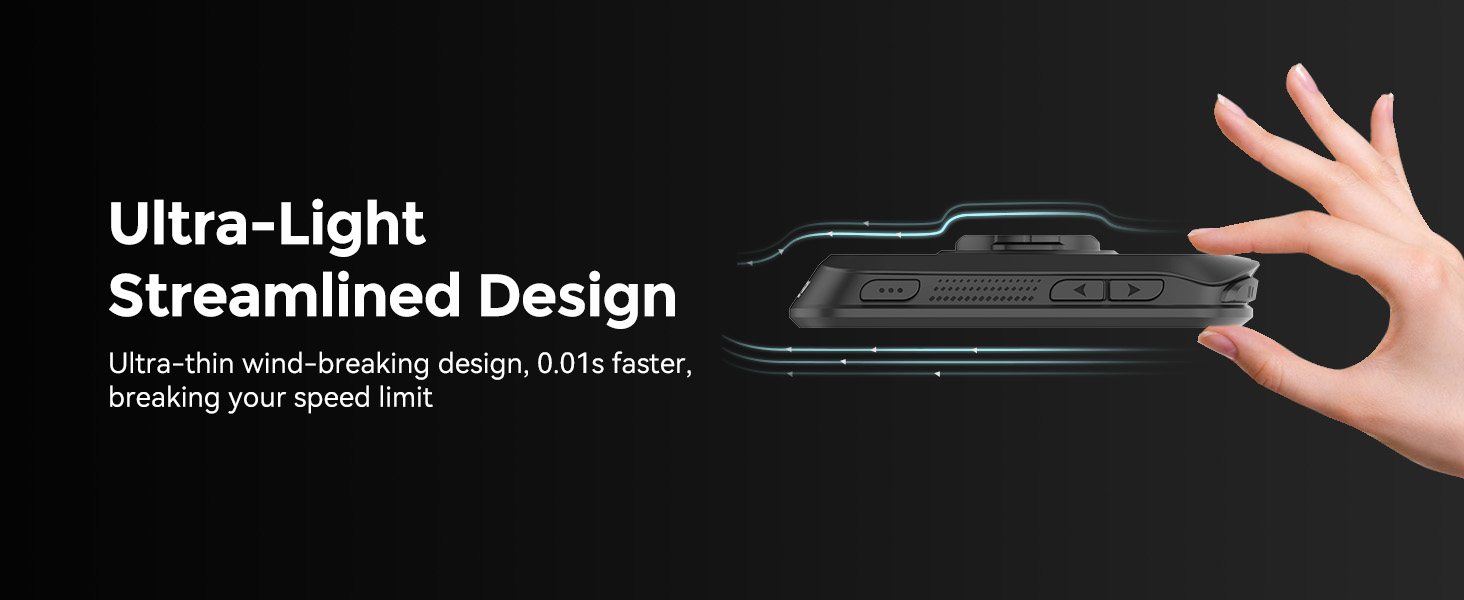
Image: Cyclists riding in the rain, demonstrating the IPX7 water resistance of the iGPSPORT BSC200S.
Briga o bateriji
The BSC200S has a battery life of approximately 25 hours. Charge the device using the provided USB Type-C cable. To prolong battery life, avoid exposing the device to extreme temperatures and store it with a partial charge if not used for extended periods.
Rješavanje problema
If you encounter issues with your iGPSPORT BSC200S, refer to the following common solutions:
- Uređaj se ne uključuje: Provjerite je li uređaj potpuno napunjen. Spojite ga na izvor napajanja pomoću USB Type-C kabela.
- GPS signal nije primljen: Provjerite jeste li na otvorenom prostoru s čistim view of the sky. Allow a few minutes for the device to acquire satellite signals.
- Sensor not connecting: Check that the sensor's battery is not depleted and that it is active and within range of the BSC200S. Re-attempt the pairing process.
- Data not syncing to app: Ensure your BSC200S is paired with your smartphone via Bluetooth and that the iGPSPORT app is open and has the necessary permissions. Check your internet connection.
- Neodzivnost zaslona: Pokušajte ponovno pokrenuti uređaj. Ako se problem nastavi, obratite se korisničkoj podršci.
Tehnički podaci
| Značajka | Specifikacija |
|---|---|
| Marka | iGPSPORT |
| Broj modela | BSC200S |
| Veličina zaslona | 2.4 inča |
| Vrsta zaslona | LCD |
| Dimenzije (D x Š x V) | 8.2 x 5.3 x 1.41 cm |
| Težina | 66 gram |
| Trajanje baterije | 25 sata |
| Vrsta baterije | Litij-polimer |
| Tehnologija povezivanja | ANT+, Bluetooth 5.0 |
| Kompatibilni senzori | Speed, Cadence, Heart Rate, Power, iGPSPORT Radar |
| GPS sustavi | GPS, GLONASS, Galileo, Beidou, QZSS |
| Ocjena vodootpornosti | IPX7 |
| Sučelje | USB Type-C |
| Gumbi | 6 |
| Pohrana podataka | 400 hours of ride data |
Informacije o jamstvu
The iGPSPORT BSC200S bike computer comes with a Jamstvo 2 godine od datuma kupnje. Ovo jamstvo pokriva proizvodne nedostatke i kvarove pri normalnoj uporabi. Molimo sačuvajte dokaz o kupnji za reklamacije. Jamstvo ne pokriva štetu uzrokovanu nepravilnom upotrebom, nezgodama, neovlaštenim preinakama ili normalnim habanjem.
podrška
For further assistance, technical support, or warranty inquiries, please contact iGPSPORT customer service through their official website or the contact information provided with your product packaging. You can also refer to the iGPSPORT application for additional resources and FAQs.


