Proizvod gotovview
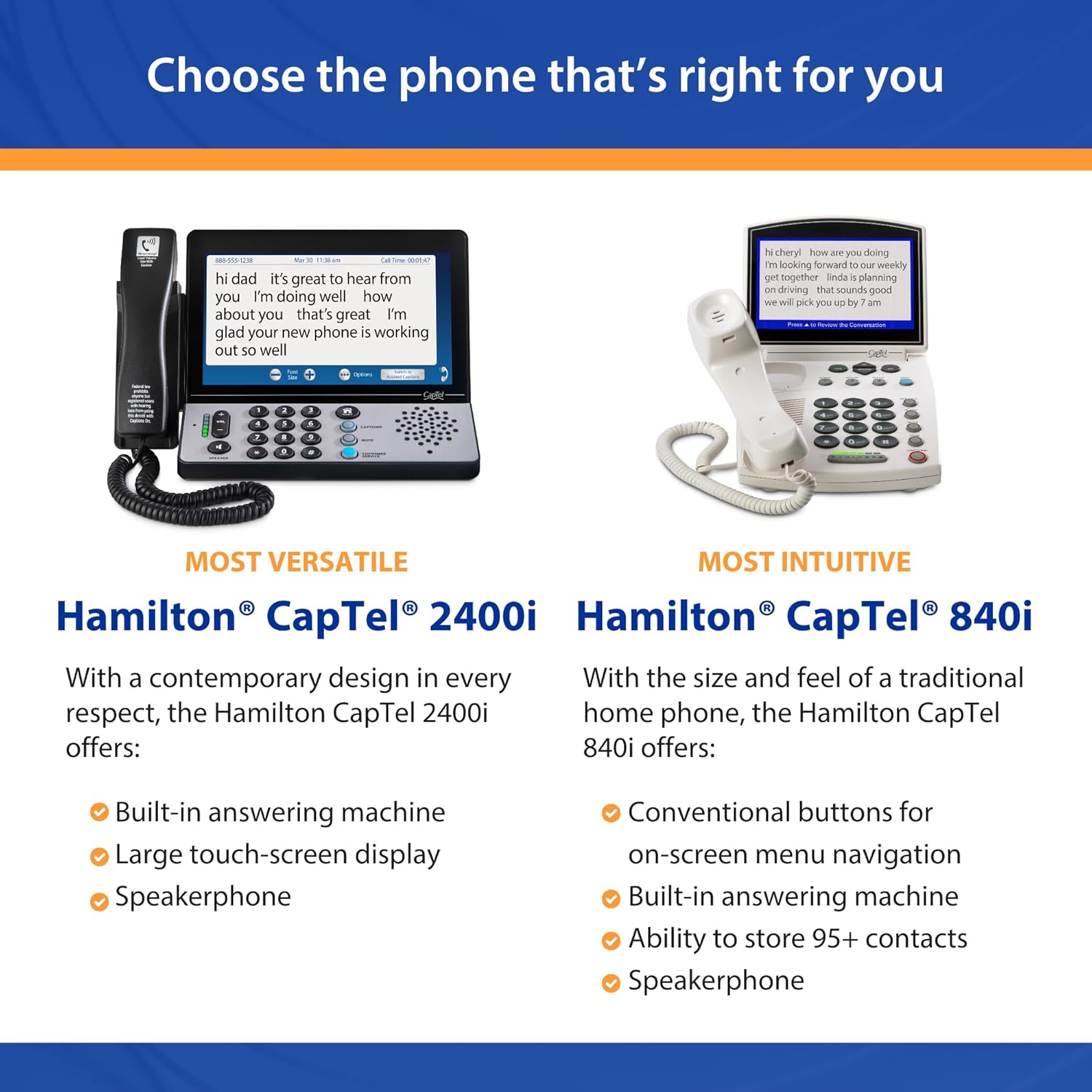
The Hamilton CapTel 840i is a specialized telephone designed to assist individuals with hearing loss by displaying captions of conversations in real-time. This device allows users to listen to the call while simultaneously reading what is being said on a large, easy-to-read screen. It integrates essential telephone functions with advanced captioning technology to ensure clear and confident communication.
Key features include adjustable volume control with up to 40dB amplification, conventional button menu navigation, Wi-Fi capability for internet connection, a built-in answering machine with captioned messages, and the ability to store up to 95 contacts. The captioning service is available nationwide, 24/7, at no additional cost to registered users with hearing loss in the U.S.

Image: The Hamilton CapTel 840i telephone, showcasing its large display screen with real-time captions of a conversation. The phone features a traditional corded handset and a numeric keypad with additional function buttons.
Vodič za postavljanje
Before using your Hamilton CapTel 840i, ensure you have the necessary connections and complete the required registration process. This phone requires both telephone service and a high-speed internet connection.
Zahtjevi:
- Internet velike brzine: This can be an Ethernet cable connection or Wi-Fi.
- Telefonska usluga: Compatible with analog, digital cable, DSL, VoIP, or FIOS services.
- Standard Electrical Power: A standard wall outlet for the power adapter.
Important Note: This product and service are ONLY available in the U.S. Users must register for an account and certify their hearing loss before the product can be used, as per FCC regulations.
Koraci povezivanja:
- Priključite napajanje: Plug the power adapter into the "Power" port on the back of the phone and then into a standard electrical outlet.
- Spojite telefonsku liniju: Connect your telephone line cord from your wall jack to the "Line 1" port on the back of the phone.
- Spoji se na internet:
- Za Ethernet: Connect an Ethernet cable from your internet router to the "Ethernet" port on the back of the phone.
- Za Wi-Fi: Follow the on-screen prompts during initial setup to connect to your wireless network.
- Initial Setup & Registration: Power on the phone. Follow the on-screen instructions to complete the initial setup, including connecting to Wi-Fi if applicable, and registering for the CapTel captioning service. This registration is mandatory for captioning functionality.
Slika: Stražnja strana view of the CapTel 840i, illustrating the various connection ports for telephone line, internet (Ethernet), and power supply.

Image: A visual representation of the necessary connections: a landline telephone service and high-speed internet (Ethernet or Wi-Fi) for the CapTel phone to function.
Upute za rad
The Hamilton CapTel 840i is designed for intuitive use, allowing you to manage calls and access captions effortlessly.
Upućivanje i primanje poziva:
- Za upućivanje poziva: Lift the handset, dial the desired number using the keypad, and press the "CALL" or "SEND" button (if available, otherwise dialing automatically initiates the call).
- Za primanje poziva: Kad telefon zazvoni, podignite slušalicu da biste se javili.
Using Captioning Features:
The core functionality of your CapTel 840i is its real-time captioning. Captions will appear on the large display screen as the other party speaks.
- Activating Captions: For every call, you must press the "CAPTIONS" button to enable the captioning service. This is a requirement by federal law for IP captioned telephones.
- Captioning Methods:
- Auto Captions: Provides automated, computer-generated captions for faster display and greater privacy. No live operator is involved.
- Assisted Captions: Offers higher accuracy with the assistance of a live operator who helps correct and add call details. This method provides enhanced understanding.
- Reviewing Conversations: After a call, you can review the entire conversation on the screen. The phone stores conversations, allowing you to reread them indefinitely until you choose to delete them.

Image: A user engaged in a phone call, simultaneously reading the captions displayed on the CapTel 840i screen, illustrating the dual listening and reading experience.
Kontrola glasnoće i postavke zvuka:
- The phone features adjustable volume control, offering up to 40dB amplification gain. Use the dedicated volume buttons on the phone to adjust the listening level to your comfort.
- The volume can be programmed to automatically adjust to a preferred level when using the captions feature.
Answering Machine with Captions:
- The CapTel 840i includes a built-in digital answering machine.
- When messages are left, captions of the voice messages will play directly on the screen, allowing you to read them for complete clarity.
Upravljanje kontaktima:
- The phone allows you to store up to 95 contacts, making it easy to dial frequently called numbers.
- Use the menu navigation buttons to access and manage your contact list.

Image: An illustrative diagram detailing the key operational features of the CapTel 840i, including its answering machine, captioning options, volume control, and user-friendly design.
Održavanje
Proper maintenance ensures the longevity and optimal performance of your Hamilton CapTel 840i telephone.
- Čišćenje: Koristite meku, suhu ili lagano damp cloth to clean the exterior of the phone and the screen. Avoid using abrasive cleaners, solvents, or excessive moisture, as these can damage the device.
- Veze: Periodically check all cable connections (power, telephone line, Ethernet) to ensure they are secure and free from damage. Loose connections can affect performance.
- Okruženje: Keep the phone in a dry environment, away from direct sunlight, extreme temperatures, and sources of moisture.
Rješavanje problema
If you encounter issues with your Hamilton CapTel 840i, refer to the following common problems and solutions. For persistent issues, contact customer support.
| Problem | Mogući uzrok/rješenje |
|---|---|
| No captions displayed during a call. |
|
| Captions are delayed or inaccurate. |
|
| Nema tona za biranje ili nije moguće upućivati/primati pozive. |
|
| Poor audio quality or low volume. |
|
| Phone not connecting to Wi-Fi. |
|
Tehnički podaci
| Značajka | Detalj |
|---|---|
| Marka | Hamilton |
| Broj modela | LHS-775/002503 (CapTel 840i) |
| Vrsta telefona | Prugast |
| Boja | Bijela |
| Materijal | Plastični |
| Izvor napajanja | Električni na kabel |
| Vrsta sustava sekretarice | Digital (with Captions) |
| Volumen Amposvještavanje | Up to 40dB Gain |
| Kompatibilni uređaji | Analog, Digital Cable, DSL, VoIP, FIOS, High-Speed Internet, Answering Machines |
| Težina artikla | 4 funti (1.81 kg) |
| Dimenzije paketa | 16.42 x 10.08 x 4.02 inča (41.7 x 25.6 x 10.2 cm) |
| Datum prve dostupnosti | 27. kolovoza 2011 |
Jamstvo i podrška
Hamilton is committed to providing reliable support for your CapTel 840i telephone.
- Captioning Service: The nationwide captioning service is available 24/7 at no cost to registered users with hearing loss in the U.S.
- Podrška za instalaciju: Free installation support is available to assist with setting up your device.
- Pravno odricanje od odgovornosti: FEDERAL LAW PROHIBITS ANYONE BUT REGISTERED USERS WITH HEARING LOSS FROM USING INTERNET PROTOCOL (IP) CAPTIONED TELEPHONES WITH THE CAPTIONS TURNED ON. IP Captioned Telephone Service may use a live operator. The operator generates captions of what the other party to the call says. These captions are then sent to your phone. There is a cost for each minute of captions generated, paid from a federally administered fund. To learn more, visit fcc.gov. Third-party charges may apply: the Hamilton CapTel phone requires high-speed internet access (Wi-Fi capable) and in some cases, may require telephone service.
- Kontaktirajte podršku: For technical assistance, troubleshooting beyond this manual, or inquiries regarding your CapTel service, please refer to the contact information provided with your product packaging or visit the official Hamilton CapTel webmjesto.


