1. Uvod
The UHPPOTE HBK-P01 Access Control Power Supply is designed to provide stable 12VDC power for various access control systems, including electric locks, intercoms, cameras, and doorbells. It features a wide input voltage range of 110-240VAC and a working current of 3A, ensuring reliable operation.
Ključne značajke uključuju:
- Diljem svijeta svtage input: 110 - 240VAC.
- Specifically designed for access control systems and intercom cameras.
- Provides 12VDC steady output voltage with 3A working current.
- Equipped with a rotary trimmer potentiometer for accurate delay time adjustment.
- Robust aluminum alloy enclosure with heat dissipation holes for optimal performance.
2. Sigurnosne informacije
OPREZ: OPASNOST OD STRUJNOG UDARA. NE OTVARAJ.
- Prije instalacije ili održavanja provjerite je li sva struja isključena.
- Instalaciju treba izvoditi samo kvalificirano osoblje.
- Ne izlažite uređaj vlazi ili ekstremnim temperaturama.
- Osigurajte ispravno uzemljenje kako biste spriječili električne opasnosti.
- When connecting with an electric controlled lock, the opening time must be set to 0 seconds to prevent damage to the electric bolt lock.
3. Proizvod je gotovview
The HBK-P01 power supply features a durable aluminum alloy enclosure designed for efficient heat dissipation, ensuring stable operation. It includes clearly labeled terminals for easy connection to various access control components.

Figure 3.1: UHPPOTE HBK-P01 Access Control Power Supply

Slika 3.2: Eksplodirano view of the HBK-P01, highlighting its aluminum alloy enclosure and internal circuit board.
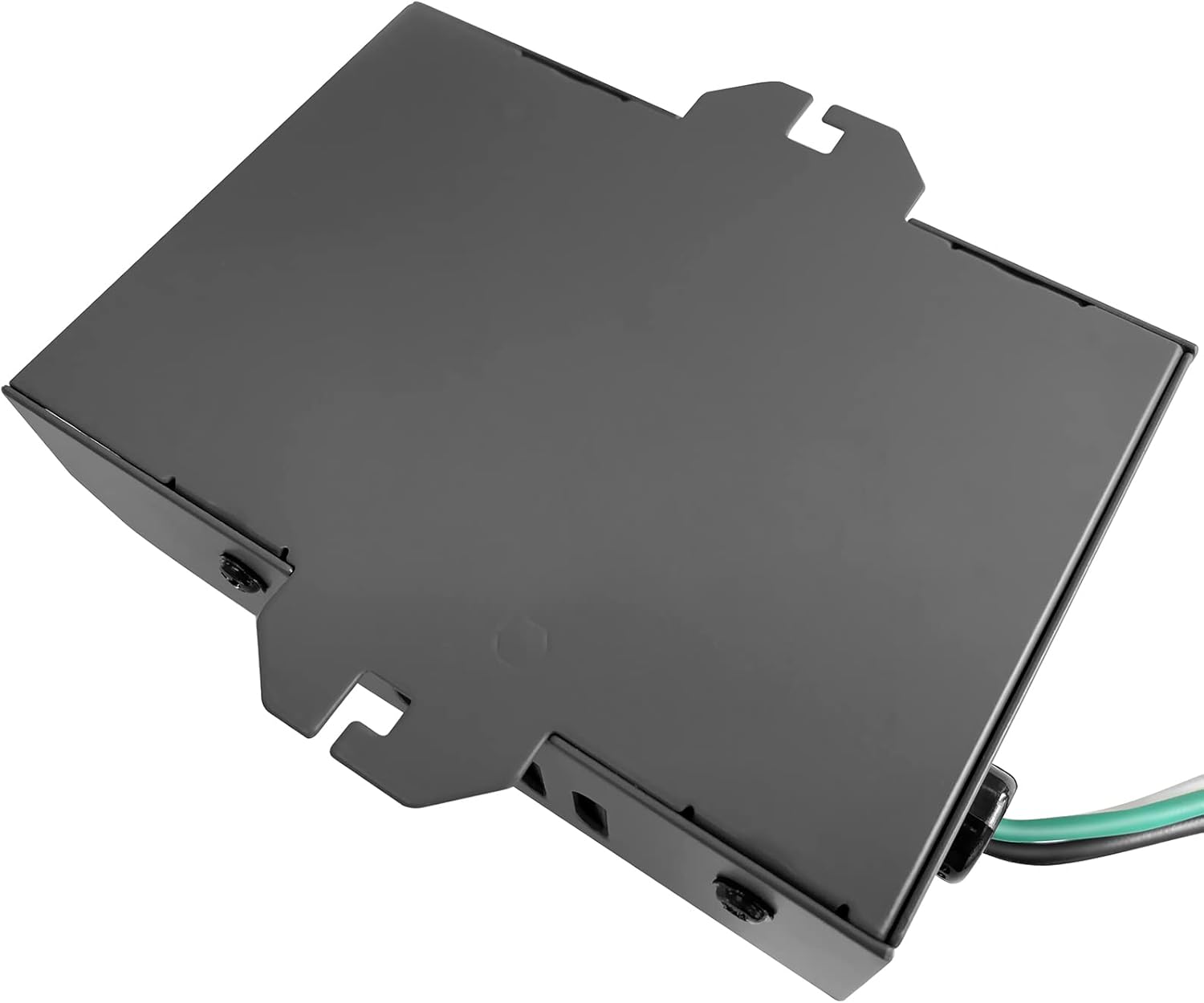
Figure 3.3: Heat dissipation holes on the HBK-P01 enclosure, designed to maintain optimal operating temperature.
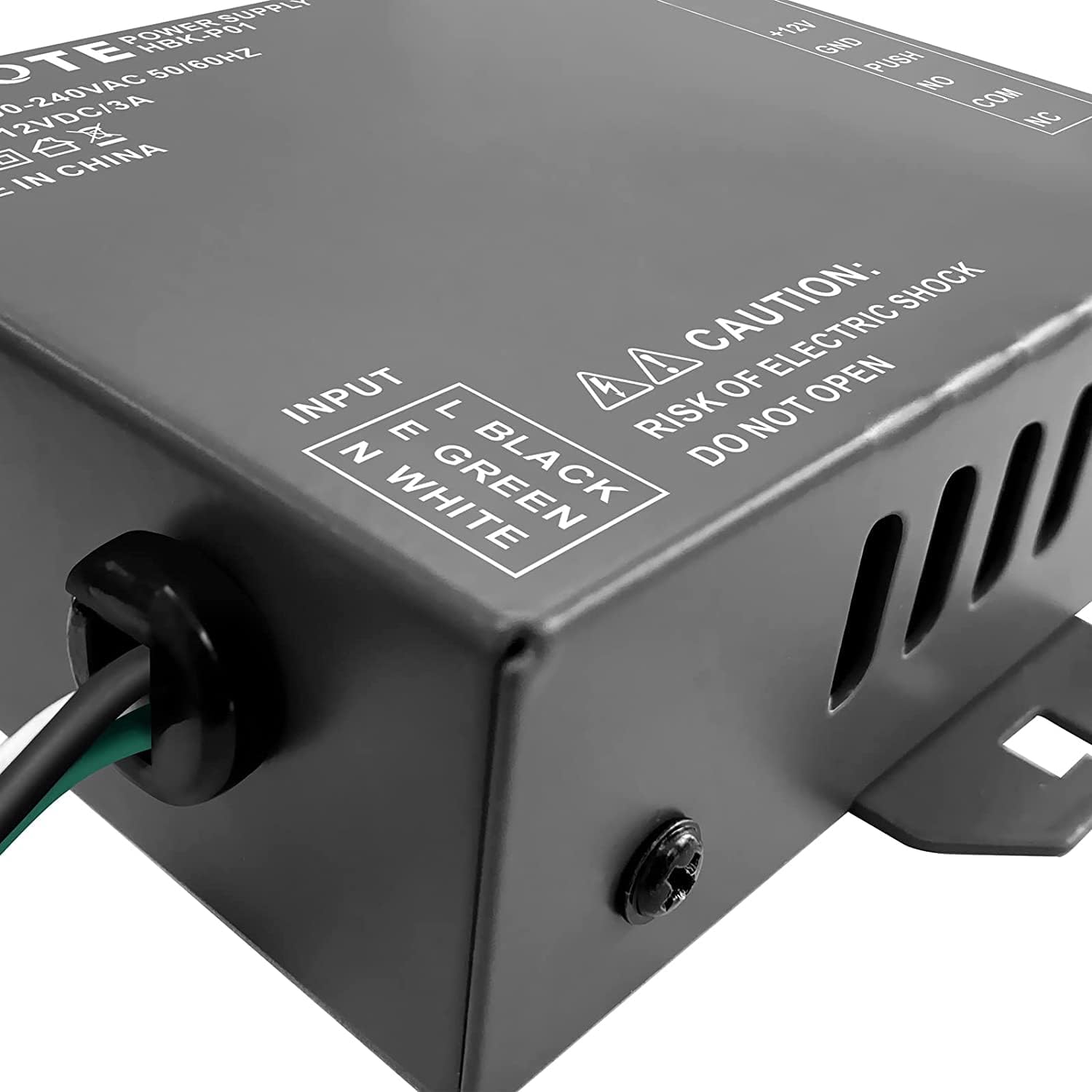
Figure 3.4: Rotary trimmer potentiometer for adjusting the delay time, offering precise control from 0 to 15 seconds.
3.1 Proizvod višeview Video
Video 3.1: An animated overview of the HBK-P01 power supply, detailing its enclosure, heat dissipation features, and delay button functionality. This video also illustrates various wiring connections.
4. Postavljanje i instalacija
Follow these instructions carefully for proper installation and wiring of the HBK-P01 power supply with your access control system components.
4.1 Input Power Wiring
Napajanje prihvaća ulazni voltage of 100-240VAC. Connect the input wires as follows:
- Spojite bijela žica prema neutral wire (N).
- Spojite zelena žica prema earth wire (E).
- Spojite crna žica prema live wire (L).
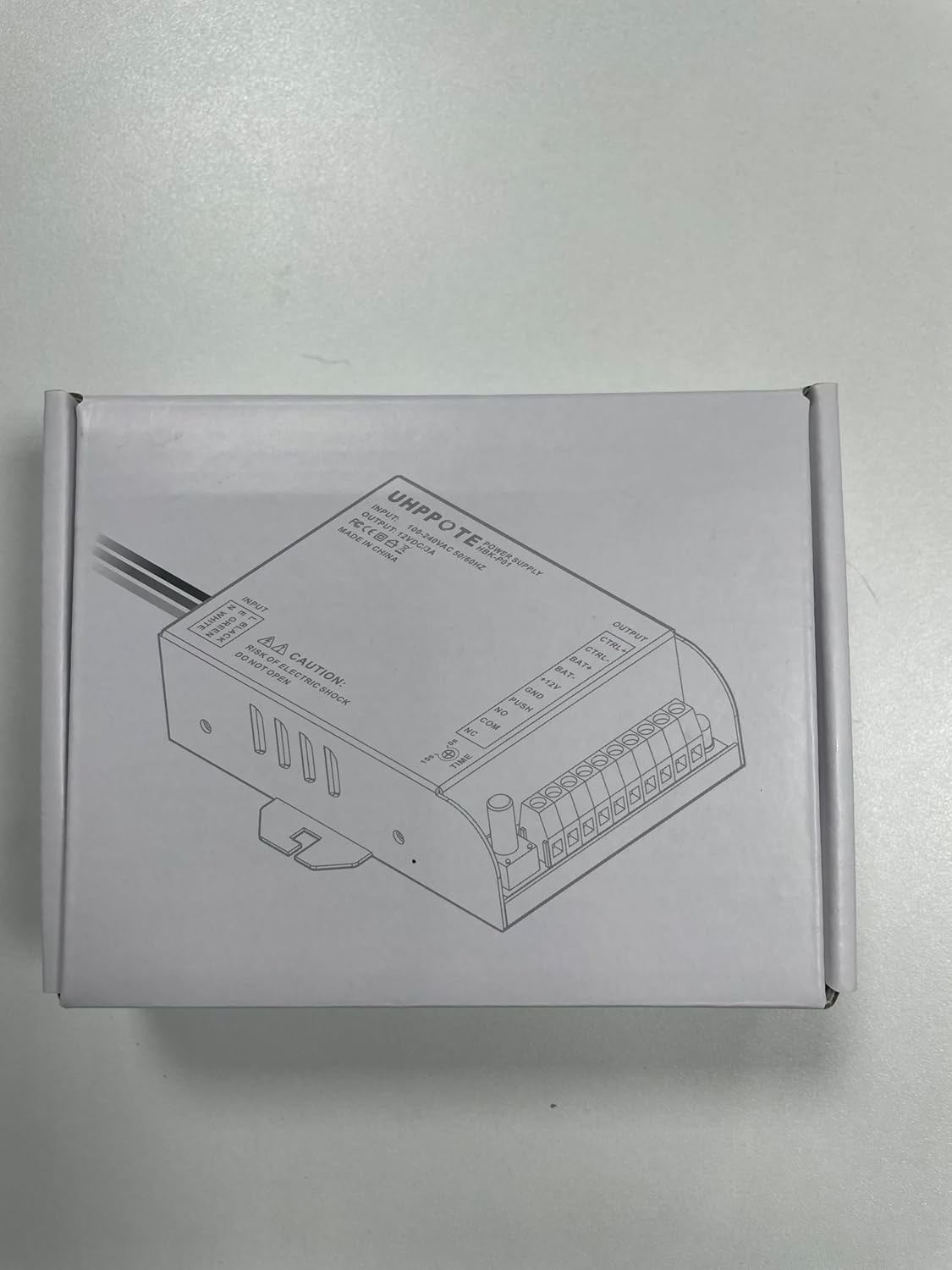
Figure 4.1: Input power wiring diagram, showing connections to Live (L), Neutral (N), and Earth (E) from a 110-240VAC source.
4.2 Component Wiring Overview
The following diagram illustrates the complete wiring for various access control components with the HBK-P01 power supply.

Figure 4.2: Comprehensive wiring diagram showing connections for access keypad, exit button, electric lock, intercom camera, and backup battery.
4.3 Detailed Wiring Instructions (Video)
For a step-by-step visual guide on connecting various components, please refer to the detailed wiring video below. Note that wiring for different access keypads may vary; always refer to the user manual of your specific access keypad.
Video 4.1: Detailed hands-on wiring instructions for the HBK-P01 power supply, covering connections for access keypads, exit buttons, fail-safe locks, and fail-secure locks.
4.3.1 Connecting an Access Keypad
- Spojite +12V terminal of the access keypad to the +12V terminal of the power supply.
- Spojite GND terminal of the access keypad to the GND terminal of the power supply.
- Spojite GURNUTI terminal of the access keypad to the GURNUTI terminal of the power supply.
4.3.2 Connecting an Exit Button
- Spojite NE (normalno otvoren) terminal of the exit button to the GURNUTI terminal of the power supply.
- Spojite COM (uobičajeno) terminal of the exit button to the GND terminal of the power supply.
4.3.3 Connecting an Electric Lock
The wiring depends on whether the lock is fail-safe or fail-secure:
- Fail-Safe Lock (Power to Lock): Spojite V+ of the lock to the NC (normalno zatvoren) terminal of the power supply. Connect the V- of the lock to the COM terminal of the power supply.
- Fail-Secure Lock (Power to Unlock): Spojite V+ of the lock to the NE (normalno otvoren) terminal of the power supply. Connect the V- of the lock to the COM terminal of the power supply.
Important: When connecting with an electric controlled lock, the opening time must be set to 0 seconds. Otherwise, the electric bolt lock may be damaged.
4.3.4 Connecting a Backup Battery
The HBK-P01 supports an external 12V backup battery for continuous operation during power outages.
- Spojite Šišmiš + terminal of the power supply to the positive pole (+) baterije.
- Spojite ŠIŠMIŠ- terminal of the power supply to the negative pole (-) baterije.
Remarks: We recommend a 12V 7Ah storage battery.
4.3.5 Connecting an Intercom Camera
The power supply can integrate with an intercom camera system.
- Koristite CTRL+ i CTRL- terminals to connect with your intercom camera.
For specific wiring methods for your intercom camera, please refer to its user manual.
5. Upute za rad
5.1 Delay Time Adjustment
The HBK-P01 features a rotary trimmer potentiometer for adjusting the output delay time. This allows you to control how long a connected electric lock remains unlocked after activation.
- Pronađite VRIJEME potentiometer on the power supply unit (refer to Figure 3.4).
- Use a small screwdriver to rotate the potentiometer. The delay time can be adjusted from 0 do 15 sekundi.
- Adjust to your desired delay. Remember to set to 0 seconds for electric bolt locks to prevent damage.
6. Održavanje
To ensure the longevity and optimal performance of your UHPPOTE HBK-P01 Access Control Power Supply, follow these general maintenance guidelines:
- Uređaj održavajte čistim i bez prašine i ostataka. Za čišćenje koristite meku, suhu krpu.
- Ensure adequate ventilation around the unit to facilitate heat dissipation. Do not block the heat dissipation holes.
- Redovito provjeravajte sve spojeve ožičenja kako biste bili sigurni da su sigurni i bez korozije.
- Avoid exposing the unit to direct sunlight, high humidity, or extreme temperatures.
- Do not attempt to open the enclosure or repair the unit yourself, as this may void the warranty and pose an electric shock risk.
7. Rješavanje problema
If you encounter issues with your HBK-P01 power supply, consider the following basic troubleshooting steps:
- Bez izlazne snage: Check the input power connection (110-240VAC) and ensure the circuit breaker is on. Verify all wiring is correct and secure.
- Incorrect Lock Behavior: Double-check the wiring for your electric lock (fail-safe vs. fail-secure) and ensure it matches the lock type. Verify the delay time setting.
- Povremeni rad: Inspect all connections for looseness or damage. Ensure the power supply is not overheating (check ventilation).
- Access Keypad/Exit Button Not Responding: Verify the keypad/button wiring to the power supply's PUSH and GND/COM terminals.
If the problem persists after performing these checks, please contact UHPPOTE customer support for further assistance.
8. Specifikacije
| Značajka | Specifikacija |
|---|---|
| Proizvođač | UHPPOTE |
| Broj dijela | UT0431-01 |
| Broj modela artikla | UT0431-01 |
| Ulazni voltage | 110-240VAC |
| Izlazni voltage | 12VDC |
| Radna struja | 3A |
| Wattage | 36 vata |
| Maksimalna snaga | 36 vata |
| Težina artikla | 7.3 unci |
| Dimenzije proizvoda | 4.45 x 3.07 x 1.26 inča |
| Materijal | Aluminij |
| Boja | Sivo |
| Vrsta konektora | Konektor za cijev |
| Podešavanje vremena odgode | 0-15 seconds (via potentiometer) |
9. Jamstvo i podrška
For warranty information, technical support, or any inquiries regarding your UHPPOTE HBK-P01 Access Control Power Supply, please contact UHPPOTE customer service through the retailer where the product was purchased or visit the official UHPPOTE webmjesto.
Please have your product model number (HBK-P01 or UT0431-01) and purchase details ready when contacting support.


