1. Uvod
This manual provides detailed instructions for the installation, operation, and maintenance of your MERCUSYS AC1200 Wireless Dual Band Router, model AC12. Please read this guide thoroughly to ensure proper setup and optimal performance of your device.
The MERCUSYS AC1200 Router offers high-speed Wi-Fi connectivity with dual-band support, designed to provide reliable internet access for your home or office network.
2. Sadržaj paketa
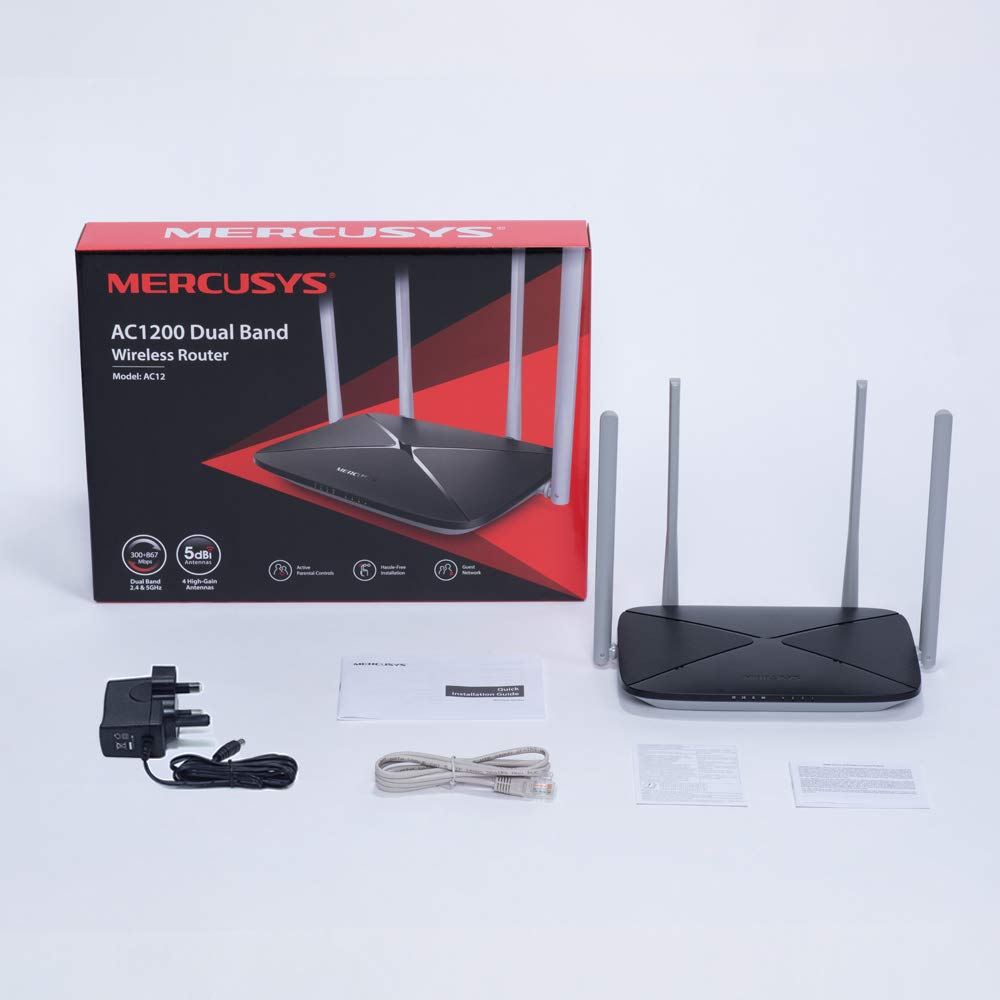
Provjerite jesu li svi artikli prisutni u pakiranju vašeg proizvoda:
- MERCUSYS AC1200 Dual Band Wireless Router (AC12)
- Strujni adapter
- Vodič za brzu instalaciju
- Ethernet kabel
3. Hardver je gotovview
3.1 Prednja ploča
The front panel features LED indicators that provide status information about the router's operation, including power, internet connection, and Wi-Fi activity.

3.2 Stražnja ploča
The rear panel contains all the physical ports and buttons necessary for connecting the router to your network and power source.
- WAN Port (Orange): Povezuje se s vašim modemom ili opremom davatelja internetskih usluga (ISP).
- LAN Ports (Blue): Connects to wired devices such as computers, gaming consoles, or network printers. The AC12 model features 4 LAN ports.
- Ulazna snaga: Spaja se na priloženi adapter za napajanje.
- Gumb Reset/WPS: Used to reset the router to factory settings or to initiate a Wi-Fi Protected Setup (WPS) connection.

3.3 Antene
The router is equipped with four external 5dBi omni-directional antennas, designed to enhance wireless coverage and signal strength.

4. Vodič za postavljanje
Follow these steps to set up your MERCUSYS AC1200 Router:
- Povežite hardver:
- Isključite modem.
- Connect the modem's Ethernet cable to the WAN port (orange) of the AC12 router.
- Connect your computer to one of the LAN ports (blue) on the router using an Ethernet cable, or connect wirelessly using the default Wi-Fi name (SSID) and password printed on the router's label.
- Power on your modem, then power on the AC12 router.
- Configure Router via Web sučelje:
Otvori a web browser on your connected computer or device. The intuitive webpage guides you through the setup process in minutes.
- Korak 1: Create a unique login password for the router's management page.
- Korak 2: Choose your internet service type and enter any required information provided by your ISP.
- Korak 3: Set your wireless network name (SSID) and password for both 2.4 GHz and 5 GHz bands.

5. Upute za rad
5.1 Dvopojasni Wi-Fi
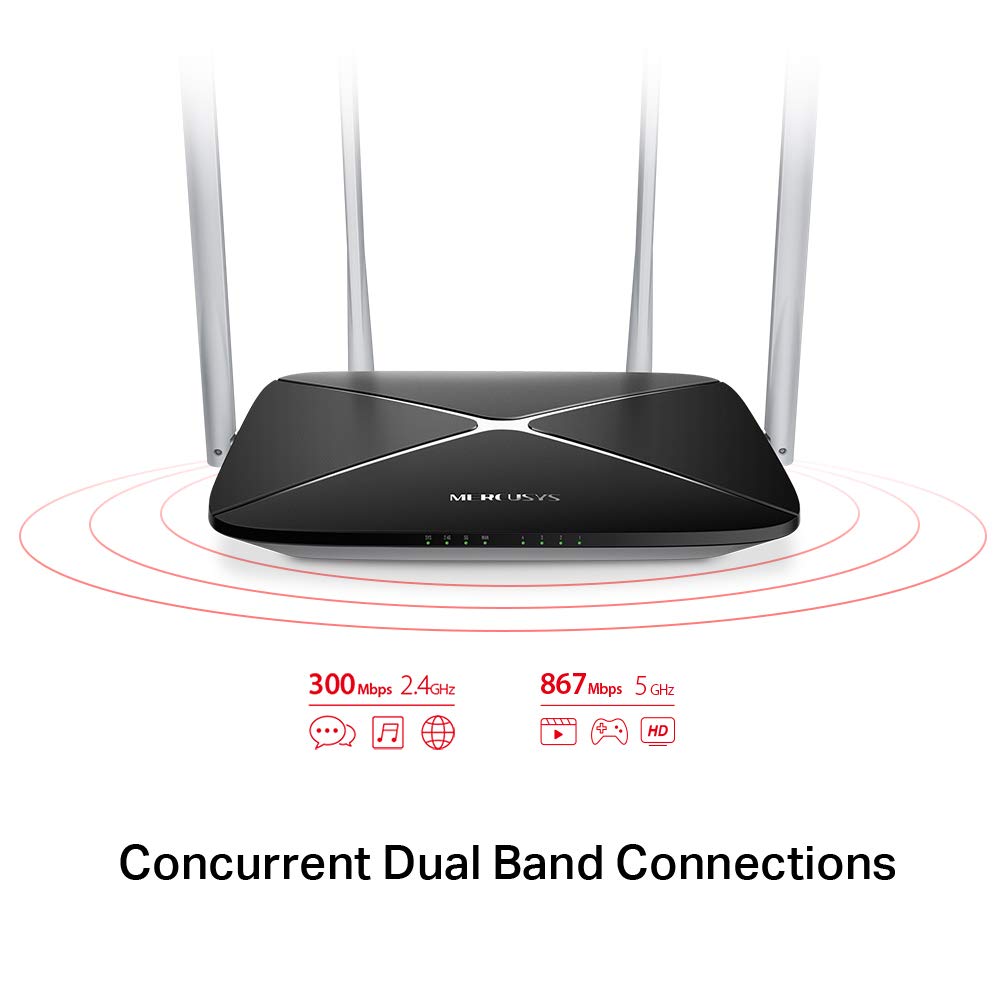
The AC1200 router operates on two distinct Wi-Fi bands:
- Pojas od 2.4 GHz: Provides speeds of up to 300 Mbps, suitable for general internet use, web pregledavanje i e-pošta.
- Pojas od 5 GHz: Offers faster speeds of up to 867 Mbps, ideal for online gaming, HD video streaming, and other bandwidth-intensive applications.
5.2 Enhanced Wireless Coverage
The four external 5dBi omni-directional antennas are designed to provide extensive wireless coverage and strong signal intensity throughout your home or office, minimizing weak spots and dropped connections.

5.3 Mreža gostiju
The Guest Network feature allows you to provide secure Wi-Fi access to guests without sharing your main network password. This enhances security by isolating guest devices from your primary network resources.
5.4 Sigurnosni protokol
The router supports WPA-PSK / WPA2-PSK security protocols to protect your wireless network from unauthorized access.
6. Održavanje
- Ažuriranja firmvera: Regularly check the MERCUSYS official webstranica za ažuriranja firmvera kako bi se osigurale optimalne performanse i sigurnost.
- Fizičko čišćenje: Održavajte ruter čistim i bez prašine. Za čišćenje koristite meku, suhu krpu. Nemojte koristiti tekuća sredstva za čišćenje.
- Plasman: Postavite ruter na središnje mjesto, dalje od prepreka i uređaja koji mogu uzrokovati smetnje (npr. mikrovalne pećnice, bežični telefoni).
- Ponovno pokretanje: Ako imate problema s mrežom, pokušajte ponovno pokrenuti usmjerivač tako da isključite adapter za napajanje na 10 sekundi, a zatim ga ponovno uključite.
7. Rješavanje problema
- Nema pristupa internetu:
- Check if the WAN port LED is lit. If not, ensure the Ethernet cable from your modem is securely connected.
- Provjerite radi li vaš modem ispravno.
- Ponovno pokrenite i modem i ruter.
- Ako se problem nastavi, obratite se svom davatelju internetskih usluga (ISP).
- Slab Wi-Fi signal:
- Premjestite ruter na centralniji položaj.
- Ensure antennas are positioned vertically.
- Smanjite fizičke prepreke (zidove, veliki namještaj) između rutera i vaših uređaja.
- Avoid placing the router near other electronic devices that may cause interference.
- Ne mogu pristupiti ruterima Web Upravljačka stranica:
- Provjerite je li vaš uređaj spojen na ruter (žično ili bežično).
- Provjerite koristite li ispravnu IP adresu (npr.
192.168.1.1ormwlogin.net) u vašem web preglednik. - Izbrišite predmemoriju preglednika ili pokušajte s drugim preglednikom.
- Zaboravljena lozinka za Wi-Fi ili lozinka za prijavu:
- You can reset the router to factory default settings by pressing and holding the Reset/WPS button on the rear panel for approximately 6-10 seconds until the LEDs flash. Note that this will erase all your custom settings.
8. Specifikacije
| Značajka | Detalj |
|---|---|
| Marka | MERKUSIJE |
| Naziv modela | AC12 |
| Bežični standard | 802.11ac |
| Klasa frekvencijskog pojasa | Dvopojasni (2.4 GHz i 5 GHz) |
| Brzina Wi-Fi-ja od 2.4 GHz | Do 300 Mbps |
| Brzina Wi-Fi-ja od 5 GHz | Do 867 Mbps |
| Antene | 4 x 5dBi omni-direkcionalne antene |
| Ethernet priključci | 1 WAN, 4 LAN |
| Sigurnosni protokol | WPA-PSK / WPA2-PSK |
| Dimenzije proizvoda | 22.2 x 14 x 3.2 cm |
| Težina artikla | 260 g |
| Voltage | 9 volti |
| Kompatibilnost operativnog sustava | Windows (for setup via web sučelje) |
9. Jamstvo i podrška
9.1 Informacije o jamstvu
This MERCUSYS AC1200 Router comes with a Jamstvo 3 godine. Please retain your purchase receipt for warranty claims. The warranty covers manufacturing defects under normal use conditions.
9.2 Tehnička podrška
For technical assistance, please visit the official MERCUSYS website or contact their customer support. Manufacturer: TP-Link Technologies Co.,Ltd.


