Uvod
This manual provides essential instructions for the safe operation, setup, and maintenance of your Protocol Director HD Foldable Drone. Please read this manual thoroughly before operating the drone to ensure proper function and to prevent damage or injury.
The Protocol Director HD is a foldable drone equipped with a live streaming HD camera, designed for capturing aerial video and photos. It features an intuitive 2.4 GHz remote control, an altitude sensor for stable flight, and a free downloadable app for enhanced camera control and flight path drawing.
Sigurnosne mjere opreza
- Dron uvijek koristite na otvorenim, nesmetanim područjima, dalje od ljudi, životinja i prepreka.
- Ne radite u blizini zračnih luka, ograničenog zračnog prostora ili osjetljivih objekata.
- Maintain a safe distance from power lines, trees, and water bodies.
- Prije svakog leta provjerite jesu li svi propeleri sigurno pričvršćeni i neoštećeni.
- Ne letite pri jakom vjetru ili nepovoljnim vremenskim uvjetima.
- Držite prste i kosu dalje od rotirajućih propelera.
- Adult supervision is recommended for users under 18 years of age. Recommended age for operation is 14 years and up.
- Only use original Protocol replacement parts and accessories.
- Ne pokušavajte modificirati dron ili njegove komponente.
- Turn off the drone and remote control when not in use.
Sadržaj paketa
Provjerite jesu li svi artikli prisutni u paketu:
- Protocol Director HD Foldable Drone with Camera
- Remote Control with Phone Mount
- USB kabel za punjenje
- 2 x Drone Batteries
- Putna torba
- Upute za uporabu (ovaj dokument)
- Spare Parts: Blades, Screwdriver

Image: The Protocol Director HD Foldable Drone, showcasing its compact design with propellers extended and camera visible at the front.
Postavljanje
1. Punjenje baterije drona
- Insert one of the drone batteries into the USB charging cable.
- Spojite USB kabel za punjenje na USB izvor napajanja (npr. USB priključak računala, USB adapter za zid).
- The charging indicator light on the USB cable will illuminate during charging and turn off when fully charged.
- Punjenje obično traje otprilike 60-90 minuta. Nemojte prepuniti.
2. Instaliranje baterija daljinskog upravljača
- Otvorite pretinac za baterije na stražnjoj strani daljinskog upravljača.
- Umetnite 4 AA baterija (nisu uključene), pazeći na ispravan polaritet (+/-).
- Čvrsto zatvorite odjeljak za baterije.

Image: The drone's remote control with a smartphone securely mounted, displaying a live feed from the drone's camera.
3. Rasklapanje drona
- Gently unfold each of the four rotor arms until they click into place.
- Ensure all arms are fully extended and locked before flight.
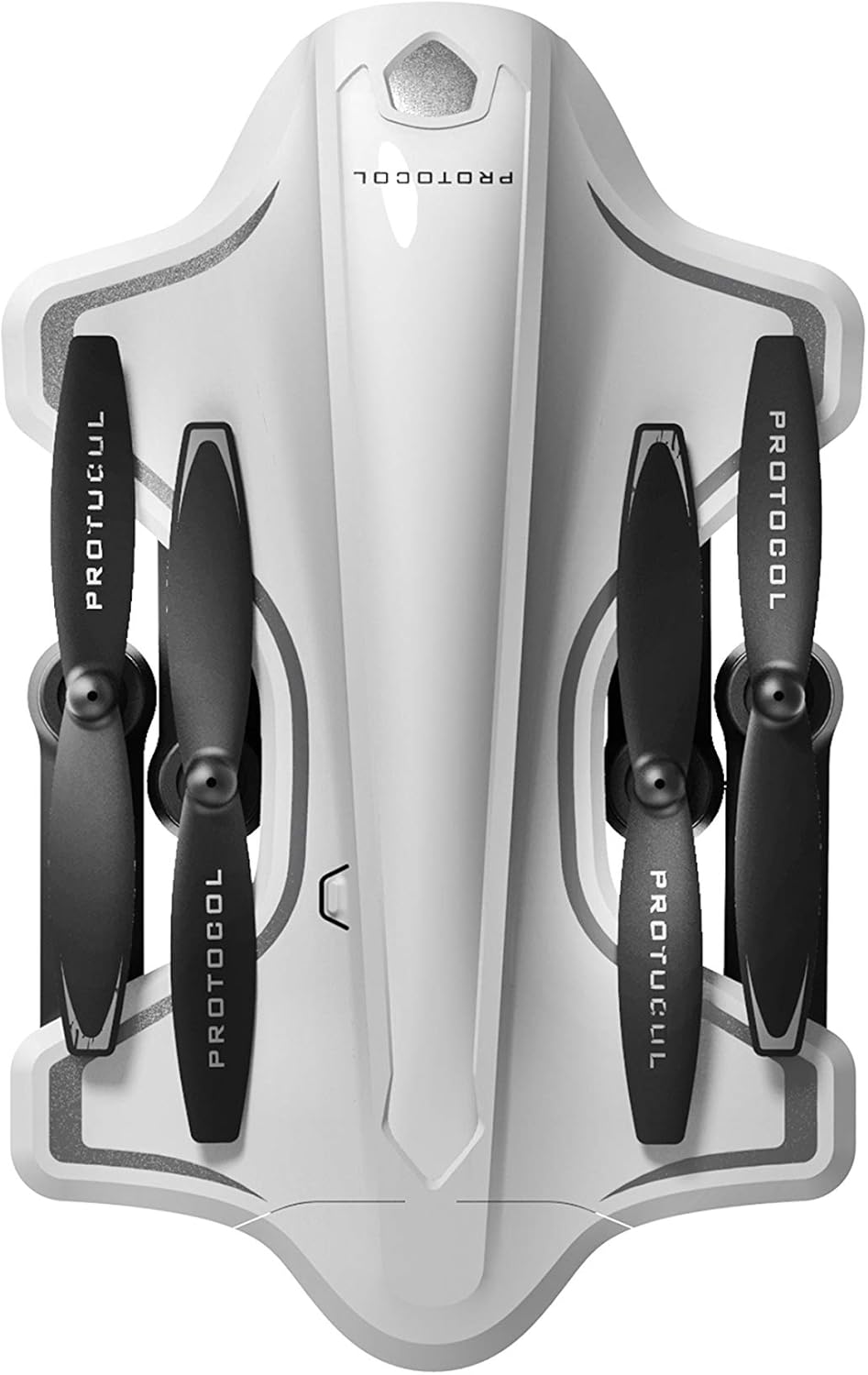
Image: The Protocol Director HD Foldable Drone in its compact, folded configuration, ready for transport.
4. Installing the Drone Battery
- Pronađite odjeljak za baterije na dronu.
- Insert the fully charged drone battery, ensuring it is securely seated.
- Zatvorite poklopac odjeljka za baterije.
5. Downloading the App (Optional for Camera Features)
- Tražiti the "Protocol Director HD" app in your smartphone's app store (iOS or Android).
- Download and install the free application.
- Mount your smartphone onto the remote control's phone mount.
Upute za rad
1. Uključivanje i uparivanje
- Dron postavite na ravnu, ravnu površinu.
- Turn on the drone by pressing the power button. The drone's lights will flash.
- Uključite daljinski upravljač.
- Gurnite lijevu džojstik (gas) skroz gore, a zatim skroz dolje. Svjetla drona će postati neprekidna, što ukazuje na uspješno uparivanje.
2. Kalibriranje žiroskopa
After pairing, it is recommended to calibrate the gyroscope for stable flight:
- With the drone on a flat surface, push both joysticks down and to the right simultaneously for a few seconds.
- The drone's lights will flash rapidly and then become solid, indicating calibration is complete.
3. Osnovne kontrole leta
The Protocol Director HD features auto launch, hover, and land functions due to its altitude sensor.
- Auto Launch: Press the dedicated auto launch button on the remote. The drone will ascend to a stable hovering altitude.
- Gas (lijevi joystick):
- Push up: Increase altitude
- Push down: Decrease altitude
- Push left/right: Rotate drone left/right (yaw)
- Upravljanje smjerom (desna upravljačka palica):
- Push up: Fly forward
- Push down: Fly backward
- Push left: Fly left (strafe)
- Push right: Fly right (strafe)
- Auto Land: Press the dedicated auto land button. The drone will slowly descend and land.
- Odabir brzine: Use the speed button on the remote to cycle through three selectable speeds (low, medium, high).
4. Camera and App Features
Connect your smartphone to the drone's Wi-Fi network (usually named "Protocol_Drone_XXXXXX") to access live streaming and advanced camera functions via the app.
- Streaming uživo: View the drone's camera feed in real-time on your smartphone.
- Video snimanje: Initiate and stop video recording (480p resolution) through the app.
- Snimanje fotografije: Take still images through the app.
- Multiple Camera Angles: The app supports three different camera angles (Aerial, POV, Selfie) for varied content creation.
- Audio zapis: The app allows for audio recording alongside video.
- Draw Your Own Flight Path: Utilize the app's feature to draw a flight path on your screen, and the drone will follow it.
- VR Capability: The app is VR capable; VR goggles are sold separately.
Održavanje
- Pregled propelera: Regularly check propellers for cracks, bends, or damage. Replace any damaged propellers using the provided spare parts and screwdriver.
- Čišćenje: Use a soft, dry cloth to clean the drone and remote control. Avoid using liquids or harsh chemicals.
- Njega baterije:
- Nemojte previše puniti baterije.
- Čuvajte baterije na hladnom i suhom mjestu.
- Remove batteries from the drone and remote control during long periods of non-use.
- Skladištenje: Fold the drone arms for compact storage in the provided travel bag when not in use. Store in a cool, dry environment.
Rješavanje problema
| Problem | Mogući uzrok | Otopina |
|---|---|---|
| Dron se ne uključuje. | Baterija nije napunjena ili nije pravilno postavljena. | Provjerite je li baterija potpuno napunjena i ispravno umetnuta. |
| Daljinski upravljač se ne uključuje. | AA baterije su prazne ili su nepravilno umetnute. | Zamijenite AA baterije, pazeći na polaritet. |
| Drone and remote do not pair. | Pairing sequence not followed correctly. | Ensure drone is on, then remote. Push left joystick up then down completely. |
| Dron se zanosi tijekom leta. | Gyroscope needs calibration; uneven surface at launch. | Land the drone, place on a flat surface, and recalibrate the gyroscope (both joysticks down and right). |
| One propeller does not spin. | Propeller damaged or motor issue. | Check for obstructions. Replace damaged propeller. If issue persists, contact support. |
| Nema prijenosa videa uživo na pametnom telefonu. | Not connected to drone's Wi-Fi; app not open. | Ensure smartphone is connected to the drone's Wi-Fi network and the app is running. |
Tehnički podaci
| Marka | Protokol |
| Naziv modela | Director HD |
| Broj modela | 6182-7RCHA |
| Dimenzije (u preklopljenom obliku) | Otprilike 4.75 inča (duljina) |
| Dimenzije (prošireno) | Approximately 9 inches (length, including blades) |
| Težina | 0.94 kilograma (940 g) |
| Rezolucija kamere | 480p (Video Capture) |
| Povezivost | Wi-Fi (for app control and live streaming), 2.4 GHz (for remote control) |
| Stabilizacija | 6-axis motion-sensitive auto stabilizers, Altitude sensor |
| Načini brzine | Three selectable speeds |
| Drone baterija | Punjiva (2 uključena) |
| Baterija za daljinski upravljač | 4 x AA baterije (nisu uključene) |
| Materijal | Plastic (Crash-resistant) |
| Preporučena dob | 14 godine i više |
Jamstvo i podrška
For warranty information, technical support, or to purchase replacement parts, please visit the official Protocol webweb-mjesto ili se obratite njihovoj službi za korisnike. Sačuvajte račun kao dokaz o kupnji.
Webstranica: www.protocolny.com (Pramppoveznica, stvarna poveznica može se razlikovati)
Kontakt: Refer to the Protocol website for contact details, including phone numbers or email support.


