1. Uvod
Welcome to the user manual for your new TCL 55S525 55-inch Class 5-Series 4K UHD Dolby Vision HDR Roku Smart TV. This guide provides essential information for setting up, operating, maintaining, and troubleshooting your television to ensure optimal performance and enjoyment.
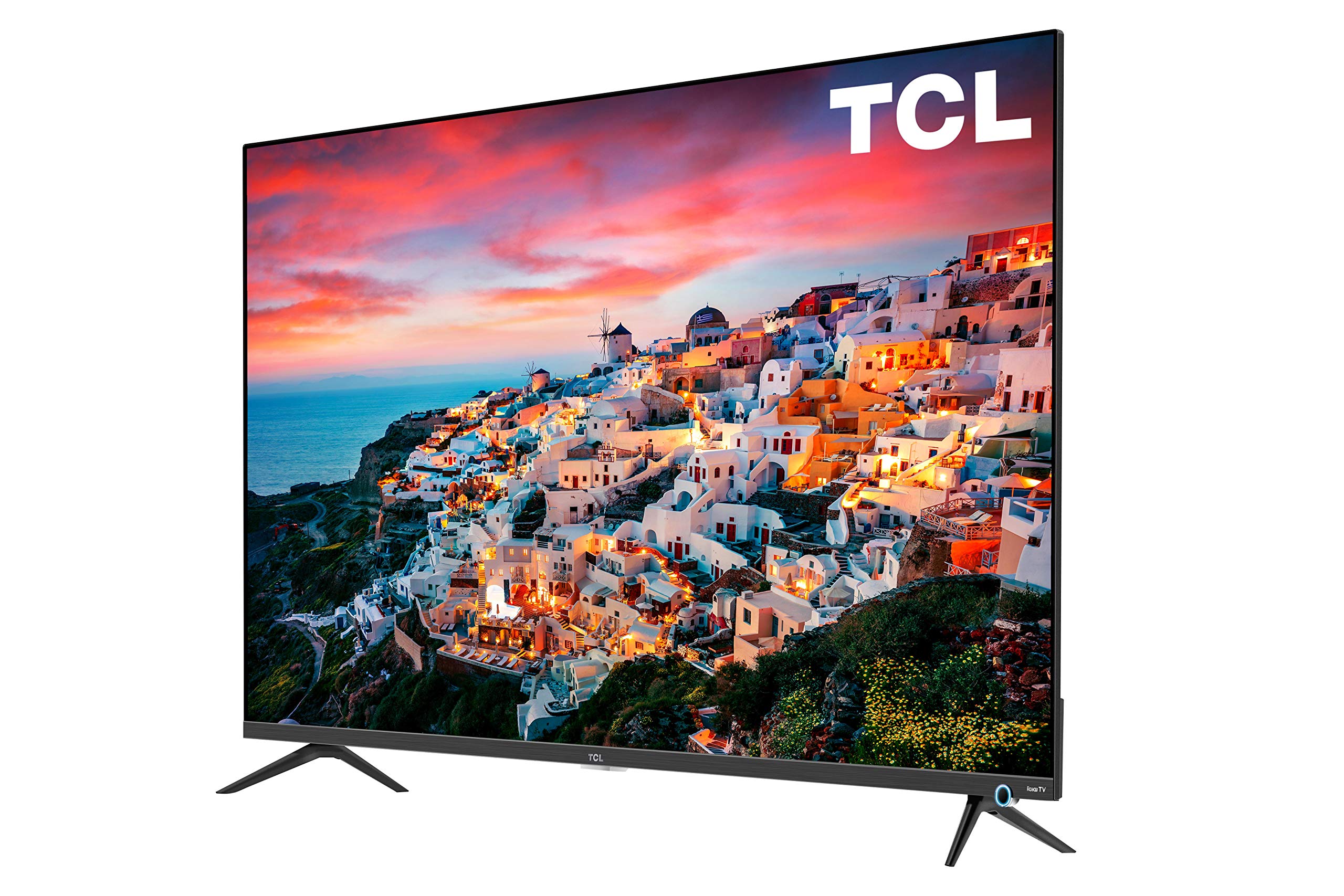
Image: The TCL 55S525 55-inch 4K UHD Roku Smart TV displayed on a media console in a modern living room.
2. Postavljanje
2.1 Raspakiranje i početno postavljanje
Pažljivo izvadite televizor iz ambalaže. Postavite televizor na stabilnu, ravnu površinu ili ga pripremite za montažu na zid. Osigurajte odgovarajuću ventilaciju oko televizora.
2.2 Pričvršćivanje postolja (opcionalno)
If you choose not to wall mount, attach the included stands to the bottom of the TV using the provided screws. Refer to the quick start guide for detailed instructions on stand attachment.
2.3 Povezivanje uređaja
Your TCL Roku TV offers multiple connectivity options:
- HDMI ulazi: 4 HDMI 2.0 ports with HDCP 2.2 (one with HDMI ARC) for connecting devices like gaming consoles, Blu-ray players, or cable boxes.
- USB ulaz: 1 USB port for media playback.
- Ostali ulazi: RF (Antenna/Cable), Composite, Headphone Jack, Optical Audio Out, Ethernet.
Connect your desired devices to the appropriate ports on the back or side of the TV.

Slika: Detaljna view of the side-mounted input ports on the TCL 55S525 TV, including HDMI, USB, and other audio/video connections.
2.4 Power On and Network Connection
Plug the power cord into an electrical outlet. Press the power button on the remote control. Follow the on-screen instructions to connect your TV to your home Wi-Fi network. A stable internet connection is essential for Roku Smart TV features.
Video: An official TCL video demonstrating the unboxing, setup, and initial impressions of a TCL 5-Series 4K UHD TV, including stand attachment and basic connectivity.
3. Upravljanje televizorom
3.1 Roku Smart Platform
Your TCL TV features the award-winning Roku TV smart platform, providing access to thousands of streaming channels and over 500,000 movies and TV episodes. The intuitive interface makes navigation simple.
- Početni zaslon: Access all your streaming channels, connected devices, and settings from a single, customizable home screen.
- Streaming kanali: Popular apps like Netflix, Prime Video, Hulu, Disney+, YouTube, Spotify, and many more are available.
- TV uživo: Access live television through compatible apps or an antenna connected to the RF input.
Video: An official TCL video showcasing the features and user interface of the TCL Class 5-Series 4K UHD Dolby Vision HDR Roku Smart TV, highlighting its smart capabilities and app selection.
3.2 Daljinski upravljač
The included remote control provides easy access to all TV functions. It features dedicated buttons for popular streaming services for quick access.
- Navigacija: Use the directional pad to navigate menus and select options.
- Glasovno upravljanje: Some Roku remotes include voice control for searching content or controlling playback.
- Gumbi za brzi pristup: Dedicated buttons for Netflix, Disney+, Hulu, and Sling provide instant access to these services.
3.3 Postavke slike i zvuka
Prilagodite svoje viewiskustvo gledanja putem izbornika postavki televizora:
- Načini slike: Select from various preset picture modes (e.g., Movie, Sports, Vivid) or customize settings like brightness, contrast, and color.
- Dolby Vision HDR: Experience superior 4K UHD picture clarity with enhanced contrast, color, and detail.
- Audio postavke: Adjust volume, sound mode, and other audio preferences.
- Automatski način igre: Automatically enhances performance for gaming by offering smoother action, lower latency, and optimized picture settings.
Video: An official TCL video discussing the features of the TCL 5-Series, including its 4K HDR capabilities and suitability for gaming, providing insights into picture quality and performance.
4. Održavanje
4.1 Čišćenje zaslona
Za čišćenje TV zaslona nježno ga obrišite mekom, suhom krpom koja ne ostavlja dlačice. Za tvrdokorne mrlje laganoampen the cloth with water or a screen-cleaning solution specifically designed for TVs. Avoid using harsh chemicals or abrasive materials.
4.2 Vanjsko čišćenje
Wipe the TV's exterior surfaces with a soft, dry cloth. Do not use liquid cleaners directly on the TV to prevent damage to internal components.
4.3 Ažuriranja softvera
Your Roku TV will automatically check for and install software updates when connected to the internet. Ensure your TV remains connected to Wi-Fi to receive the latest features and performance improvements.
5. Rješavanje problema
5.1 No Picture/No Signal
- Ensure the TV is powered on and the correct input source is selected.
- Check all cable connections (HDMI, RF, etc.) to ensure they are secure.
- Verify that connected devices are powered on and functioning correctly.
5.2 Problemi s daljinskim upravljačem
- Zamijenite baterije u daljinskom upravljaču.
- Provjerite da nema prepreka između daljinskog upravljača i IR senzora televizora.
- If the remote is a Wi-Fi direct remote, try re-pairing it according to the Roku TV instructions.
5.3 Problemi s mrežnom povezivošću
- Ponovno pokrenite Wi-Fi ruter i modem.
- Check the TV's network settings to ensure it's connected to the correct network and the signal strength is adequate.
- If issues persist, try connecting the TV via an Ethernet cable.
6. Specifikacije
| Značajka | Opis |
|---|---|
| Marka | TCL |
| Broj modela | 55S525 |
| Veličina zaslona | 55 inča |
| Tehnologija zaslona | LED |
| Rezolucija | 4K Ultra HD (3840 x 2160) |
| HDR podrška | Dolby Vision HDR |
| Brzina osvježavanja | 120 Hz |
| Smart TV platforma | Roku TV |
| Unosi | 4 HDMI 2.0 (HDCP 2.2, 1 ARC), 1 USB, RF, Composite, Headphone Jack, Optical Audio Out, Ethernet |
| Tehnologija povezivanja | HDMI, Wi-Fi |
| Dimenzije proizvoda (sa stalkom) | 48.4 cm Š x 30.6 cm V x 10.0 cm D |
| Dimenzije proizvoda (bez postolja) | 48.4 cm Š x 28.1 cm V x 3.0 cm D |
| Težina artikla | 39.8 funti |
| Posebne značajke | Flat, Auto Game Mode |
| Uključene komponente | Remote, Stand |
7. Jamstvo i podrška
For warranty information and customer support, please refer to the warranty card included with your product or visit the official TCL support webweb-mjesto. Dodatne resurse i često postavljana pitanja možete pronaći i na mreži.


