1. Uvod
This instruction manual provides detailed information for the Intel Core i9-10900K Desktop Processor, covering installation, operation, maintenance, troubleshooting, and technical specifications. It is designed to assist users in setting up and optimizing their processor for high-performance computing. The Intel Core i9-10900K is an unlocked 10th Gen desktop processor featuring Intel Turbo Boost Max Technology 3.0, optimized for enthusiast gamers and serious creators, delivering high-performance overclocking capabilities. Please note that a thermal solution is not included and the processor is compatible only with 400 series chipset based motherboards. It operates at 125W.
2. Proizvod je gotovview
The Intel Core i9-10900K processor offers advanced features for demanding applications:
- 10 jezgre / 20 niti: Provides exceptional multitasking and processing power.
- Socket Type LGA 1200: Ensures compatibility with specific motherboard chipsets.
- Up to 5.3 GHz Unlocked: Allows for advanced overclocking to achieve higher performance.
- Compatible with Intel 400 Series Chipset Based Motherboards: Essential for proper system integration.
- Intel Turbo Boost Max Technology 3.0 Support: Dynamically increases processor frequency for demanding workloads.
- Podrška za Intel Optane memoriju: Enhances system responsiveness and accelerates data access.
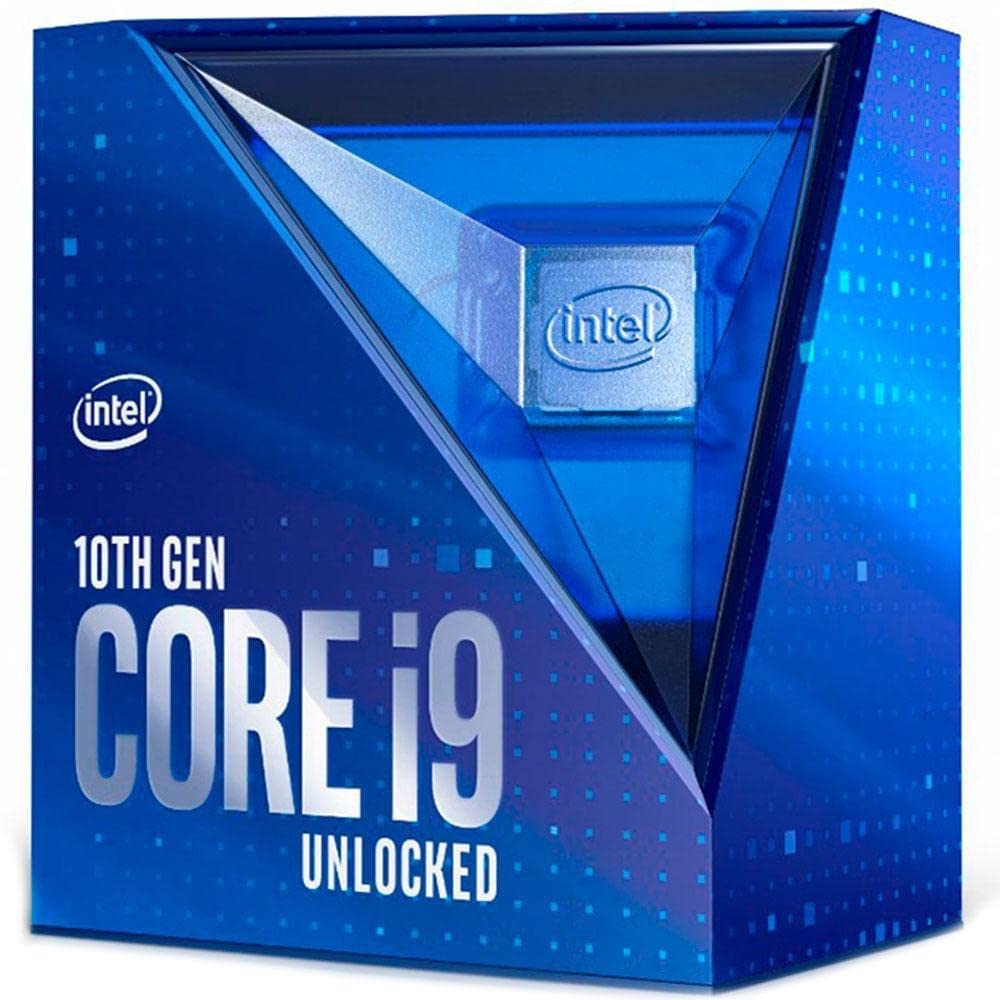
Figure 2.1: Retail packaging for the Intel Core i9-10900K Desktop Processor. This box contains the processor and documentation.
Video proizvodaview
Video 2.1: Službenik prekoview of the 10th Gen Intel Core Boxed Processor Family, highlighting key features and performance benefits.
3. Postavljanje i instalacija
Installing your Intel Core i9-10900K processor requires careful handling and adherence to specific steps. Ensure your system is powered off and unplugged before beginning installation.
- Kompatibilnost matične ploče: Verify that your motherboard uses the LGA 1200 socket and an Intel 400 series chipset. Refer to your motherboard's manual for specific compatibility details.
- Pripremite utičnicu: Gently lift the load plate lever on the CPU socket. Open the load plate.
- Instalirajte procesor: Carefully align the processor with the socket, matching the two alignment notches on the processor with the corresponding keys on the socket. Ensure the gold triangle on the processor aligns with the triangle on the socket. Lower the processor straight down into the socket without forcing it.
- Osigurajte procesor: Close the load plate and push the load plate lever back into its locked position. This will secure the processor firmly in the socket.
- Nanesite termalnu pastu: Nanesite malu količinu visokokvalitetne termalne paste na središte integriranog raspršivača topline (IHS) procesora.
- Instalirajte termalno rješenje: Attach a compatible thermal solution (CPU cooler) to the motherboard, ensuring it makes firm contact with the processor's IHS. This processor does not include a thermal solution, so a separate cooler is required.
- Priključite napajanje: Spojite kabel za napajanje ventilatora procesora na odgovarajući priključak na matičnoj ploči.
Važno: Always handle the processor by its edges to avoid touching the gold contacts or the top surface. Incorrect installation can damage the processor or motherboard.
4. Operacija
The Intel Core i9-10900K is designed for high-performance computing across various tasks, including gaming, content creation, and demanding applications. Its unlocked nature allows for advanced customization.
- Standardni rad: The processor will automatically adjust its clock speed based on workload demands, utilizing Intel Turbo Boost Max Technology 3.0 to reach higher frequencies when needed.
- Overclocking: As an unlocked processor, the i9-10900K allows for manual adjustment of core frequency, voltage, and other parameters through the motherboard BIOS/UEFI or Intel Extreme Tuning Utility (XTU). Overclocking can provide additional performance but requires adequate cooling and may void your warranty if not performed correctly. Consult Intel's official resources for safe overclocking guidelines.
- Toplinski nadzor: Modern motherboards and operating systems provide tools to monitor CPU temperature. Ensure your thermal solution is effectively dissipating heat to prevent thermal throttling and maintain optimal performance.
5. Održavanje
Proper maintenance ensures the longevity and optimal performance of your Intel Core i9-10900K processor.
- Sustav hlađenja: Regularly inspect and clean your CPU cooler (heatsink and fan or liquid cooler radiator) to remove dust buildup. Dust can impede airflow and reduce cooling efficiency.
- Termalna pasta: Over time, thermal paste can dry out and become less effective. If you notice consistently high temperatures, consider reapplying fresh thermal paste. This typically involves removing the cooler, cleaning old paste, and applying new paste.
- Sistemsko okruženje: Ensure your computer case has good airflow and is kept in a clean, dust-free environment to minimize internal dust accumulation.
6. Rješavanje problema
Ako naiđete na probleme s procesorom Intel Core i9-10900K, razmotrite sljedeće korake za rješavanje problema:
- Nema prikaza/Sustav se ne pokreće:
- Verify the processor is correctly seated in the LGA 1200 socket.
- Provjerite jesu li svi kabeli za napajanje (24-pinski ATX, 8-pinski CPU) sigurno spojeni na matičnu ploču.
- Check RAM modules are properly seated.
- Confirm your motherboard BIOS/UEFI is updated to support the 10th Gen processor.
- Overheating/Thermal Throttling:
- Ensure the CPU cooler is correctly installed and making firm contact with the processor.
- Provjerite je li nanošenje termalne paste dovoljno i ravnomjerno raspoređeno.
- Check that CPU fan(s) are spinning and connected to the correct headers.
- Clean any dust from the heatsink or radiator.
- Improve case airflow by managing cables and adding/adjusting case fans.
- Nestabilnost/rušenja sustava:
- If overclocked, revert to default CPU settings in BIOS/UEFI to rule out overclocking instability.
- Provjerite jesu li svi upravljački programi (čipset, grafika) ažurirani.
- Pokrenite alate za dijagnostiku memorije kako biste provjerili ima li problema s RAM-om.
For further assistance, refer to your motherboard's manual or Intel's official support webmjesto.
7. Specifikacije
| Značajka | Detalj |
|---|---|
| Osnovna frekvencija procesora | 3.7 GHz |
| Maksimalna turbo frekvencija | 5.3 GHz |
| Jezgre | 10 |
| niti | 20 |
| Tip utičnice | LGA 1200 |
| TDP | 125 W |
| Predmemorija | 20 MB Intel pametne predmemorije |
| Maksimalna veličina memorije | 128 GB |
| Vrste memorije | DDR4-2933 |
| Revizija PCI Expressa | 3.0 |
| Maks. broj PCI Express linija | 16 |
| Kompatibilni čipseti | Intelov čipset serije 400 |
| Broj modela artikla | BX8070110900K |
| Težina artikla | 2.64 unci |
| Dimenzije proizvoda | 3.54 x 5.24 x 6.1 inča |
8. Jamstvo i podrška
Intel provides a standard warranty for its processors. For detailed information regarding your product's warranty, including terms, conditions, and duration, please visit the official Intel website. You can also find comprehensive support resources, drivers, and utility software there.
- Službena Intelova podrška: For technical assistance, FAQs, and driver downloads, visit Intelova podrška.
- Informacije o jamstvu: Details on processor warranties can be found at Intel Processor Warranty.
Zadržite svoj dokaz o kupnji za jamstvene zahtjeve.


