1. Proizvod je gotovview
The Alxum USB Fast Charging Station is designed to efficiently charge multiple devices simultaneously. Featuring 10 USB ports, including one Quick Charge 3.0 port, it provides a centralized charging solution for various electronic devices such as smartphones and tablets. This station helps organize your charging area by consolidating multiple chargers into one unit.
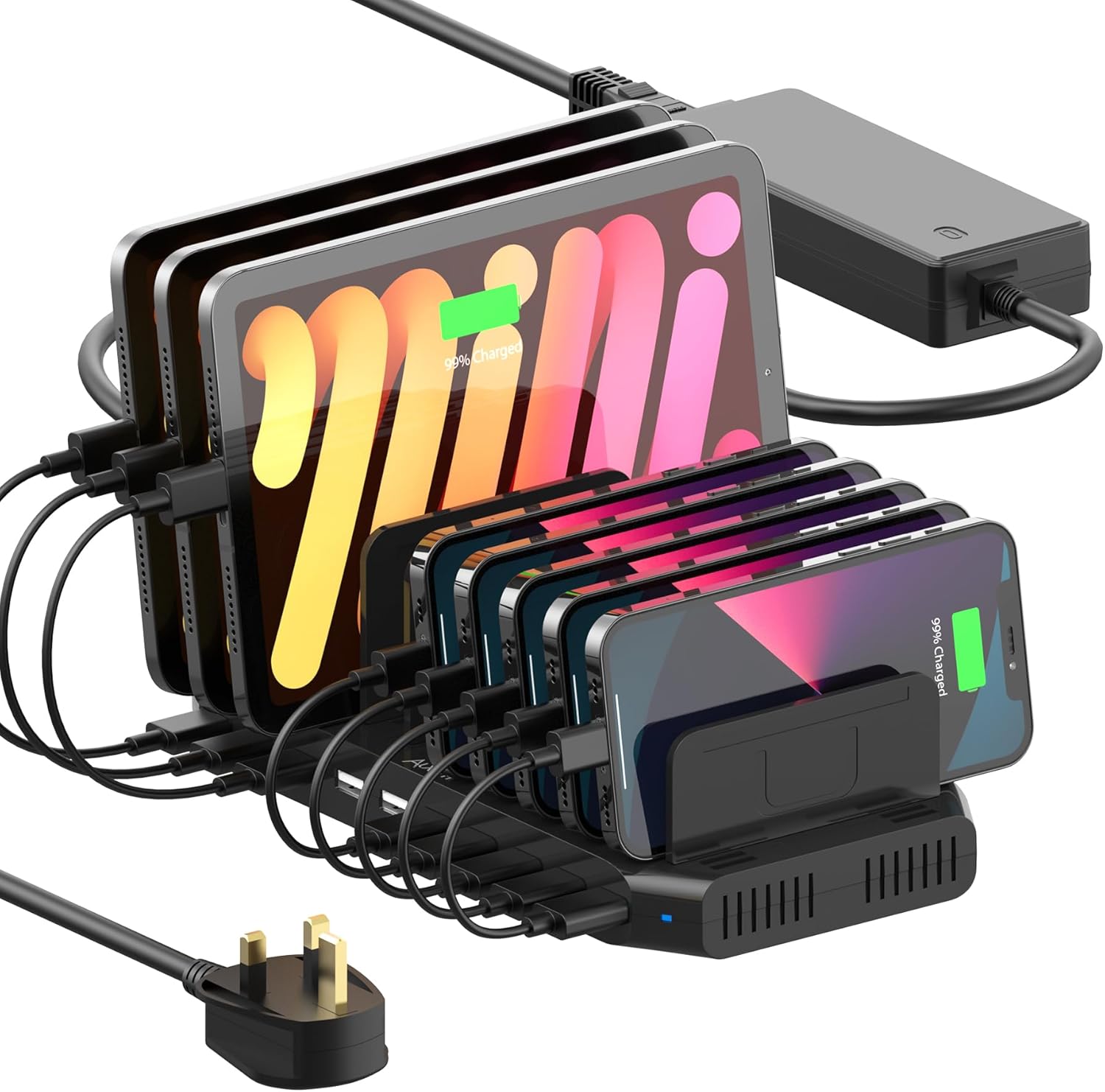
Image 1.1: The Alxum 10-Port USB Fast Charging Station in use, charging several tablets and smartphones.

Slika 1.2: Gotovoview of the Alxum 60W 10-Port Charging Station highlighting its Quick Charge 3.0 capability.
2. Sadržaj paketa
Molimo provjerite jesu li svi dolje navedeni artikli uključeni u vaš paket:
- 1 x Alxum USB Fast Charging Station
- 1 x 15V/4A DC adapter za napajanje
- 11 x Dividers (5 tall, 6 short)
- 1 x Korisnički priručnik (ovaj dokument)
Bilješka: Charging cables are not included and must be purchased separately.

Image 2.1: Contents of the package including the charging station, power adapter, and various sized dividers.

Image 2.2: The charging station in a home setting, emphasizing that charging cables are not supplied.
3. Sigurnosne informacije
Kako biste osigurali siguran rad i spriječili oštećenja, pridržavajte se sljedećih sigurnosnih uputa:
- Use only certified charging cables for optimal performance and safety.
- Ensure the device slots are slightly wider than your devices to prevent dividers from dislodging.
- Avoid using devices with excessively heavy cases while charging, as this may affect divider stability.
- The power adapter is UL certified and incorporates Alxum's Multi-Protect safety system, including over-charge, over-voltage, overheating, short circuit, and overcurrent protection.
- Operate the device within the specified AC 100-240V input voltage raspon.
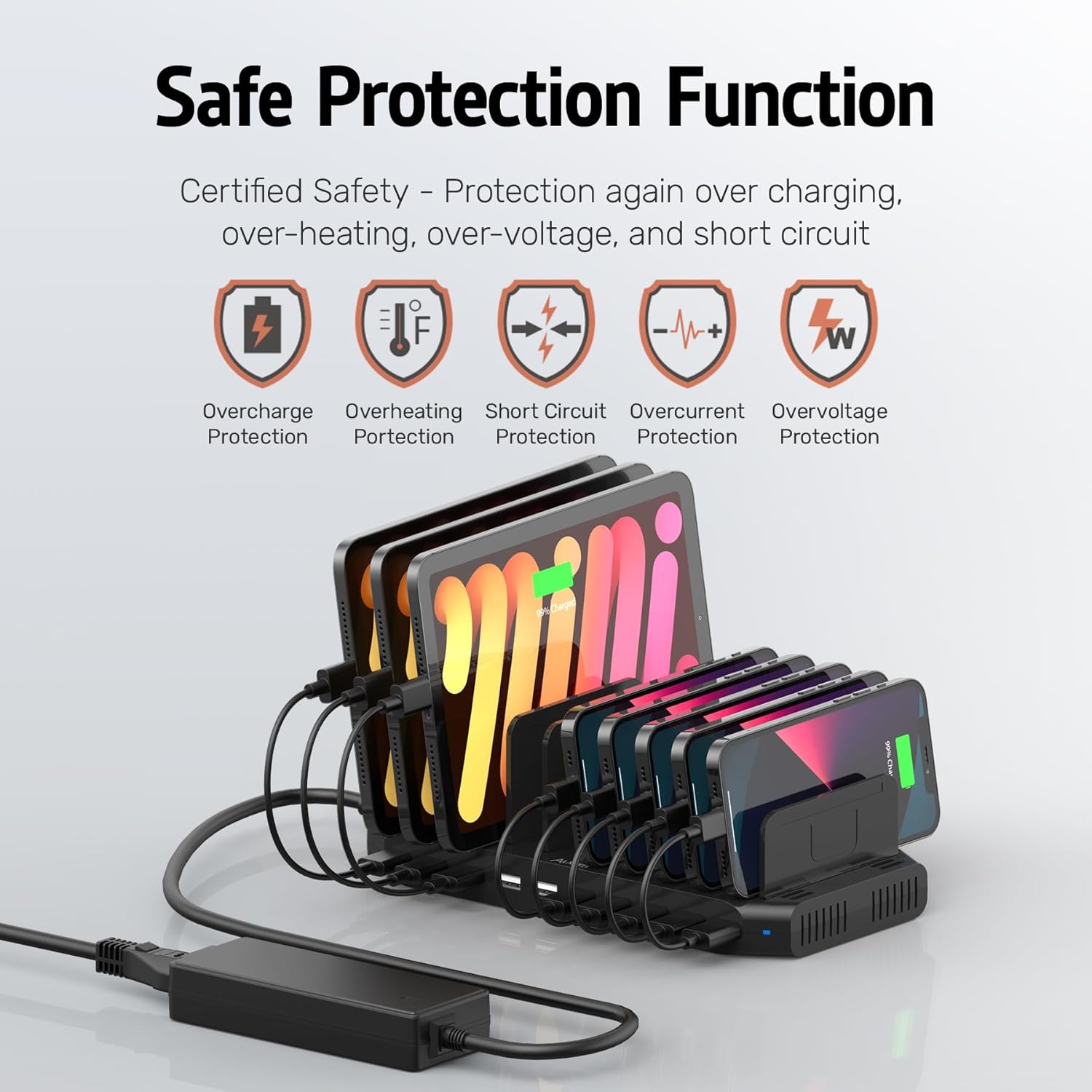
Image 3.1: Visual representation of the charging station's built-in safety protection features.
4. Upute za postavljanje
- Raspakirati: Pažljivo izvadite sve komponente iz pakiranja.
- Priključite napajanje: Connect the 15V/4A DC Power Adapter to the charging station's power input port, then plug the adapter into a standard AC 100-240V wall outlet.
- Instalirajte razdjelnike: Insert the provided dividers into the slots on the charging station. There are 5 tall and 6 short dividers. For optimal stability, tilt the dividers at a 45-degree angle and press firmly into the slots. Arrange them according to the size of your devices.

Image 4.1: Illustration of how to install the adjustable dividers into the charging station.

Slika 4.2: Primjerample of how the charging station can organize multiple devices and cables.
5. Upute za rad
The Alxum charging station offers efficient charging for a variety of devices.
- Standard Charging Ports: Nine ports provide up to 5V/2.4A (BC 1.2 technology) per port, suitable for most smartphones, tablets, and other USB-powered devices.
- Quick Charge 3.0 Port: One dedicated port supports Qualcomm Quick Charge 3.0, offering faster charging for compatible devices. This port can charge devices from 0% to 50% in approximately 35 minutes.
- Uređaji za punjenje: Connect your devices to the appropriate USB ports using their respective charging cables. Place devices between the dividers for organized charging.

Image 5.1: Details of the charging ports, including standard 2.4A ports and the Quick Charge 3.0 port.

Image 5.2: A guide illustrating the different charging technologies and their respective outputs.
Kompatibilni uređaji:
The charging station is compatible with a wide range of devices, including but not limited to:
- pametni telefoni: iPhone (XS/XS Max/XR/X/8/7/7 Plus/6/6s/6s Plus/5/5S/SE/5C), Samsung Galaxy (S10/S9 Plus/S9/Note 9/A9/Note 8/S8 Plus/S8+/S7/S7/Note 4/Note 5Edge/S6/S6 Edge/S5/S4/C5), Google Pixel, HTC One, One Plus, Nexus 5/5X/6P/7, LG G3/G4/G5, SONY z5/x Performance/Z5 Premium/Z1 L39H, Motorola Moto Z/Z2 Play/Moto X/Moto M, Huawei Nova 2/P10, Mate 9/P10 Plus, Blackberry.
- Tablete: iPad (mini/Air/Pro/Touch), other USB-A compatible tablets.
- Drugi uređaji: Power Banks, wireless earphones (e.g., AirPods), smartwatches (e.g., Apple Watch), cameras, PSP, GPS devices, headsets, Nintendo Switch.

Image 5.3: The charging station demonstrating compatibility with a wide array of electronic devices.

Image 5.4: A visual list of compatible phones, tablets, and other devices.

Image 5.5: The charging station's capacity for charging multiple tablets or smartphones simultaneously.
6. Održavanje
To ensure the longevity and optimal performance of your charging station, follow these maintenance guidelines:
- Čišćenje: Disconnect the power adapter before cleaning. Use a soft, dry cloth to wipe the surface of the charging station. Avoid using liquid cleaners or abrasive materials.
- Skladištenje: Kada se ne koristi dulje vrijeme, stanicu za punjenje pohranite na hladnom i suhom mjestu, dalje od izravne sunčeve svjetlosti i ekstremnih temperatura.
- Uprava za kabele: Regularly check charging cables for any signs of wear or damage. Replace damaged cables immediately to prevent electrical hazards.
7. Rješavanje problema
If you encounter issues with your Alxum charging station, refer to the following common problems and solutions:
| Problem | Mogući uzrok | Otopina |
|---|---|---|
| Uređaj se ne puni |
|
|
| Spora brzina punjenja |
|
|
| Dividers fall out easily |
|
|
| LED indikator ne svijetli |
|
|
8. Specifikacije
| Značajka | Detalj |
|---|---|
| Dimenzije proizvoda | 9.37 x 4.64 x 1.02 inča |
| Težina artikla | 1.69 funti |
| Broj modela | PS65B150Y4000S |
| Marka | Alxum |
| Vrsta konektora | USB Type-A (10 ports) |
| Posebna značajka | Fast Charging (Quick Charge 3.0) |
| Boja | Crna |
| Ulazni voltage | AC 100-240 V |
| Ampdoba | 4 Amps (total output from power adapter) |
| Output (Standard Ports) | Up to 5V/2.4A per port (BC 1.2 Technology) |
| Output (QC 3.0 Port) | Maximum 5V/3A for QC 3.0 supported devices |
| Adapter napajanja | 15V/4A DC Power Adapter (UL Certificated) |
9. Jamstvo i korisnička podrška
Alxum is committed to providing excellent customer service. If you have any questions, require assistance, or need to address product-related concerns, please contact our support team.
For support, please refer to the contact information provided with your purchase or visit the official Alxum webstranica. Naš tim za korisničku podršku dostupan vam je za pomoć.

Image 9.1: Alxum's commitment to 24-hour customer service and support.

