Uvod
Thank you for choosing the Trevi RC 85D8 DAB Digital Alarm Clock Radio. This compact device offers DAB/DAB+ and FM RDS radio reception, a large LED display, dual alarms, snooze, sleep functions, and a unique time projection feature. This manual provides detailed instructions to help you set up and operate your new alarm clock radio effectively.
Sadržaj paketa
- Trevi RC 85D8 DAB Digital Alarm Clock Radio
- Adapter napajanja
- Korisnički priručnik (ovaj dokument)
Sigurnosne informacije
Please read all safety instructions before using the device. Keep this manual for future reference.
- Ne izlažite uređaj kiši ili vlazi.
- Ne rastavljajte uređaj. Za sve servisne radove obratite se kvalificiranom osoblju.
- Koristite samo isporučeni strujni adapter.
- Osigurajte odgovarajuću ventilaciju oko uređaja.
- Baterije bacajte odgovorno.
Proizvod gotovview
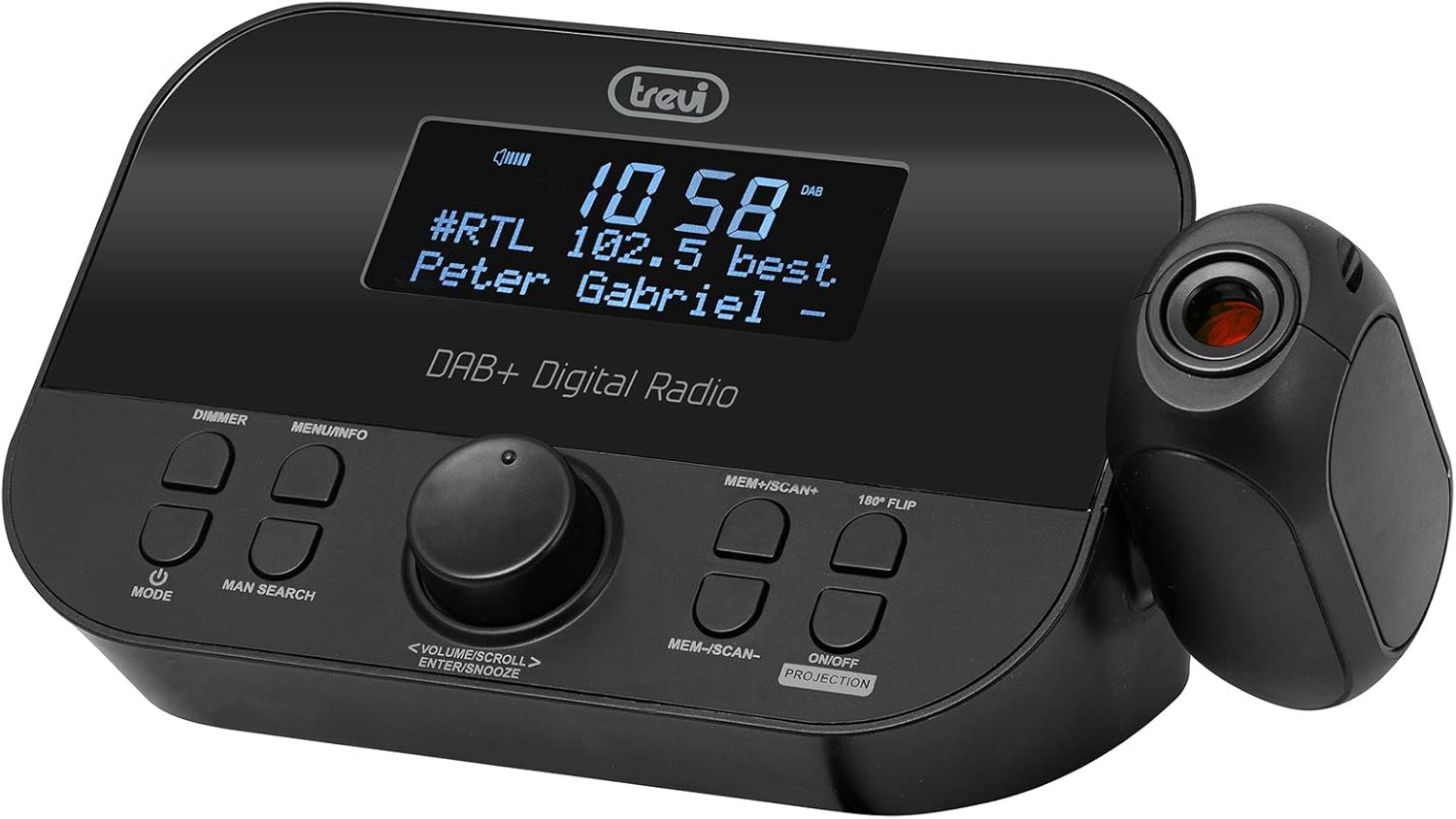
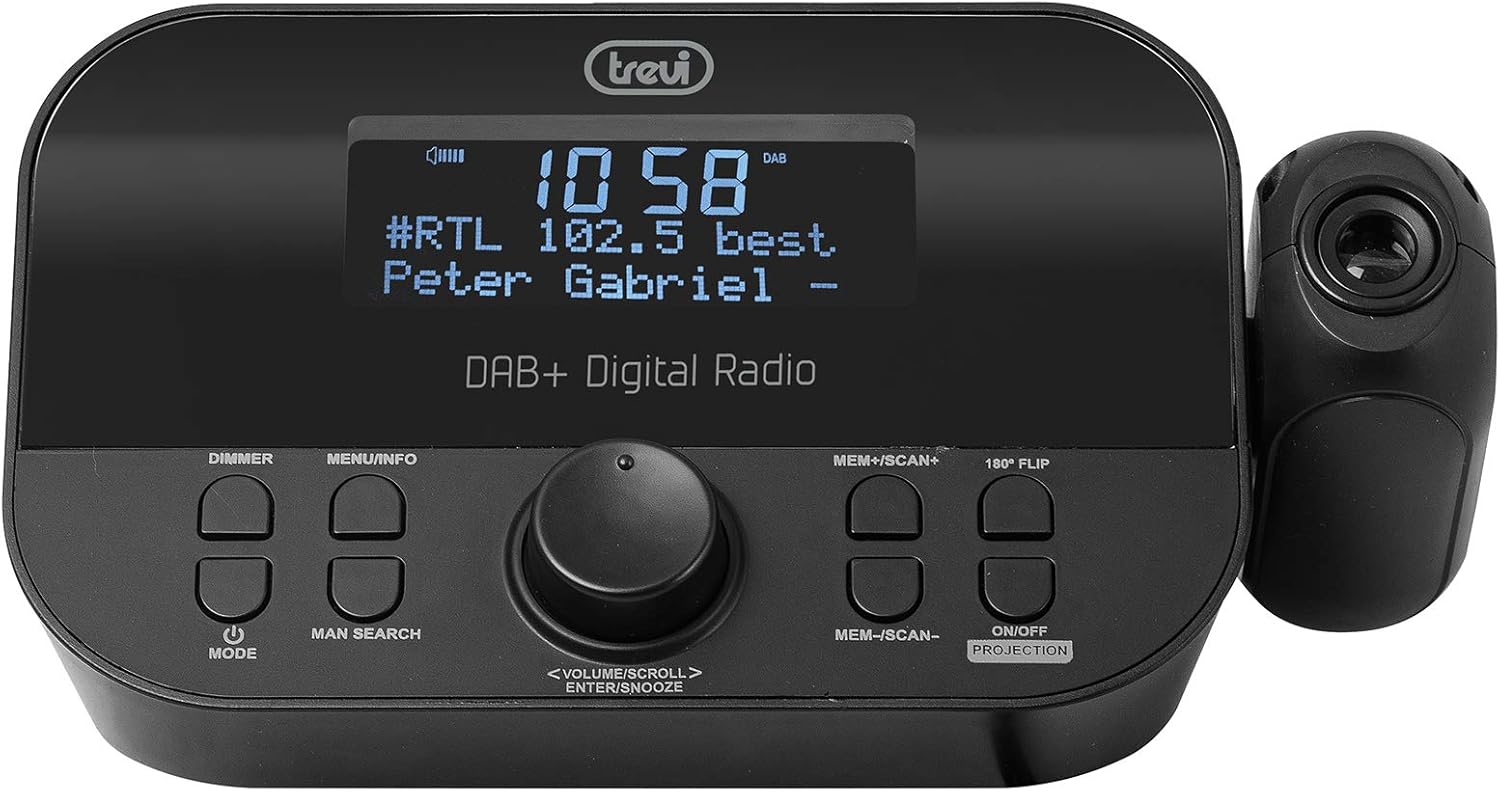
Ispred view of the Trevi RC 85D8 DAB Digital Alarm Clock Radio, showing the LED display, control buttons, and the time projector.
Kontrole i zaslon:
- LED zaslon: Shows time, radio station, song title/artist, volume, and other information.
- Tipka DIMMER: Podešava svjetlinu zaslona.
- Tipka IZBORNIK/INFO: Accesses menu options and displays radio information.
- Gumb MODE: Switches between DAB, FM, and other modes.
- Gumb za pretragu čovjeka: Initiates manual station search.
- VOLUME/SCROLL/ENTER/SNOOZE Knob: Multi-function knob for volume control, menu navigation, selection, and snooze activation.
- Tipka MEM+/SCAN+: Stores/recalls presets, scans forward.
- Tipka MEM-/SCAN-: Stores/recalls presets, scans backward.
- 180° FLIP Button: Rotates projected time display.
- ON/OFF PROJECTION Button: Turns the time projection on or off.
- Objektiv za projekciju: Projects time onto a surface.
Postavljanje
1. Priključak za napajanje
- Connect the provided power adapter to the DC IN port on the back of the alarm clock radio.
- Uključite adapter u standardnu zidnu utičnicu.
- Uređaj će se uključiti i zaslon će se osvijetliti.
2. Ugradnja rezervne baterije (opcionalno)
The device has a battery compartment for anti-failure backup (2 AAA batteries, not included). This ensures time and alarm settings are retained during a power outage.
- Otvorite poklopac odjeljka za baterije na dnu uređaja.
- Umetnite 2 AAA baterije, pazeći na ispravan polaritet (+/-).
- Čvrsto zatvorite poklopac odjeljka za baterije.
3. Postavljanje antene
Extend the telescopic antenna fully for optimal DAB/DAB+ and FM radio reception. Adjust its position for the best signal.

Strana view of the Trevi RC 85D8 DAB Digital Alarm Clock Radio, showing the extended telescopic antenna for improved reception.
4. Početno podešavanje vremena i datuma
Upon first power-on, the device will attempt to synchronize time and date automatically via DAB or FM RDS signal. If automatic synchronization fails or you wish to set it manually:
- Pritisnite tipku IZBORNIK/INFO gumb za ulazak u izbornik.
- Zakrenite GLASNOĆA/POMICA knob to navigate to "Time/Date" or "Settings".
- Pritisnite tipku ENTER (push the knob) to select.
- Follow the on-screen prompts to set the time, date, and 12/24-hour format using the GLASNOĆA/POMICA gumb i ENTER dugme.
Upute za rad
1. Uključivanje/isključivanje
- Za uključivanje pritisnite NAČIN RADA dugme.
- Za isključivanje pritisnite i držite NAČIN RADA dugme.
2. Radio Mode Selection (DAB/DAB+ / FM RDS)
- Pritisnite tipku NAČIN RADA button repeatedly to cycle between DAB/DAB+ and FM radio modes.
3. Tuning and Scanning
DAB/DAB+ radio:
- U načinu DAB pritisnite MEM+/SCAN+ or MEM-/SCAN- za automatsko skeniranje dostupnih stanica.
- Alternativno, pritisnite MAN SEARCH to manually tune. Rotate the GLASNOĆA/POMICA knob to select a station, then press ENTER.
FM RDS Radio:
- U FM načinu rada pritisnite MEM+/SCAN+ or MEM-/SCAN- za automatsko skeniranje sljedeće dostupne stanice.
- Pritisnite MAN SEARCH to manually tune. Rotate the GLASNOĆA/POMICA knob to adjust the frequency, then press ENTER.
4. Pohranjivanje i pozivanje unaprijed postavljenih postavki
- Podesite željenu stanicu.
- Pritisnite i držite MEM+/SCAN+ or MEM-/SCAN- until the display shows "Preset Store".
- Zakrenite GLASNOĆA/POMICA knob to select a preset number (e.g., P01, P02).
- Pritisnite ENTER za potvrdu i spremanje stanice.
- To recall a preset, briefly press MEM+/SCAN+ or MEM-/SCAN- to cycle through stored stations.
5. Kontrola glasnoće
- Zakrenite GLASNOĆA/POMICA gumb za podešavanje glasnoće slušanja.
6. Postavljanje alarma (dvostruki alarmi)
The Trevi RC 85D8 supports two independent alarms (Alarm 1 and Alarm 2).
- Pritisnite tipku IZBORNIK/INFO gumb za ulazak u izbornik.
- Zakrenite GLASNOĆA/POMICA knob to navigate to "Alarm 1 Setup" or "Alarm 2 Setup".
- Pritisnite ENTER odabrati.
- Follow the on-screen prompts to set:
- Vrijeme alarma: Set the desired wake-up time.
- Izvor alarma: Choose between "Buzzer" or "Radio" (DAB or FM).
- Glasnoća alarma: Postavite željenu glasnoću alarma.
- Frekvencija alarma: Select "Daily", "Weekdays", "Weekends", or "Once".
- Status alarma: Turn the alarm "On" or "Off".
- Pritisnite ENTER za potvrdu svake postavke.
7. Funkcija odgode alarma
- Kada se oglasi alarm, pritisnite tipku VOLUME/SCROLL/ENTER/SNOOZE knob to activate snooze. The alarm will pause for a set period (usually 9 minutes) and sound again.
- To cancel snooze and turn off the alarm, press the NAČIN RADA dugme.
8. Funkcija timera za spavanje
Mjerač vremena za spavanje omogućuje radiju da svira određeno vrijeme prije automatskog isključivanja.
- Pritisnite tipku IZBORNIK/INFO gumb za ulazak u izbornik.
- Zakrenite GLASNOĆA/POMICA knob to navigate to "Sleep Timer".
- Pritisnite ENTER odabrati.
- Zakrenite GLASNOĆA/POMICA knob to choose the desired sleep duration (e.g., 15, 30, 60, 90 minutes, or Off).
- Pritisnite ENTER potvrditi.
9. Time Projection Feature
The Trevi RC 85D8 DAB Digital Alarm Clock Radio projecting the time onto a surface, demonstrating the adjustable projection lens.
- Turn Projection On/Off: Pritisnite tipku ON/OFF PROJECTION dugme.
- Podešavanje kuta projekcije: Manually adjust the projection lens on the side of the unit to direct the time display onto your ceiling or wall.
- Rotate Projected Time: If the projected time is upside down or sideways, press the 180° Flip button to rotate it for correct viewing.
- Podešavanje fokusa: Rotate the ring around the projection lens to sharpen the projected image.
10. Zatamnjivač zaslona
- Pritisnite tipku DIMER button repeatedly to cycle through different brightness levels for the main LED display (e.g., High, Medium, Low, Off).
Održavanje
- Čišćenje: Za čišćenje površine uređaja koristite meku, suhu krpu. Nemojte koristiti abrazivna sredstva za čišćenje ili otapala.
- Održavanje antene: Pažljivo rukujte teleskopskom antenom kako biste izbjegli oštećenja.
- Zamjena baterije: If using battery backup, replace AAA batteries annually or when the low battery indicator appears.
Rješavanje problema
| Problem | Mogući uzrok | Otopina |
|---|---|---|
| Nema napajanja/Zaslon isključen | Power adapter not connected; Power outlet faulty; DIMMER set to Off. | Ensure power adapter is securely connected and outlet is functional. Press DIMER button to adjust display brightness. |
| Slab radio prijem (DAB/FM) | Antena nije ispružena; Područje slabog signala; Smetnje od druge elektronike. | Fully extend and adjust the telescopic antenna. Try repositioning the unit. Move away from other electronic devices. Perform a full scan for DAB stations. |
| Alarm se ne oglašava | Alarm not activated; Alarm volume too low; Incorrect alarm time/frequency. | Check alarm settings (Alarm 1/2 Setup) to ensure it is "On", time is correct, frequency is set, and volume is audible. |
| Projected time is blurry or unclear | Fokus nije podešen; Udaljenost projekcije prevelika/preblizu. | Rotate the ring around the projection lens to adjust focus. Ensure the projection surface is within an optimal distance. |
| Projected time is upside down/sideways | Projection orientation incorrect. | Pritisnite tipku 180° Flip button to rotate the projected image. |
| Display is too bright at night | Dimmer setting too high. | Pritisnite tipku DIMER button repeatedly to select a lower brightness level or turn the display off. |
Tehnički podaci
| Značajka | Detalj |
|---|---|
| Marka | Trevi |
| Broj modela | RC 85D8 (0RC85D800) |
| Boja | Crna |
| Tehnologija podešavanja | DAB, FM RDS |
| Podržani radijski bendovi | DAB/DAB+, FM |
| Posebne značajke | Alarm, Snooze, Sleep Timer, Time Projection, Dual Alarms |
| Tehnologija povezivanja | 3.5 mm Jack (for headphones) |
| Izvor napajanja | AC Power Adapter (included), Battery backup (2x AAA, not included) |
| Dimenzije proizvoda | 23L x 13W x 14H centimeters (approx.) |
| Prikaz | LED Display with Dimmer |
Jamstvo i podrška
For warranty information and technical support, please refer to the documentation provided with your purchase or visit the official Trevi webstranicu. Sačuvajte dokaz o kupnji za slučaj reklamacije.
Proizvođač: Trevi SpA
Zemlja podrijetla: Kina


