1. Uvod
This manual provides detailed instructions for the installation, operation, and maintenance of your BOIFUN DD202 2K Wi-Fi Outdoor Security Camera. Please read this manual thoroughly before using the product to ensure proper functionality and safety. The BOIFUN DD202 is a battery-powered outdoor camera designed for reliable surveillance, featuring 2K Full HD resolution, color night vision, and intelligent motion detection.

Image 1.1: BOIFUN DD202 2K Wi-Fi Outdoor Security Camera
2. Sadržaj paketa
Molimo provjerite sadržaj paketa prilikom primitka. Ako bilo koji artikl nedostaje ili je oštećen, obratite se korisničkoj podršci.
- 1 × BOIFUN DD202 Battery Camera
- 1 × Fixed Mounting Bracket
- 4 × vijka za pričvršćivanje
- 4 × Wall Plugs (Nuts)
- 1 × USB kabel za punjenje
- 1 × korisnički priručnik
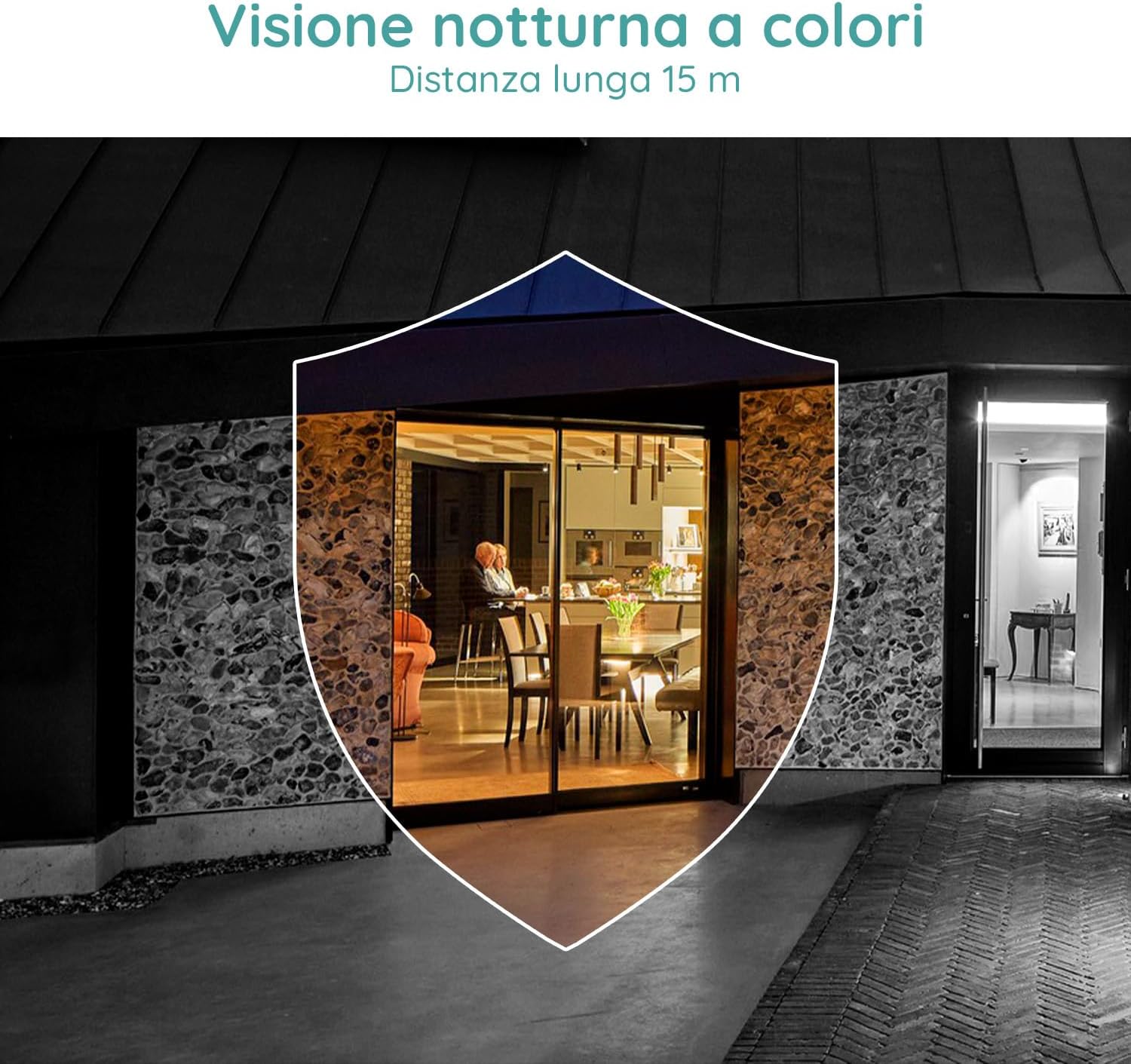
Image 2.1: Included components for the BOIFUN DD202 camera.
3. Proizvod je gotovview
The BOIFUN DD202 camera is designed for outdoor security with several key features:
- 2K Full HD Resolution: Snima jasan i detaljan video footage.
- Noćni vid u boji: Provides full-color video even in low-light conditions up to 20 meters.
- PIR detekcija pokreta: Advanced AI algorithm for accurate human motion detection, reducing false alarms.
- Acoustic Alarm & Spotlight: Deters intruders with a 110 dB siren and bright spotlight.
- Trajanje baterije od 120 dana: Long-lasting 10400 mAh battery (based on 10 wake-ups/day).
- Dvosmjerni zvuk: Communicate with visitors or deter unwanted guests remotely.
- IP66 Otporan na vremenske uvjete: Dizajniran da izdrži različite vanjske vremenske uvjete.
- 2.4 GHz Wi-Fi Connectivity: Ensures stable wireless connection.

Image 3.1: The camera continues to function and record even if the main power supply is interrupted, thanks to its internal battery.
4. Postavljanje
4.1 Punjenje kamere
Before initial use, fully charge the camera using the provided USB cable. Connect the cable to the camera's charging port and a standard USB power adapter (not included).
4.2 Instalacija aplikacije i stvaranje računa
- Download the official BOIFUN app from your smartphone's app store (iOS or Android).
- Otvorite aplikaciju i slijedite upute na zaslonu za izradu novog računa ili se prijavite ako ga već imate.
4.3 Wi-Fi veza
The camera supports 2.4 GHz Wi-Fi networks only. Ensure your smartphone is connected to a 2.4 GHz Wi-Fi network during the setup process.
- In the app, select 'Add Device' and choose your camera model.
- Follow the app's instructions to connect the camera to your Wi-Fi network. This typically involves scanning a QR code displayed on your phone with the camera.

Image 4.1: The camera supports 2.4 GHz Wi-Fi, offering better penetration and range compared to 5 GHz networks.
4.4 Fizička instalacija
Kamera je namijenjena za montažu na zid. Odaberite mjesto koje pruža željeni viewkutu i unutar je dometa vaše Wi-Fi mreže od 2.4 GHz.
- Označite točke bušenja na zidu koristeći nosač za montažu kao predložak.
- Izbušite rupe i umetnite tiple u zid.
- Pričvrstite montažni nosač na zid pomoću vijaka.
- Secure the camera to the mounting bracket. Adjust the angle as needed.
5. Upute za rad
5.1 Uživo View i Snimanje
Access the live feed of your camera through the BOIFUN app. You can manually record video or take screenshots from the live view.
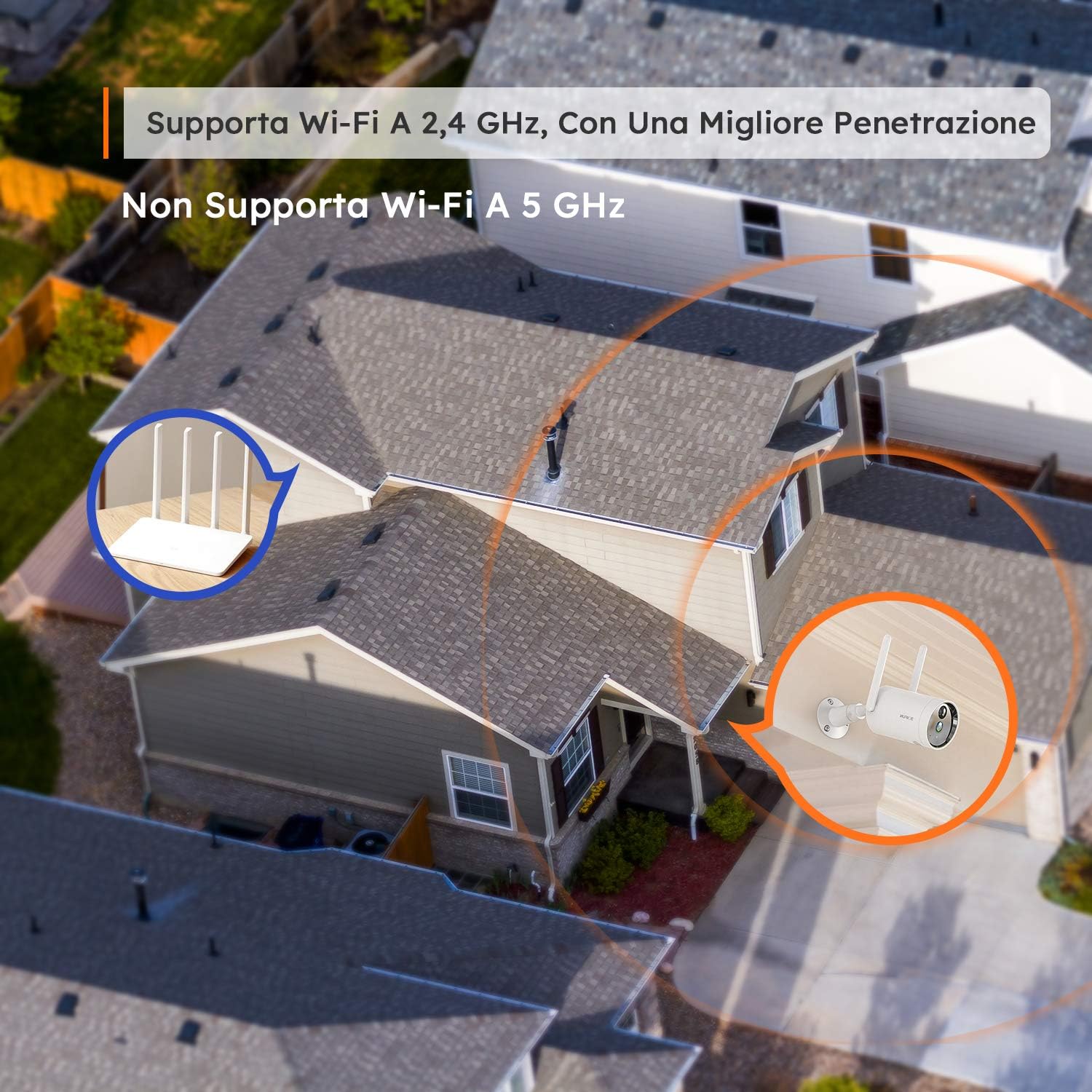
Image 5.1: Monitor multiple camera feeds simultaneously through the BOIFUN app on your smartphone.
5.2 Detekcija pokreta
The camera features PIR (Passive Infrared) motion detection combined with an advanced AI algorithm to distinguish between humans and other moving objects, minimizing false alarms.
- Ljudska detekcija: Configure the camera to only alert you when a human figure is detected.
- Podesiva osjetljivost: Customize the detection sensitivity (levels 1-10) to suit your environment.
- Custom Alarm Zone: Definirajte specifična područja unutar kamere view gdje bi detekcija pokreta trebala biti aktivna.
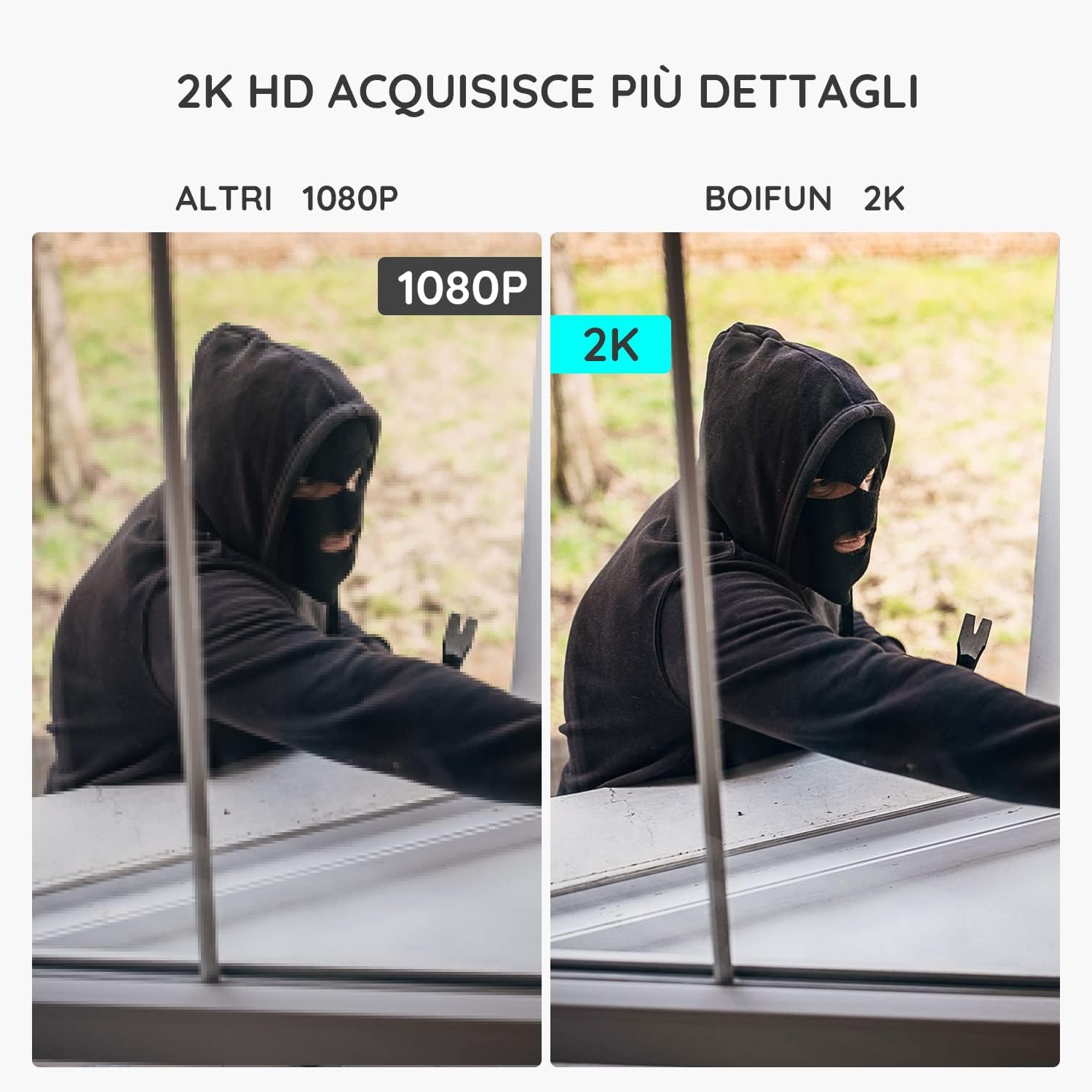
Image 5.2: The camera's PIR human detection accurately identifies people while ignoring other movements like pets or falling leaves, reducing unnecessary alerts.
5.3 Noćni vid
The BOIFUN DD202 offers 2K Full HD color night vision, allowing you to see clear, detailed, and color images even in complete darkness up to 20 meters. When a human is detected at night, the fill lights automatically activate to provide color footage.

Slika 5.3: Primjerample of the camera's color night vision capability, providing clear visibility in low-light conditions.
5.4 funkcija alarma
Upon detecting motion, the camera can trigger an acoustic alarm (up to 110 dB) and activate its spotlight to deter intruders. You will also receive real-time notifications on your smartphone.

Image 5.4: The camera's real-time alert system, featuring a siren and spotlight to deter potential threats.
5.5 Dvosmjerni zvuk
The integrated microphone and speaker allow for two-way communication. You can speak through the camera to interact with visitors or warn off unwanted individuals.
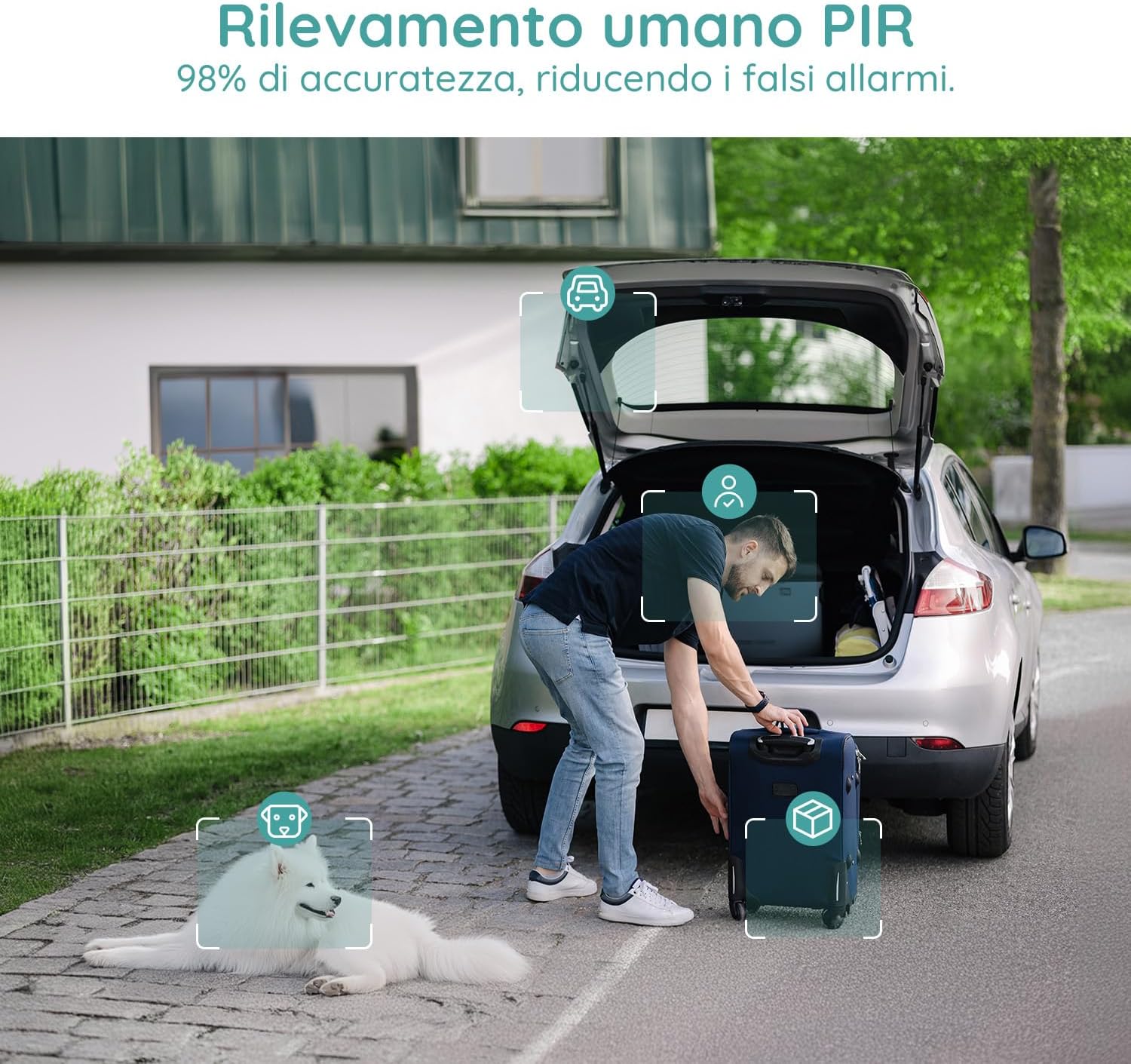
Image 5.5: Use the two-way audio feature to communicate with people near your camera.
5.6 Mogućnosti pohrane
- Micro SD kartica: Supports up to 128GB Micro SD card (not included) for local storage. When the card is full, older footage će biti automatski prebrisano.
- Pohrana u oblaku: Offers a 7-day free trial for cloud storage. Subsequent cloud storage requires a subscription. All video files are encrypted for privacy.
6. Održavanje
- Čišćenje: Regularly wipe the camera lens and body with a soft, dry cloth to ensure clear image quality. Avoid using harsh chemicals.
- Punjenje baterije: Monitor the battery level via the app and recharge the camera when necessary to ensure continuous operation.
- Ažuriranja firmvera: Check the app periodically for firmware updates to ensure optimal performance and security.
7. Rješavanje problema
7.1 Kamera se ne povezuje na Wi-Fi
- Provjerite je li vaša Wi-Fi mreža 2.4 GHz. Kamera ne podržava Wi-Fi od 5 GHz.
- Provjerite je li kamera unutar dometa vašeg Wi-Fi usmjerivača.
- Provjerite je li vaša lozinka za Wi-Fi ispravno unesena u aplikaciju.
- Restart your router and the camera, then try connecting again.
7.2 Česti lažni alarmi
- Adjust the motion detection sensitivity in the app to a lower level.
- Utilize the 'Human Detection' feature to filter out non-human movements.
- Set up a 'Custom Alarm Zone' to exclude areas with frequent irrelevant motion (e.g., busy roads, swaying trees).
7.3 Loša kvaliteta slike
- Provjerite je li objektiv kamere čist i bez prašine ili mrlja.
- Provjerite jačinu Wi-Fi signala. Slab signal može utjecati na kvalitetu strujanja videa.
- Verify the video resolution setting in the app is set to 2K (HD).
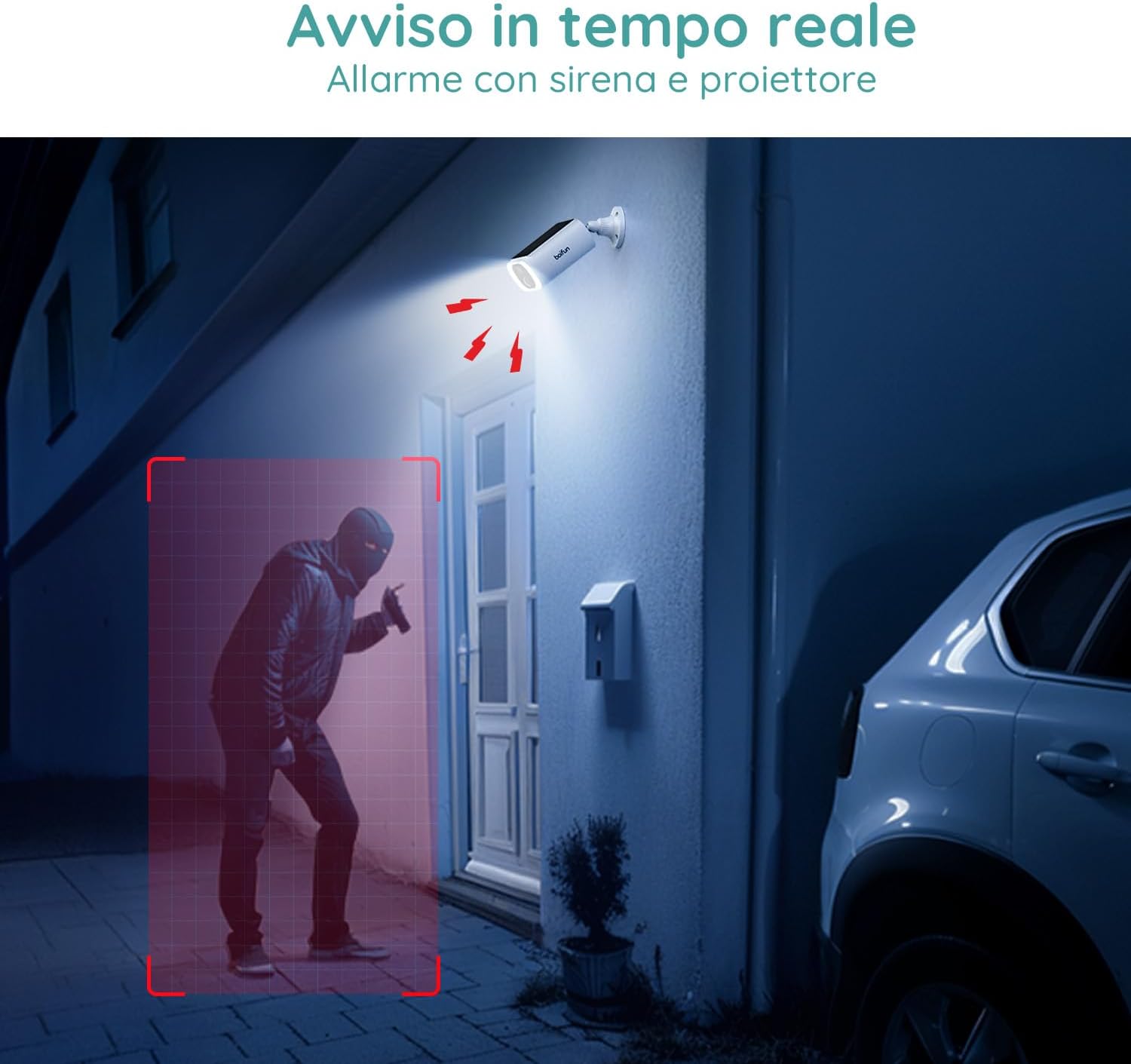
Image 7.1: Comparison illustrating the enhanced detail provided by 2K resolution compared to 1080p.
8. Specifikacije
| Naziv modela | DD202 |
| Marka | BOIFUN |
| Video rezolucija | 2K (1296p) |
| Viewing kut | 130 stupnja |
| Domet noćnog vida | 20 metara |
| Bežična tehnologija | Wi-Fi (2.4 GHz) |
| Izvor napajanja | Battery Powered (10400 mAh Lithium-ion) |
| Vodootpornost | IP66 (vodootporan) |
| Materijal | Plastični |
| Dimenzije (D x Š x V) | 12 x 8.5 x 20 cm |
| Težina | 710 grama |
| Kompatibilni uređaji | Smartphone, Tablet (Android & iOS) |
9. Jamstvo i podrška
BOIFUN is committed to providing advanced intelligent protection solutions and excellent customer service.
- Jamstvo: Ovaj proizvod dolazi s 3 godine jamstva.
- Politika povrata: Iskoristite 30-dnevnu politiku besplatnog povrata.
- Korisnička podrška: 24/7 after-sales support is available.
For any questions or assistance, please contact us at: admin@boifun.net

Image 9.1: BOIFUN offers 9 years of focus, a 3-year warranty, and timely support within 24 hours.


