Uvod
This manual provides comprehensive instructions for the setup, operation, and maintenance of your Plantronics Poly Studio P5 Webcam and Voyager 4220 UC Headset Kit. Please read this manual thoroughly before using the product to ensure optimal performance and longevity.
The kit includes a high-definition webcam designed for professional video conferencing and a stereo Bluetooth wireless headset for clear audio communication.
Sadržaj paketa
- Poly Studio P5 Webkamera
- Bežične slušalice Poly Voyager 4220 UC
- USB-A Adapter (for headset)
- USB Cable (for webkamera)
- Kratki vodič za početak
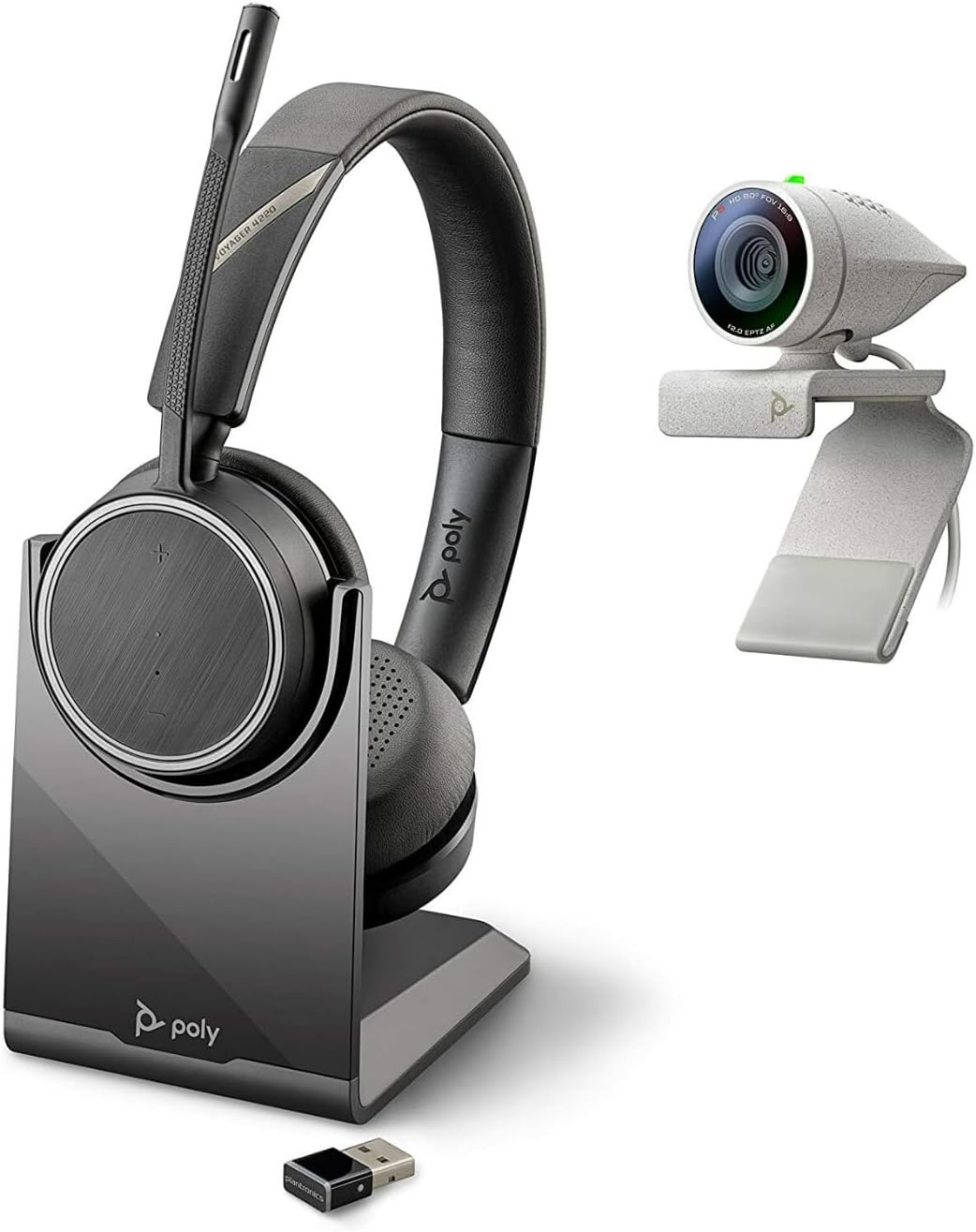
Image: Poly Studio P5 Webcam and Voyager 4220 UC Headset Kit, showing the webcam, headset, charging stand, and USB adapter.
Upute za postavljanje
1. Poly Studio P5 WebPostavljanje kamere
- Montaža Webkamera:
Postavite webcam on top of your monitor or laptop screen. Adjust the clip to secure it firmly. The webcam can also be mounted on a tripod using the integrated tripod-ready design.

Image: Poly Studio P5 Webcam positioned on top of a laptop screen, showing its compact design and mounting clip.
- Spajanje na računalo:
Spojite integrirani USB kabel iz webcam to an available USB port on your PC or Mac. The device is plug-and-play; drivers will install automatically.
- Zasun za privatnost:
The webcam features an integrated privacy shutter. Slide the shutter to cover the lens when not in use to enhance security and privacy.

Slika: prednja strana view of the Poly Studio P5 Webcam, highlighting the lens and the integrated privacy shutter mechanism.
2. Voyager 4220 UC Headset Setup
- Punjenje slušalica:
Before first use, fully charge the headset. Connect the charging cable to the headset and a USB power source. A full charge provides approximately 12 hours of talk time or 15 hours of listening time.
- Connecting the USB-A Adapter:
Insert the USB-A adapter into an available USB port on your PC or Mac. The adapter will automatically pair with the Voyager 4220 UC headset.
- Nošenje slušalica:
Adjust the headband for a comfortable fit. Position the microphone boom approximately two finger-widths from the corner of your mouth for optimal voice pickup.
Upute za rad
1. Using the Poly Studio P5 Webkamera
- Videokonferencije: The webcam is compatible with Zoom, Microsoft Teams, and other video conferencing services. Select "Poly Studio P5" as your camera and microphone input within your chosen application's settings.
- Automatic Low-Light Compensation: The webcam automatically adjusts to maintain proper light exposure, ensuring clear visibility even in darker environments.
- Digitalno zumiranje: The camera supports up to 4x digital zoom. This feature can typically be controlled through your video conferencing software or the Poly Lens Desktop app.

Image: A person wearing the Voyager 4220 UC Headset and using the Poly Studio P5 Webcam with a laptop, demonstrating a typical video conferencing setup.
2. Using the Voyager 4220 UC Headset
- Uključivanje/isključivanje: Slide the power switch to turn the headset on or off.
- Kontrola glasnoće: Use the volume up (+) and volume down (-) buttons on the earcup to adjust audio levels.
- Isključi/uključi zvuk: Press the mute button on the microphone boom or earcup to mute or unmute your microphone.
- Kontrola poziva: Press the call button to answer or end calls in supported applications.
- Mikrofoni s poništavanjem buke: The headset features dual noise-cancelling microphones to reduce background noise for clear voice transmission.
3. Poly Lens Desktop App
The Poly Lens Desktop app allows you to customize settings, receive firmware updates, and access practical tips for your devices. Download the app from the official Poly webmjesto.
- prilagoditi webcam settings (e.g., brightness, contrast, zoom).
- Configure headset audio preferences.
- Receive health and wellness reminders.
Održavanje
- Čišćenje:
Obrišite webcam lens and headset surfaces with a soft, dry, lint-free cloth. Do not use liquid cleaners or abrasive materials.
- Skladištenje:
Uređaje čuvajte na hladnom i suhom mjestu, dalje od izravne sunčeve svjetlosti i ekstremnih temperatura kada se ne koriste.
- Ažuriranja firmvera:
Regularly check for firmware updates via the Poly Lens Desktop app to ensure optimal performance and access to new features.
Rješavanje problema
| Problem | Mogući uzrok | Otopina |
|---|---|---|
| Webkamera nije otkrivena | Loose USB connection, incorrect software settings, driver issue. |
|
| Nema zvuka iz slušalica | Headset not powered on, not paired, volume too low, incorrect audio output selected. |
|
| Mikrofon ne radi | Microphone muted, incorrect audio input selected, boom not positioned correctly. |
|
| Loša kvaliteta videa | Low light conditions, dirty lens, internet bandwidth issues. |
|
Tehnički podaci
Poly Studio P5 Webkamera
- Maksimalna razlučivost zaslona: FHD (1080p)
- Rezolucija video snimanja: 1080 p
- Tehnologija foto senzora: CMOS
- Stražnji Webrezolucija kamere: 5 MP
- Maksimalna žarišna duljina: 4
- Maksimalni otvor: f/2.0
- Tehnologija povezivanja: USB
- Hardware Platforma: PC, Mac
- Posebne karakteristike: Integrated privacy shutter, automatic low-light compensation, tripod-ready design.
- Dimenzije proizvoda: 14.1 x 8.3 x 4.5 inches (Kit dimensions)
- Težina artikla: 2.09 pounds (Kit weight)
Slušalice Poly Voyager 4220 UC
- Bežična vrsta: Bluetooth
- Vrijeme razgovora: Do 12 sati
- Vrijeme slušanja: Do 15 sati
- Mikrofoni: Dual noise-cancelling
- Povezivost: USB-A adapter
- Podržani audio format: AAC, MP3
- baterije: 1 litij-polimerska baterija (uključena)
Informacije o jamstvu
Za detaljne informacije o jamstvu, molimo pogledajte jamstveni list koji je priložen uz vaš proizvod ili posjetite službenu web stranicu Poly. webstranica. Standardni jamstveni uvjeti obično pokrivaju proizvodne nedostatke za određeno razdoblje od datuma kupnje.
Podrška i kontakt
For technical support, product registration, or to download the latest software and drivers, please visit the official Poly support webstranica:
Webstranica: www.poly.com/support
Na stranici za podršku možete pronaći i često postavljana pitanja i forume zajednice.


