Uvod
This manual provides comprehensive instructions for the setup, operation, and maintenance of your Tesla Smart Pet Feeder (Model TSL-PC-BL4). Please read this manual thoroughly before using the device to ensure proper functionality and safety for your pet.
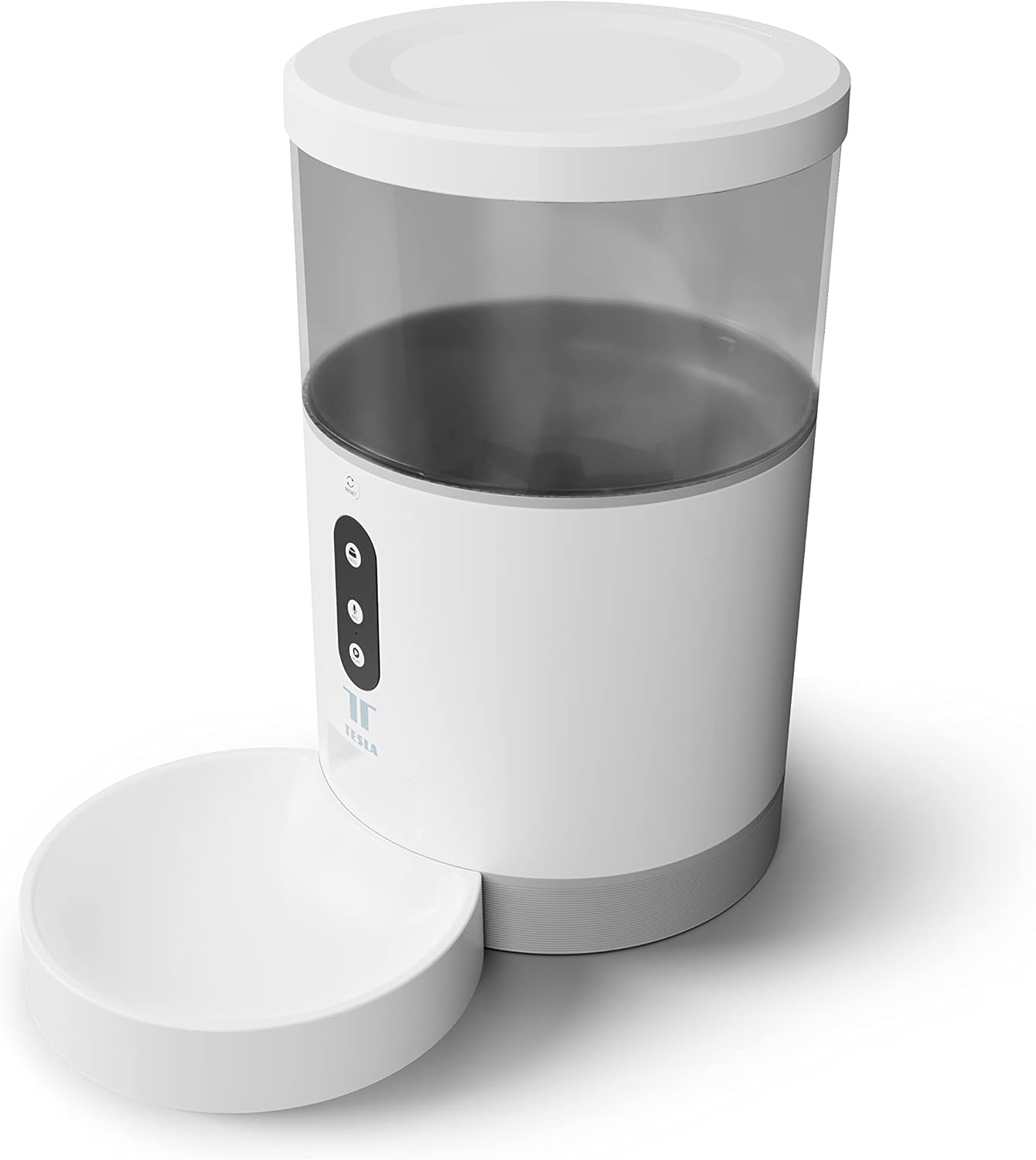
Slika: prednja strana view of the Tesla Smart Pet Feeder, showing the main unit with a transparent food reservoir, control buttons, and an attached white food bowl.
Važne sigurnosne informacije
Molimo vas da se pridržavate sljedećih sigurnosnih mjera opreza kako biste spriječili ozljede ili oštećenje uređaja:
- Ne uranjajte glavnu jedinicu u vodu ili druge tekućine.
- Ensure the feeder is placed on a stable, level surface.
- Keep out of reach of small children and pets when not in use or during assembly.
- Use only dry pet food with a kibble size up to 10 mm.
- Ne pokušavajte sami rastaviti ili popraviti uređaj. Obratite se korisničkoj podršci za pomoć.
- Uvijek isključite hranilicu iz struje prije čišćenja.
Sadržaj paketa
Provjerite jesu li sve komponente prisutne u paketu:
- Tesla Smart Pet Feeder Main Unit
- Zdjela za hranu
- Adapter napajanja
- Korisnički priručnik (ovaj dokument)
Vodič za postavljanje
1. Skupština
- Postavite glavnu jedinicu za uvlačenje na ravnu, stabilnu površinu.
- Attach the food bowl to the designated slot at the base of the main unit. Ensure it clicks securely into place.

Slika: prednja strana view of the feeder highlighting the control panel with feed, record, and play buttons.
2. Napajanje uređaja
- AC napajanje: Connect the power adapter to the feeder's power input port and plug it into a standard wall outlet.
- Rezervna baterija (opcionalno): Za neprekidan rad tijekom nestanka strujetages, insert three LR20 (D-cell) batteries into the battery compartment located at the bottom of the unit. Baterije nisu uključene i moraju se kupiti zasebno.

Slika: Stražnja strana view of the Tesla Smart Pet Feeder, showing the power input and battery compartment location.
3. Punjenje posude za hranu
- Remove the lid from the top of the feeder.
- Pour dry pet food into the transparent container. The feeder has a capacity of 4 liters. Ensure kibble size does not exceed 10 mm to prevent jamming.
- Čvrsto namjestite poklopac.

Slika: Krupni plan view of dry pet food kibble in the feeder's bowl, demonstrating the type of food suitable for the device.
4. App Download and Wi-Fi Connection
- Download the Tesla Smart app from the App Store (iOS) or Google Play Store (Android).
- Open the app and follow the on-screen instructions to create an account and add your Tesla Smart Pet Feeder.
- Ensure your Wi-Fi network is 2.4 GHz for successful connection.
Upute za rad
1. Scheduling Feeds via App
The primary method for controlling the feeder is through the Tesla Smart app. The app allows you to:
- Set feeding schedules: Define specific times for food dispensing.
- Adjust portion sizes: Control the amount of food dispensed per feeding. The feeder can dispense up to 10 portions per feeding.
- View feeding history.

Image: An orange cat resting beside the Tesla Smart Pet Feeder, illustrating the feeder in a home environment.
2. Ručno hranjenje
To dispense food manually, press the "Feed" button on the feeder's control panel. Each press will dispense one portion of food.
3. Snimanje i reprodukcija glasa
The feeder includes a built-in microphone and speaker, allowing you to record a short message to call your pet at feeding times.
- Snimiti: Press and hold the "Record" button (microphone icon) on the control panel. Speak your message. Release the button to save.
- Igrati: Press the "Play" button (speaker icon) to play your recorded message. The message will also play automatically at scheduled feeding times.
4. Integracija pametnog doma
The Tesla Smart Pet Feeder is compatible with Google Assistant and Amazon Alexa. You can control the feeder using voice commands after linking it through the respective smart home applications.
Održavanje i čišćenje
Redovito čišćenje osigurava dugotrajnost i higijenski rad vaše hranilice za kućne ljubimce.
- Zdjela za hranu: The food bowl can be detached and washed by hand with mild soap and water. Rinse thoroughly and dry completely before reattaching.
- Posuda za hranu: The transparent food container can be wiped clean with a damp cloth. Ensure it is completely dry before refilling with food.
- Glavna jedinica: Wipe the exterior of the main unit with a soft, dry cloth. Ne koristite abrazivna sredstva za čišćenje niti ne uranjajte glavnu jedinicu u vodu.
- Prodajno mjesto hrane: Periodically check the food outlet for any blockages or food residue and clear as necessary.
Important: Always unplug the feeder from the power source before cleaning.
Rješavanje problema
| Problem | Mogući uzrok | Otopina |
|---|---|---|
| Dodavač se ne uključuje. | No power from outlet; batteries depleted or incorrectly installed. | Check power adapter connection and wall outlet. Replace or install D-cell batteries correctly. |
| Hrana se ne izdaje. | Food jammed; container empty; incorrect kibble size; feeder offline. | Check for food blockages in the outlet. Refill container. Ensure kibble is max 10mm. Check Wi-Fi connection and app status. |
| Ne mogu se spojiti na Wi-Fi. | Incorrect Wi-Fi password; 5GHz network; feeder too far from router. | Verify Wi-Fi password. Ensure you are connecting to a 2.4 GHz network. Move feeder closer to router. Restart feeder and router. |
| Voice recording not working. | Microphone issue; recording procedure incorrect. | Ensure you are pressing and holding the record button correctly. Try restarting the feeder. |
Tehnički podaci
| Značajka | Detalj |
|---|---|
| Broj modela | TSL-PC-BL4 |
| Dimenzije (D x Š x V) | 30 x 30 x 20 cm |
| Težina | 1.92 kilogram |
| Materijal | Plastični |
| Boja | Bijela |
| Kapacitet | 4 litara |
| Veličina komadića | Do 10 mm |
| Izvor napajanja | AC Adapter, 3x LR20 (D-cell) batteries (not included) |
| Povezivost | Wi-Fi (2.4 GHz) |
| Posebne značajke | Wi-Fi and App Control, Voice Recording, Google Assistant/Amazon Alexa Compatible |
Jamstvo i podrška
For warranty information, technical support, or service inquiries, please refer to the official Tesla Smart webweb-mjesto ili se obratite njihovoj službi za korisnike. Sačuvajte račun kao dokaz o kupnji.
Za najnovije informacije i resurse podrške posjetite: www.teslasmart.com


