1. Uvod
Thank you for choosing the MAXTOP T5 Smartwatch. This device is designed to help you monitor your health and fitness activities, receive notifications, and manage various daily functions. Please read this manual carefully to ensure proper use and optimal performance.

Image: The MAXTOP T5 Smartwatch in use during a run, highlighting its fitness and health tracking capabilities.
2. Sadržaj paketa
Provjerite jesu li svi artikli prisutni u paketu:
- MAXTOP T5 Smartwatch Head
- Remen ru? nog sata
- Magnetski kabel za punjenje
- korisnički priručnik
3. Postavljanje i početna upotreba
3.1. Punjenje pametnog sata
Before first use, fully charge the smartwatch.
- Spojite magnetski kabel za punjenje na utičnice za punjenje na stražnjoj strani pametnog sata.
- Connect the USB end of the cable to a standard USB power adapter (5V/1A recommended) or a computer's USB port.
- Zaslon sata prikazat će status punjenja. Potpuno punjenje obično traje otprilike 2 sata.
Bilješka: The battery life is approximately 3 to 5 days with normal use and up to 7 days in standby mode. Actual battery life may vary based on usage.
3.2. Instalacija i uparivanje aplikacije
To access all features and synchronize data, download and install the companion app on your smartphone.
- Scan the QR code in the manual or search for "MAXTOP" or "H BAND" in your smartphone's app store (Google Play Store for Android, Apple App Store for iOS).
- Preuzmite i instalirajte aplikaciju.
- Provjerite je li Bluetooth omogućen na vašem pametnom telefonu.
- Open the app and follow the on-screen instructions to create an account and pair your MAXTOP T5 Smartwatch.
- During pairing, select "T5" from the list of available devices.
Kompatibilnost: Requires iOS 9.0 or higher, or Android 6.0 or higher.
4. Upravljanje pametnim satom
4.1. Osnovna navigacija
- Zaslon osjetljiv na dodir: Prijeđite prstom lijevo/desno, gore/dolje za navigaciju kroz izbornike i funkcije. Dodirnite za odabir.
- Bočni gumb: Pritisnite za povratak na početni zaslon ili buđenje uređaja.

Image: The MAXTOP T5 Smartwatch showing its main display with time, steps, distance, and calories.
4.2. Praćenje kondicije
The smartwatch tracks various fitness metrics throughout the day.
- Brojač koraka: Automatically records your daily steps.
- Udaljenost: Calculates the distance covered based on your steps.
- Spaljene kalorije: Procjenjuje potrošnju kalorija.

Image: A visual representation of the smartwatch's 24-hour tracking feature, showing steps, distance, and calorie data.
4.3. Sportski načini rada
The smartwatch offers 10 exercise modes to track specific workouts.
- Access the "Sports" menu on the watch.
- Odaberite željenu aktivnost (npr. trčanje, hodanje, vožnja biciklom).
- The watch will record duration, distance, and calories for the selected activity.

Image: A man running, with icons representing the 10 available sports modes on the MAXTOP T5 Smartwatch.

Image: A man exercising with weights, illustrating the 10 sports modes available on the smartwatch.
4.4. Praćenje zdravlja
The smartwatch provides continuous monitoring of key health metrics.
- Monitor otkucaja srca: Measures your heart rate in real-time. Access this function from the watch menu or view podataka u aplikaciji.
- Monitor krvnog tlaka: Provides blood pressure readings. For medical accuracy, consult a professional medical device.
- Praćenje spavanja: Monitors your sleep patterns, including deep sleep, light sleep, and awake time. View detailed analysis in the app to adjust sleep habits.
- Praćenje menstrualnog ciklusa: For female users, the app can track and predict menstrual cycles.

Image: A man sleeping, with the smartwatch displaying heart rate and icons indicating deep sleep, light sleep, and awake time tracking.

Image: The smartwatch screen showing sleep data, including duration and quality.

Image: The smartwatch displaying a heart rate reading.

Image: The smartwatch displaying a blood pressure reading.

Image: A woman wearing the smartwatch, with an overlay showing the menstrual period management feature.
4.5. Obavijesti
Receive call and message notifications directly on your smartwatch when paired with your phone.
- Dolazni pozivi: The watch will vibrate and display caller ID. You can reject calls from the watch.
- Obavijesti o porukama: Receive notifications from SMS, Facebook, WhatsApp, Twitter, Instagram, LinkedIn, etc.
Važno: The smartwatch cannot answer calls or reply to messages.
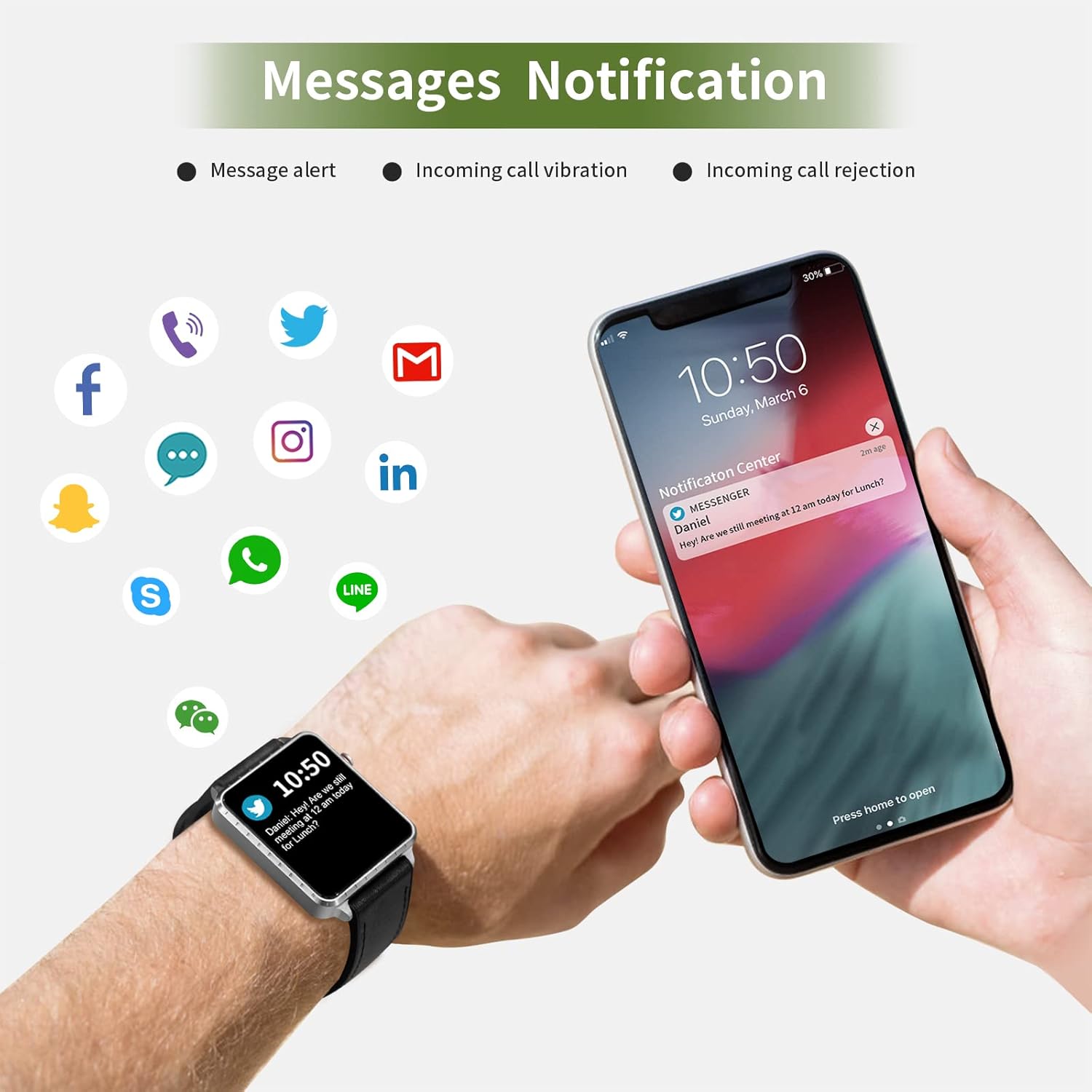
Image: The smartwatch and a smartphone displaying message notifications from social media and communication apps.

Image: The smartwatch screen showing icons for various social media and communication app notifications.
4.6. Dodatne značajke
- Kontrola glazbe: Upravljajte reprodukcijom glazbe na svom pametnom telefonu (reprodukcija, pauza, preskakanje pjesama) izravno s sata.
- Daljinski upravljač kamere: Koristite sat kao daljinski okidač za kameru vašeg pametnog telefona.
- Budilica: Set alarms through the app, and the watch will vibrate to alert you.
- Štoperica/Timer: Basic timekeeping functions.
- Pronađi telefon: Locate your paired smartphone by triggering an alert sound from the watch.
- Podsjetnik za sjedenje: The app can remind you to move if you've been inactive for too long.
- Brojčanici koji se mogu prilagoditi: Choose from various watch faces via the app.

Image: The smartwatch screen showing the camera icon, indicating its remote camera control function.

Image: The smartwatch screen showing music control icons (play, pause, skip).

Image: A collage of different watch faces available for the MAXTOP T5 Smartwatch.
5. Održavanje
5.1. Waterproof Rating (IP68)
The MAXTOP T5 Smartwatch is IP68 waterproof, meaning it is dust-tight and protected against continuous immersion in water up to 1.5 meters for a maximum of 30 minutes.
- You can wear the watch while washing hands, running in the rain, or swimming in shallow water.
- NEMOJTE immerse the watch in seawater, hot water, or use it in hot springs or saunas.
- Avoid exposing the watch to high-pressure water jets.
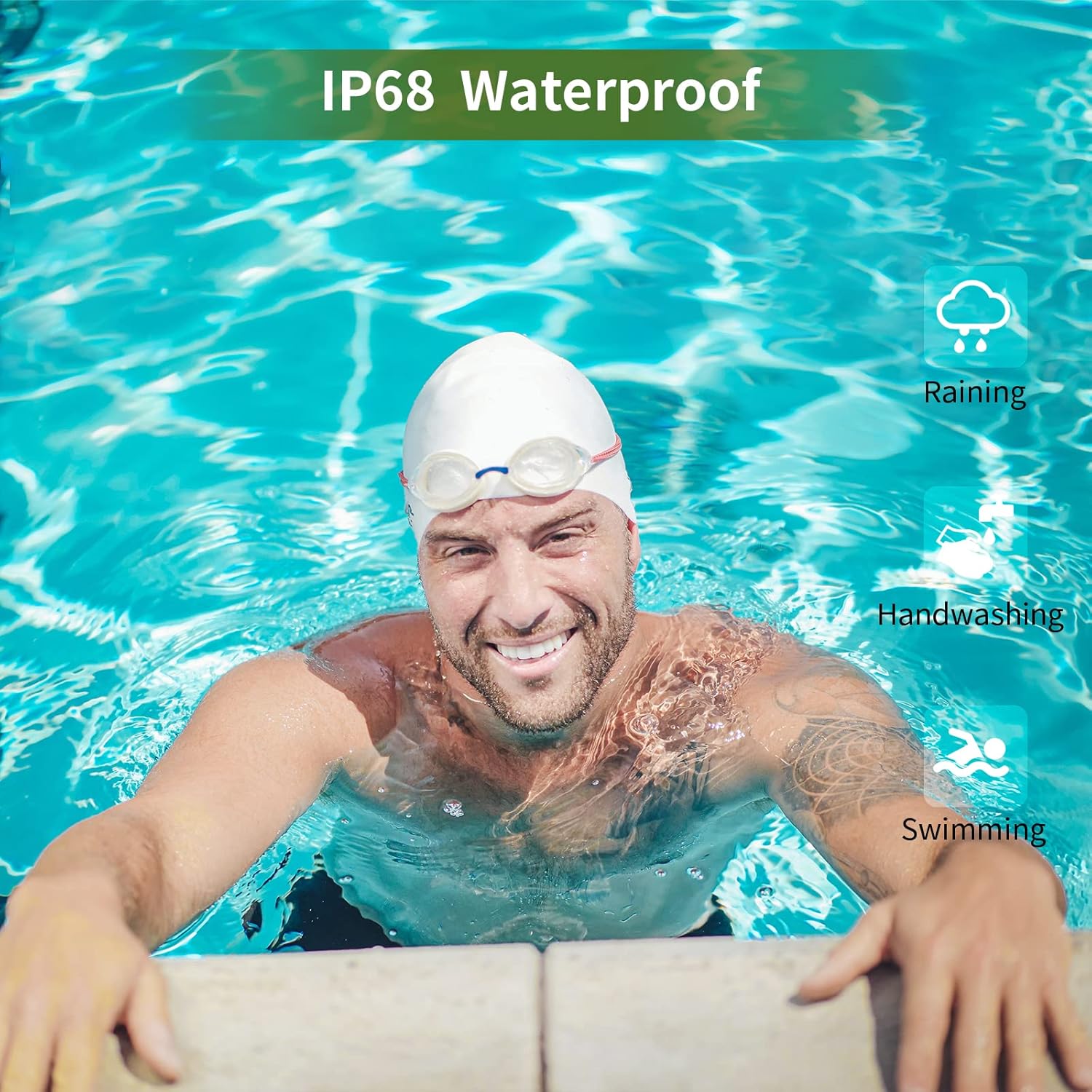
Image: A man swimming, demonstrating the IP68 waterproof capability of the MAXTOP T5 Smartwatch.

Image: The smartwatch with water droplets, visually confirming its IP68 waterproof rating.
5.2. Čišćenje
Redovito brišite sat i remen mekom, suhom krpom. Ako je potrebno, upotrijebite laganoamp krpom i temeljito osušite. Izbjegavajte jake kemikalije.
6. Rješavanje problema
- Sat se ne uključuje: Provjerite je li sat potpuno napunjen. Spojite ga na punjač na najmanje 10 minuta.
- Ne može se upariti sa pametnim telefonom:
- Provjerite je li Bluetooth omogućen na vašem telefonu.
- Provjerite je li sat unutar dometa Bluetooth veze (obično 10 metara).
- Ponovno pokrenite sat i svoj pametni telefon.
- Provjerite je li aplikacija ažurirana na najnoviju verziju.
- If previously paired, try unpairing from your phone's Bluetooth settings and re-pairing through the app.
- Netočni zdravstveni podaci:
- Pazite da sat čvrsto prianja na vašem zapešću, ne pretesno ili prelabavo.
- Izbjegavajte pretjerano kretanje tijekom mjerenja.
- Environmental factors can affect readings. For medical accuracy, consult a professional medical device.
- Obavijesti koje nisu primljene:
- Check app permissions on your smartphone to ensure the app has access to notifications.
- Verify that notification settings are enabled within the MAXTOP/H BAND app.
- Provjerite je li sat povezan putem Bluetootha.
- Kratko trajanje baterije:
- Frequent use of features like continuous heart rate monitoring, bright screen, and numerous notifications can reduce battery life.
- Reduce screen brightness and notification frequency if extended battery life is desired.
7. Specifikacije

Image: Detailed physical dimensions of the MAXTOP T5 Smartwatch, including watch face and strap measurements.
| Značajka | Detalj |
|---|---|
| Marka | MAXTOP |
| Model | T5 |
| Veličina zaslona | 1.54 inča |
| Dimenzije | 4.5 x 3.8 x 1 cm |
| Težina | 250 g |
| Ocjena vodootpornosti | IP68 |
| Povezivost | Bluetooth |
| Operativni sustav | iOS (9.0 and above), Android (6.0 and above) |
| Vrsta baterije | Litij polimer |
| Vrijeme punjenja | cca. 2 sati |
| Trajanje baterije (uobičajena upotreba) | 3-5 dana |
| Trajanje baterije (stanje mirovanja) | Do 7 dana |
| Uključene komponente | Watch head, strap, magnetic charging cable, manual |
8. Jamstvo i podrška
For warranty information and customer support, please refer to the warranty card included in your package or visit the official MAXTOP webmjesto.
Odricanje: The health monitoring features of this device are for general wellness and fitness purposes only and are not intended for medical diagnosis, treatment, or prevention of any disease. Always consult a medical professional for health-related concerns.


