Uvod
The Apple iPad Air (5th Generation) is a versatile tablet featuring the M1 chip, a 10.9-inch Liquid Retina display, and advanced capabilities for productivity and entertainment. This manual provides instructions for setting up, operating, maintaining, and troubleshooting your device.
Ključne značajke uključuju:
- M1 Chip: Provides enhanced performance for demanding applications and graphics-intensive tasks.
- 10.9-inčni tekući Retina zaslon: Features True Tone, P3 wide color, and ultralow reflectivity for a clear viewiskustvo.
- Wi-Fi 6: Offers fast wireless connectivity for internet access and data transfer.
- Touch ID: Integrirano u gornji gumb za sigurnu autentifikaciju i Apple Pay.
- Napredne kamere: Includes a 12MP Ultra Wide front camera with Center Stage and a 12MP Wide back camera with 4K video recording.
- USB-C priključak: Za punjenje i spajanje dodatne opreme.

Image: The Apple iPad Air (5th Generation) in Space Gray.
Što je u kutiji
Provjerite jesu li svi artikli prisutni u pakiranju:
- 10.9-inch iPad Air
- USB-C kabel za punjenje (1 metar)
- 20 -WW-C adapter za napajanje

Image: Contents of the iPad Air packaging, including the device, USB-C cable, and power adapter.
Postavljanje
1. Početno uključivanje i punjenje
To power on your iPad Air, press and hold the top button until the Apple logo appears. If the device does not power on, connect it to the 20W USB-C Power Adapter using the provided USB-C Charge Cable and allow it to charge for at least 30 minutes before attempting to power on again.
2. Basic iPadOS Setup
Follow the on-screen instructions to complete the initial setup. This includes selecting your language and region, connecting to a Wi-Fi network, and setting up Touch ID.
3. Wi-Fi veza
During setup, select your preferred Wi-Fi network from the list and enter the password if required. To connect to Wi-Fi later, go to postavke > Wi-Fi i odaberite svoju mrežu.
4. Touch ID Setup
Touch ID allows you to unlock your iPad Air and make purchases securely using your fingerprint. During setup, you will be prompted to register your fingerprint by placing your finger on the top button. You can add more fingerprints later via postavke > Touch ID i šifra.
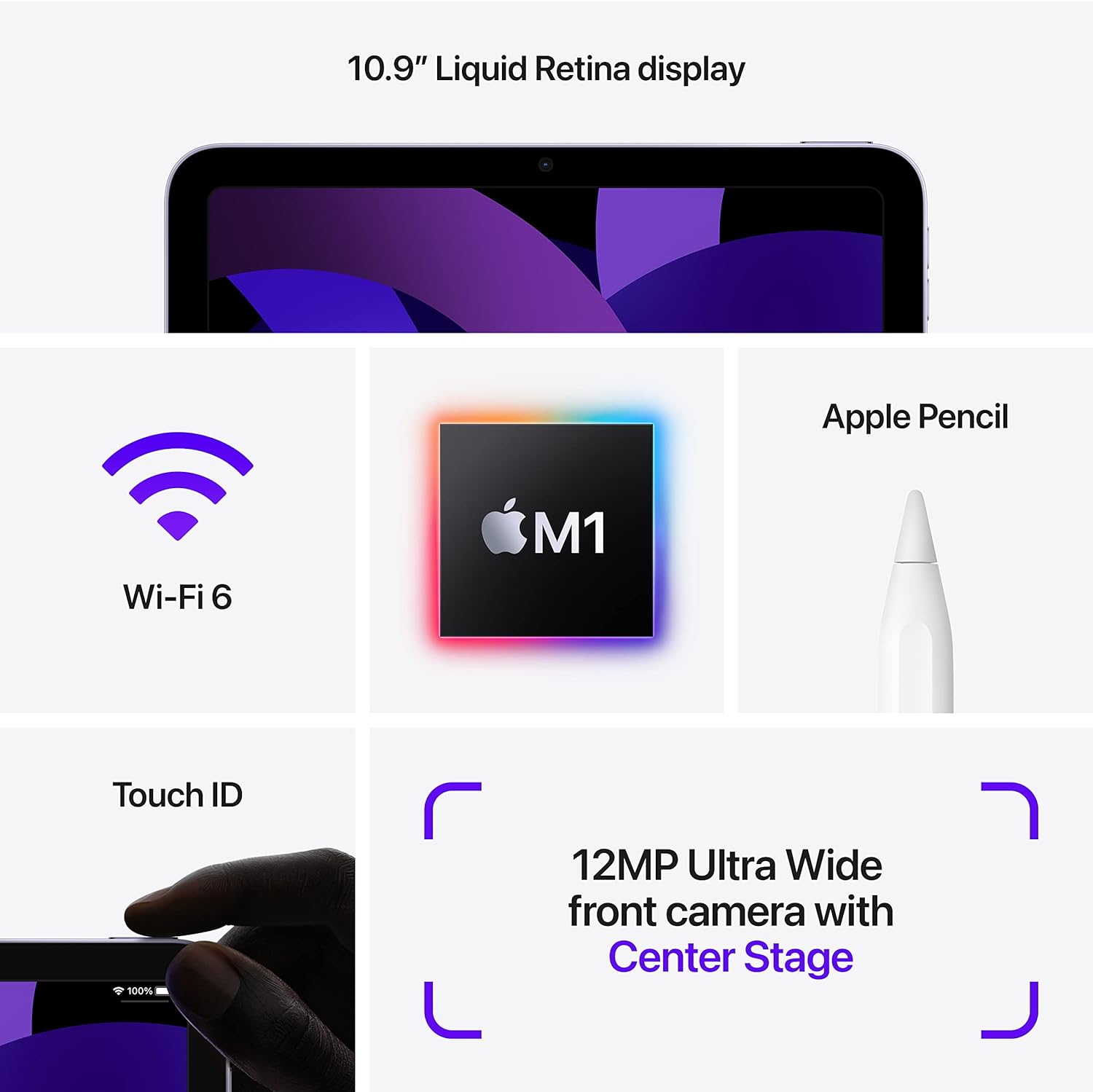
Image: Visual representation of iPad Air features, including Touch ID on the top button.
Upute za rad
1. Navigating iPadOS
The iPad Air operates using touch gestures on its Liquid Retina display. Swipe up from the bottom to go to the Home screen, swipe down from the top-right for Control Center, and swipe down from the top-center for Notifications. Multitasking is supported, allowing you to run multiple apps simultaneously.

Image: Two iPad Airs demonstrating app usage, including gaming and 3D design.
2. Korištenje kamera
The iPad Air features a 12MP Ultra Wide front camera and a 12MP Wide back camera. Open the Camera app to take photos or record 4K videos. The front camera supports Center Stage, which automatically keeps you centered during video calls.
3. Apple Pencil (2nd Generation) and Magic Keyboard (Accessories)
The iPad Air is compatible with the Apple Pencil (2nd Generation) for drawing, note-taking, and marking up documents. It also supports the Magic Keyboard for a laptop-like typing experience and trackpad functionality. These accessories are sold separately.

Image: iPad Air with Magic Keyboard and Apple Pencil, demonstrating accessory compatibility.

Image: A user interacting with the iPad Air using an Apple Pencil.
4. Apple Pay
Use Touch ID to securely authorize purchases with Apple Pay within apps and on websites. Set up Apple Pay in postavke > Novčanik i Apple Pay.
Održavanje
1. Cleaning Your iPad Air
To clean the display, use a soft, lint-free cloth. Avoid abrasive materials, aerosols, solvents, or ammonia-based cleaners. For the enclosure, use a soft, damp tkanina. Nemojte uranjati uređaj u vodu.
2. Briga o bateriji
The iPad Air uses a rechargeable lithium-ion battery. For optimal battery life, avoid exposing the device to extreme temperatures. Charge the device using the provided USB-C Power Adapter and cable. Periodically update iPadOS to ensure efficient battery management.
3. Ažuriranja softvera
Keep your iPad Air's software up to date to benefit from the latest features, security enhancements, and performance improvements. Go to postavke > General > Ažuriranje softvera za provjeru i instaliranje ažuriranja.
Rješavanje problema
1. Uređaj ne reagira
If your iPad Air is unresponsive, force restart it: Press and quickly release the Volume Up button, press and quickly release the Volume Down button, then press and hold the Top button until the Apple logo appears.
2. Problemi s Wi-Fi povezivošću
If you experience issues connecting to Wi-Fi, try the following:
- Provjerite je li Wi-Fi omogućen u postavke.
- Ponovno pokrenite Wi-Fi usmjerivač.
- Zaboravite mrežu i ponovno se povežite: Idite na postavke > Wi-Fi, tap the "i" next to your network, then tap Zaboravite ovu mrežu.
3. Problemi s performansama aplikacije
If an app is not functioning correctly, try closing and reopening it. If the issue persists, check the App Store for updates to the app. As a last resort, delete and reinstall the app.
4. Brzo pražnjenje baterije
Provjerite potrošnju baterije u postavke > Baterija to identify apps consuming significant power. Adjust screen brightness, disable background app refresh for non-essential apps, and ensure iPadOS is updated.
Tehnički podaci
| Naziv modela | iPad Air (5. generacije) |
| Broj modela artikla | MM9L3LL/A |
| Prikaz | 10.9-inčni Liquid Retina zaslon s True Tone tehnologijom |
| Razlučivost zaslona | 2360 x 1640 piksela |
| Čip | Apple M1 chip with 8-core CPU, 8-core GPU, Next-generation Neural Engine |
| Kapacitet pohrane memorije | 256 GB (variant shown, also available in 64GB) |
| Prednja kamera | 12MP Ultra Wide with Center Stage |
| Stražnja kamera | 12MP Wide with Smart HDR 3 and 4K video recording |
| Trajanje baterije | Up to 10 hours (Wi-Fi), Up to 9 hours (cellular data) |
| Priključak | USB-C |
| Dimenzije (V x Š x D) | 9.74 x 7.02 x 0.24 inča (247.6 x 178.5 x 6.1 mm) |
| Težina | 1.0 pound (458 grams) Wi-Fi model; 1.02 pounds (462 grams) Wi-Fi + Cellular model |
| Datum prve dostupnosti | 11. ožujka 2022 |
Jamstvo i podrška
Za detaljne informacije o jamstvu i tehničkoj podršci obratite se službenim Appleovim website or contact Apple Support directly. Warranty terms and conditions may vary by region and purchase date.
You can find additional resources and support at support.apple.com/ipad.


