1. Proizvod je gotovview
The Alcatel 1B 2022 is a reliable smartphone designed for essential communication and daily tasks. It operates on Android 11 (Go Edition), offering an optimized experience for devices with 2GB RAM. Key features include a 5.5-inch HD+ display, 32GB of internal storage, and an 8MP rear camera.
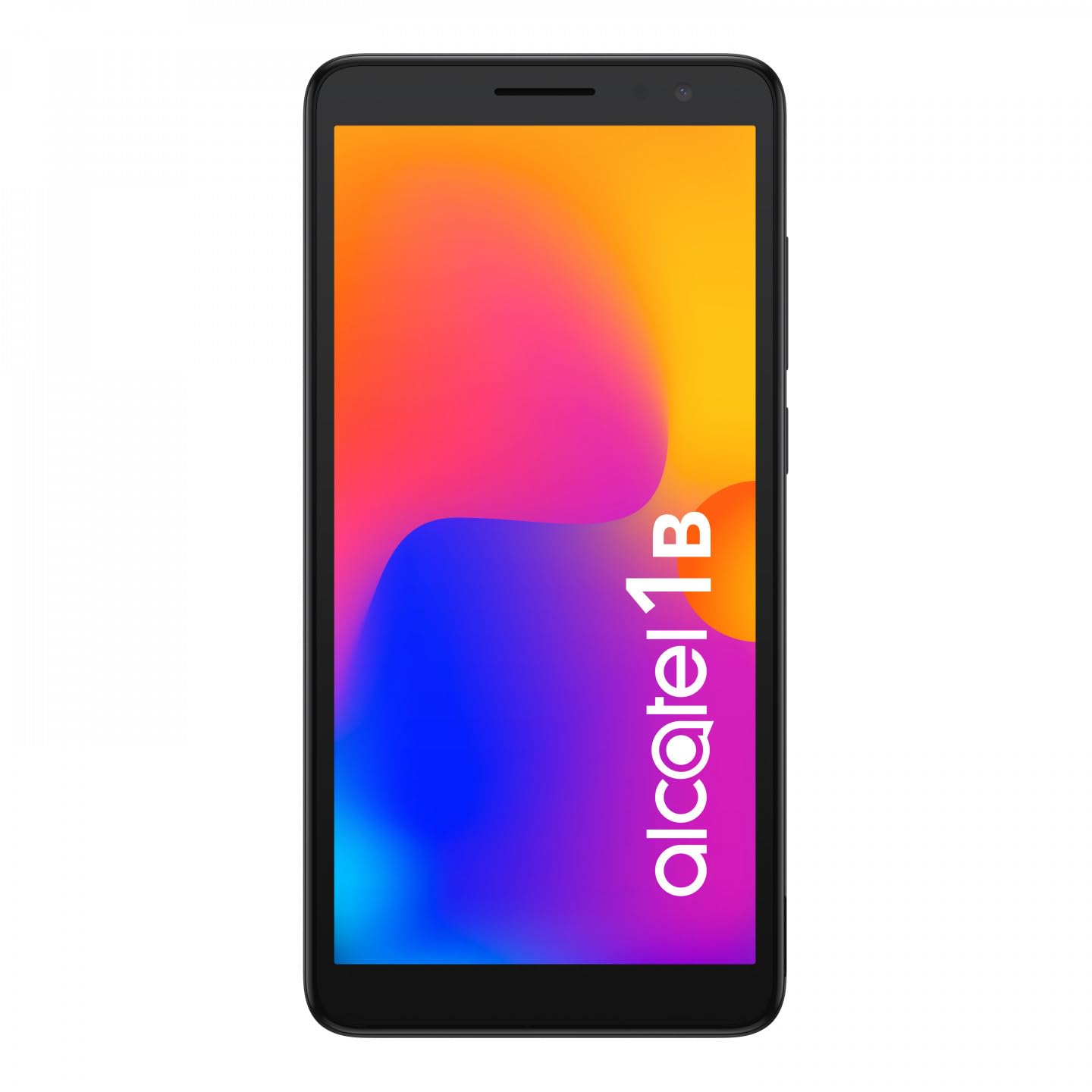
Slika 1.1: Prednja strana view of the Alcatel 1B 2022 smartphone, showcasinnjegov zaslon i elegantan dizajn.
This manual provides comprehensive instructions to help you set up, operate, and maintain your device effectively.
2. Početak
2.1 Sadržaj paketa
Provjerite sadrži li vaš paket sljedeće stavke:
- Alcatel 1B 2022 Smartphone
- USB kabel za punjenje
- Adapter napajanja
- Kratki vodič (može se razlikovati ovisno o regiji)
- Informacije o sigurnosti i jamstvu
2.2 Instalacija SIM kartice i MicroSD kartice
The Alcatel 1B 2022 supports Nano SIM cards and a MicroSD card for expandable storage. The battery is removable to access the SIM and MicroSD slots.
- Uklonite stražnji poklopac: Carefully locate the small notch on the bottom right side of the phone. Use a thin, flat-blade tool (such as a 5mm flat-blade screwdriver or a plastic pry tool) to gently pry open the back cover.
- Uklonite bateriju: Once the back cover is off, lift the battery out of its compartment.
- Umetnite SIM karticu(e): Locate the SIM card slot(s). Insert your Nano SIM card(s) into the designated slot(s) with the gold contacts facing down.
- Umetnite MicroSD karticu: Locate the MicroSD card slot. Insert your MicroSD card with the gold contacts facing down.
- Reinsert the Battery: Place the battery back into its compartment, ensuring the contacts align correctly.
- Zamijenite stražnji poklopac: Align the back cover with the phone's edges and press firmly around the perimeter until it clicks securely into place.

Slika 2.1: Stražnja strana view of the Alcatel 1B 2022 smartphone, showing the camera module and the Alcatel logo. The back cover needs to be removed to access SIM and MicroSD slots.
2.3 Punjenje baterije
Before first use, fully charge the phone's battery. Connect the USB cable to the phone's Micro USB port and the other end to the power adapter. Plug the adapter into a wall outlet. A full charge typically takes approximately two hours.
2.4 Uključivanje i isključivanje
- Za uključivanje: Pritisnite i držite gumb za napajanje (obično na desnoj strani uređaja) dok se ne pojavi Alcatel logotip.
- Za isključivanje: Pritisnite i držite gumb za uključivanje/isključivanje dok se ne pojavi izbornik s opcijama napajanja. Odaberite "Isključi" i potvrdite.
3. Osnovni rad
3.1 Zaključavanje i otključavanje zaslona
To lock the screen, briefly press the Power button. To unlock, press the Power button and swipe up on the screen. You can set up various security methods, including a PIN, pattern, password, or facial recognition (if enabled).
3.2 Upućivanje poziva i slanje poruka
- Pozivi: Tap the Phone icon on the home screen, enter the number, and tap the call button.
- Poruke: Tap the Messages icon, tap "Start chat," enter the recipient's number or select from contacts, type your message, and tap send.
3.3 Povezivanje s mrežama
- Wi-Fi: Idi na Postavke > Mreža i internet > Wi-FiUključite Wi-Fi, odaberite željenu mrežu i unesite lozinku ako je potrebno.
- Mobilni podaci (4G): Idi na Postavke > Mreža i internet > Mobilna mreža. Ensure "Mobile data" is turned on.
- Hotspot (Tethering): To share your phone's internet connection, go to Postavke > Mreža i internet > Hotspot i povezivanje and enable "Wi-Fi hotspot."
3.4 Korištenje kamere
The Alcatel 1B 2022 features an 8MP rear camera and a front camera. Tap the Camera icon to open the application. You can switch between photo and video modes, and access settings for flash, timer, and other options.
3.5 Audio značajke
The phone includes a standard headphone jack for connecting earphones. You can also access the built-in FM Radio application (requires headphones to be plugged in as an antenna).
4. Održavanje i njega
4.1 Čišćenje uređaja
Za čišćenje zaslona i kućišta telefona koristite meku krpu koja ne ostavlja dlačice. Izbjegavajte upotrebu jakih kemikalija ili abrazivnih materijala koji mogu oštetiti površinu uređaja.
4.2 Njega baterija
The Alcatel 1B 2022 uses a Lithium-ion battery. To prolong battery life:
- Izbjegavajte ekstremne temperature.
- Nemojte često dopustiti da se baterija potpuno isprazni.
- Koristite samo priloženi punjač ili certificirani kompatibilni punjač.
4.3 Ažuriranja softvera
Redovito provjeravajte i instalirajte ažuriranja softvera kako biste osigurali da vaš uređaj ima najnovije značajke, sigurnosne zakrpe i poboljšanja performansi. Idite na Postavke > Sustav > Ažuriranje sustava.
4.4 Upravljanje pohranom
The phone comes with 32GB of internal storage. You can expand this using a MicroSD card. To manage storage, go to Postavke > Pohrana do view usage and free up space by uninstalling apps or deleting files.
5. Rješavanje problema
This section addresses common issues you might encounter with your Alcatel 1B 2022 smartphone.
5.1 Uređaj se ne uključuje
- Provjerite je li baterija napunjena. Spojite telefon na punjač i pričekajte nekoliko minuta prije nego što ga ponovno pokušate uključiti.
- Pritisnite i držite gumb za napajanje najmanje 10-15 sekundi za prisilno ponovno pokretanje.
5.2 Problemi s mrežnom povezivošću
- Nema signala: Check if your SIM card is properly inserted. Try restarting the phone. Ensure you are in an area with network coverage.
- Problemi s Wi-Fi vezom: Ponovno pokrenite Wi-Fi usmjerivač. Zaboravite mrežu na telefonu i ponovno se povežite.
5.3 Rušenje ili zamrzavanje aplikacija
- Zatvorite i ponovno otvorite aplikaciju.
- Obrišite predmemoriju i podatke aplikacije (Postavke > Aplikacije i obavijesti > Prikaži sve aplikacije > [Naziv aplikacije] > Pohrana i predmemorija).
- Uninstall and reinstall the problematic application.
5.4 Vraćanje na tvorničke postavke
Vraćanje na tvorničke postavke izbrisat će sve podatke s vašeg telefona i vratiti ga na izvorne tvorničke postavke. Prije nego što nastavite, napravite sigurnosnu kopiju svih važnih podataka.
- Idi na Postavke > Sustav > Opcije resetiranja.
- Select "Erase all data (factory reset)."
- Slijedite upute na zaslonu za potvrdu resetiranja.
6. Specifikacije
Below are the technical specifications for the Alcatel 1B 2022 smartphone (Model: 5031G-2AALWE12).
| Značajka | Detalj |
|---|---|
| Marka | Alcatel |
| Naziv modela | 5031G 1B |
| Broj modela | 5031G-2AALWE12 |
| Operativni sustav | Android 11 (izdanje Go) |
| Veličina zaslona | 5.5 inča |
| Razlučivost zaslona | 1609 x 720 |
| OVAN | 2 GB |
| Unutarnja pohrana | 32 GB |
| Proširiva pohrana | MicroSD (do 128 GB) |
| Stražnja kamera | 8 Megapixels (AF, F2.0, FOV 81°) |
| Prednja kamera | Da |
| Procesor (model CPU-a) | Mediatek Dimensity 900 |
| Povezivost | 4G Cellular, Wi-Fi, Bluetooth |
| Vrsta konektora | Mikro USB |
| Sastav baterije | Lithium-ion (Removable) |
| Boja | Crna |
| Bežični nosač | Otključan |
Note: Some specifications, such as CPU model, may vary slightly by region or specific production batch. The phone supports 4G cellular connectivity.
7. Jamstvo i podrška
For detailed warranty information, please refer to the warranty card included in your product package or visit the official Alcatel webstranica. Uvjeti jamstva mogu se razlikovati ovisno o regiji.
For technical support, service, or further assistance, please contact Alcatel customer service through their official channels. Information regarding spare parts availability and guaranteed software updates is not available in this document; please consult the manufacturer's official resources for the most current details.
You can often find support resources, FAQs, and contact information on the official Alcatel support webmjesto.


