1. Uvod
Welcome to the Vivitar Kids Tech Ultimate Kids Action Camera user manual. This guide provides essential information for setting up, operating, maintaining, and troubleshooting your new action camera. Designed for young adventurers, this camera allows for capturing high-definition photos and videos, even in challenging environments, thanks to its waterproof case and durable design.
Please read this manual thoroughly before using your camera to ensure proper operation and to maximize your experience.
2. Proizvod je gotovview
2.1 Ključne značajke
- 5 Megapixel HD Photo and Video: Capture crisp, clear images and high-definition videos.
- Zaslon u boji od 2 inča: Easily frame shots and review snimljeni sadržaj.
- Vodootporno kućište: Protects the camera from water, dust, and impacts, allowing use in various environments.
- Dugo trajanje baterije: Built-in battery supports over 100 minutes of continuous recording on a full charge.
- Included Mounts: Comes with bike and helmet mounts for versatile attachment options.
2.2 Komponente kamere
Familiarize yourself with the camera and its accessories:

Slika 1: Prednja strana view of the Vivitar Kids Tech Action Camera within its waterproof housing.

Slika 2: Prednja i stražnja strana views of the camera inside the waterproof case, highlighting the screen and buttons.

Slika 3: Detaljno view of the camera's rear, indicating the Photo, Video, Power On/Off, Select, OK, Previous, and Next buttons around the display.

Figure 4: All items included in the product package: camera, waterproof case, 5 mounts, 4 bandages, and a USB charging cable.
3. Postavljanje
3.1 Punjenje baterije
The camera includes a built-in Lithium Ion battery. Before first use, fully charge the camera using the provided USB cable. Connect the small end of the USB cable to the camera's USB port and the larger end to a standard USB power adapter (not included) or a computer's USB port. The charging indicator will show the charging status.
3.2 Umetanje MicroSD kartice
Important: A MicroSD card (not included) is required to save photos and videos. The camera supports SDHC and SDXC flash memory types.
- Open the camera's MicroSD card slot cover.
- Insert a MicroSD card (Class 10 or higher recommended) with the metal contacts facing down, until it clicks into place.
- Close the MicroSD card slot cover securely.
3.3 Korištenje vodootpornog kućišta
The waterproof case protects your camera from water, dust, and impacts. Ensure the camera is properly seated and the case is sealed before use in wet or dusty conditions.
- Otvorite zasun na vodootpornom kućištu.
- Carefully place the camera inside the case, ensuring it fits snugly.
- Close the latch firmly until it clicks, creating a watertight seal.
- Before submerging the camera, perform a test by closing the empty case and submerging it in water to check for leaks.
3.4 Attaching Mounts
The camera comes with various mounts, including bike and helmet mounts, to secure it during activities.

Figure 5: The action camera securely mounted on a bicycle handlebar.
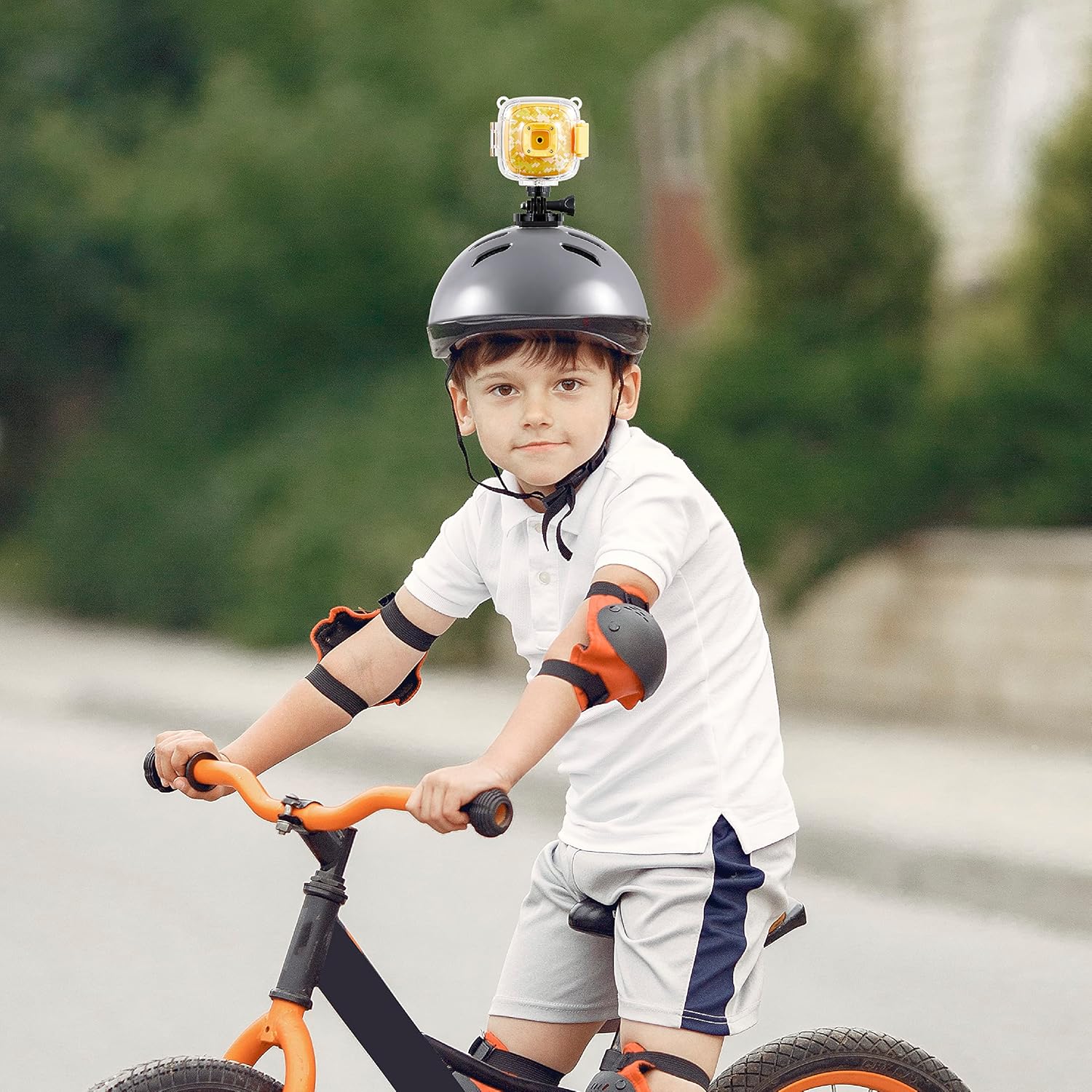
Figure 6: The action camera attached to a child's helmet, ready for recording.
- Select the appropriate mount for your activity (e.g., bike mount for cycling, helmet mount for head-mounted recording).
- Attach the camera to the chosen mount using the provided screws and adapters. Ensure all connections are tight and secure.
- Secure the mount to your desired location (e.g., bike handlebars, helmet) using the straps or clamps.
4. Upute za rad
4.1 Uključivanje/isključivanje
- Za uključivanje: Press and hold the Power On/Off button (refer to Figure 3) for a few seconds until the screen illuminates.
- Za isključivanje: Press and hold the Power On/Off button again until the screen turns off.
4.2 Promjena načina rada
The camera typically has Photo and Video modes. Use the dedicated Photo and Video buttons (refer to Figure 3) to switch between these modes.
- Pritisnite tipku Gumb za fotografije to enter Photo mode.
- Pritisnite tipku Gumb za video to enter Video recording mode.
4.3 Fotografiranje
- Ensure the camera is in Photo mode.
- Kadrirajte snimak pomoću 2-inčnog zaslona.
- Pritisnite tipku gumb OK (refer to Figure 3) to capture a photo.
4.4 Snimanje videa
- Ensure the camera is in Video mode.
- Pritisnite tipku gumb OK to start recording. A recording indicator (e.g., a red dot or timer) will appear on the screen.
- Pritisnite tipku gumb OK again to stop recording. The video file bit će spremljen na MicroSD karticu.
4.5 Reprodukcija
Za ponovnoview vaše snimljene fotografije i videozapisi:
- Enter Playback mode (if available as a separate mode, otherwise navigate through the menu).
- Koristite Prethodno i Sljedeći buttons (refer to Figure 3) to browse through your files.
- Pritisnite tipku gumb OK do view fotografiju ili reproducirajte video.
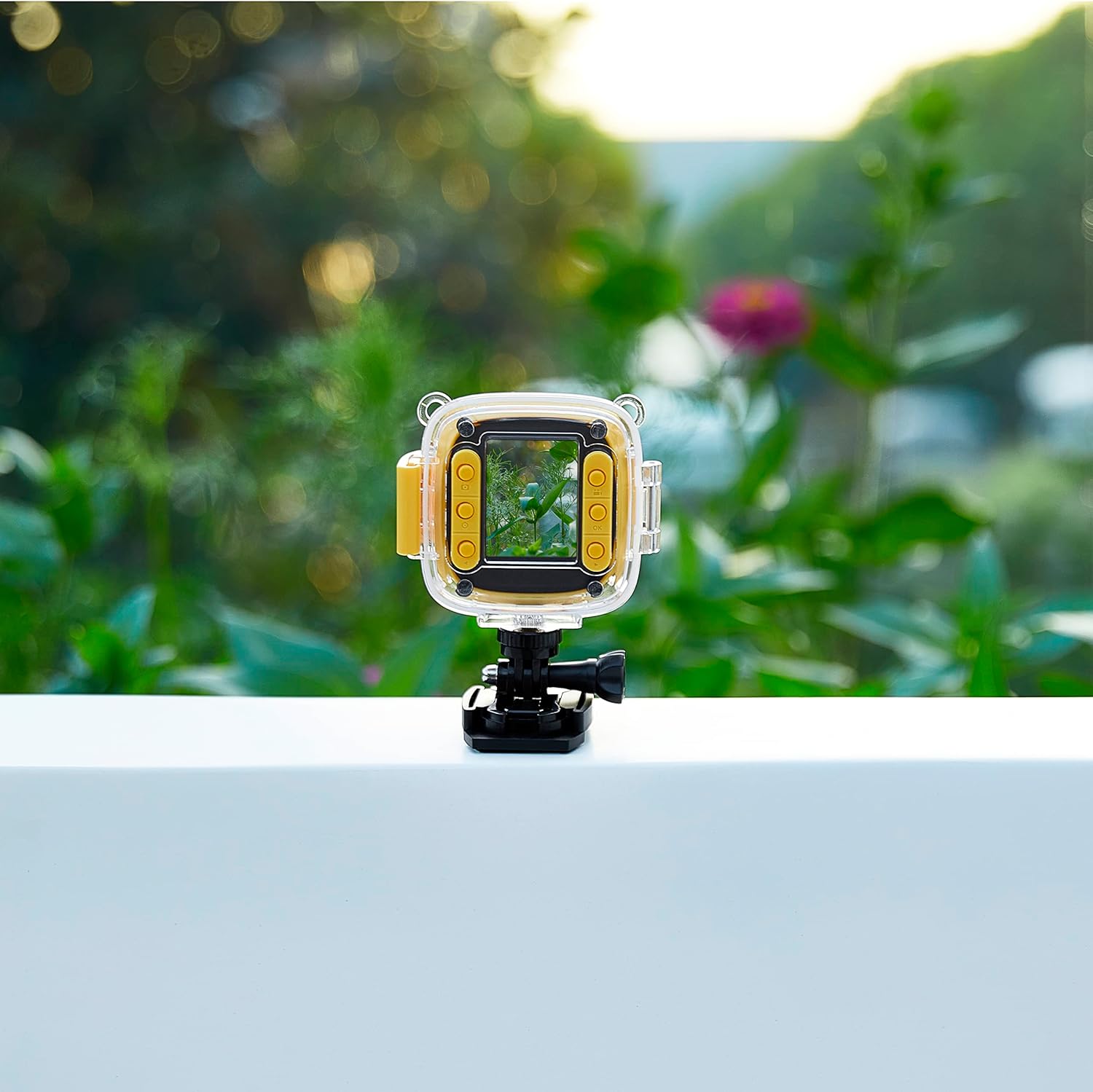
Figure 7: The camera in use, displaying an image on its screen.
5. Održavanje
5.1 Čišćenje
- Tijelo kamere: Za brisanje kućišta fotoaparata koristite meku, suhu krpu. Za tvrdokornu prljavštinu, laganoampen krpu s vodom.
- Objektiv: Use a lens cleaning cloth or a soft, lint-free cloth specifically designed for optics. Avoid touching the lens with your fingers.
- Vodootporno kućište: Rinse the case with fresh water after use in saltwater or chlorinated water. Ensure the seals are clean and free of debris.
5.2 Skladištenje
- Kameru čuvajte na hladnom i suhom mjestu, dalje od izravne sunčeve svjetlosti i ekstremnih temperatura.
- Ako skladištite bateriju dulje vrijeme, provjerite je li djelomično napunjena (oko 50%) kako biste produžili njezin vijek trajanja.
- Remove the MicroSD card if not in regular use.
6. Rješavanje problema
If you encounter issues with your Vivitar Kids Tech Action Camera, refer to the following common problems and solutions:
| Problem | Mogući uzrok | Otopina |
|---|---|---|
| Kamera se ne uključuje. | Slaba ili ispražnjena baterija. | Potpuno napunite kameru pomoću USB kabela. |
| Ne mogu snimati fotografije/videozapise. | Nije umetnuta MicroSD kartica ili je kartica puna/oštećena. | Insert a MicroSD card. If one is inserted, check if it's full and delete files, or try formatting the card (this will erase all data). Replace with a new card if corrupted. |
| Loša kvaliteta slike/videa. | Dirty lens; insufficient lighting. | Clean the camera lens. Ensure adequate lighting for your shots. |
| Water inside the waterproof case. | Case not properly sealed; damaged seal. | Ensure the case latch is firmly closed. Check the rubber seal for any debris or damage. Do not use the case if the seal is compromised. |
7. Specifikacije
- Broj modela: 99379-YEL-STK-6
- Tehnologija foto senzora: CMOS
- Rezolucija video snimanja: HD
- Vrsta flash memorije: SDHC, SDXC (MicroSD card required, not included)
- Format video snimanja: MP4
- Podržani audio format: MP3, AAC
- Veličina zaslona: 2 inča
- Tehnologija povezivanja: USB
- Posebna značajka: Waterproof (with included case)
- Baterija: 1 litij-ionska baterija (uključena)
- Težina artikla: 12.6 unci
- Dimenzije paketa: 12.44 x 7.17 x 2.44 inča
8. Jamstvo i podrška
Za informacije o jamstvu ili tehničku podršku, molimo pogledajte dokumentaciju priloženu uz kupnju ili posjetite službenu Vivitar stranicu webstranicu. Sačuvajte dokaz o kupnji za bilo kakve reklamacije u jamstvenom roku.


