1. Uvod
This manual provides comprehensive instructions for the setup, operation, and maintenance of your Denver PFF1042LW Digital Photo Frame. This 10.1-inch HD electronic photo frame features an IPS touch screen, 16 GB of internal storage, and integrates with the Frameo app for easy photo and video sharing. Please read this manual thoroughly before using your device to ensure proper functionality and longevity.
2. Sadržaj paketa
Molimo provjerite jesu li svi artikli prisutni u paketu:
- Denver PFF1042LW Digital Photo Frame
- Adapter napajanja
- Stalak za okvire
- Kratki vodič (ako je uključen)
3. Proizvod je gotovview
3.1 Prednja strana View

Slika: The Denver PFF1042LW Digital Photo Frame, featuring a 10.1-inch HD touch screen set in a wooden frame, displaying a photo of a woman and a child. A smartphone next to it shows the Frameo app, indicating connectivity and sharing capabilities.
3.2 Rear/Side View (General)
While specific images of the rear/side ports are not provided, typical digital photo frames include:
- Priključak za napajanje: Za spajanje strujnog adaptera.
- Utor za mikro SD karticu: For expanding storage or transferring media.
- USB Port (if available): For connecting USB drives or other peripherals.
- Gumb za resetiranje: Mali gumb s rupicom za vraćanje na tvorničke postavke.
4. Postavljanje
4.1 Uključivanje
- Connect the provided power adapter to the power port on the back of the frame.
- Uključite strujni adapter u zidnu utičnicu.
- The frame will automatically power on and display the initial setup screen.
4.2 Mrežna veza
To enable photo sharing via the Frameo app, the frame must be connected to a Wi-Fi network.
- On the initial setup screen, select your preferred language.
- Odaberite svoju Wi-Fi mrežu s popisa dostupnih mreža.
- Unesite lozinku za Wi-Fi pomoću tipkovnice na zaslonu.
- Confirm the connection. The frame will indicate when it is successfully connected to the internet.
4.3 Instalacija i uparivanje Frameo aplikacije
The Frameo app is essential for sending photos and videos to your digital frame.

Slika: The Frameo app on a smartphone, ready to send photos and videos to the digital photo frame, emphasizing instant sharing and a secure connection.
- Download the free Frameo app from the App Store (for iOS devices) or Google Play Store (for Android devices) on your smartphone or tablet.
- Open the Frameo app and create an account or log in.
- On your digital photo frame, follow the on-screen instructions to generate a unique code.
- In the Frameo app, enter this code to pair your smartphone with the digital photo frame. This establishes a secure connection for sharing.
5. Operating the Frame
5.1 Slanje fotografija i videozapisa
Once paired, you can send media to your frame from anywhere in the world.

Slika: This image demonstrates the multi-user connection feature, where several individuals can send photos and videos from their smartphones to the same digital photo frame, fostering shared memories.
- Otvorite aplikaciju Frameo na svom pametnom telefonu.
- Select the photos or short video clips you wish to send.
- Choose your connected digital photo frame as the recipient.
- The media will be transferred to the frame via Wi-Fi and appear in the slideshow.
5.2 Viewing Media and Navigation
The frame automatically displays photos and videos in a continuous slideshow. You can interact with the content using the touch screen.

Slika: A user's hand touches the digital photo frame's screen, which displays a family photo. The image also shows examples of organized albums like 'Fun in the kitchen' and 'Jayden's Birthday', indicating the ability to create and manage photo collections directly on the frame.
- Ukrasti: Swipe left or right on the screen to manually navigate through photos.
- Dodirnite: Tap the screen to reveal options such as pausing the slideshow, accessing settings, or viewing photo details.
- Albumi: Organize your photos into albums directly on the frame for easier management.
5.3 Automatic Rotation
The frame features an automatic rotation function, allowing it to be placed in either landscape or portrait orientation.

Slika: This visual illustrates the frame's adaptable auto-rotation capability, showing the same digital photo frame displaying an image correctly oriented in both horizontal and vertical positions. This ensures optimal viewing regardless of how the frame is placed.
The display will automatically adjust the orientation of your photos to match the frame's position.
5.4 Upravljanje pohranom
The Denver PFF1042LW comes with 16GB of built-in memory.
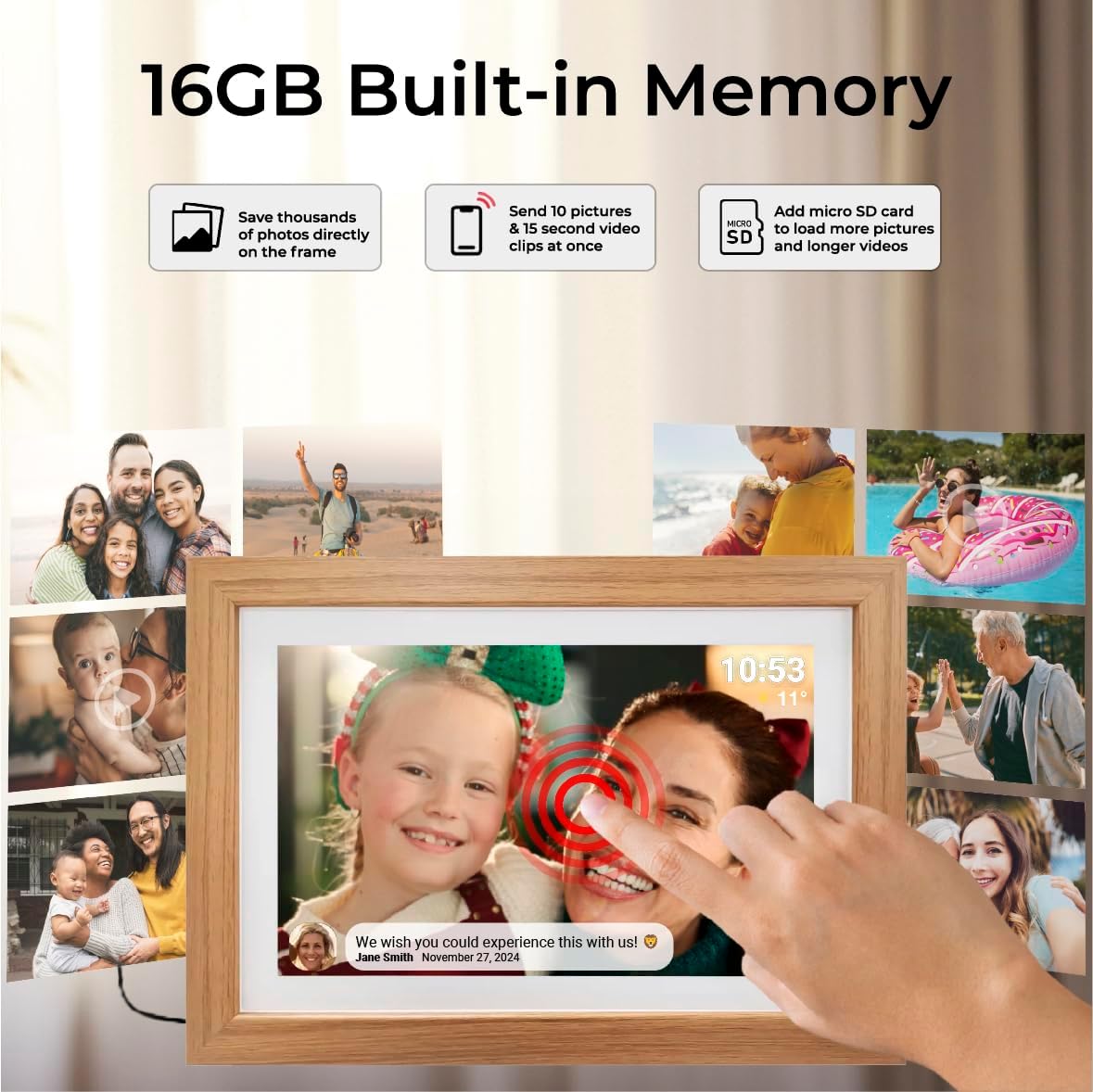
Slika: This graphic highlights the frame's 16GB built-in memory, indicating it can store thousands of photos. It also shows the capability to send 10 pictures and 15-second video clips at once, and the option to add a Micro SD card for additional storage.
- Interna pohrana: The 16GB internal memory is sufficient for thousands of photos and numerous short video clips.
- Micro SD kartica: Insert a Micro SD card into the designated slot to expand storage capacity or to transfer media directly to the frame.
5.5 Privatnost i sigurnost
The Frameo app and your digital photo frame are designed with privacy and security in mind.

Slika: This illustration depicts the secure and private communication pathway between a user's smartphone running the Frameo app and the digital photo frame. It highlights compliance with data protection regulations such as GDPR, CCPA, and PSTI, and features an 'Intertek Cyber Assured' badge, ensuring data privacy.
All communication between the app and the frame is encrypted and secure, adhering to privacy standards such as GDPR, CCPA, and PSTI.
6. Održavanje
6.1 Čišćenje okvira
- Zaslon: Nježno obrišite zaslon mekom krpom koja ne ostavlja dlačice. Za tvrdokorne mrlje, laganoampOperite krpu vodom ili otopinom za čišćenje zaslona. Izbjegavajte jake kemikalije.
- Okvir: Wipe the wooden frame with a dry or slightly damp cloth. Do not use abrasive cleaners or excessive moisture.
6.2 Ažuriranja softvera
The Frameo software is continuously updated to improve features and performance. Ensure your frame is connected to Wi-Fi to receive automatic updates.

Slika: This image highlights key aspects of the Frameo ecosystem, including its top-rated software, dedicated support team, its suitability as a gift, and the commitment to continuous software updates, shown with a digital photo frame displaying a 'Downloading update...' message.
7. Rješavanje problema
7.1 Uobičajeni problemi i rješenja
- Okvir se ne uključuje:
Ensure the power adapter is securely connected to both the frame and a working power outlet. Try a different outlet if necessary. - Ne mogu se spojiti na Wi-Fi:
Verify your Wi-Fi password is correct. Ensure the frame is within range of your Wi-Fi router. Restart your router and the photo frame. - Photos not appearing on the frame:
Check if the frame is connected to Wi-Fi. Ensure the Frameo app on your smartphone is connected to the correct frame. Verify that photos were successfully sent from the app. - Zaslon na dodir ne reagira:
Restart the frame by unplugging and re-plugging the power adapter. If the issue persists, perform a factory reset (refer to the quick start guide for instructions on locating the reset button). - Frame is slow or freezing:
Ensure the frame's software is up to date. If many photos/videos are stored, consider deleting older content or transferring them to a Micro SD card. Restarting the frame can also resolve temporary slowdowns.
8. Specifikacije
| Broj modela | 119101040330 (PFF1042LW) |
| Veličina zaslona | 10.1 inča |
| Rezolucija | 1280x800 (HD IPS Touch Screen) |
| Omjer slike | 16:10 |
| Unutarnja pohrana | 16 GB |
| Povezivost | Wi-Fi |
| Kompatibilni uređaji | Smartphone (via Frameo App) |
| Unos ljudskog sučelja | Zaslon osjetljiv na dodir |
| Izvor napajanja | Električni na kabel |
| Materijal okvira | Drvo |
| Dimenzije proizvoda | 2.5 x 33.2 x 2.51 cm |
| Težina artikla | 770 g |
9. Jamstvo i podrška
For warranty information and technical support, please refer to the documentation included with your product or visit the official Denver webstranicu. Sačuvajte dokaz o kupnji za slučaj reklamacije.


