Proizvod gotovview
The Artillery Sidewinder X3 Pro is a high-performance 3D printer designed for both beginners and experienced users. It features a robust build, high-speed printing capabilities, and advanced functionalities to ensure precise and efficient model creation.

Figure 1: Artillery Sidewinder X3 Pro 3D Printer, showcasing svojim kompaktnim i robusnim dizajnom.
- Ultra-Quiet High-Speed Printing: Capable of printing at speeds up to 300 mm/s while maintaining high precision.
- 49-Point Auto Bed Leveling: Ensures quick and accurate leveling of the build platform, simplifying the setup process.
- Direct Drive Extruder: Features a newly developed metal direct drive extruder with a dual gear set for higher drive ratio and stronger extrusion force, leading to more accurate extrusion.
- Dual Z-axes & Dual Motors: Enhances stability and printing accuracy by reducing lines and ridges on prints.
- Funkcija nastavka ispisa: Detects filament runout, breakage, or power loss, allowing printing to resume after recovery, preventing material waste.
Postavljanje i montaža
The Artillery Sidewinder X3 Pro comes 95% pre-installed, making the initial setup straightforward. Installation to first print typically requires only 4 steps and approximately 10 minutes, even for beginners.

Figure 2: Illustrated assembly steps for the Sidewinder X3 Pro, highlighting the minimal effort required for initial setup.
Početni koraci:
- Raspakiranje: Pažljivo izvadite sve komponente iz pakiranja. Provjerite jesu li prisutni svi dijelovi navedeni na popisu pakiranja.
- Base and Gantry Assembly: Attach the gantry to the printer base using the provided screws.
- Kabelske veze: Connect all necessary cables, ensuring they are securely fastened. Pay attention to the hotend and extruder connections.
- Opterećenje niti: Load your chosen filament into the direct drive extruder.
- Uključivanje: Spojite kabel za napajanje i uključite pisač.
Upute za rad
Korisničko sučelje:
The Sidewinder X3 Pro features a 4.3-inch full-color touchscreen with large icons, providing a simple and feature-rich interface that helps prevent misoperation.

Figure 3: The 4.3-inch full-color touchscreen interface of the Sidewinder X3 Pro, designed for intuitive navigation.
Auto Bed Leveling:
The newly upgraded 49-point auto bed leveling system ensures the build platform is quickly and accurately leveled, which is crucial for successful first layers and overall print quality.

Figure 4: Visual representation of the 49-point smart auto-leveling process, which automatically measures and adjusts the print bed.
Brzi ispis:
The Sidewinder X3 Pro is engineered for high-speed printing, reaching up to 300 mm/s, allowing for faster completion of prints without compromising precision.
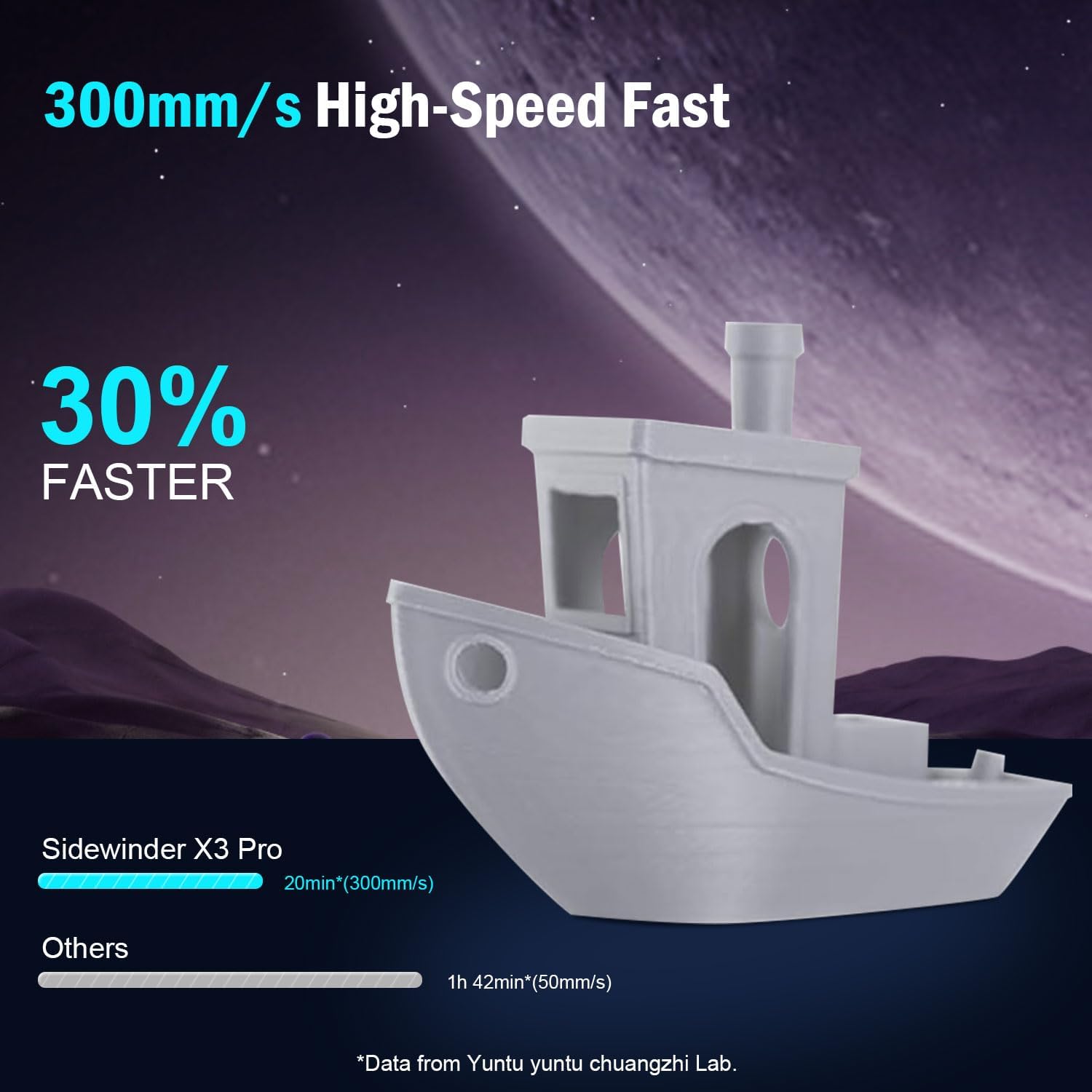
Figure 5: Comparison illustrating the speed advantage of the Sidewinder X3 Pro at 300mm/s compared to slower printers.
Extrusion System:
Equipped with a dual-gear direct extruder, the printer provides powerful and smoother filament feeding, which is essential for consistent and high-quality prints. The all-metal automatic cleaning hotend supports printing temperatures up to 300°C.
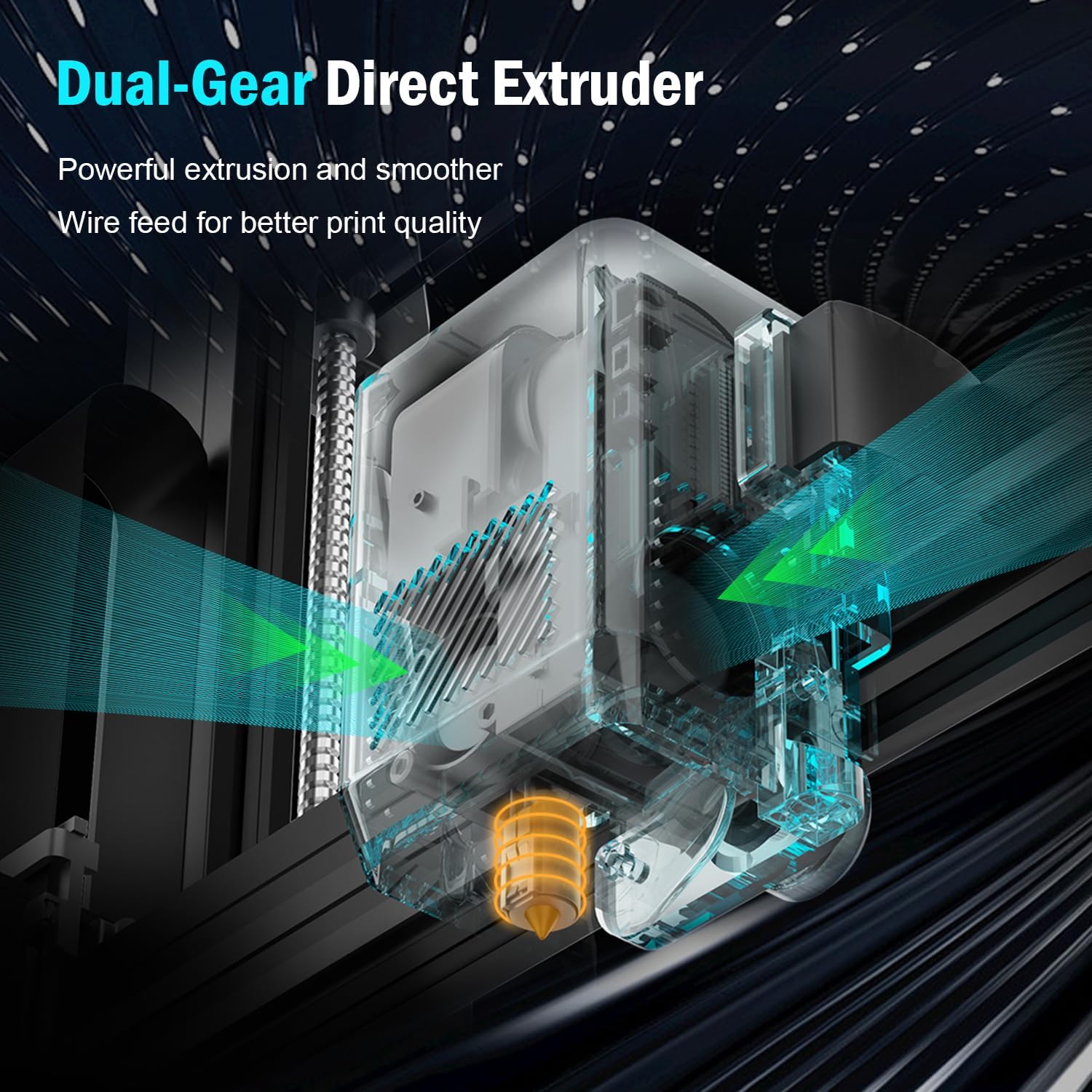
Slika 6: Detaljno view of the dual-gear direct extruder, designed for powerful and precise filament extrusion.

Figure 7: Illustration of the all-metal automatic cleaning hotend, capable of reaching temperatures up to 300°C.
Print Stability and Accuracy:
The dual Z-axes and dual motors design ensures stable movement of the print head and contributes to higher printing accuracy by minimizing artifacts like lines and ridges on your prints.

Figure 8: Diagram showing the dual Z-axes and dual motors, which provide enhanced stability and precision during printing.
Print Volume and Build Plate:
The printer offers a print size of 9.44" x 9.44" x 10.23" (240mm x 240mm x 260mm), suitable for a wide range of projects. It features a PEI Magnetic Platform with a maximum hotbed temperature of 100°C. Models can be easily removed by slightly bending the platform once cooled.

Figure 9: Illustration of the print volume dimensions and the PEI magnetic build platform, demonstrating easy print removal.
Održavanje
Regular maintenance ensures the longevity and optimal performance of your Artillery Sidewinder X3 Pro 3D printer.
- Hotend Cleaning: The printer features an automatic cleaning hotend. Periodically inspect the nozzle for any residue or clogs.
- Build Plate Care: Clean the PEI magnetic build plate after each print to ensure good adhesion for subsequent prints. Use isopropyl alcohol for best results.
- Podmazivanje: Apply a small amount of lubricant to the Z-axis lead screws and smooth rods periodically to ensure smooth movement.
- Ažuriranja firmvera: Check the official Artillery website for any available firmware updates to ensure your printer has the latest features and bug fixes.
- Generalno čišćenje: Keep the printer free of dust and filament debris. Use compressed air to clean hard-to-reach areas.
Rješavanje problema
This section provides solutions to common issues you might encounter during the operation of your Sidewinder X3 Pro.
| Problem | Mogući uzrok | Otopina |
|---|---|---|
| Ispis se ne lijepi za podlogu | Nepravilno niveliranje kreveta, prljava ploča za izradu, neispravna temperatura kreveta. | Perform auto bed leveling. Clean the build plate with isopropyl alcohol. Adjust bed temperature according to filament type. |
| Filament Not Extruding | Clogged nozzle, tangled filament, incorrect hotend temperature, extruder issue. | Check hotend temperature. Clear nozzle clog using a needle or cold pull. Ensure filament spool is free and untangled. Inspect extruder for proper function. |
| Printer Stops Mid-Print | Filament runout/breakage, power loss, corrupted G-code. | Utilize the resume printing function. Check filament path. Ensure stable power supply. Reslice and re-upload G-code. |
| Loša kvaliteta ispisa (pomicanje slojeva, nizanje) | Loose belts, incorrect print speed, retraction settings, temperature. | Check and tighten belts. Adjust print speed. Calibrate retraction settings in slicer. Optimize hotend temperature. |
| Touchscreen Unresponsive/Incorrect Language | Software glitch, loose connection, corrupted firmware. | Restart the printer. Check display cable connections. Consider re-flashing firmware if issue persists (refer to Artillery support). |
For more complex issues or if the problem persists, please refer to the Warranty and Support section for contact information.
Tehnički podaci
| Značajka | Detalj |
|---|---|
| Model | Sidewinder X3 Pro |
| Marka | Topništvo |
| Dimenzije proizvoda | 17.6 x 9.76 x 19.7 inča (447 x 248 x 500 mm) |
| Težina artikla | 24 funti (10.89 kg) |
| Materijal | Metal |
| Boja | Crna |
| Maksimalna brzina ispisa | 300 mm/s |
| Automatsko izravnavanje | Automatsko niveliranje kreveta u 49 točaka |
| Vrsta ekstrudera | Ekstruder s izravnim pogonom s dva zupčanika |
| Maks. temperatura vrućeg dijela | 300°C (All-Metal Hotend) |
| Izradite ploču | PEI magnetski opružni čelik |
| Max Hotbed Temperature | 100°C |
| Z-axis Design | Dual Z-axes & Dual Motors |
| Povezivost | SD Card, USB (assumed) |
| Korisničko sučelje | 4.3-inčni zaslon osjetljiv na dodir u punoj boji |

Slika 10: Dimenzionalno prekoview of the Artillery Sidewinder X3 Pro 3D Printer.
Jamstvo i podrška
Artillery provides a one-year warranty for the Sidewinder X3 Pro 3D Printer. Additionally, 24-hour after-sales service is available to assist with any inquiries or issues you may encounter.
For technical support, warranty claims, or general inquiries, please contact Artillery customer service through their official channels. Refer to the product packaging or the official Artillery webstranicu za najnovije kontaktne podatke.
Preporučuje se da sačuvate račun kao dokaz o kupnji u svrhu jamstva.


