1. Uvod
Thank you for choosing the REOLINK 4K Wi-Fi 6 Security Camera RLC-840WA. This camera is designed to provide advanced surveillance for your outdoor property, featuring 4K Ultra HD resolution, next-gen Wi-Fi 6 connectivity, and robust weather and vandal-proof construction. This manual will guide you through the setup, operation, and maintenance of your new security camera.
2. Što je u kutiji
Upon unpacking your REOLINK RLC-840WA camera, please ensure all the following items are present:
- Camera (RLC-840WA) x1
- Adapter za napajanje x1
- 4.5m Power Extension Cable x1
- Mrežni kabel od 1 m x1
- Vodič za brzi početak x1

3. Proizvod je gotovview
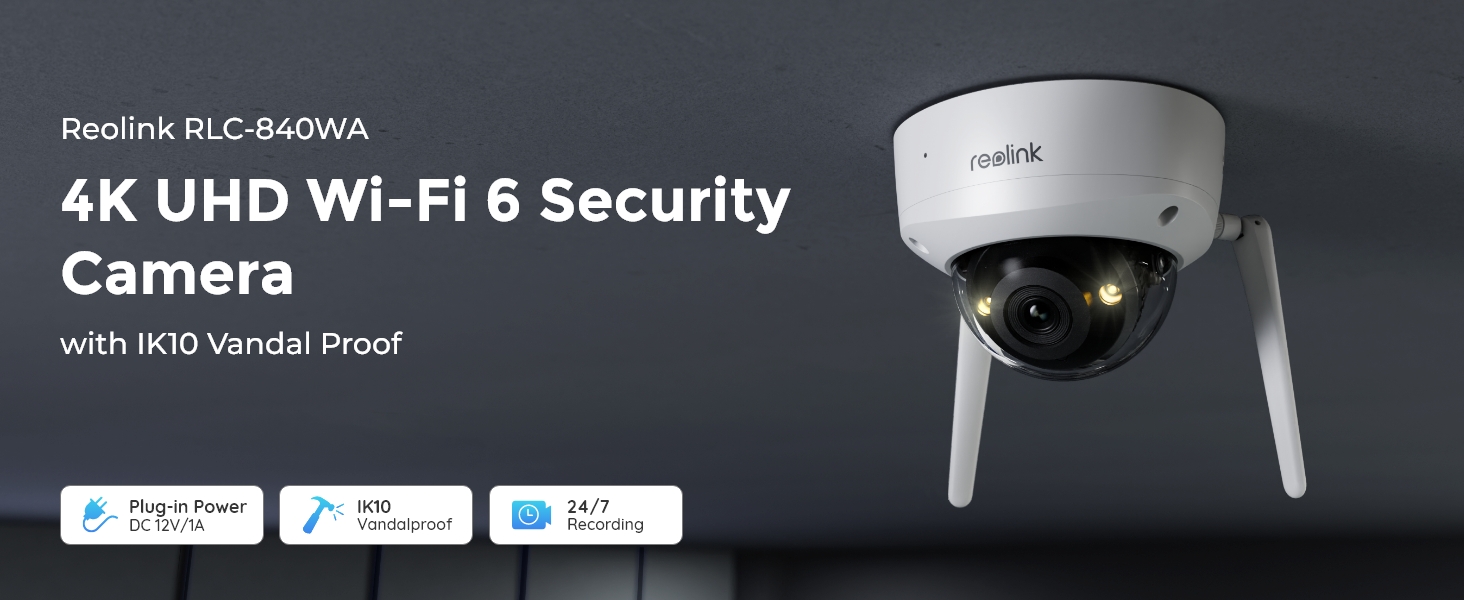
The REOLINK RLC-840WA is a dome-shaped outdoor security camera built with durable metal material. It features a 4K 8MP HD resolution lens, 125-degree viewing angle, and advanced night vision capabilities.

Key hardware features include:
- Objektiv: 4K 8MP HD resolution for clear imaging.
- IR LED: Two infrared LEDs for clear night vision up to 100 feet.
- 3000K Warm Spotlight: Provides color night vision and can deter intruders.
- Ugrađeni mikrofon i zvučnik: Omogućuje dvosmjernu audio komunikaciju.
- Senzor dnevnog svjetla: Automatically adjusts between day and night modes.
- Utor za microSD karticu: Podržava do 512 GB za lokalnu pohranu.
- Antene: Dual-band Wi-Fi 6 (2.4/5GHz) for stable and fast connectivity.
- Nosač: Designed for wall/ceiling mount with 57° manual adjustment.
4. Postavljanje
Follow these steps for initial setup of your REOLINK RLC-840WA camera:
- Uključivanje: Connect the camera to the DC 12V/1A power adapter.
- Početna mrežna veza: Connect the camera to your router's LAN port using the provided Ethernet cable.
- Network Alignment: Ensure both your camera and the device running the Reolink App (e.g., smartphone) are connected to the same router.
- Postavljanje aplikacije: Download and open the Reolink App. Follow the on-screen instructions within the app to add and configure your camera.
- Disconnect Ethernet: After successful Wi-Fi setup, you may disconnect the Ethernet cable.
- Montaža: Securely mount the camera using the provided wall/ceiling mount. Adjust the camera's angle using the swivel bracket inside the camera body to achieve the desired 125° viewing kut.
5. Upute za rad
5.1 Video nadzor
The RLC-840WA provides crystal-clear 4K Ultra HD video with a wide 125° viewing angle, allowing you to monitor large areas effectively. Access the live view through the Reolink App or Reolink Client software.
5.2 Načini noćnog vida
The camera offers two night vision options:
- Noćni vid u boji: Enabled by 3000K warm spotlights, this mode captures vivid, full-color images even in low-light conditions. Spotlight brightness can be adjusted via the app.
- Infracrveni noćni vid: When spotlights are off, infrared LEDs provide clear black-and-white images up to 100 feet for discreet monitoring.


5.3 Smart Detection
The camera utilizes advanced smart detection technology to accurately identify persons, vehicles, and animals, significantly reducing false alarms from irrelevant movements. You will receive timely push notifications or emails upon detection.

5.4 Dvosmjerni zvuk
With the built-in microphone and speaker, you can engage in two-way conversations with visitors or deter unwanted guests directly through the Reolink App.

5.5 Snimanje i pohranjivanje
The RLC-840WA supports multiple recording and storage options:
- MicroSD kartica: Insert a MicroSD card (up to 512GB, not included) for secure local 24/7 continuous or motion-triggered recording.
- Ponovno povezivanje NVR-a: Compatible with Reolink Wi-Fi NVR and PoE NVR systems for centralized recording.
- FTP poslužitelj: Configure the camera to upload recordings to an FTP server.

5.6 Značajke aplikacije
The Reolink App provides comprehensive control and monitoring features:
- Živjeti View: Pristupite video prijenosu u stvarnom vremenu s vaše kamere.
- Reprodukcija: Review snimljeno footage stored on your MicroSD card or NVR.
- Obavijesti: Customize push notifications and email alerts for smart detection events.
- postavke: Adjust various camera settings, including night vision modes, detection sensitivity, and recording schedules.

6. Održavanje
The REOLINK RLC-840WA is designed for durability and minimal maintenance:
- Otporan na vremenske uvjete: With an IP67 rating, the camera is waterproof and built to withstand various weather conditions.
- Vandal-Proof: The IK10 vandal-proof rating, metal base, and glass shield enhance its durability against physical impact.
- Čišćenje: Periodically clean the camera lens with a soft, dry cloth to ensure optimal image clarity.
7. Rješavanje problema
Here are some common questions and solutions:
- Q: Can this camera be panned or tilted?
A: No, this camera does not support pan or tilt functions. However, you can adjust its angle using the swivel bracket inside the camera body before installation. - Q: How do I set up Wi-Fi Cameras via the Reolink App?
A: (1) Power on the camera using the DC adapter and connect it to your router's LAN port using an Ethernet cable. (2) Ensure both your camera and phone are connected to the same router. (3) Follow the setup steps for your camera. (4) After setup, disconnect the Ethernet cable. - Q: Can I connect this camera to a Reolink NVR?
A: Yes, this Wi-Fi camera is compatible with both Reolink Wi-Fi NVR and PoE NVR systems.
8. Specifikacije
| Naziv modela | RLC-840WA |
| Rezolucija video snimanja | 8 MP (4K Ultra HD) |
| Viewing kut | 125 stupnja |
| Bežična komunikacijska tehnologija | Wi-Fi 6 + 2.4/5GHz Wi-Fi |
| Domet noćnog vida | 100 stopa |
| Tehnologija slabog osvjetljenja | Night Color (3000K warm lights) |
| Međunarodna ocjena zaštite | IP67 (vodootporan) |
| Vandalski otpor | IK10 |
| Materijal | Metal |
| Izvor napajanja | Električni s kabelom (DC 12V/1A) |
| Maksimalna podržana veličina flash memorije | 512 GB |
| Vrsta upozorenja | Person/Vehicle/Animal/Motion Detection |
9. Jamstvo i podrška
REOLINK products undergo strict quality testing and come with a 2-godišnje ograničeno jamstvo on all new REOLINK branded products. If you encounter any quality issues or require technical assistance, please do not hesitate to contact REOLINK support for prompt resolution.


