1. Uvod
This manual provides detailed instructions for the installation, operation, and maintenance of your Codnida 2K Security Light Bulb Camera (Model LC323). Please read this manual thoroughly before using the product to ensure proper function and safety.
The Codnida LC323 is a versatile security camera designed for both outdoor and indoor use, featuring 2K resolution, PTZ capabilities, 24/7 recording, sound and light alarms, human motion detection, and color night vision. It is designed to fit into standard E27 light bulb sockets for easy installation.
2. Sadržaj paketa
Provjerite jesu li sve komponente prisutne u paketu:
- Codnida 2K Security Light Bulb Camera (LC323)
- korisnički priručnik
- Mounting Accessories (if applicable, e.g., E27 adapter if not integrated)
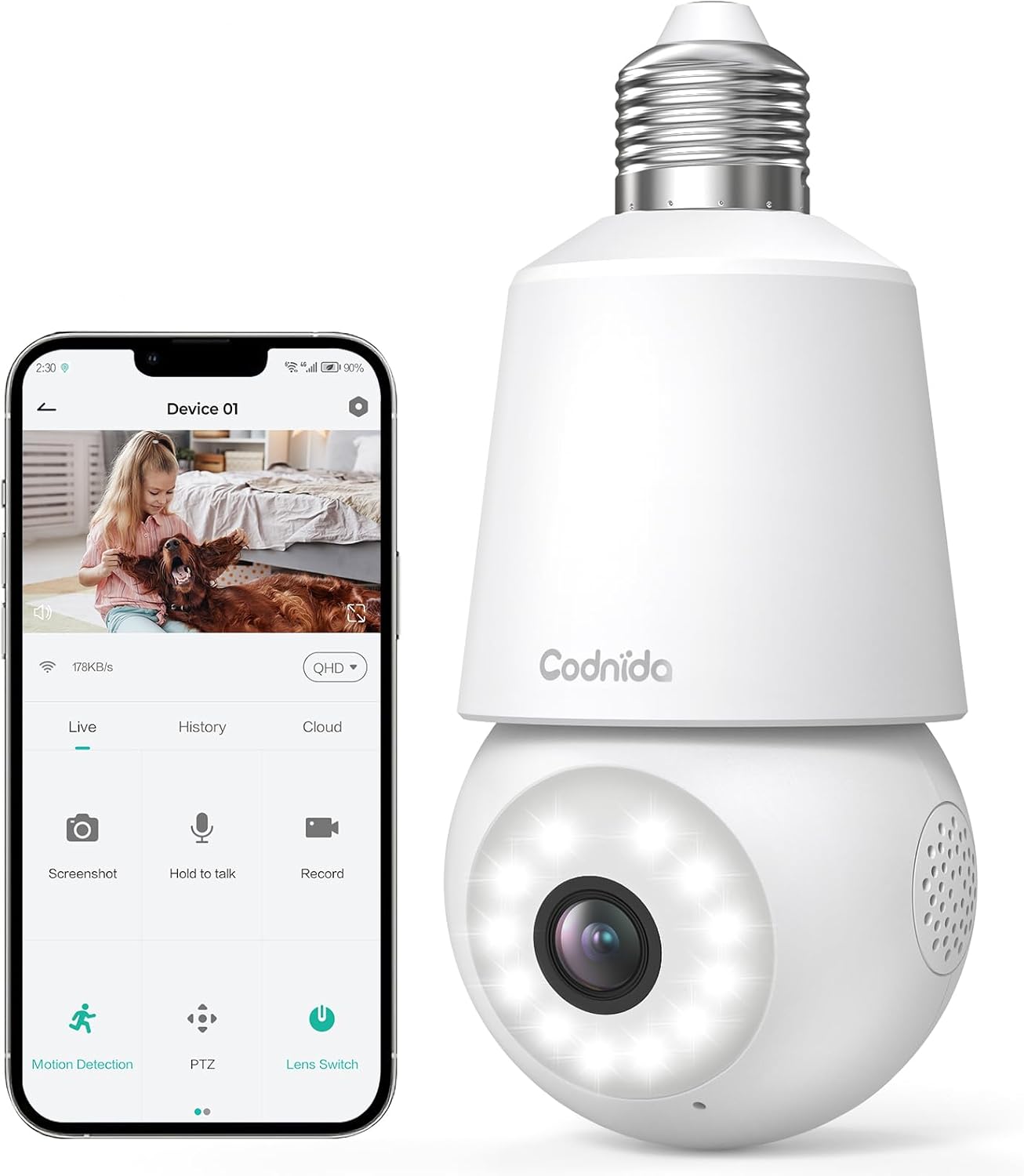
Image: The Codnida LC323 light bulb camera shown alongside a smartphone displaying its live view i upravljačko sučelje.
3. Specifikacije
| Značajka | Detalj |
|---|---|
| Broj modela | LC323 |
| Rezolucija | 2K (3 MP) |
| Povezivost | Wi-Fi (samo 2.4 GHz) |
| Izvor napajanja | Corded Electric (E27 Socket) |
| Domet noćnog vida | 10 metara |
| PTZ rotacija | Pan 355°, Tilt 50° |
| Mogućnosti pohrane | Micro SD Card (16-128GB, not included), Cloud Storage |
| Dvosmjerni audio | Podržano |
| Detekcija pokreta | Human Motion Detection, Auto Tracking |
| Značajke alarma | Zvuk i svjetlosni alarm |
| Unutarnja/vanjska upotreba | Outdoor, Indoor (IP66 waterproof and dustproof) |
| Kompatibilnost aplikacija | CloudEdge App (Tablet, Smartphone) |
Note: The camera requires a 2.4GHz Wi-Fi connection. 5GHz Wi-Fi is not supported.
4. Sigurnosne informacije
- Ensure the power is off before installing or removing the camera.
- Install the camera in a standard E27 light bulb socket.
- Ne izlažite kameru ekstremnim temperaturama ili vlazi izvan njezinog radnog raspona.
- Avoid direct exposure to water jets or prolonged submersion, despite its IP66 rating.
- Čuvati izvan dohvata djece.
- Only use the camera with compatible power sources (240 Volts, 5 watts).
5. Vodič za postavljanje
5.1 Instalacija aplikacije
- Download the "CloudEdge" app from your smartphone's app store (Google Play Store for Android or Apple App Store for iOS).
- Registrirajte se za novi račun ili se prijavite ako ga već imate.
5.2 Instalacija kamere
The camera is designed for easy installation into a standard E27 light bulb socket.
- Ensure the power to the E27 socket is turned off at the main switch.
- Carefully screw the Codnida LC323 camera into the E27 socket until it is securely fastened.
- Turn on the power to the E27 socket. The camera will power on and initiate its startup sequence.

Image: A hand demonstrates screwing the Codnida light bulb camera into an outdoor E27 light fixture, illustrating the simple installation process.
5.3 Povezivanje na Wi-Fi
Follow the in-app instructions to connect your camera to your home Wi-Fi network. Remember, only 2.4GHz Wi-Fi is supported.
- Otvorite aplikaciju CloudEdge i dodirnite "Dodaj uređaj" ili ikonu "+".
- Select the appropriate device type (e.g., "Smart Camera" or "Light Bulb Camera").
- Follow the prompts to enter your 2.4GHz Wi-Fi network name (SSID) and password.
- The app will generate a QR code. Position your phone screen in front of the camera lens (approx. 15-20 cm away) until you hear a confirmation sound from the camera.
- Once connected, the camera's status indicator light will change, and you can name your device in the app.
6. Upute za rad
6.1 Uživo View i PTZ upravljanje
Access the live video feed and control the camera's pan and tilt functions directly from the CloudEdge app.
- Open the CloudEdge app and select your camera from the device list.
- Uživo view will appear. Use the on-screen joystick or directional arrows to pan (355°) and tilt (50°) the camera lens.

Image: A smartphone screen displays the live view from the Codnida camera with on-screen controls for pan and tilt (PTZ) functionality.
6.2 Dvosmjerni zvuk
The camera supports two-way audio communication, allowing you to speak and listen through the camera.
- U živo view, tap the microphone icon to speak. Hold the button while speaking.
- Provjerite je li glasnoća telefona pojačana kako biste čuli zvuk iz kamere.
Image: An illustration showing the two-way audio feature, with a person outside the house hearing "OK!" from the camera and a person inside speaking "Please put it at the door." through the app.
6.3 Detekcija pokreta i automatsko praćenje
The camera can detect human motion and automatically track the subject within its field of view.
- Navigate to the camera settings in the CloudEdge app.
- Enable "Motion Detection" and "Human Detection" for optimized alerts.
- Activate "Auto Tracking" to have the camera follow detected movement.
- You can define specific detection zones to focus monitoring on critical areas.
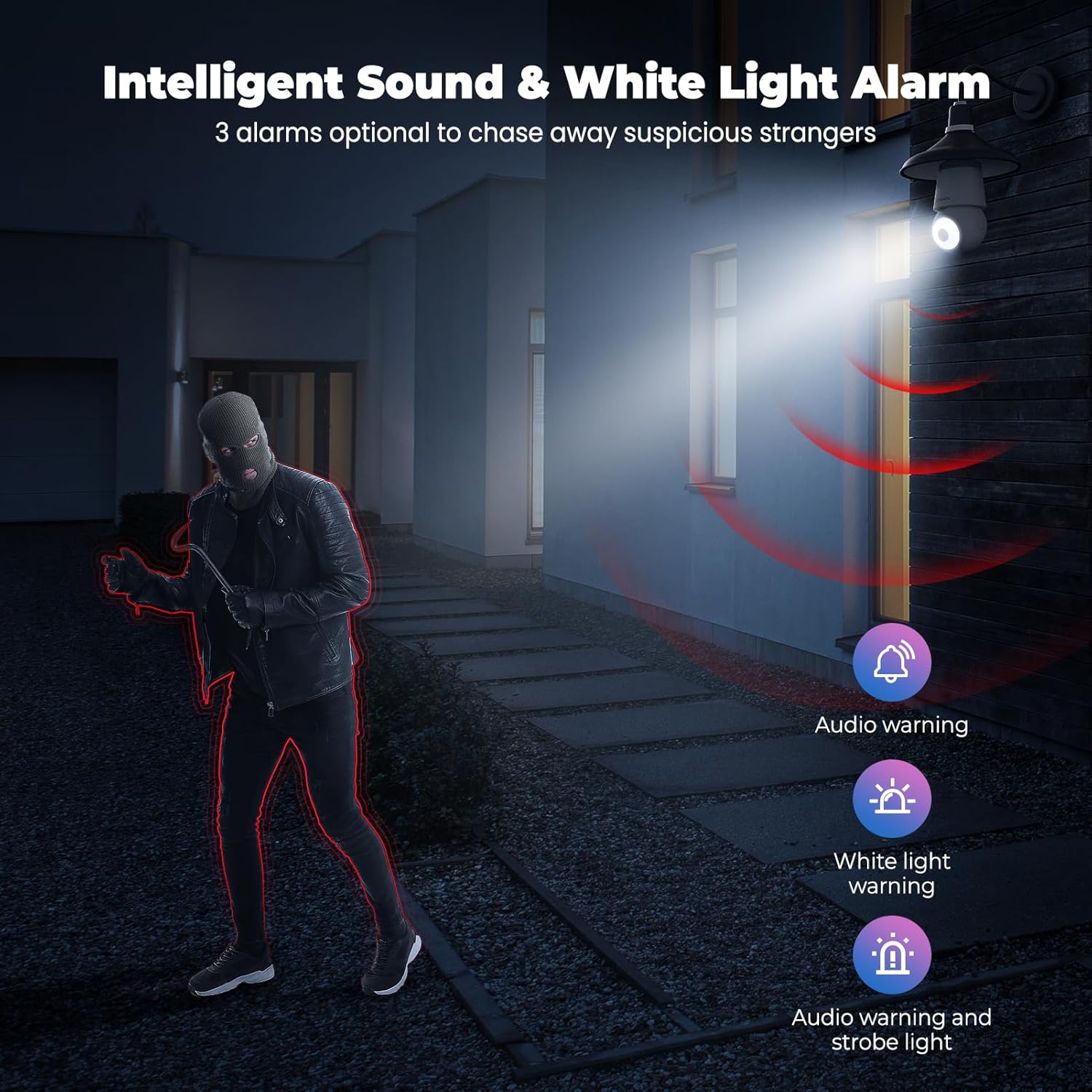
Image: An indoor scene demonstrating motion detection and auto-tracking, with dashed lines indicating the camera's pan and tilt range and boxes highlighting moving cats being tracked.

Image: An outdoor scene illustrating Human AI Intelligent Analytics, showing the camera's ability to detect and differentiate between a person, animal, car, and package.
6.4 Noćni vid
The camera provides clear surveillance even in low-light conditions with its color night vision capability.
- The camera automatically switches to night vision mode when ambient light is insufficient.
- Color night vision provides more detail than traditional black and white infrared night vision.

Image: A side-by-side comparison showing the superior detail and color provided by the camera's color night vision feature compared to standard black and white night vision in a low-light outdoor setting.
6.5 Zvučni i svjetlosni alarm
Configure the camera to trigger an audible alarm and/or flashing white light upon detection of suspicious activity.
- In the app settings, enable the sound and light alarm features.
- Choose from audio warning, white light warning, or a combination of both.
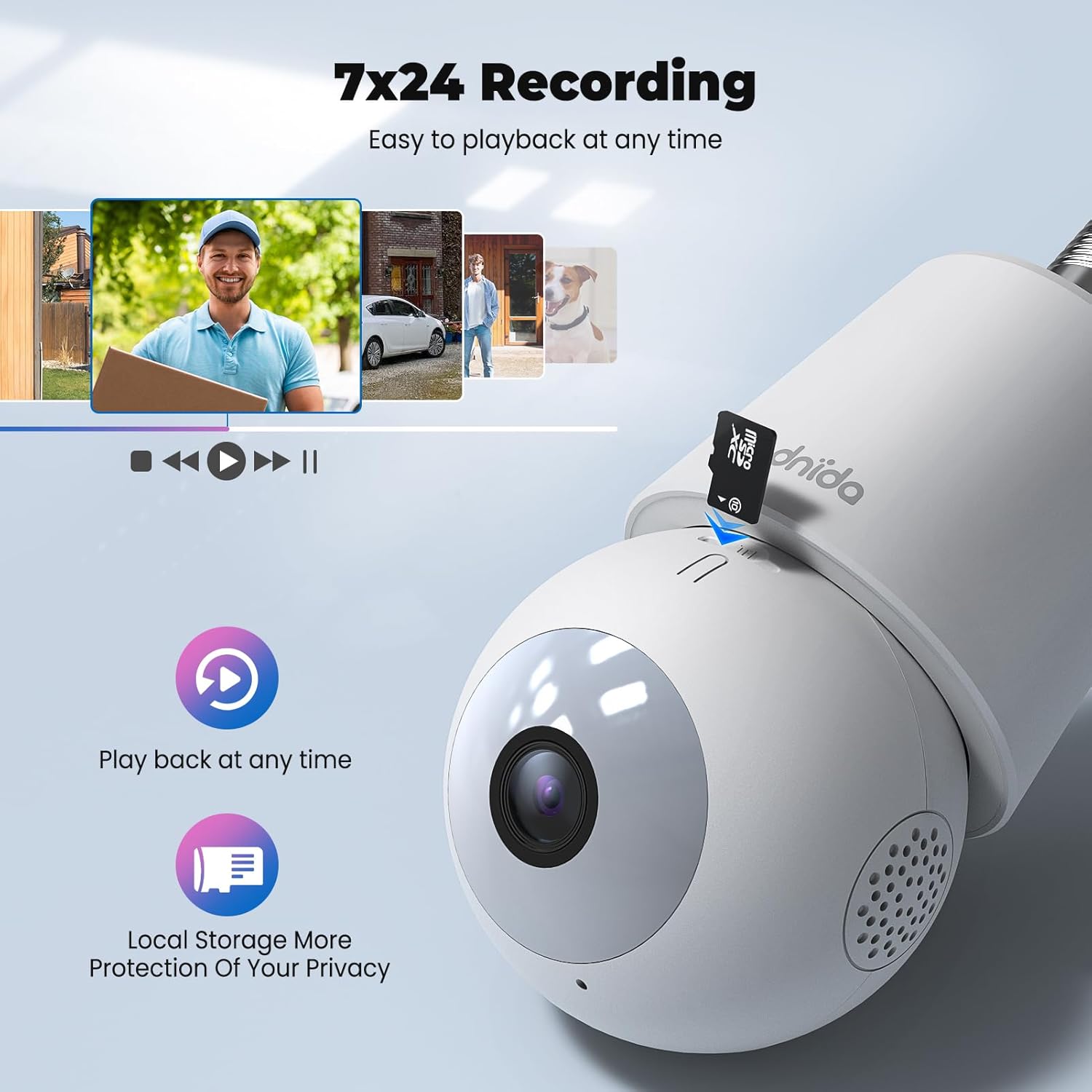
Image: An illustration depicting the intelligent sound and white light alarm feature, showing a bright light and red sound waves emanating from the camera towards a masked figure, with options for audio warning, white light warning, and audio warning with strobe light.
6.6 Snimanje i pohranjivanje
The camera supports 24/7 recording and offers both local and cloud storage options.
- Micro SD kartica: Insert a Micro SD card (16GB to 128GB, not included) into the designated slot for local storage. Ensure the card is formatted correctly via the app.
- Pohrana u oblaku: Cloud storage options may be available through the CloudEdge app (subscription may be required).
- Pristup snimljenom footage via the "History" or "Playback" section in the app.

Slika: Krupni plan view of the Codnida camera showing the Micro SD card slot, with icons indicating playback functionality and local storage benefits.

Image: A detailed diagram highlighting the key components of the Codnida camera, including the E27 base, TF card slot, reset button, loudspeaker, working indicator light, lens, and microphone.
6.7 Dijeljenje uređaja
Share access to your camera with family members or trusted individuals through the CloudEdge app.
- In the app, navigate to the device settings and find the "Share Device" option.
- You can share by scanning a QR code or by entering the recipient's registered CloudEdge account.

Image: An illustration demonstrating the device sharing feature within the CloudEdge app, showing options to share via QR code or by entering another user's registered account.
7. Održavanje
- Čišćenje: Nježno obrišite objektiv i tijelo fotoaparata mekom, suhom krpom. Nemojte koristiti jake kemikalije ili abrazivna sredstva za čišćenje.
- Ažuriranja firmvera: Regularly check the CloudEdge app for firmware updates to ensure optimal performance and security.
- Upravljanje SD karticama: Povremeno review i upravljati snimljenim footage on your Micro SD card to prevent it from becoming full.
8. Rješavanje problema
| Problem | Moguće rješenje |
|---|---|
| Kamera se ne uspijeva povezati s Wi-Fi mrežom. |
|
| Loša kvaliteta videa. |
|
| Detekcija pokreta ne radi ili previše lažnih alarma. |
|
| Cannot hear audio or two-way audio not functioning. |
|
9. Jamstvo i podrška
For warranty information and technical support, please refer to the official Codnida webweb-mjesto ili se izravno obratite njihovoj korisničkoj službi. Sačuvajte račun kao dokaz o kupnji za slučaj zahtjeva za jamstvo.
Proizvođač: Codnida
Kontakt: Refer to Codnida's official support channels for assistance.
Mrežni resursi: Posjetite Codnida Store on Amazon za ažuriranja proizvoda i dodatne informacije.


